9 Best Pipeline Management Software for Marketing Agencies

Click to Compare

Best Pipeline Management Software

Running a marketing agency means keeping tabs on dozens of moving deals. One client is stuck in the proposal stage, another is waiting on a contract, and three more need follow-ups before the week ends. Without a system, it’s easy to lose track of where money is sitting and which deals are slowly slipping away. 

Pipeline management software or sales pipeline software gives you a real-time view of every deal. It shows which stage needs attention, and helps you forecast revenue with confidence.

This guide shows you how to choose, set up, and get ROI quickly with a deal tracking software. For context, this guide comes from a team behind an Inc. 500 customer acquisition platform founded in 2014 and used by more than 600,000 businesses worldwide. We know this space. What you’ll get here is experience-driven advice and knowledge of what works and doesn't. 

TLDR: 9 Best Pipeline Management Software for Marketing Agencies

  • Pipeline management software is your deal control board, showing every stage and keeping revenue forecasts on point.
  • The big benefits are accountability, better forecasting, less admin, happier clients, and smarter decisions backed by data.
  • When choosing a tool, look for branding control, easy automations, fair pricing as you grow, strong integrations, and quick onboarding.
  • Synup OS is one of the best sales pipeline managers built for agencies, with custom stages, white-label dashboards, marketing apps, and room to scale.
  • Other solid options include Keap, Salesmate, Close, Pipeline CRM, Pipedrive, Salesforce, HubSpot, and Zoho CRM.
  • The best tool is the one your team will actually use every day and that clients find easy to trust.
  • Most agencies get ROI fast, often within 3–6 months, if they save time on admin and close just one extra client.

What Is Pipeline Management Software?

A pipeline management software is the control tower for your sales process.

It logs calls, emails, and notes automatically, showing your entire deal flow in one place. Forecasts update instantly as deals progress.

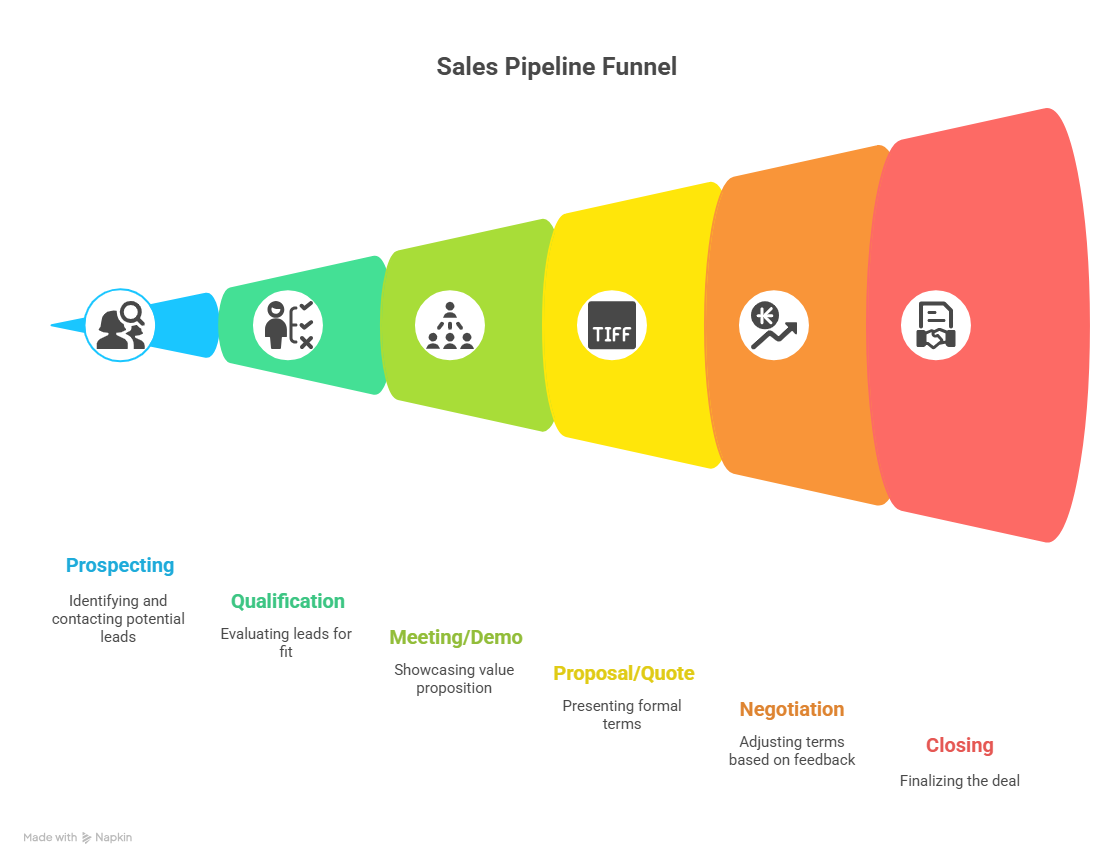
Pipeline management software provides a column for each stage: Lead In, Discovery Call, Proposal Sent, Negotiation, Won. You drag and drop deals as they move. At each stage, tasks, reminders, and communications are tied directly to that deal. 

This is why it’s sometimes called deal tracking software or deal pipeline software. Who owns the deal? What’s next? How much money is stuck? It makes the sales process clearer.

Benefits of Using a Pipeline Management Software

Here are a few benefits of using pipeline management software:

Clear accountability

No more finger-pointing. When every deal has an owner, you can see who’s responsible and what action is overdue. Imagine opening the board on Monday morning. You spot three proposals sitting untouched in “Negotiation” for two weeks. Now you know exactly who to nudge and what to escalate.

Forecast with confidence

Forecasting is not guesswork when your pipeline is set up right. Say you’ve got 10 open deals worth $50,000 combined. If your historic win rate is 60 percent, you can expect about $30,000 in revenue. That number tells you if you can hire, cover payroll, or take on new ad spend. Without a system, you’re stuck making gut calls. With one, you’ve got math backing your moves.

Saves time

Automations handle repetitive work. For example, when a deal is marked “Closed/Won,” the system auto-generates a kickoff task for delivery, pings the account manager, and sends a welcome email to the client. With that, you save 15 minutes each time. Multiply that across 50 deals a quarter, and you’ve saved entire workdays.

Better client relationships

Clients don’t want to chase you for updates. White-label dashboards let them log in, see statuses, and relax. Instead of weekly “just checking in” emails, they can view progress live. That builds trust and reduces back-and-forth. Agencies using client portals often build calmer relationships and witness fewer escalations.

Data-backed decisions

You can finally answer the tough questions. Which lead sources close fastest? Which service packages convert at higher rates? Which reps consistently win at better margins? 

For example, you may notice deals from paid search close at 40 percent higher value than referrals. That insight guides where you double down on acquisition.

How To Choose The Right Sales Pipeline Software For Your Agency

Do not start by comparing feature checklists. Start with how your agency works. Then ask how the tool fits into that rhythm. Here are the criteria that matter:

White-label client portal

Clients hate seeing someone else’s logo. Sometimes, it can be a contract breaker. If this matters to you, then pick a tool that lets you custom-brand the portal and domain. That way, when your client logs in, it feels like your agency built the platform just for them.

Self-serve access and permissions 

Your client’s marketing manager doesn’t need full access to the CRM. They just need to see their campaign deals. Look for role-based permissions. 

Example: a retail chain’s head of marketing sees all 12 locations. Each local manager only sees their own deals. That keeps data clean and secure.

Robust automation and workflow builder

Manual follow-ups are a time waster. If a deal sits in “Proposal Sent” for seven days without an update, the system should fire a reminder to the rep and maybe an escalation to the manager. Or if a call is logged as “No Show,” the system automatically reschedules.

Scalable pricing

Seats and contacts can add up quickly to the price. There are a lot of tools that look cheap at first, with pricing jumping sharply after the second month or after adding five users. The sweet spot is a pricing model that scales gently, like $5 per extra user or $1 per extra client account. You'll appreciate that predictability as you grow.

Integrations and API

You’re running billing, ads, project management, maybe Slack or Teams. When a deal closes, the project should appear in your delivery tool automatically. When an invoice is paid, the client record should update with no double entry.

Ease of onboarding and support

Your team is busy. They don’t have time for a two-month rollout. Choose software with templates, walkthroughs, and responsive support. Test it: can a new rep get value in week one without handholding? If yes, you’ve found the right solution.

Synup OS – Sales Pipeline Manager for Marketing Agencies
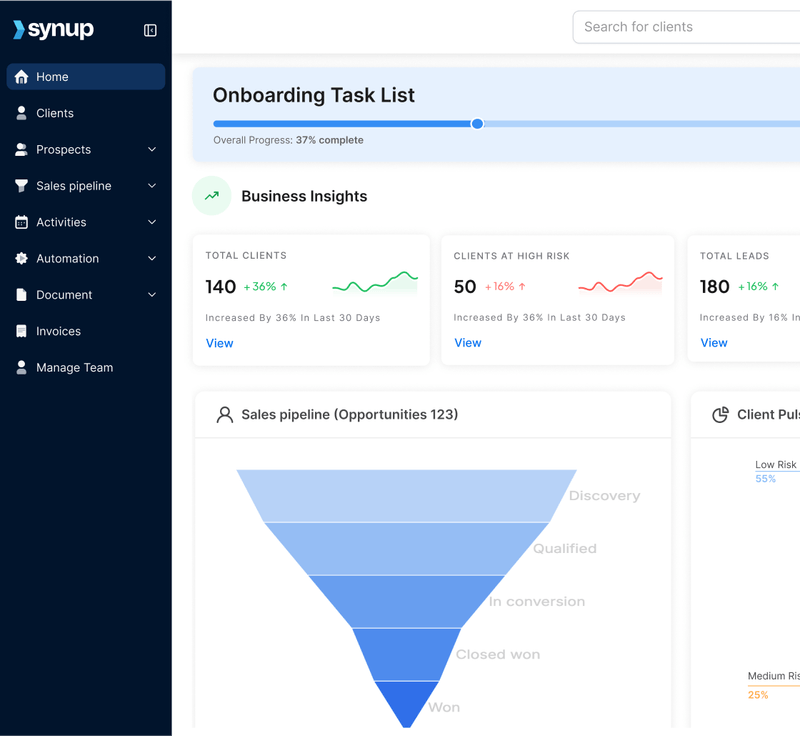
Best suited for: Mid-sized marketing & advertising agencies

What Synup Does

Synup is a complete sales pipeline management tool built for clients who run marketing agencies. It's designed to handle multiple clients, ongoing campaigns, and recurring retainers. With Synup, you can track every lead from discovery to deal close and beyond without signing up for three to five different tools
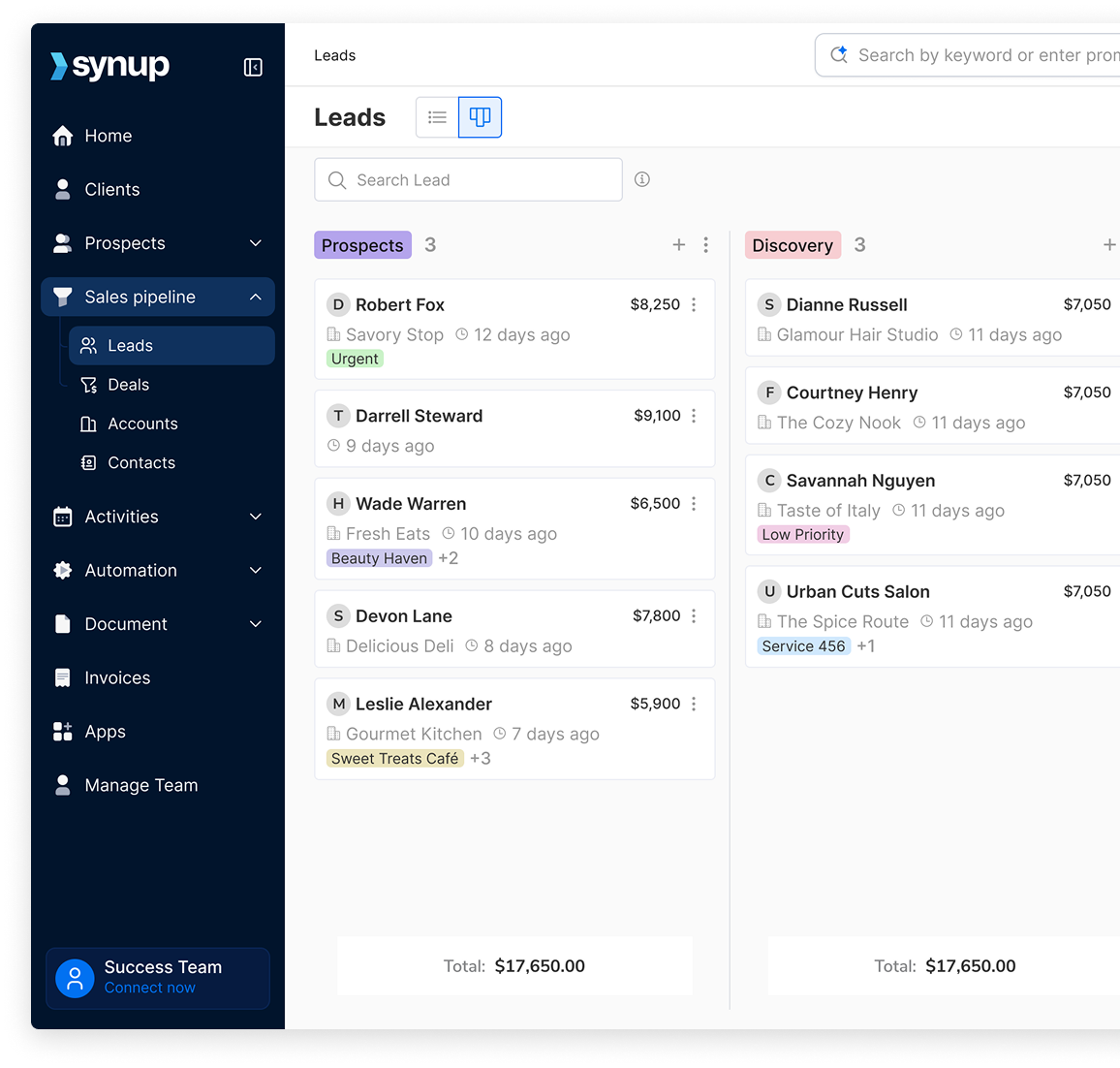
Synup gives you a live deal board, accurate forecasting, and ensures nothing slips past your team or clients. Unlike tools like Keap, which are built first for marketing automation and then layered with pipelines, Synup is agency-native. You get built-in lead discovery, agency-style forecasting, data management, and pipeline management, all in one unified system. 

What sets Synup apart is that, as an all-in-one tool, your workflows remain seamless even beyond the sales pipeline. Once a lead makes it to the other side, handoffs to other teams happen smoothly and without disruption. 

Key Features

  • Custom pipeline builder: Create deal stages that fit how your agency sells, whether it’s “Audit > Proposal > Negotiation > Won” or something unique to your workflow. You can display them in a List or Kanban view. 
  • Sales Activity Tracker: Keep tabs on each touchpoint, from calls to emails, meetings, notes, and tasks, all right within the deal.
  • Drag-and-Drop Pipeline: Manage your entire deal flow visually. Move opportunities between stages, assign owners, add notes, and track progress instantly.
  • Precise Prospecting: Manually search for your target customer profile using filters like location, Google Business Profile insights, and more, or use the AI Search function to generate prospects based on your prompt.
  • Smart Revenue Forecasts: See how much potential revenue sits in each stage and what’s likely to close this quarter. 
  • Track the Right Data: Add custom fields to capture deal-specific insights such as service type, location, lead source, or client size. Instead of laboriously digging through a business’s digital presence, you can also use the AI function to enrich lead data with business-specific information and even schedule how often it updates.
  • AI-Powered Workflows: Automate follow-ups, reminders, and stage transitions so deals never stall. For example, if a proposal sits idle for seven days, Synup pings the deal owner or moves it to a “Needs Review” stage automatically. 

What Sets Synup Apart

  • Agency-first design: it’s built for how marketing teams work (not generic sales teams).
  • One platform, multiple services: you don’t need separate tools for pipeline management, invoicing and billing, reviews, listings, and social.
  • White-label experience: clients think they are using your custom software.
  • Scalable model: from a handful of clients to hundreds.

Pricing

  • Startup: $79/month (billed annually) – includes up to 5 team members, 25 client accounts.
  • Agency: $199/month annually – up to 10 team members, 100 client accounts.
  • Scale: $799/month annually – up to 50 team members, 500 client accounts.
  • Additional team member: $5/month; additional client account: $1.5/month.

Pros

✅ All-in-one system reduces tool fragmentation
✅ Strong white-labeling & branding control
✅ Client portal & embedded service apps

Cons

🚫 On the pricier side for one-person agencies or consultants; best suited for medium-sized agencies looking to scale up. 

What Customers Say

“It offers an all-in-one suite for local listings, reputation management, social media, and local search optimization. With Synup OS, the company advances its mission … help agencies grow faster.”

- Review collected by and hosted on G2.com.
Keap

Best for: Automation-heavy agencies with payments
Source: Keap

What Keap Does

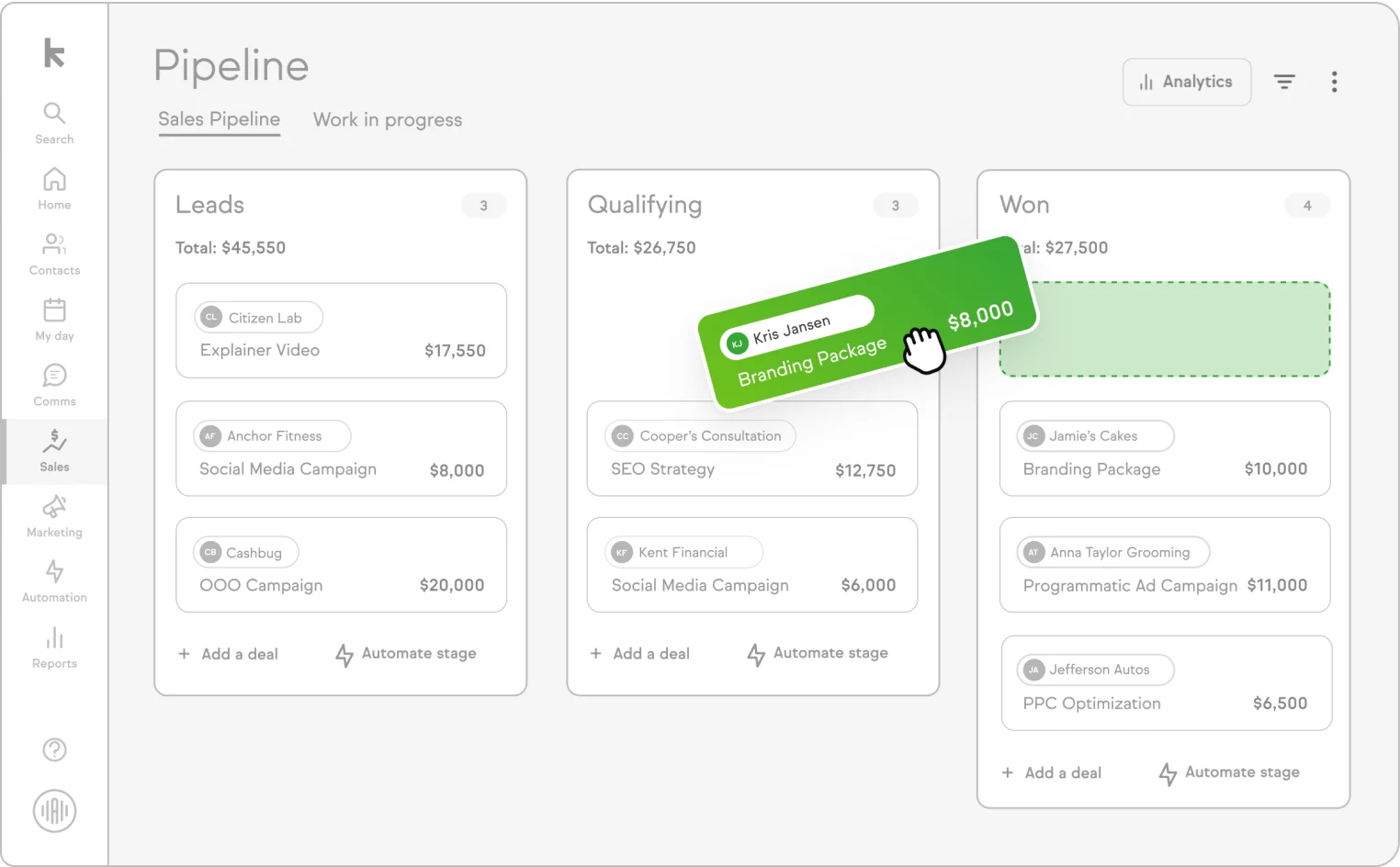
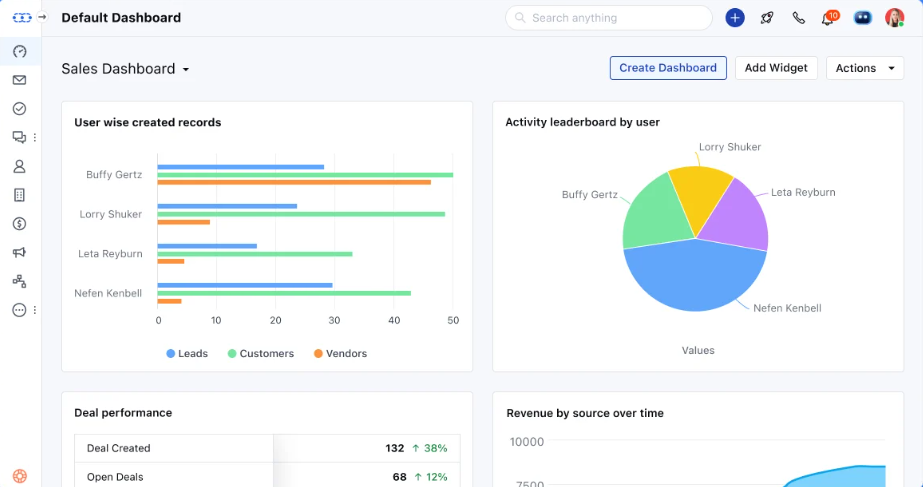
Keap (formerly Infusionsoft) is a CRM + automation tool that blends sales pipeline, email/text marketing, forms, payments, and campaign automation. It’s good when your agency sells retainers + recurring services and needs follow-up sequences baked in.

Key Features

  • Visual pipeline view combined with automation workflows (if ‘deal’ reaches ‘stage’, send an email sequence).
  • Behavior-based triggers: sends messages based on how leads behave (click, visit, form fill).
  • Email/SMS/landing page builder
  • Payment & invoicing inside the system
  • Reporting & dashboards to track bottlenecks and conversion rates.

Pricing

  • Starts at $249/month for the base plan.
  • Note: pricing scales with the number of contacts and added seats.

Pros

✅ Deep automation + pipeline in one tool (you can layer retainer services and automate upsells.)
✅ Trusted by 200,000+ small businesses (brand reputation)
✅ No need to stitch separate tools (CRM + email + payments).

Cons

🚫 Price jumps quickly with contacts/seats
🚫 Steep learning curve at first
🚫 Missing features

What Customers Say

“Keap’s pipeline plus powerful automations eliminate repetitive tasks so you can focus on selling.”

- Review collected by and hosted on G2.com.
Salesmate

Best for: Small teams wanting built-in calling
Source: G2

What Salesmate Does

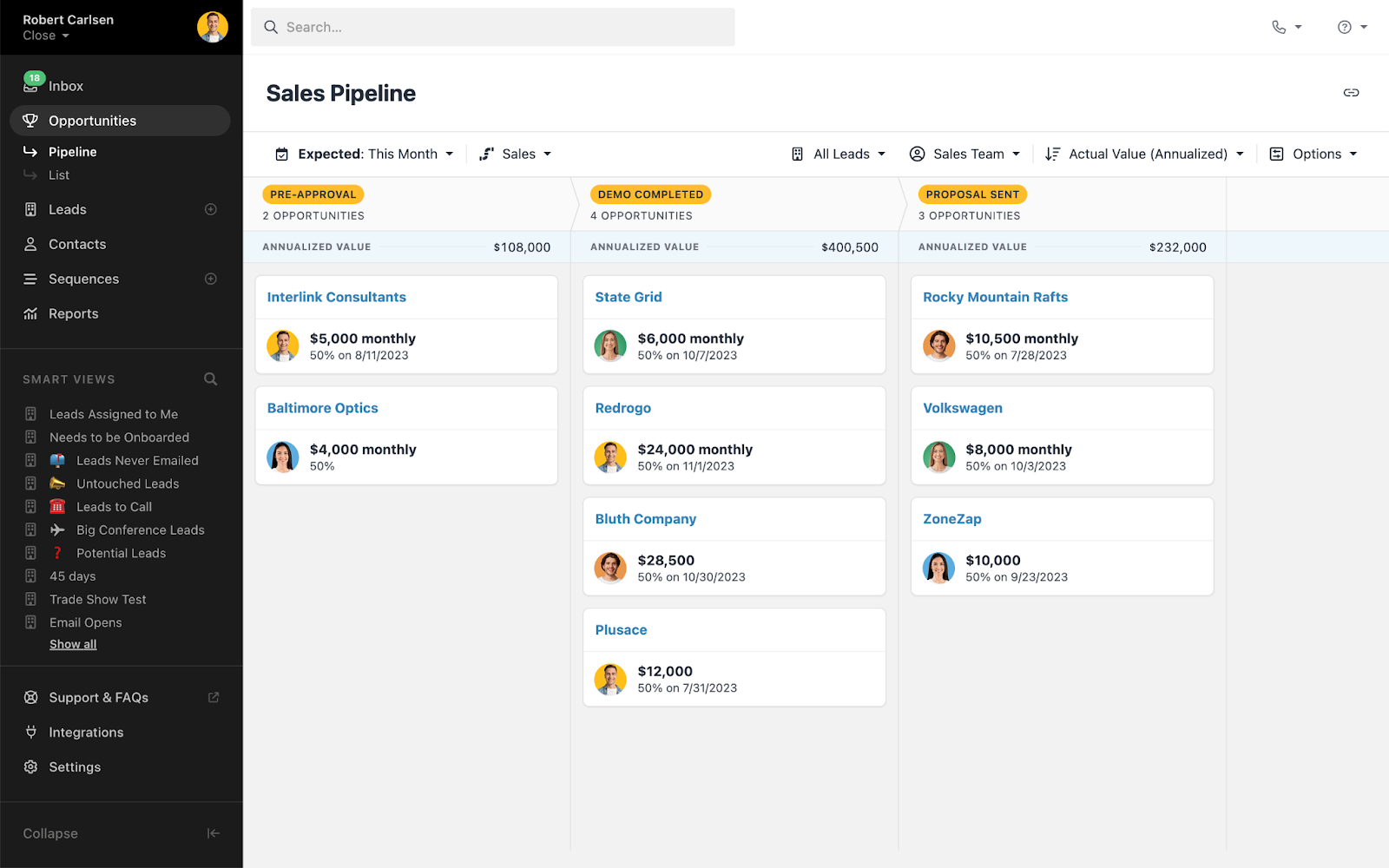
Salesmate is a lean CRM built for usability, with a heavy emphasis on in-built communication (calls, SMS, emailing) and clean pipelines. Agencies on tight budgets that still want solid automation gravitate to it.

Key Features

  • Unlimited sales pipelines to manage SEO deals, ad deals, and web dev deals separately.
  • Built-in calling & texting within the app
  • Sales sequences/flows for follow-up nurtures
  • Smartflows/automation: branch logic, reminders
  • Reporting & analytics dashboards

Pricing

  • Basic: $23/user/month
  • Pro: $39/user/month
  • Business: $63/user/month
  • Enterprise: Packages begin at $1999

Higher tiers unlock more automation & AI features. In comparison pages, Salesmate beats Keap in value per dollar at higher tiers.

Pros

✅ Strong value: built-in comms + automation
✅ Simple UX, fast onboarding
✅ Lower cost of entry with meaningful features

Cons

🚫 Fewer integrations & advanced features than enterprise CRMs
🚫 Reporting/mail merge features may be lighter 
🚫 Some users report clunky or slow functioning

What Customers Say

 “Salesmate’s intuitive interface and powerful features make managing our sales pipeline a breeze… automation saves us time.”

- Review collected by and hosted on G2.com.
Close

Best for: Outbound sales and high call volume
Source: Close

What Close Does

Close is made for teams that do high-touch outbound: calls, SMS, and emails, all inside the CRM. If part of your agency has aggressive lead gen outreach, Close is a solid pick. It’s pretty widely used as well.

Key Features

  • Power dialer & automated call sequences
  • Email & SMS integration per lead
  • Visual pipelines
  • Custom reporting & dashboards
  • Webhooks, API, integrations

Pricing

  • Essentials: $35/user/month
  • Growth: $99/user/month
  • Scale: $139/user/month
  • Custom pricing for larger teams

Pros

✅ Best-in-class call + SMS inside CRM (Great visibility into how communication correlates with deals)
✅ Clean and focused pipeline view
✅ Intuitive and simple to use

Cons

🚫 Advanced reporting & analytics are locked to higher plans
🚫 Not ideal if your agency is 100% inbound or doesn’t use high outreach volume
🚫 Many users report missing features and customization (such as the persistent need for manual inputs and lack of customization with reporting)

What Customers Say

“It helps us reach more people with mass campaigns, and at the same time, we can send quick one-to-one emails right after a call using templates. This way, we can follow the 3M strategy faster and more easily.”

- Review collected by and hosted on G2.com.
Pipeline CRM

Best for: Agencies looking for straightforward sales tracking
Source: Pipeline CRM

What Pipeline CRM Does

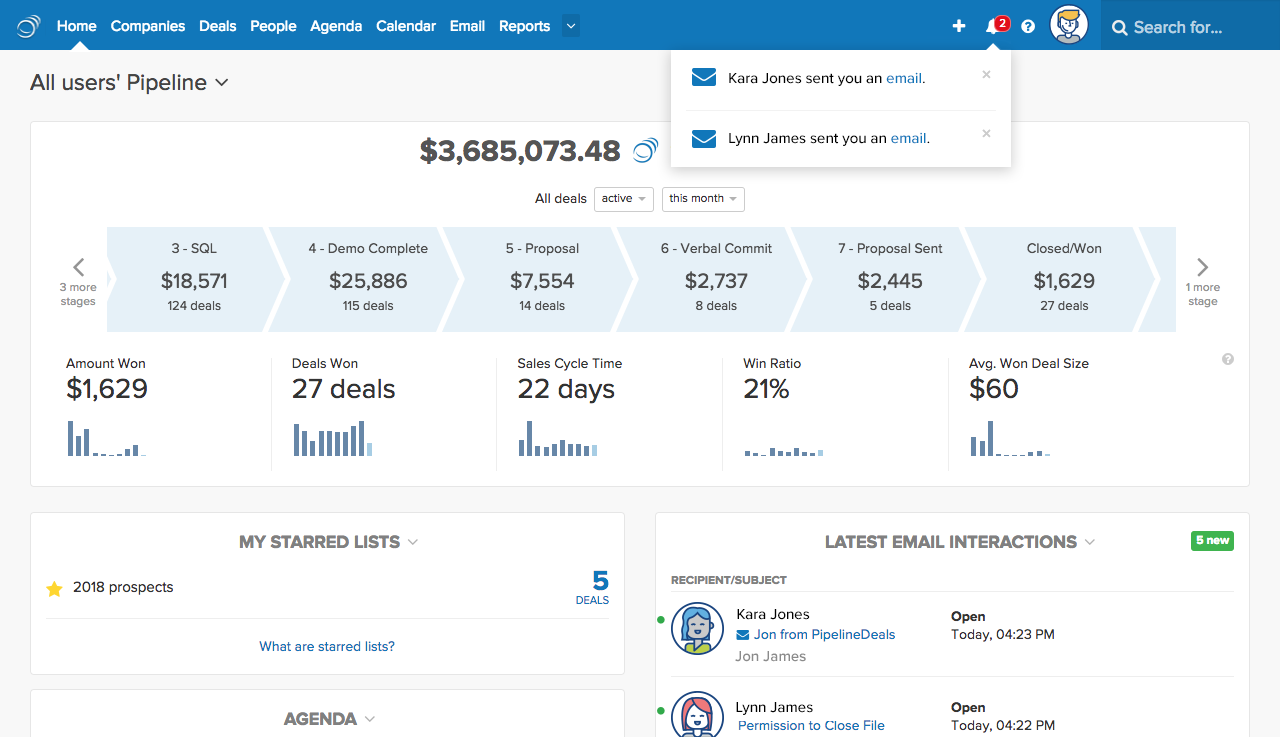
Pipeline CRM (also known as PipelineDeals) is a no-fuss CRM built on simplicity and usability. Agencies that want a deal tracking tool that works from day one, without too much customization, often lean here. The Pipeline team declares the software to be a “CRM for salespeople, built by salespeople”.

Key Features

  • One or more customizable pipelines
  • Email sync & history
  • Daily agenda & reminders
  • Activity timeline per deal
  • Basic reporting dashboards
  • Mobile app

Pricing

  • Start: $25/user/month
  • Develop: $33/user/month
  • Grow: $49/user/month
  • Custom enterprise pricing is also available

Pros

✅ Straightforward, clean interface with an easy learning curve
✅ Transparent, simple pricing
✅ Great customer management and workflows for small to medium teams who don’t need advanced workflows.

Cons

🚫 Automation & multi-pipeline functions are limited in low tiers and complex to set up
🚫 Reporting depth is less than other enterprise tools
🚫 Limited third-party integrations and APIs

What Customers Say

“It helps us reach more people with mass campaigns, and at the same time, we can send quick one-to-one emails right after a call using templates. This way, we can follow the 3M strategy faster and more easily.”

- Review collected by and hosted on G2.com.
Pipedrive

Best for: Visual pipelines with AI integrations
Source Pipedrive 

What Pipedrive Does

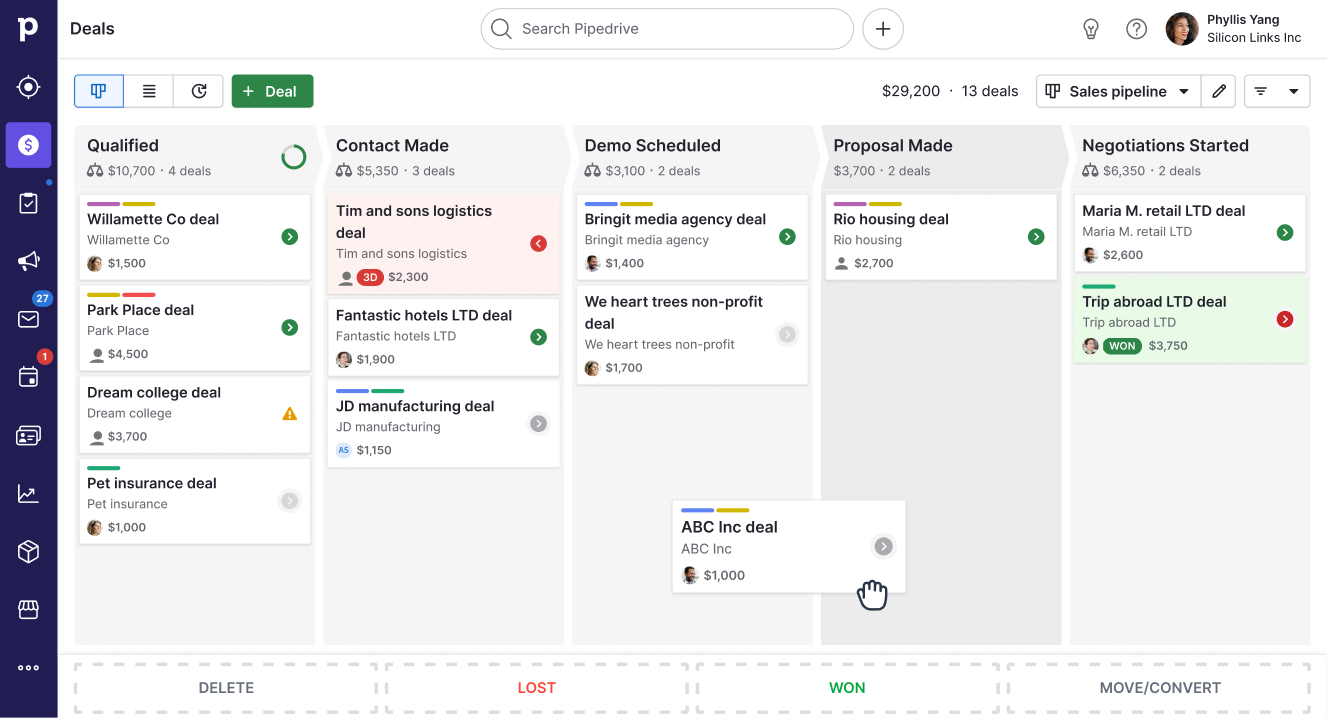
Pipedrive is a well-known, highly visual CRM. It leans into “deal pipeline first” thinking, then builds automation and AI around it. It's good for agencies that prefer visual clarity and smart nudges.

Key Features

  • Drag-and-drop pipelines
  • “Smart Contact Data” (auto-enriching)
  • AI assistant suggestions (which deal to focus on)
  • Workflow automations & triggers
  • Email sync & templates
  • Reporting dashboards

Pricing

  • Lite: $14/user/month
  • Growth: $24/user/month
  • Premium: $49/user/month
  • Ultimate: $69/user/month

Pipedrive offers specialized add-ons that may drive up the final price.

Pros

✅ Strong visual pipeline interface

✅ AI helps reduce decision fatigue on what to work on next + revenue forecasting

✅ Scalable features and strong integrations

Cons

🚫 Marketing automation is limited
🚫 Add-ons can escalate costs

What Customers Say

“Low learning curve. Customizable, add the fields you need. Sales teams have filterable views to stay on top of lead nurturing. Easy to see the status of all clients and filter by status.”

- Review collected by and hosted on G2.com.
Salesforce (Sales Cloud)

Best for: Enterprise agencies needing customization
Source: Salesforce 

What Salesforce Does

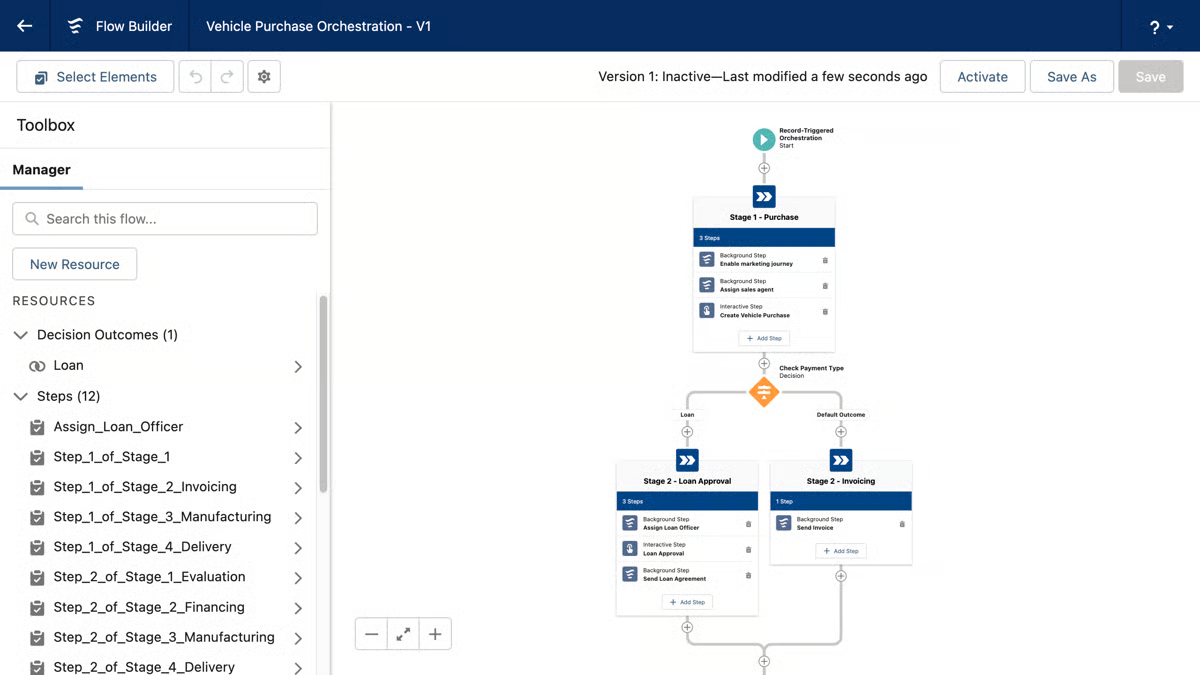
Salesforce is a “big gun” that lets you build any process, any dashboard. It's designed for agencies with large teams, multiple verticals, and complex workflows.

Key Features

  • Fully customizable pipelines & stages
  • Opportunity scoring, forecasting, AI (Einstein)
  • Dashboard builder & advanced analytics
  • AppExchange ecosystem (thousands of apps)
  • Advanced workflow automation, triggers

Pricing

Salesforce Sales pricing is as follows:

  • Starter Suite: $25/user/month
  • Pro Suite: $100/user/month
  • Enterprise: $175/user/month
  • Unlimited: $350/user/month
  • Agentforce 1 Sales: $550/user/month

Pros 

✅ Unmatched flexibility, integration & power
✅ Enterprise-grade forecasting and controls
✅ Deep forecasting & analytics help agencies scale intelligently.

Cons

🚫 High cost & complexity
🚫 Requires admin/training overhead

What Customers Say

“I use this everyday and what I like about Salesforce Cloud is that it keeps all our customer info in one place” 

- Review collected by and hosted on G2.com.
HubSpot (Sales Hub)

Best for: Free starter CRM with marketing sync
Source: HubSpot

What HubSpot Does

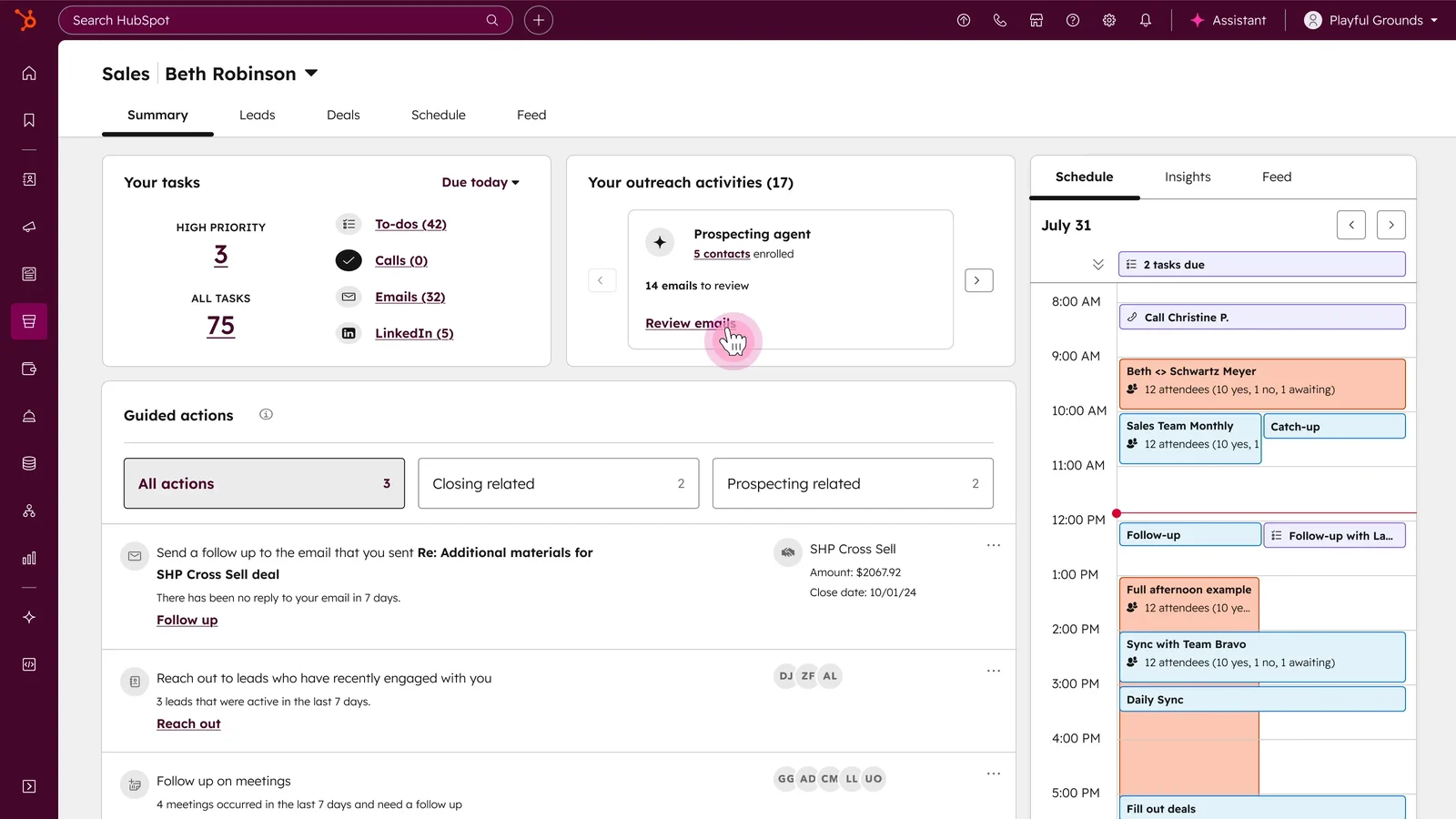
HubSpot’s CRM + Sales Hub is beloved by many agencies because it starts free. Then you can upgrade as you need more features. Its tight integration with the marketing suite is a plus.

Key Features

  • Customizable pipelines & deal boards
  • Activity tracking (calls, emails)
  • Sequences & automation
  • Meeting scheduling & deal tracking
  • Analytics dashboards

Pricing

For Sales Hub:

  • Free tier available.
  • Starter: $20/user/month
  • Professional: $100/user/month
  • Enterprise: $150/user/month

Pros

✅ Free entry-level plan. Start free, test before you invest.
✅ Full-blown marketing + sales alignment; fewer tool silos.
✅ Scales with you; upgrade when you hit limits

Cons

🚫 Paid tiers escalate fast🚫 Some customizations locked behind high tiers

What Customers Say

“Instead of jumping between tools, it pulls everything together — from my AI call notes in CloudTalk to my Google Calendar meetings — and makes it instantly available in one place”

- Review collected by and hosted on G2.com.
Zoho CRM

Best for: Budget-conscious agencies wanting features
Source: Zoho CRM

What Zoho CRM Does

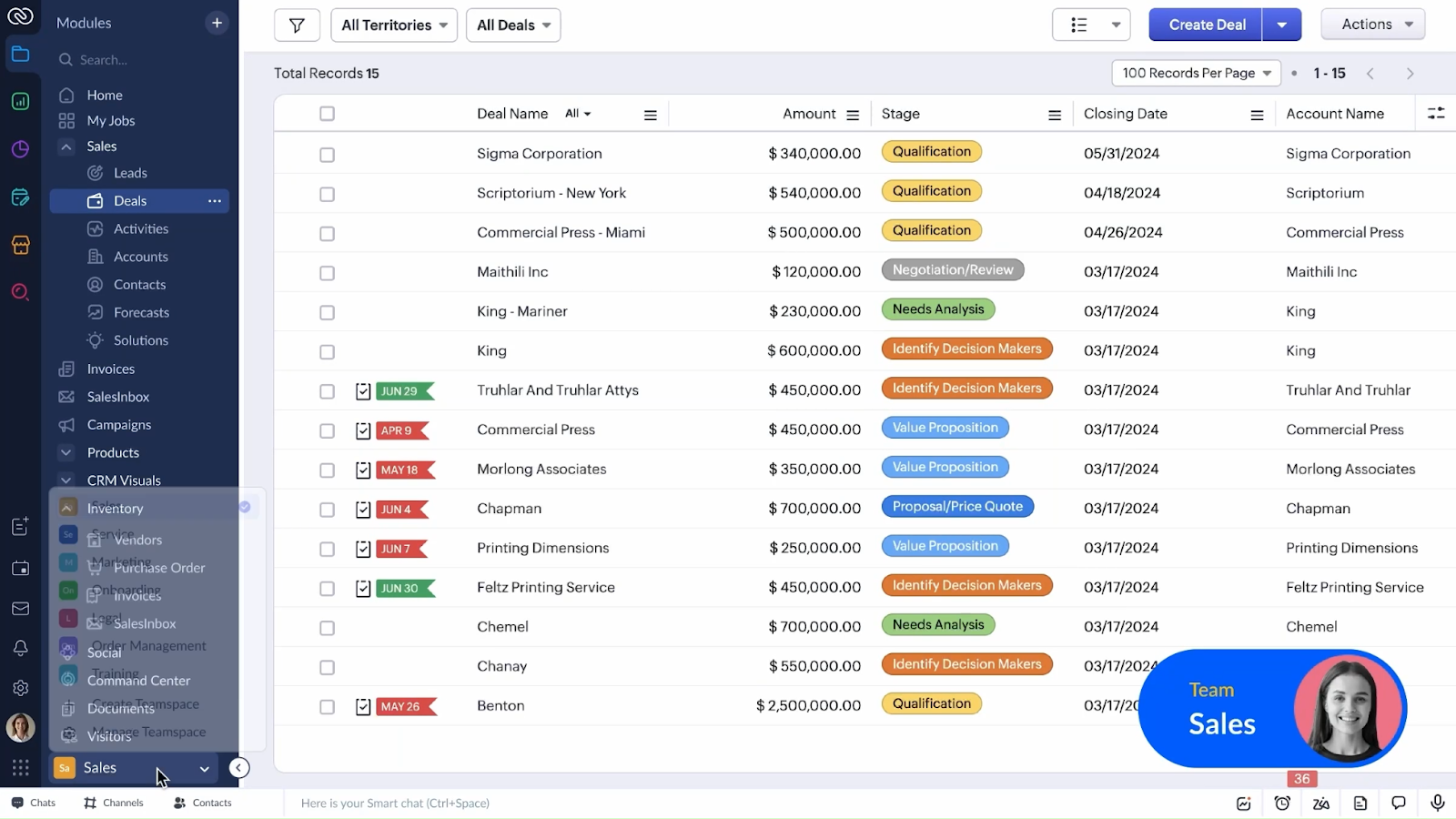
Zoho is the underdog favorite but still one of the best pipeline management software out there, thanks to its robust features at budget rates. If you’re scaling carefully, Zoho gives you many features without going over budget.

Key Features

  • Pipelines & forecasting
  • Workflow automations
  • Multichannel (email, chat, social) communication
  • AI assistant “Zia” (suggests next actions)
  • Rich integrations (Zoho ecosystem + third parties)

Pricing

  • Free tier available
  • Standard: $14/user/month
  • Professional: $23/user/month
  • Enterprise: $40/user/month

There may be discounts on pricing when billed annually.

Pros

✅ Feature-rich and affordable
✅ Strong integrations and AI assist

Cons

🚫 UI can feel clunky in places
🚫 Support sometimes lags vs top brands

What Customers Say

“Zoho CRM provides a centralized platform to manage leads, contacts, and client interactions in a much more structured way compared to spreadsheets.” 

- Review collected by and hosted on G2.com.

Summing Up…

The best sales pipeline software is the one your team can use every day. It shows you every deal, who owns it, and what’s next. It forecasts revenue accurately. It automates the boring procedures. It also provides clients with a simple way to stay informed.

When evaluating tools, ask if they fit your sales process. Will they scale as you grow? Will your reps actually use and update them? Get those answers, and you’ll make the right choice.

Get Started with Synup

If you want a platform designed with agencies in mind, the Synup sales pipeline manager tailors the pipeline to your process. Whether you run a lean three-stage cycle or a detailed ten-stage one, you can customize it and see how much revenue is sitting in each stage. You can add custom fields for service type, lead source, or region. Use that data to filter reports, personalize outreach, and fine-tune your process.

Agencies using Synup OS often cut admin time by hours per week and build client trust with branded portals. If you want to see how it feels in practice, book a demo and explore how it could fit your team.

9 Best Pipeline Management Software for Marketing Agencies: FAQs

  1. Which pipeline software is best for a 5-person agency starting out? 

Synup OS stands out for a small team looking to scale into a medium-sized one. It combines pipeline tracking with white-label portals and delivery workflows in one platform, so you won’t outgrow it quickly, nor need to have two to four software for various processes. 

  1. Which pipeline management software supports white-label portals?

Most generic CRMs won’t give you full white-labeling. Only agency-focused tools like Synup OS or CRMs that allow custom domains and branding deliver a portal where clients see your logo and URL instead of the software provider’s. Always test the client-facing view before committing. Synup gives you a free demo to try this out.

  1. What’s the typical ROI timeline for sales pipeline software? 

Agencies usually recoup costs within 3–6 months. If the software saves each rep 5 hours a week in admin and helps close just one extra client per month, the tool often pays for itself quickly. ROI also compounds as your pipeline becomes more predictable and client churn drops thanks to better transparency.

Partner With Synup Today!

Book a call with our partnership manager to explore custom growth solutions for your agency.