Top 7 Pipedrive Alternatives for Growing Agencies

Click to Compare

Top Pipedrive Alternatives

In an agency environment, evolution is everything. You need to recognize when it’s time to dig in and refine and when it’s time to, well, change course and move forward.

As your agency scales, juggling client pipelines, invoices, and campaigns in a limited-feature CRM like Pipedrive can feel restrictive. While Pipedrive is intuitive for small teams, growing agencies often need deeper performance visibility, built-in marketing tools, and better cross-departmental integration.

If you’re hitting those limits, it’s time to explore more capable options. In this guide, we’ve rounded up seven of the best Pipedrive alternatives built for agencies that want to streamline operations, manage revenue end-to-end, and deliver outstanding client experiences.

TL:DR: Top 7 Pipedrive Alternatives 

  • Pipedrive is simple to use but has certain limitations. Agencies often complain about constant add-ons, extra costs, and limited email/SMS automation.
  • The goal: Find a top Pipedrive alternative that manages sales, invoices, marketing, and client relationships from one dashboard.
  • Key criteria when switching:
    • Centralized client & sales workflows
    • Built-in invoicing and recurring billing
    • Multi-currency and tax-compliant payments
    • Automation for follow-ups and task reminders
    • Easy integrations with email, project, and payment tools

7 Best Pipeline Alternatives at a Glance 

  • Synup OS: Best for mid-sized marketing agencies. Manage leads, proposals, invoices, payments, and marketing from one dashboard.
  • HubSpot Sales Hub: Best for scalable growth. Pricing: free to US $150/user/month.
  • Zoho CRM: Best for budget-minded businesses needing automation and AI at low cost. Pricing: free for 3 users; from US $14/user/month.
  • Salesmate: Best for all-in-one sales, marketing, and AI support. Pricing: US $23–63/user/month.
  • Close CRM: Best for inside-sales teams focused on calls, SMS, and email outreach at scale. Pricing: US $9–139/user/month.
  • Salesforce Sales Cloud: Best for large or enterprise agencies. Pricing: US $25–350+/user/month depending on edition.
  • Monday CRM: Best for teams wanting visual, drag-and-drop pipelines with easy automations. Pricing: US $12–28/seat/month.

Why Switch from Pipedrive?

Source: Pipedrive

Pipedrive enjoys widespread appeal for its easy-to-use pipeline view and affordable entry-level pricing. But as agencies expand, a few pain points surface repeatedly:

  • Limited Marketing Automation: You’ll need third-party apps to handle campaigns, social media, or email workflows.
  • Manual Invoicing and Reporting: Financial tracking remains separate from CRM data.
  • Higher Costs for Advanced Features: The per-user pricing model adds up quickly as teams grow.
  • Lack of White-Label or Multi-Client Support: Pipedrive isn’t designed for agencies managing multiple client accounts simultaneously and doesn't offer deep customization.

If you want a single platform that supports everything from lead capture to invoicing, automation, and client reporting, you’ll find better fits among the tools below.

What Features to Look for in a Pipedrive Alternative

A Pipedrive alternative is only as good as how well it fits your agency’s size, workflow, and growth objectives. Larger agencies often prioritize integrations, automation, and client analytics. Smaller teams usually prefer simplicity, speed, and lower costs.

Start with these guiding questions and the specific features each scenario calls for:

  1. What Does Your Sales Process Look Like?

If your agency’s workflow stops at lead generation and deal tracking, a lightweight CRM with a visual pipeline might be all you need. 

But if you also handle invoices, proposals, contracts, and recurring retainers, choose a platform that goes beyond CRM and supports end-to-end client management..

Watch out for:

  • Drag-and-drop pipelines (e.g., Synup OS, Monday CRM, Salesmate) for simple deal tracking.
  • Smart invoicing and proposal tools (e.g., Synup OS) to send quotes, track opens, and automate billing.
  • Recurring payments and subscriptions for retainer clients.
  • Document tracking and e-signatures so your team knows when proposals are viewed or signed.
  • Automation workflows to move deals through stages or send reminders automatically.
  1. How Big Is Your Sales Team?

CRMs often charge per user, and that can add up fast. 

If you’re a small agency or freelancer team, pick one that offers free seats or flexible user tiers. Larger teams benefit more from role-based access and multi-pipeline management. Look for:

  • Free or bundled seats for small teams (Zoho CRM and HubSpot Free).
  • Unlimited pipelines and dashboards for growing teams (Salesmate, Monday CRM).
  • Role-based permissions to control access across departments.
  • Performance tracking dashboards to monitor conversions and team activity in one view.
  • Built-in communication tools like calling, chat, or internal notes (Close CRM, Salesmate).
  1. Which Integrations Are Must-Haves?

Your CRM should easily integrate with the tools you already use, whether they’re for marketing, invoicing, or customer support.

If you run campaigns for multiple clients, you’ll need integrations that connect sales with email marketing, social media, and analytics tools.

If you manage ongoing client work, look for connections in project management and invoicing. You'll need: 

  • Email marketing integrations (HubSpot Marketing, Synup OS).
  • Social media review and listings tools (Synup OS for agencies managing reputation and SEO).
  • Accounting or invoicing software integration like Stripe, Xero, QuickBooks, and PayPal.
  • Project management sync (Synup, Monday CRM).
  • Lead capture from forms and websites via Zapier or native forms.
  • Analytics and dashboard reporting to combine marketing and sales data for smarter forecasting.
  1. Do You Prefer Automation or Manual Control?

Smaller to medium-sized teams often prefer manual control to maintain that personal touch. But once your deal volume increases, automation becomes essential. So, look for:

  • Automated lead assignment based on territory or source.
  • Follow-up sequences for email and SMS.
  • Task reminders for meetings, proposals, or renewals.
  • AI-assisted lead scoring and forecasting (Synup, HubSpot, Zoho).
  • Smart notifications when clients open proposals or invoices (Synup OS).
  1. Are You Working Locally or Globally?

If your clients are international, your CRM needs to handle multiple currencies, taxes, and payment gateways.

Highlights to watch: 

  • Multi-currency invoicing (Synup OS, Zoho CRM, Salesforce).
  • Automated tax calculation by country or region.
  • Timezone-aware scheduling for meetings or follow-ups.
  • Global payment gateways like Stripe, PayPal, Payoneer, and Razorpay. 
Source

Understanding these points helps you choose a platform that meets your urgent needs and can grow with your agency. With that in mind, let’s explore the top Pipedrive alternatives built for growing agencies and what they're really good at. 

Synup OS

Best Suited For: Mid‑sized Marketing & Advertising Agencies

What Synup Does

Synup OS is a full-stack agency operating system designed to help marketing and advertising teams scale efficiently. Instead of stitching together separate tools for sales, projects, and client management, Synup brings them under one dashboard.

Agencies can use Synup OS to:

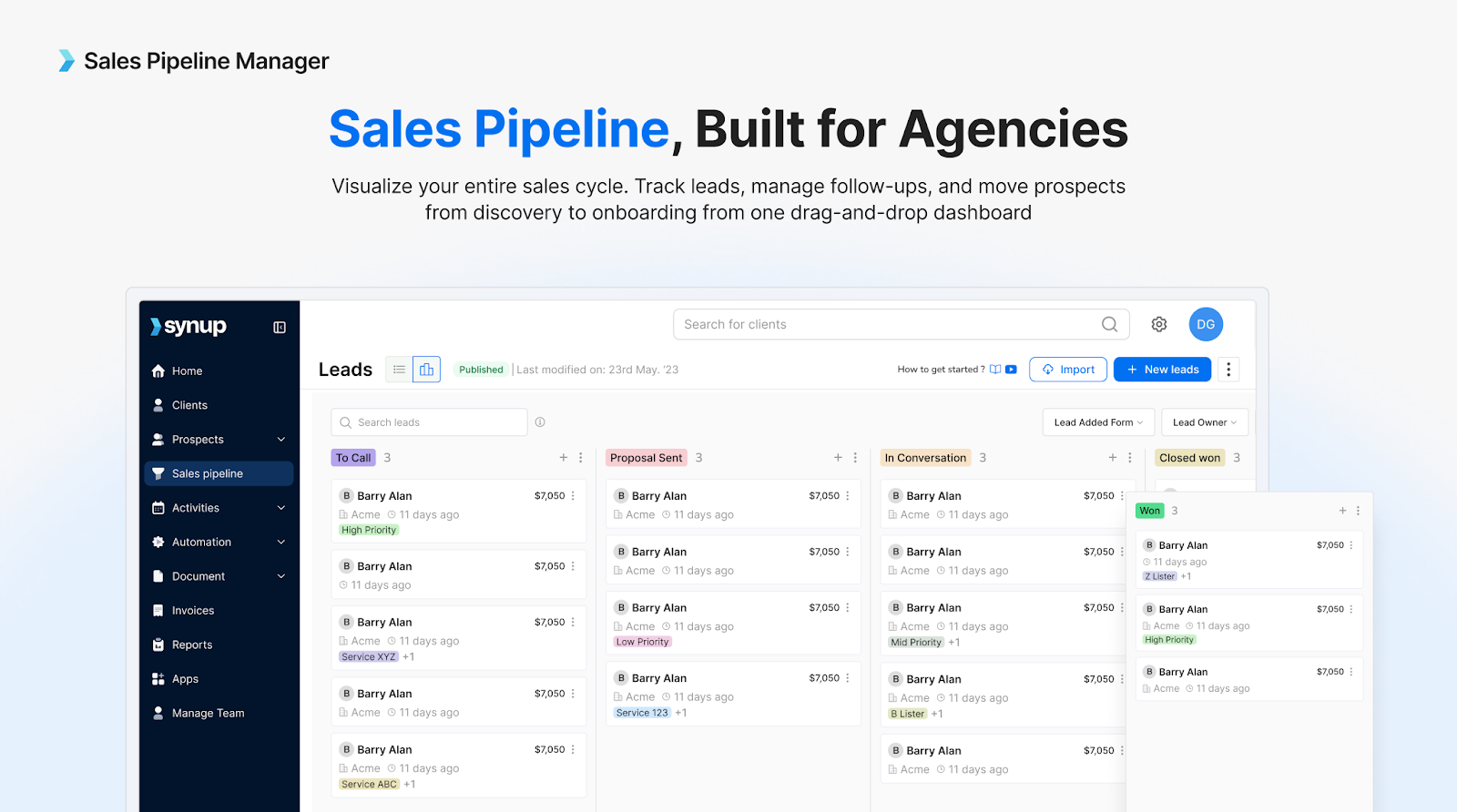
  • Manage leads, deals, campaigns, and invoices in a single view
  • Deliver client-ready performance reports
  • Offer white-label marketing apps (like Listings, Reviews, Social, and CRM) directly to clients without extra cost

This all-in-one setup transforms Synup OS from a traditional CRM into a growth engine that powers both agency operations and client services.
Source

Key Features

🏆Send proposals or invoices and get alerts when clients open emails or view documents. 

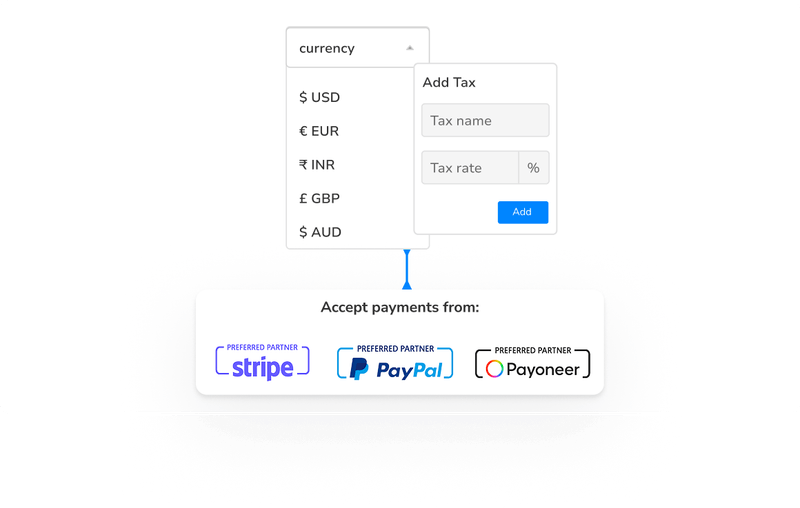
🏆Accepts payments via Stripe, PayPal, Razorpay, and other gateways.

🏆Bill in multiple currencies, add regional tax rates, and automate subscription billing for long‑term contracts.

🏆App suite includes listings management, reviews, social media scheduling, and a built‑in CRM.

What Sets Synup Apart from Other Invoicing Tools

While Synup OS delivers a powerful invoicing system, it goes far beyond billing. It is an end-to-end agency growth platform designed to unify operations, retain clients, and scale revenues. 

The platform offers a fully white-labelled client portal, enabling agencies to deliver branded reports, deliverables, and live dashboards to clients. Its AI-powered churn forecasting helps predict which clients may be at risk, enabling proactive retention strategies. 

Agencies also gain access to a suite of free marketing apps, including listings management, review monitoring, social scheduling, and CRM tools, which can be offered to clients without any extra cost. By bringing sales, operations, and client servicing into a single workspace, Synup OS improves coordination, transparency, and efficiency across teams. 

Furthermore, agencies can resell or bundle these marketing tools into client retainers, creating new revenue streams without incurring additional software expenses.

Benefits of Using Synup

By bringing every part of your agency’s workflow into one platform, Synup helps teams save time, retain clients, and grow profitably. Here’s how your agency benefits from using Synup OS:

Unified Operations

All client, project, and financial data live in one system, reducing tool fatigue and improving cross-team visibility.

Increased Client Retention

The churn-prediction engine and automated performance reports keep clients informed and engaged.

Higher Profit Margins

Free access to Synup’s white-label marketing tools lets agencies upsell or bundle new services without added software costs.

Faster Cash Flows

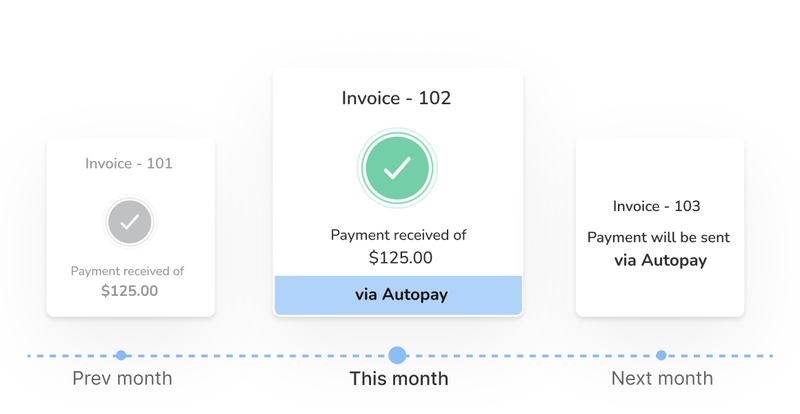
Integrated invoicing and payment tracking eliminate manual reconciliations.

Better Decision-Making

Synup’s dashboards combine marketing, financial, and CRM data, helping leaders make faster, data-driven calls.

Pros

✅ All-in-one platform covering CRM, operations, and invoicing

✅ White-label client portal and free marketing apps

✅ Predictive churn analytics and smart reporting

✅ No need for costly add-ons or integrations

Cons

🚫 Currently best optimized for marketing and advertising agencies (rather than other verticals)

🚫 Advanced customizations may require Synup team assistance during setup
Source

How to Get Started with Synup

Setting up Synup OS is simple:

  1. Book a demo to see how it fits your agency’s workflow.
  2. Import your current client and project data.
  3. Activate free marketing apps from your Synup dashboard.
  4. Set up client logins and start automating invoices.

Most agencies are fully onboarded in under a week, with support from Synup’s customer success team.

What Customers Say

“It was surprisingly easy to implement and get started with, even without a dedicated technical team. Their customer support team is also incredibly responsive and helpful whenever I have questions or need assistance.”

– Jonathan Enrique N.
HubSpot Sales Hub

Category: Scalable CRM for Growing Teams

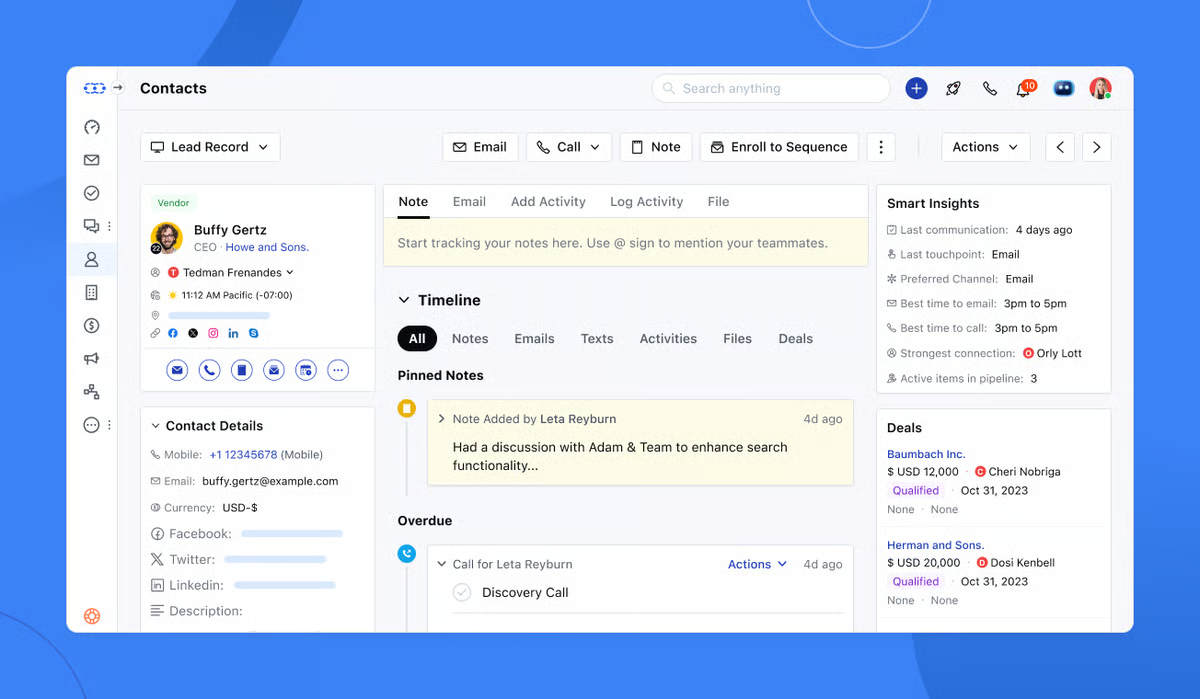
What HubSpot Does

HubSpot Sales Hub is among the most well-known CRMs for scaling teams, and for good reason. It combines sales pipelines, marketing automation, and customer service tools into a single ecosystem.

For agencies, HubSpot’s strength lies in its all-in-one marketing and sales alignment. Teams can capture leads, nurture them through automated workflows, and track every client touchpoint in real time.

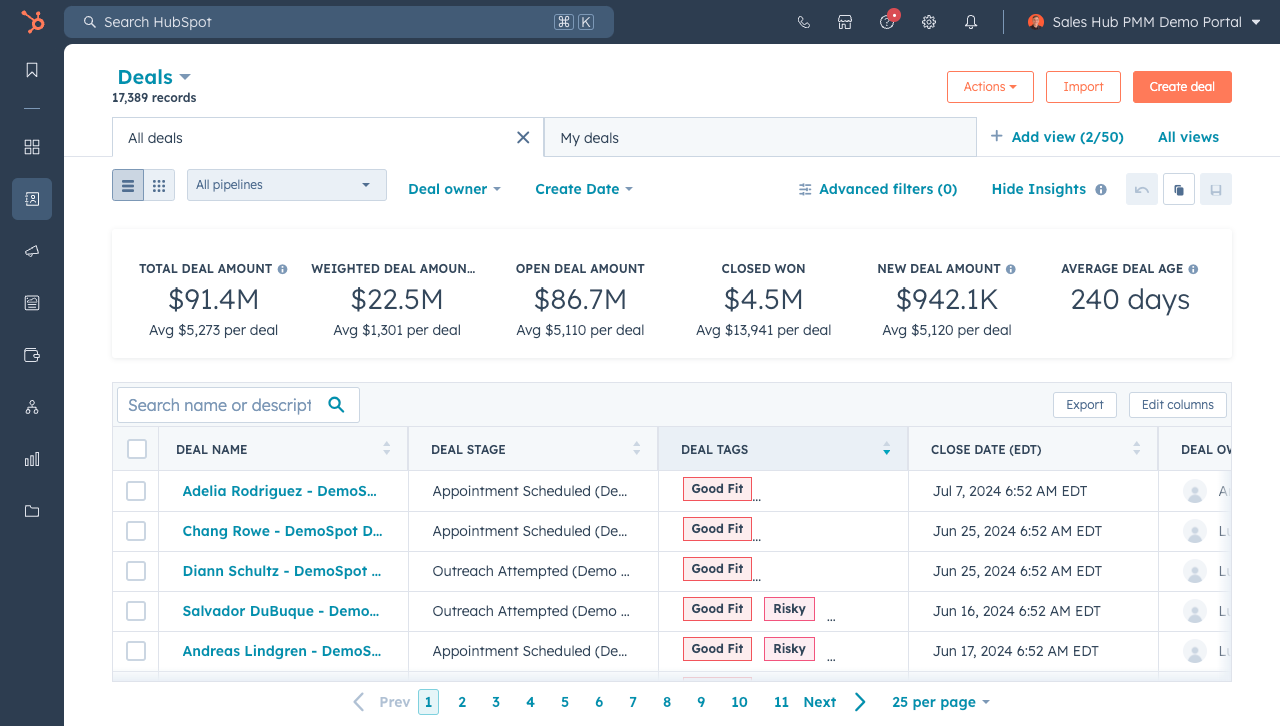
Source: HubSpot

Key Features

🏆Deal management tool to track contacts, companies, deals, and tasks.

🏆Email tracking & scheduling to see when prospects open emails or click links and schedule outreach within Gmail or Outlook.

🏆Share sales documents, create proposals, and let clients pick meeting times via integrated calendars.

🏆Live chat & chatbots with real‑time support and lead capture.

🏆Higher‑tier plans include Sales automation & AI. 

Benefits

  • Scalable pricing: The free CRM supports up to 2 users and 1,000 contacts; paid tiers start at an affordable price. 
  • All‑in‑one ecosystem: HubSpot includes marketing, sales, and service hubs.
  • Rich integrations: Native integrations with Gmail, Outlook, Google Calendar, and over 1,400 apps. 

Pricing

  • Free: US $0/month 
  • Starter: US $15 per seat/month for advanced features

Pros

✅ Intuitive UI with scalable functionality

✅ Deep integration with HubSpot Marketing Hub

✅ Excellent automation and analytics

Cons

🚫 Costs rise sharply with additional users or advanced features

🚫 Can feel overwhelming for small agencies

What Customers Say

“I find it incredibly beneficial that HubSpot Sales Hub connects effortlessly to my email and automatically creates leads for me. Additionally, its user-friendly nature makes it easy to navigate, and I appreciate the ability to book meetings seamlessly within the platform.”

– Joshua Foster C.

Zoho CRM

Category: Budget-Friendly CRM with AI & Automation

What Zoho CRM Does

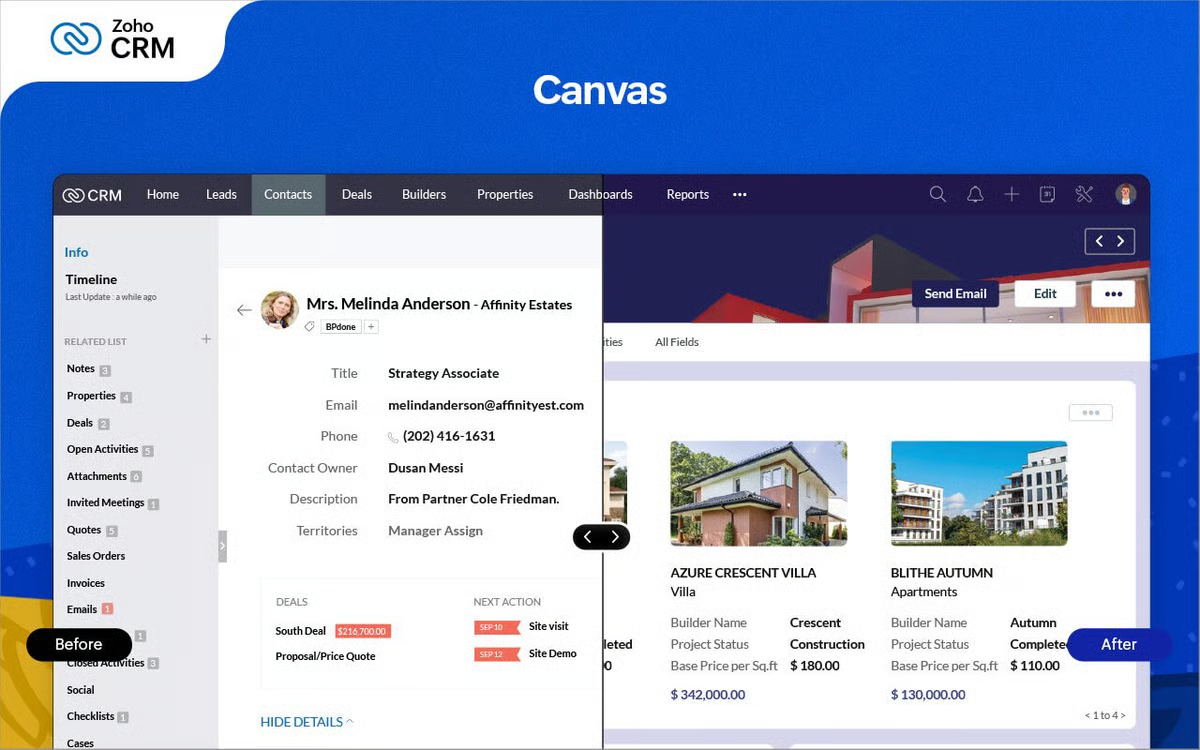
Zoho CRM offers a cost-effective alternative for growing agencies that need robust sales and marketing capabilities without the enterprise price tag. It’s known for versatility, AI-driven insights, and flexibility across industries.

Source: Zoho

Key Features

🏆Automation with lead assignment, follow‑up reminders, and deal stage changes. 🏆Process management (Blueprints) to design step‑by‑step sales processes.

🏆Omnichannel communication to manage emails, phone calls, social messages, and live chat.

🏆Customized reporting & analytics dashboards.

🏆AI assistant (Zia) for predictions on win probability, recommended next actions, and anomaly alerts.

Benefits

  • Affordable tiers: The Free Edition supports up to 3 users. Standard is affordable and scalable for small businesses.
  • Customization: Extensive custom modules, layouts, and workflow rules adapt to unique sales processes.
  • Integrated ecosystem: Connects seamlessly with Zoho’s 40+ applications, such as campaigns, finance, projects, and analytics.

Pricing

  • Free: For up to three users
  • Standard: US $14 per user/month when billed annually 
  • Professional: US $14 per user/month
  • Enterprise: US $40 per user/month
  • Ultimate: US $52 per user/month

Pros

✅ Strong AI features at an affordable price

✅ Excellent integration options

✅ Customizable automation

Cons

🚫 Interface feels dated compared to newer CRMs

🚫 Steeper learning curve for setup

What Customers Say

“From robust sales force automation that tracks leads and deals with unparalleled precision, to insightful marketing campaign management and detailed analytics, it covers every touchpoint of the customer journey… I only dislike some of the limitations with the way fields can be created.”

– Verified User in Accounting

Salesmate

Category: All-in-One CRM for Sales, Marketing & Automation

What Salesmate Does

Salesmate is built for sales-driven teams that need automation, communication tools, and customer insights in a single platform. Its simplicity and built-in AI assistant make it a strong Pipedrive alternative for small- to mid-sized agencies.

Source: Salesmate

Key Features

🏆Unified sales management with features like web forms for leads, lead scoring, and visual pipelines.

🏆Built‑in email tracking, meeting scheduling, and goal tracking provide real‑time visibility.

🏆Marketing automation for behavior-based campaigns with segmentation.

🏆Customer support tools to manage tickets and more.

🏆AI‑powered assistant (Sandy AI) to automate prospect research, draft personalized emails, transcribe calls, and summarize conversations.

Benefits

  • Boosts Outreach Efficiency: Built-in communication reduces the need to switch tools.
  • Improves Sales Consistency: Automation ensures timely follow-ups.
  • Enhances Team Visibility: Shared pipelines keep everyone aligned.

Pricing

  • Basic: US $23 per user/month
  • Pro: US $39 per user/month
  • Business: US $63 per user/month
  • Enterprise: Custom pricing

Pros

✅ Easy setup and onboarding

✅ Excellent built-in communication tools

✅ Affordable compared to Pipedrive

Cons

🚫 Limited marketing integrations

🚫 Basic reporting in lower-tier plans

What Customers Say

“We’re a wedding planning company with a 10-member team, and we mainly use Salesmate for CRM and lead tracking. The platform has really simplified the way we manage and track lead status, which has directly improved our lead conversions. Its customer support definitely needs improvement compared to other CRMs I’ve used.”

– Review collected by and hosted on G2.com.

Close CRM

Category: CRM for Inside Sales & Outreach Teams

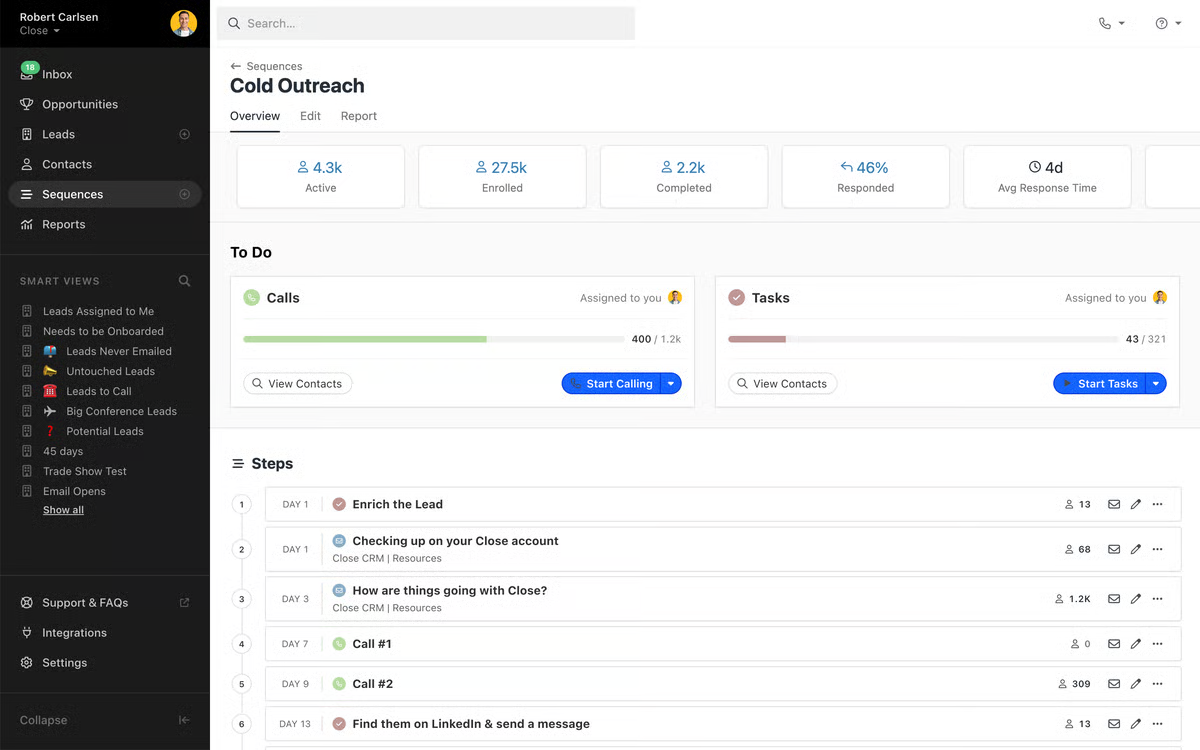
What Close CRM Does

Close CRM is purpose-built for sales teams focused on calls, emails, and SMS outreach. It simplifies communication-heavy workflows and eliminates the need for external dialer integrations.

Source: Close

Key Features

🏆Essential functions like calling & SMS built directly into the CRM, streamlining agency communications.

🏆Email & sequences to track opens and clicks, set up automated follow‑up sequences, and template responses.

🏆Multiple pipelines & advanced filters to manage different sales processes.

🏆Role‑based permissions for larger teams; available on the Scale plan.

Benefits

  • Streamlines Outreach: Combines phone, email, and SMS.
  • Improves Lead Follow-Up: Sequences reduce manual effort.
  • Ideal for Remote Teams: Cloud-based with reliable integrations.

Pricing

  • Solo: US $9 per user/month
  • Essentials: US $35 per user/month
  • Growth: US $99 per user/month
  • Scale: US $139 per user/month

Pros

✅ Powerful for communication-driven sales teams

✅ Excellent built-in calling features

✅ Great search and segmentation tools

Cons

🚫 No built-in marketing automation

🚫 Limited features for multi-client agencies

What Customers Say

“Close is incredibly intuitive — the ease of use is one of its biggest strengths. From day one, our team could navigate the platform without training, and it’s made daily tasks feel effortless… If anything, I’d love even more customization in reporting views.”

– Jose N.

Salesforce Sales Cloud

Category: Enterprise CRM for Large Agencies

What Salesforce Does

Salesforce Sales Cloud is an enterprise-grade CRM known for its vast customization and integration capabilities. It’s designed for large agencies managing multiple teams, territories, or complex deal structures.

Source: Salesforce

Key Features

🏆Centralize emails, calls, meetings, and tasks; qualify and prioritize leads; manage accounts and opportunities through every stage.

🏆Create forecasts, track quotas, and gain real‑time visibility into the pipeline.

🏆Build customized dashboards and drill into data with real‑time analytics.

🏆Design complex approval workflows and automate repetitive tasks across departments.

Benefits

  • Highly Scalable: Ideal for agencies managing multiple service lines.
  • Data-Driven Decisions: Einstein AI enhances forecasting accuracy.
  • Strong Ecosystem: Integrates with nearly every major business tool.

Pricing

  • Starter: US $25 per user/month
  • Pro: US $100 per user/month
  • Enterprise: US $175 per user/month
  • Unlimited & Agentforce: US $350–$550 per user/month

Pros

✅ Industry leader in CRM technology

✅ Unmatched customization and reporting

✅ Extensive third-party integrations

Cons

🚫 High implementation cost

🚫 Requires technical expertise for setup and maintenance

What Customers Say

“Salesforce Sales Cloud has a huge range of features that make managing leads and tracking sales so much easier… The biggest downside is definitely the complexity.”

– Ameer A.

Monday CRM

Category: Visual CRM for Creative & Project-Driven Agencies

What Monday CRM Does

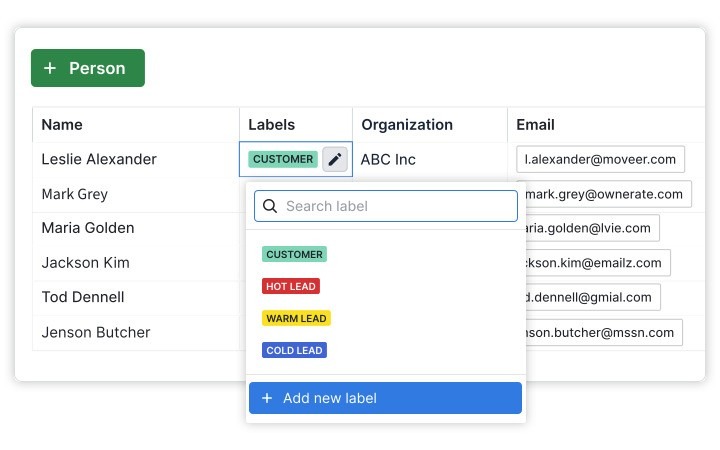
Monday CRM brings project management and CRM together with its visual, drag-and-drop interface. Agencies love it for its flexibility in managing both leads and deliverables in one place.

Source: Monday

Key Features

🏆AI‑powered assistance for automated task generation, email composition, content summarization, and formula building.

🏆Customizable pipelines to edit deal stages and more.

🏆One‑click automations assign leads, set reminders, send notifications when emails are opened, and move deals between stages.

🏆Create personalized sequences, schedule mass emails, and track engagement.

🏆Integrations with tools like Google Workspace, Slack, Mailchimp, DocuSign, and more.

🏆Manage pipelines on the go, log calls, and run on‑brand email campaigns directly from the CRM.

🏆Pre‑sales to post‑sales management from lead management to deal management, and post‑sales management.

Benefits

  • Combines CRM & Project Management: Ideal for creative or hybrid agencies.
  • Highly Customizable: Visual boards adapt to any workflow.
  • Improves Team Collaboration: Keeps projects and client data connected.

Pricing

  • Basic: From US $12 per seat/month
  • Standard: US $17 per seat/month
  • Pro: US $28 per seat/month
  • Enterprise: Custom pricing

Pros

✅ Flexible and visually intuitive

✅ Combines CRM, project, and workflow management

✅ Easy to use for non-technical teams

Cons

🚫 Limited advanced CRM reporting

🚫 Add-ons needed for marketing automation

What Customers Say

“It is so useful for managing, organizing, and keeping track of our customers. We are able to see every step of their journey with us due to the Monday CRM…There are a lot of tiny steps to learn, and it was difficult to integrate it within our company.”

– Emily W.

Summing Up…

Choosing a Pipedrive alternative isn’t about finding a bigger or more expensive CRM but aligning the tool with your agency’s current needs and plans. If you want a full operating system that handles invoicing, proposals, and marketing apps, Synup OS offers unparalleled value for mid‑sized agencies. For teams looking for an ecosystem that starts free and scales, HubSpot Sales Hub’s free tier and robust paid options are appealing. Zoho CRM delivers AI‑powered insights and automation at budget‑friendly prices.

Get Started with Synup

Imagine managing every part of your agency (leads, projects, campaigns, invoices, and client reporting) from a single, intuitive dashboard. That’s exactly what Synup OS enables.

With its white-label client portal, churn forecasting, and free suite of marketing apps, Synup is the growth engine your agency has been waiting for.

✅ Automate your invoicing and payments
✅ Centralize client data and campaign tracking
✅ Offer white-labeled marketing tools to boost client retention and revenue

Ready to see how Synup OS can transform your agency?


👉 Book a demo and explore how to grow faster without adding extra tools.

Partner With Synup Today!

Book a call with our partnership manager to explore custom growth solutions for your agency.