
How to add your business to Zocdoc.com
Learn how to easily add your business to Zocdoc.com with our step-by-step guide. Reach millions of patients looking for healthcare providers and increase your online visibility today. Get started now!
What is Zocdoc.com and why is it important?
HealthProfs.com is an important platform for healthcare providers who want to promote their services, build their reputation, and expand their client base.
Step-by-step guide to add your business to Zocdoc.com
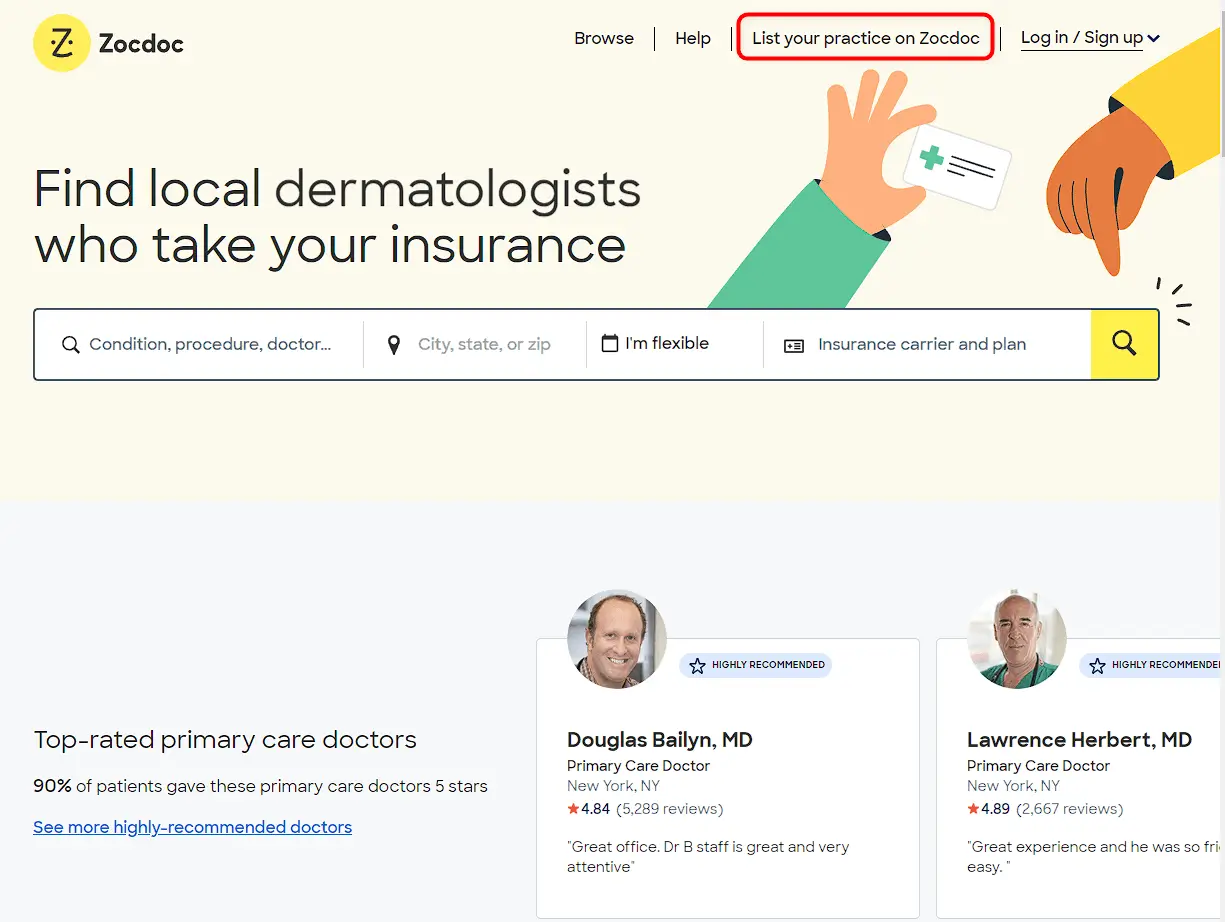
- Go to Zocdoc.com and click on the "List your practice on Zocdoc" button in the upper right-hand corner of the homepage.
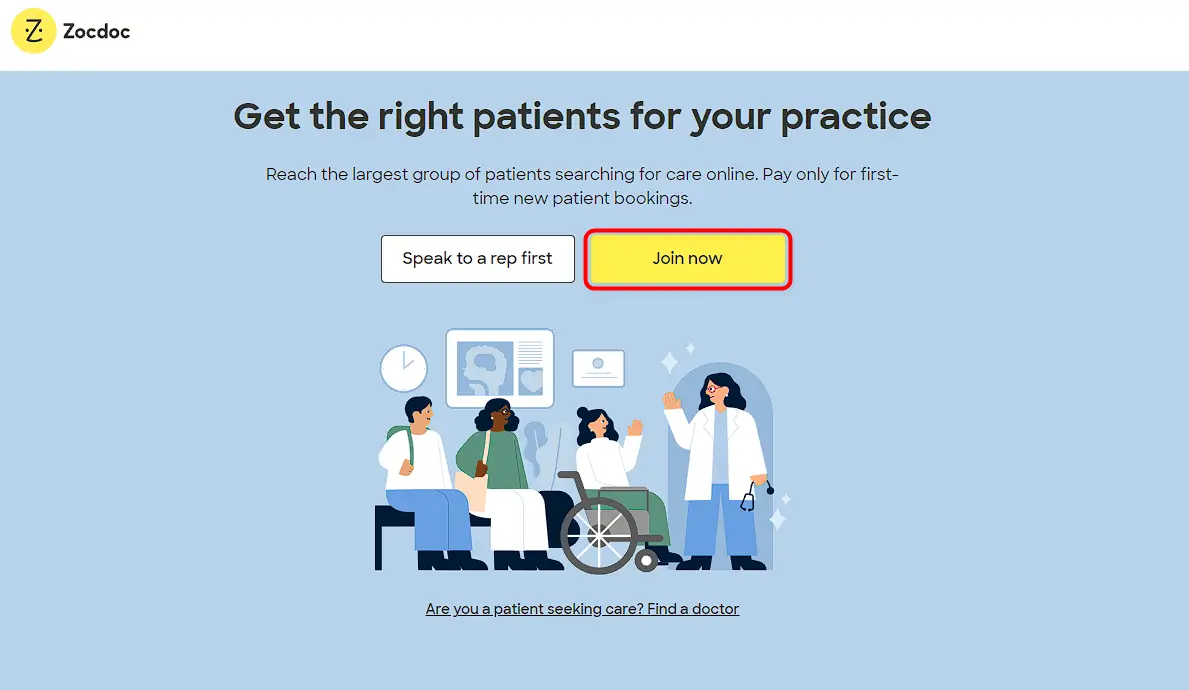
- Select "Join now" when prompted to choose between "I'm a patient" or "Speak to a rep first."
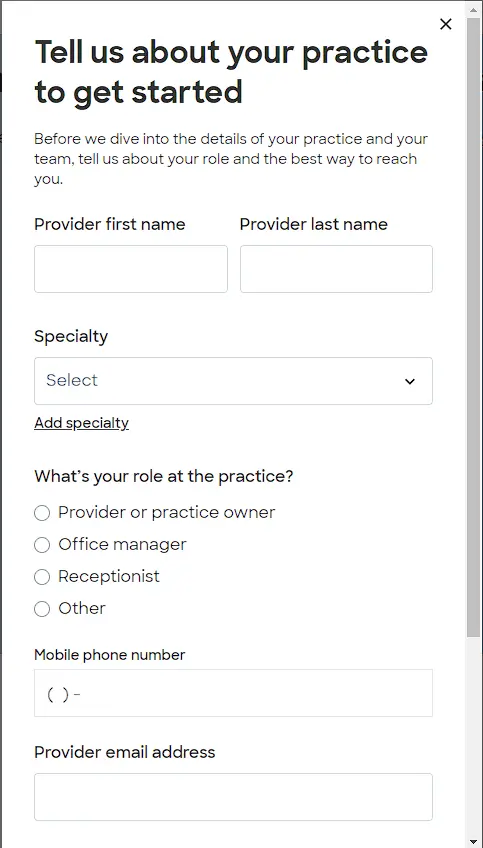
- Enter your personal information, including your name, email address, and a zip code.
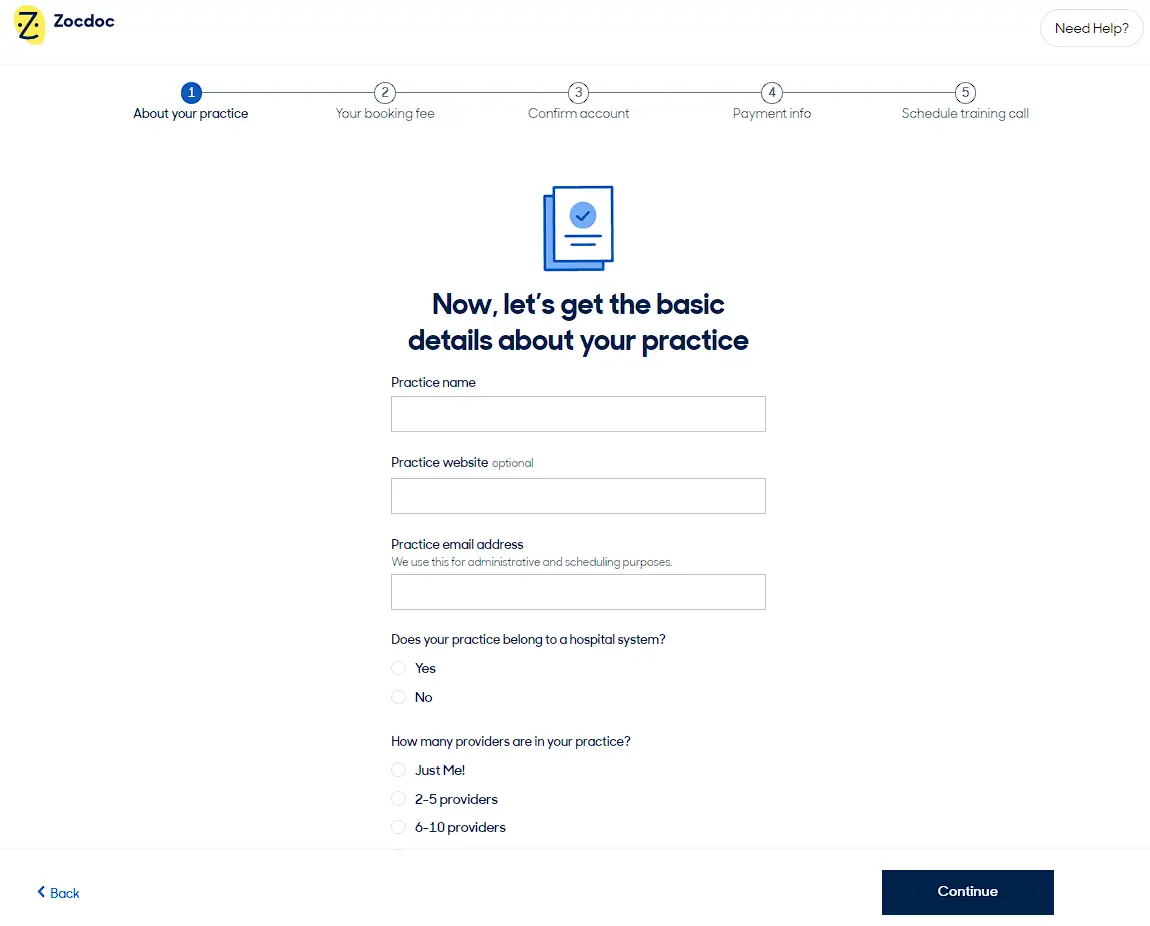
- Start setting up your accounts by answering a few questions. Like, why do you want to join Zocdoc?

- Enter your basic details about your practices and years of experience.
- Wait for Zocdoc to approve your profile. This can take up to 24hrs.

- Once your profile is approved, you can begin receiving appointment requests from patients on Zocdoc.
- Also, you can add your medical specialties, including any sub-specialties you have.
- Set your availability and preferred appointment times.
- Enter your office locations and contact information.
- Provide your accepted insurances and payment options.
- Review your information and submit your profile for review by Zocdoc.
That's it! Following these steps will allow you to list your medical profile on Zocdoc and begin accepting appointments from patients in your area.
