
Get listed on Whitepages
Get listed on Whitepages – one of USA’s most trusted directories
Whitepages was founded in 1997 by Alex Algard, and is headquartered in Seattle. It is an online directory that also offers services such as fraud screening, identity verification, and background checks of public records.To list your business in Whitepages, follow the below steps.
1.) Go to the Whitepages listings page & click on “Find My Listings” link.
2.) Check the status of your business listing if its verified or not.
3.) Fill in the information to claim or add your business.
4.) Choose a plan to purchase the claim & manage your listings.
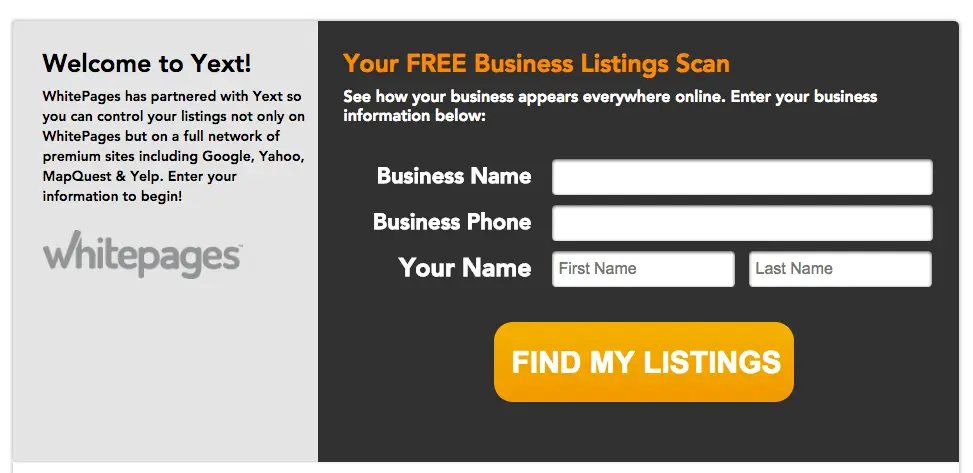
Step 1: Get To The Form
Vist the Whitepages listings page. Enter your Business Name, Business Phone and Your Name. Click on
Find My Listings
after that.

Step 2: Check Status
You should be redirected to a new page which has a report of your listings. Click on the orange
Not Verified Through Yext
link on the right-hand side.
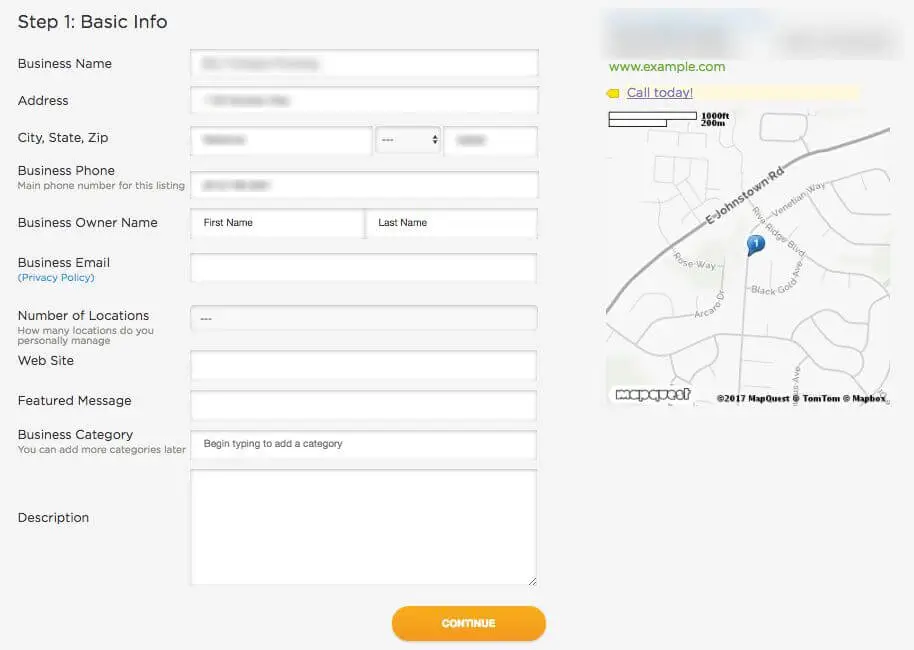
Step 3: Fill in Your Information
You need to fill out this form to claim or add your business on Whitepages.
Fill out the fields in the form with the exact information you want to display on Whitepages. Click on
Continue
after that.
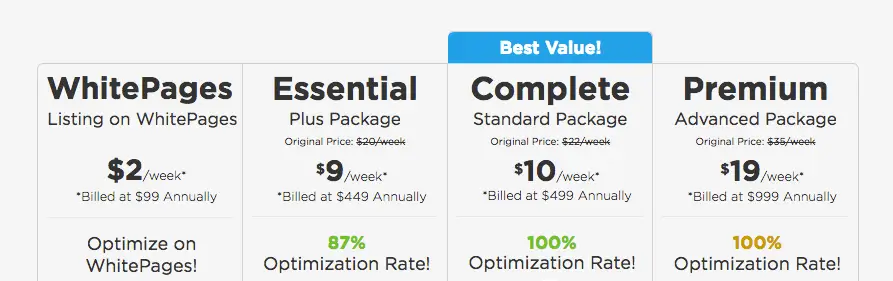
Step 4: Choose a plan
You will then be presented with packages that you need to purchase to claim and manage your Whitepages listing. Select a package that fits your budget and you’ll be directed on how to progress through via the platform.
