
How to add your business to Snapchat map
Get listed on Snapchat Maps to market your local business and stand-out from your competition. Getting started on Snapchat is quick and easy
If you want to bring customers sailing your way more often than not, you need to add your business to the Snapchat Map. Lovingly dubbed the Snap Map, this platform lets brick-and-mortar businesses stand out from the crowd with a fun icon backed by a full listing.
As people browse their local area, the map listing beckons them to your front door, giving you a chance to win over new customers all the time. On top of that, the icon reminds your existing customers to stop by regularly.
So, it’s a wise choice to get added to the map and keep your info updated at all times. Ready to get started? Here’s what you need to know.
Start by Looking for Your Business on the Map
Snapchat continually updates its map with business locations all across the nation. If you’re lucky, you’ll find your business location on the map, waiting for any updates you might want to add.
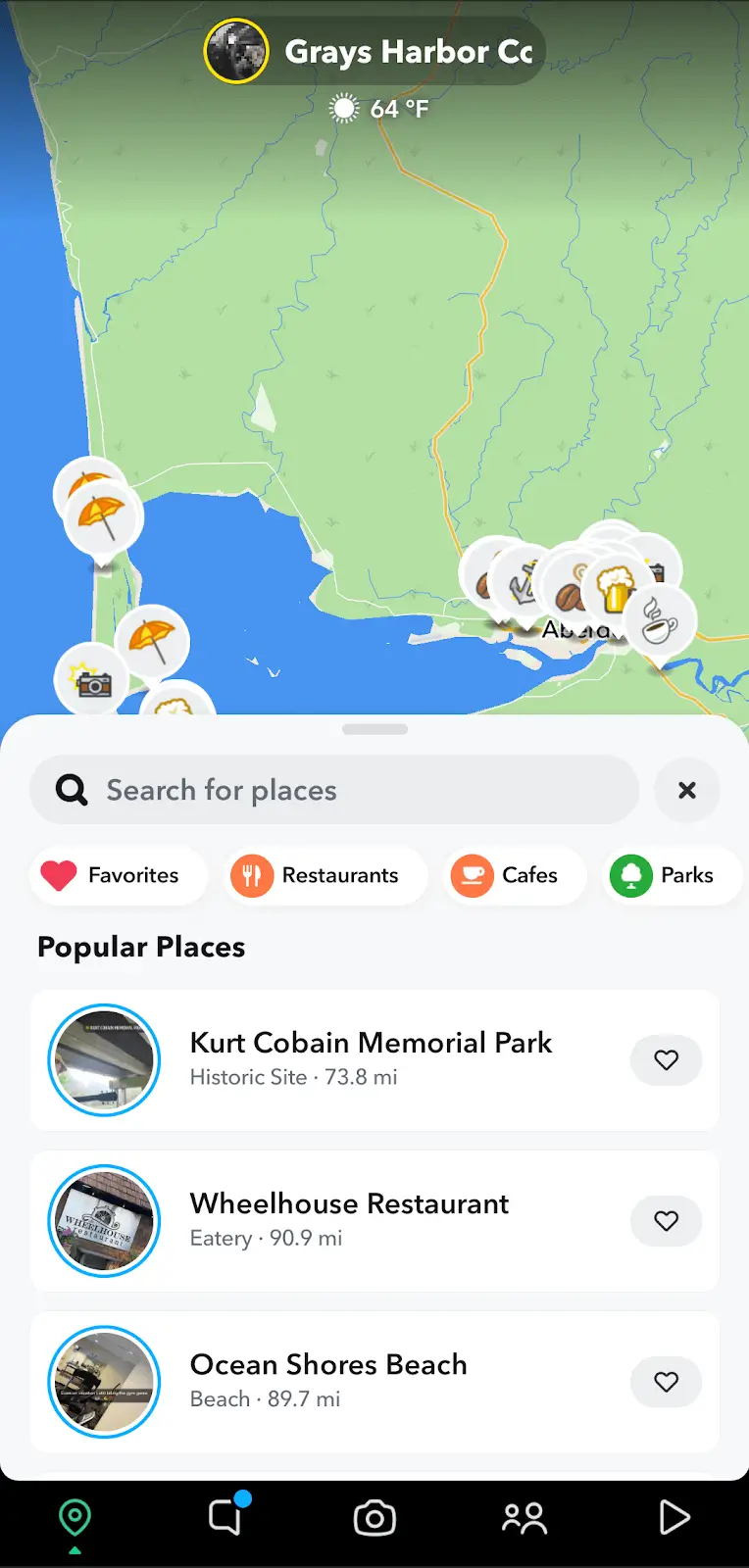
To see if it’s there, go to the map window by clicking on the leftmost icon on the bottom of the screen. Then, click on the ‘Places’ button to open up the search menu.
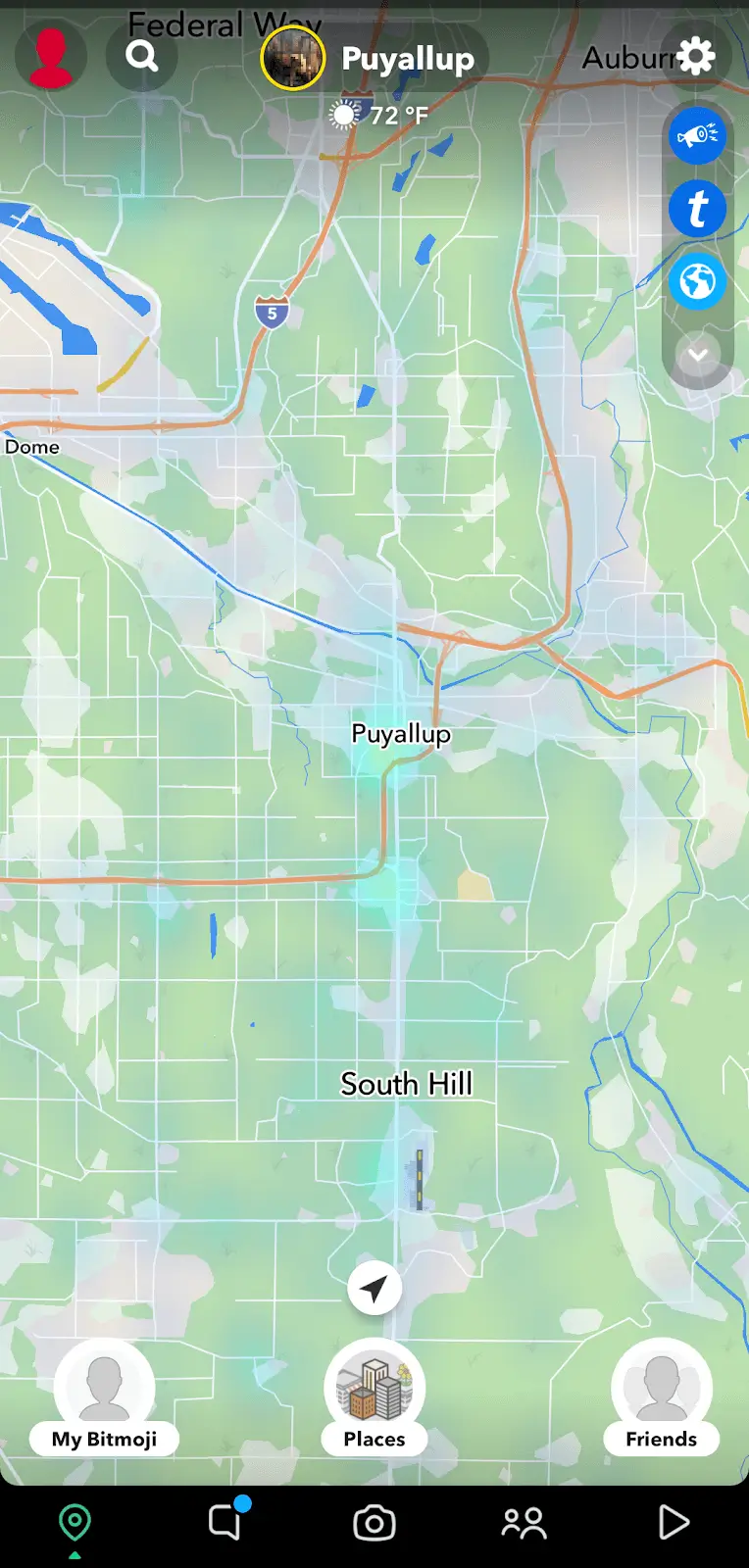
Type in the name of your business to see if it comes up. If it does, check the info to confirm it’s correct.
If not, you can have it changed by selecting ‘Report an Issue.’ Then, click on ‘Suggest an Edit’ and change the info that’s not quite right.
Not There? Use These 3 Easy Steps to Add Your Location
If your business doesn’t pop up, add your location to the Snap Map by following these three simple steps.
1. Click on the Snapchat Settings Button
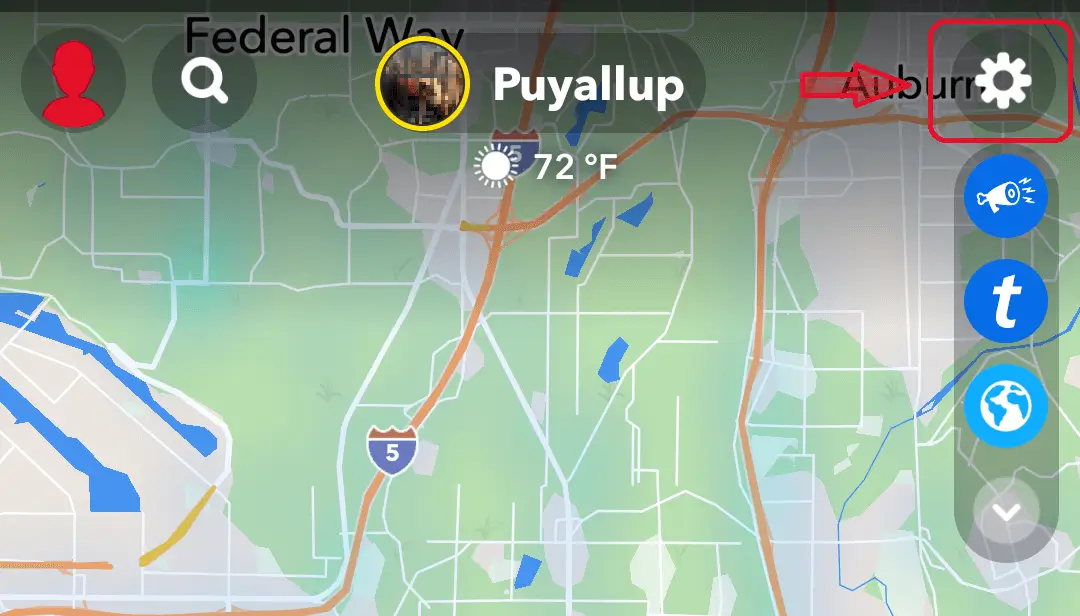
While in map view, look in the upper right hand corner for the ‘Settings’ button. It’s at the very top of the column of icons and looks like a gear. Tap the button once to open up the menu, so you can move on to the next step.
2. Select ‘Suggest a Place’ from the Options
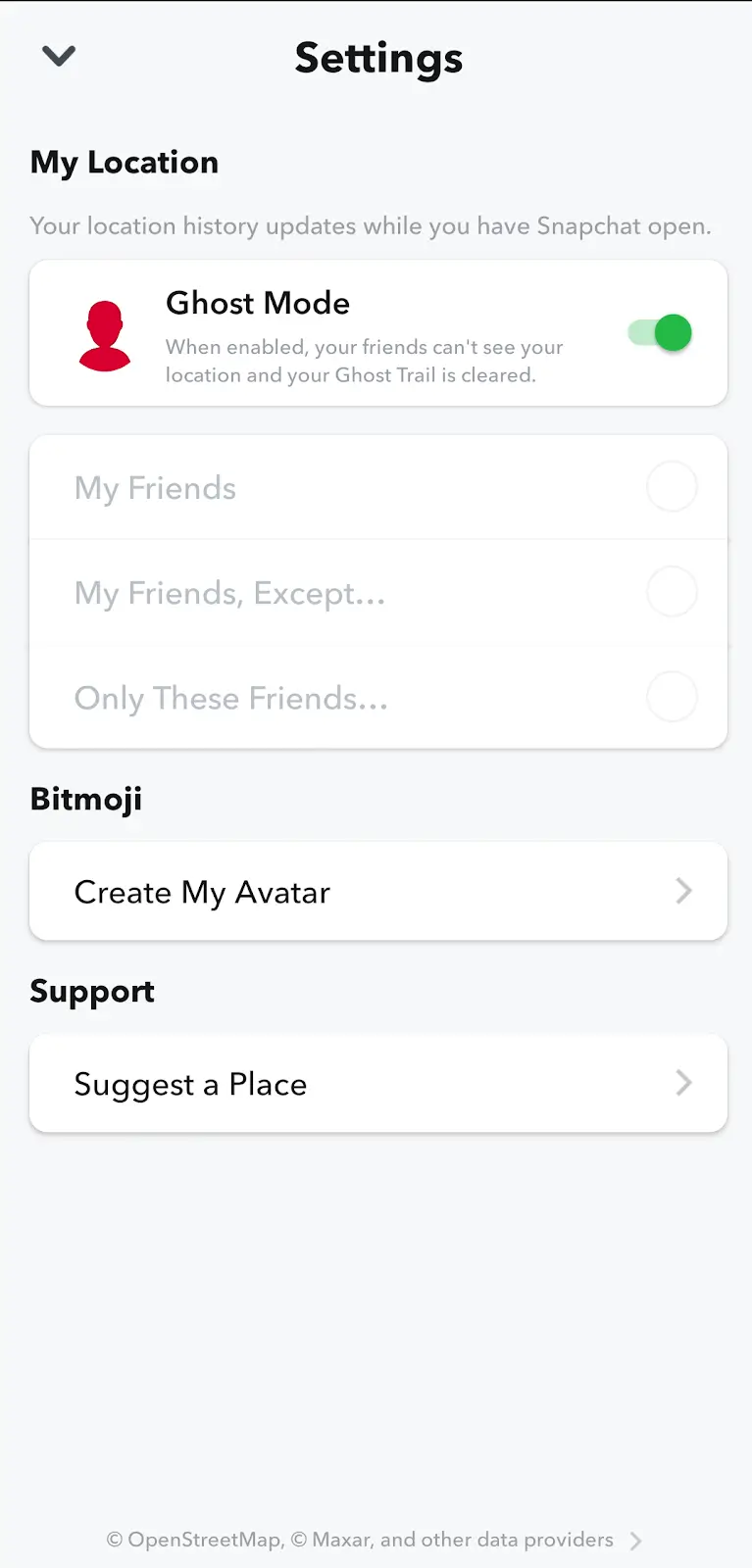
Look at the bottom of the ‘Settings’ screen to find the ‘Suggest a Place’ button. Although it’s listed under support, this button actually takes you to a self-service screen. So, just tap on it once to open up the form you need to fill out.
3. Input All the Info About Your Business Location

You must input all your business info manually to let Snapchat know you’d like to get added to their map.
As you go through the form, you’ll add:
- Business name
- Category
- Address
- Phone number
- Website
- Hours
Complete your listing by adding any photos relevant to your business, like your storefront, products or services, and team.
Hit ‘Submit’ at the bottom to finish the process and then wait for the location to show up on the map. Since it’s not an automated process, you can expect it to take up to 14 days. Just keep checking back to see if your location pops up.
Once your location shows up on the Snap Map, more customers will undoubtedly start coming your way. You can increase your reach by setting up Snapchat Ads to promote your listing, improving your ability to achieve your marketing goals.
