
How to create a Tiktok account for your business
Looking to get your business on Tiktok? In this guide, we'll show you how to create a Tiktok account for your business, and how to get started with making videos that promote your products or services. We'll also give you some tips on what kinds of videos to make and how to get the most out of Tiktok for your business.
TikTok has the potential to greatly increase your marketing reach and promote better engagement with your brand. You have to be in it to win it, however, and that starts with the creation of a business account. The process is not at all intuitive though. Fortunately, we’re here to make it easy with the four steps you need to go from no account to TikTok greatness. Here’s what to do.
1. Sign Up for an Account with Your Business Email

You have to begin this process by creating a basic account. Once that’s done, you can change it to a business account.
The TikTok platform encourages you to sign up with a phone number. But to create a business account, you need to use your company email instead.
Start by clicking the ‘Use phone or email’ button. Then, switch from the phone number screen to the email input form. Type in all your company information and click submit to create your account.
2. Go to Manage Profile to Switch Your Account Type
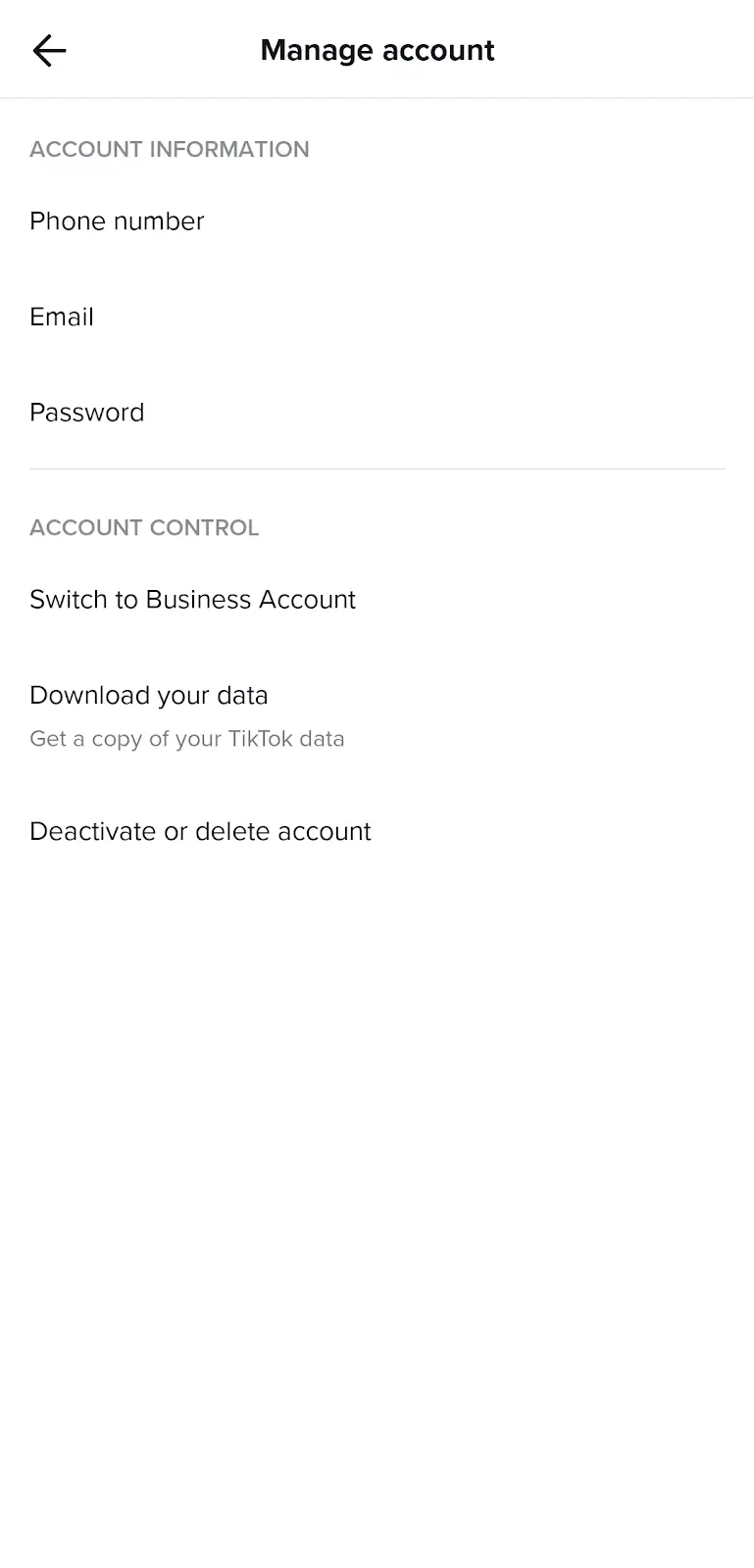
Upon getting logged in, it’s time to switch your account type. To do that, you will need to go to your settings and select ‘Manage account.’
In that window, you will see a button labeled ‘Switch to Business Account.’ Click on it to continue to the next window.
3. Confirm Your Switch to a TikTok Business Account
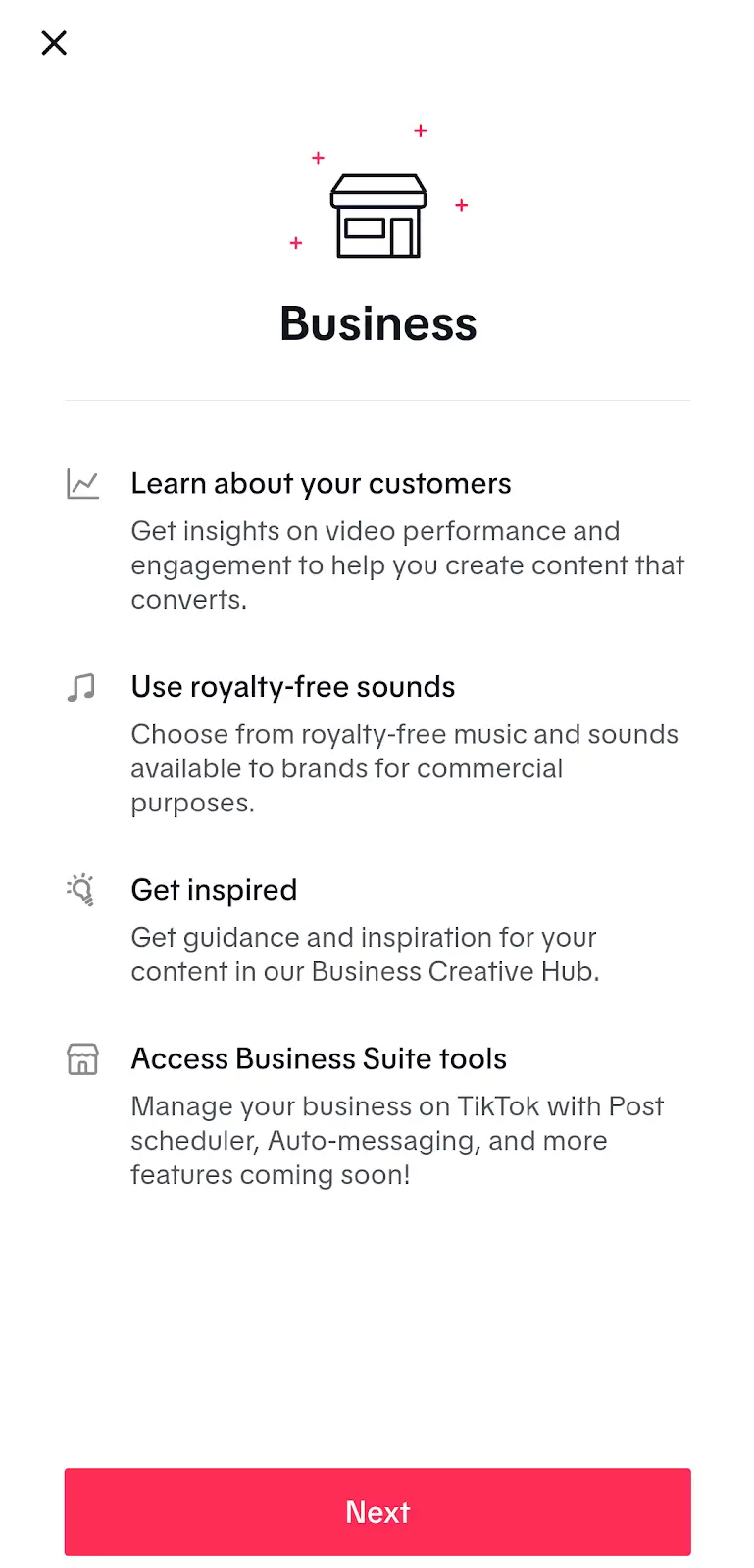
The next page to pop up will tell you about the benefits of TikTok business accounts, including:
- Access to key audience insights, including video performance and engagement
- Usage of royalty-free music and sounds released for commercial purposes
- Ability to use the Business Creative Hub to find ideas for all your TikTok content
- Management of your business activities, like post scheduling, auto messaging, and more
Click the ‘Next’ button to continue if all that sounds good to you.
4. Select the Best Business Category for Your Brand
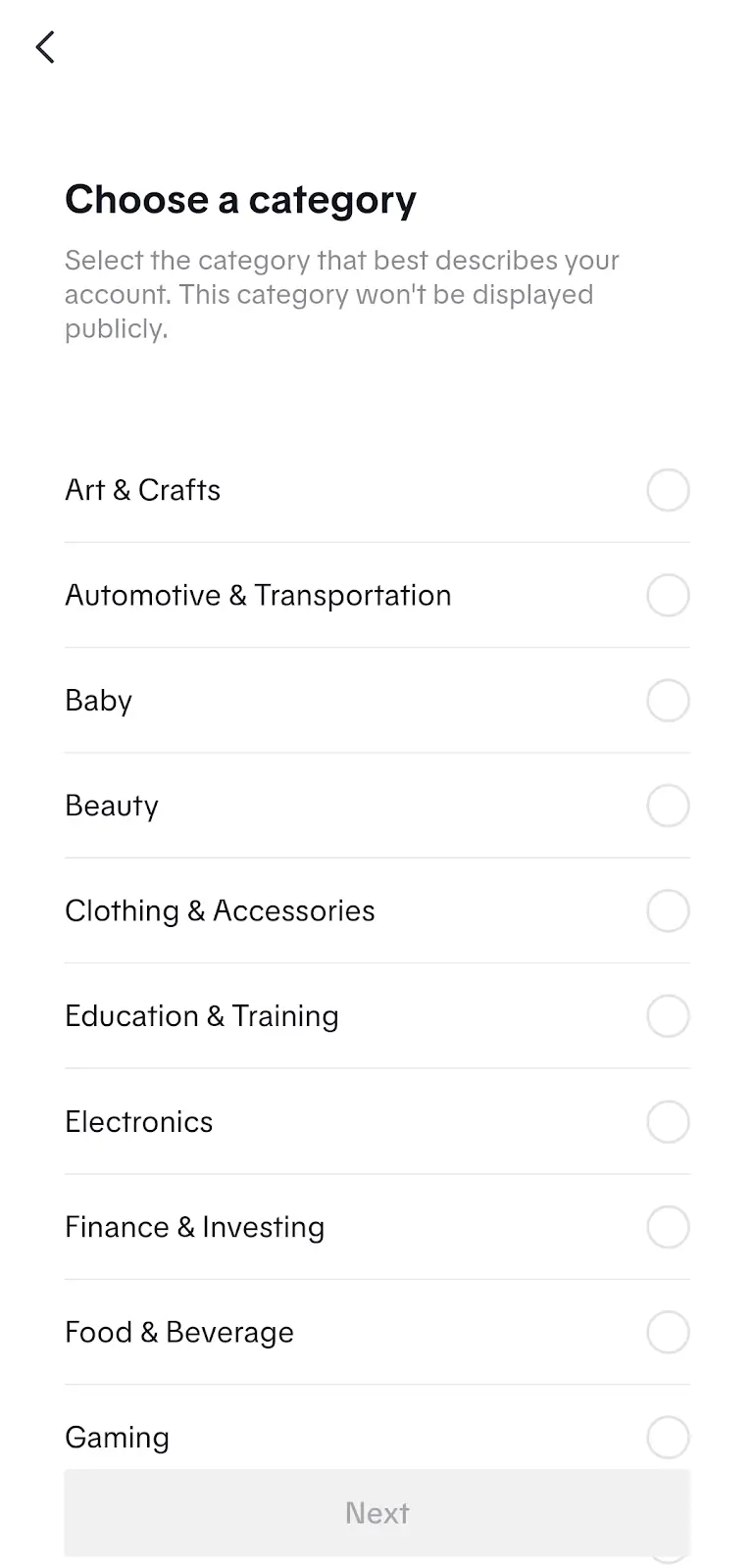
You must select your business category to finish changing your account type. Your category helps TikTok understand the purpose of your business and expand your reach.
So, reflect on the purpose of your company to select the category that best describes your business activities. Then, simply hit ‘Next’ to activate your business account.
Now Get Ready to Create TikTok Content for Your Brand
Upon finishing this process, you can use all the professional content creation, management, and tracking tools offered by TikTok. Remember to roll out new content on a regular basis to build a loyal following and give your audience what they want from your brand. With consistent effort, you’ll undoubtedly boost your brand awareness and loyalty, which will make it easier to achieve your marketing goals.
