
Meta Business Suite: How to Change Your Language
Learn how to change the language of your Meta Business Suite with this helpful guide. Whether you need to switch to a different language for personal preference or to accommodate a multilingual team, this tutorial will walk you through the steps to adjust your language settings quickly and easily.
Depending on where your business is located, you may cater to customers who speak other languages. If that is the case, it’s essential to ensure that your page is accessible to anyone who might be interested in your brand! From Meta Business Suite, you can activate the options to either post in multiple languages or have your posts translated automatically. Here’s how to change your language on Meta Business Suite.
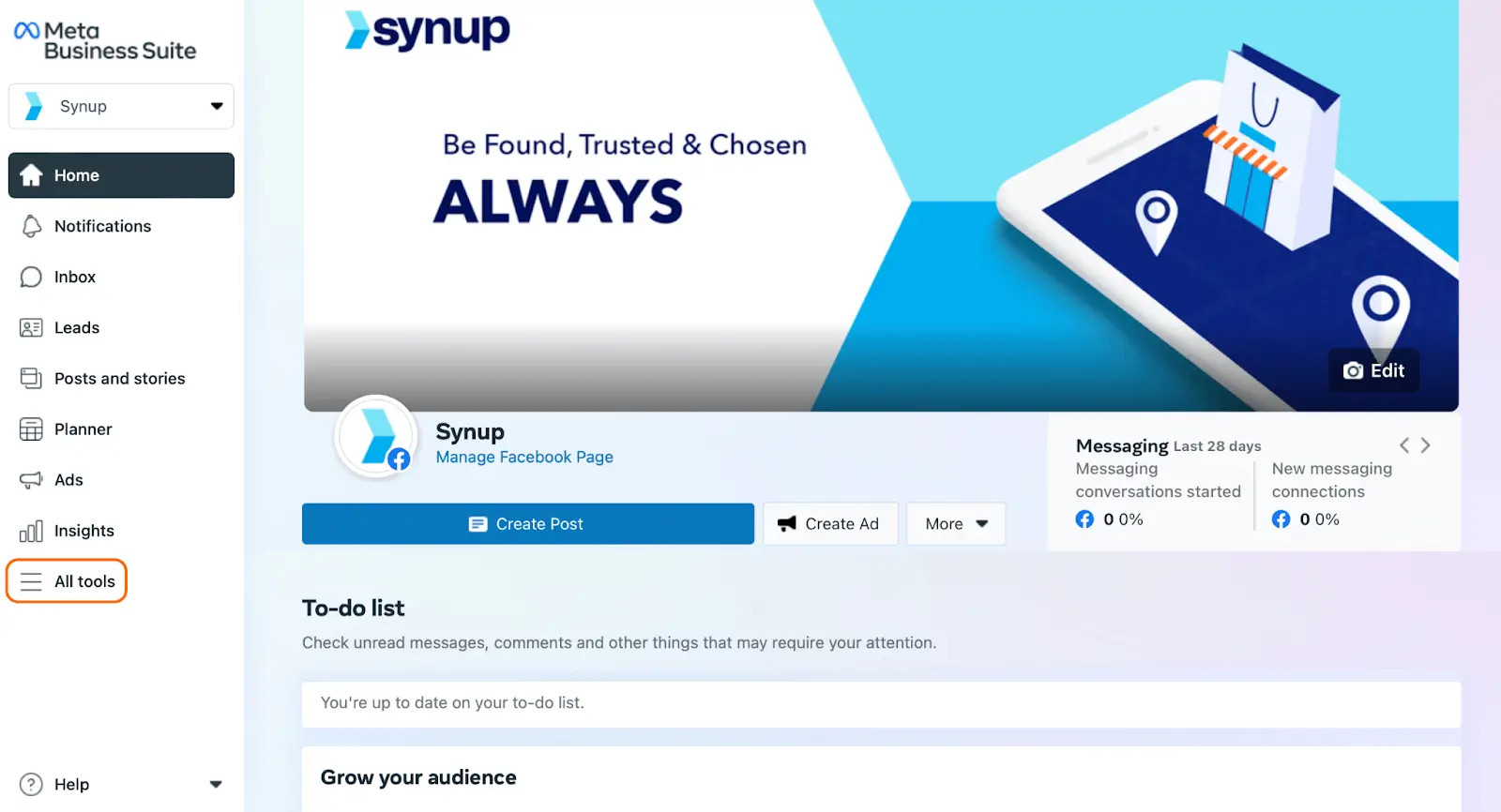
1. On your Meta Business Suite portal, click on “All tools” in the sidebar.
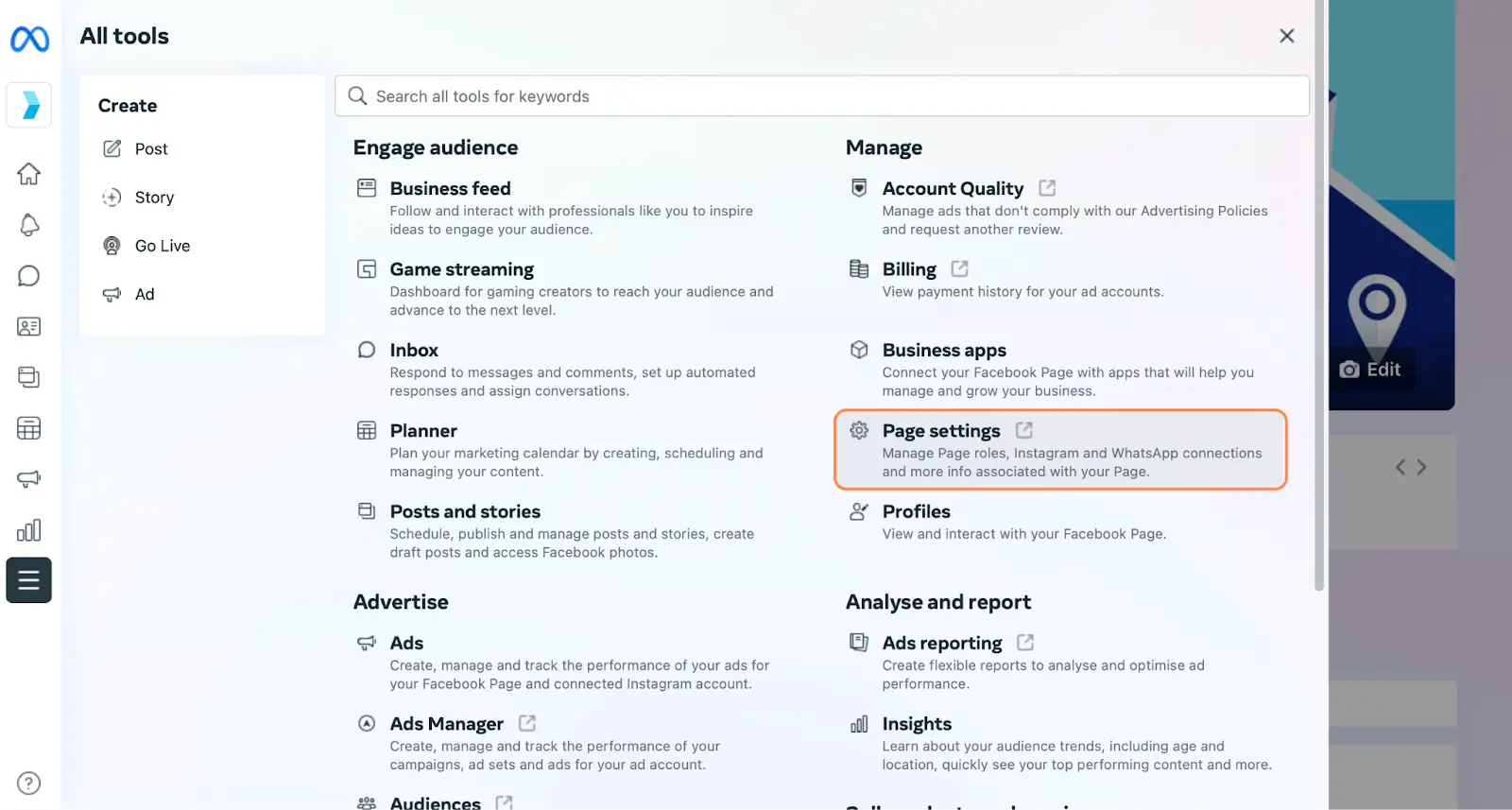
2. Next, click “Page settings”. This will open up the general settings for your page
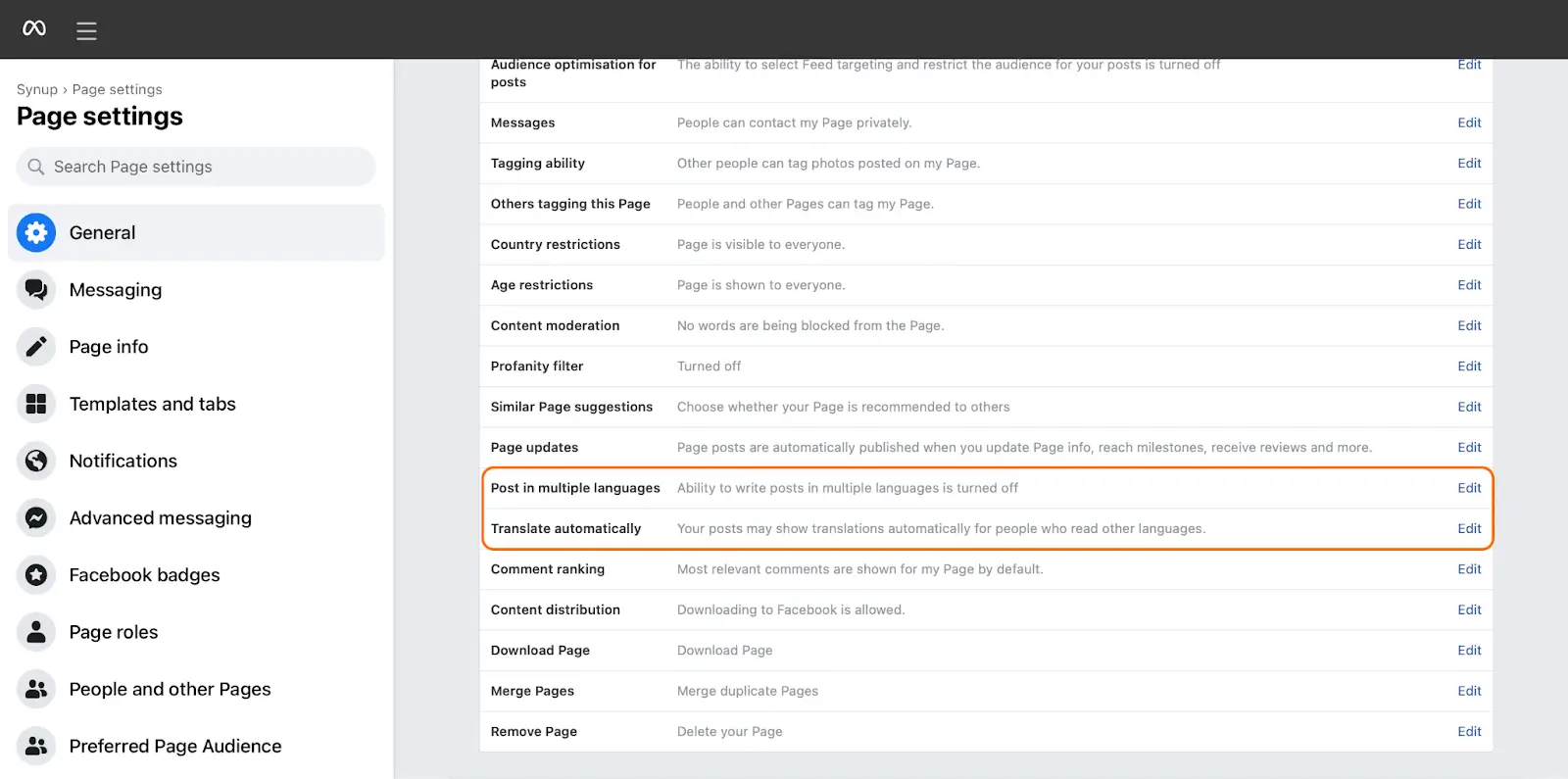
3. If you scroll down, you’ll see the options to post in multiple languages and translate your posts automatically.
4. Clicking on “Edit” next to “Post in multiple languages” will let you toggle whether you want to enable multiple language postings on your page. Click the box to enable multi-language posting, and click “Save changes”.

5. Click on “Edit” next to “Translate automatically”. Clicking the checkbox will enable your audience to read your posts, no matter what language they speak.

Enabling post translations and multi-language posting are essential for keeping your page accessible for all of your audience.
Even if you don’t necessarily cater to non-English speakers, it’s a good idea to toggle these language settings on! That way, you won’t prevent anyone from understanding your page and purchasing your goods and services.
