
How to remove Meta Business Suite from your Facebook page
Learn the simple steps on how to remove Meta Business Suite from your Facebook page. Follow our guide and get rid of the unwanted app in just a few clicks. Ensure the security and privacy of your Facebook business account today!
An easy step-by-step guide for removing the Meta Business Suite app from a Facebook page. Effortlessly streamline your Facebook experience by removing the app and its features.
Step-by-Step Guide on How to remove Meta Business Suite from your Facebook page
Step 1: Log in to your Facebook account and go to your Facebook business page.
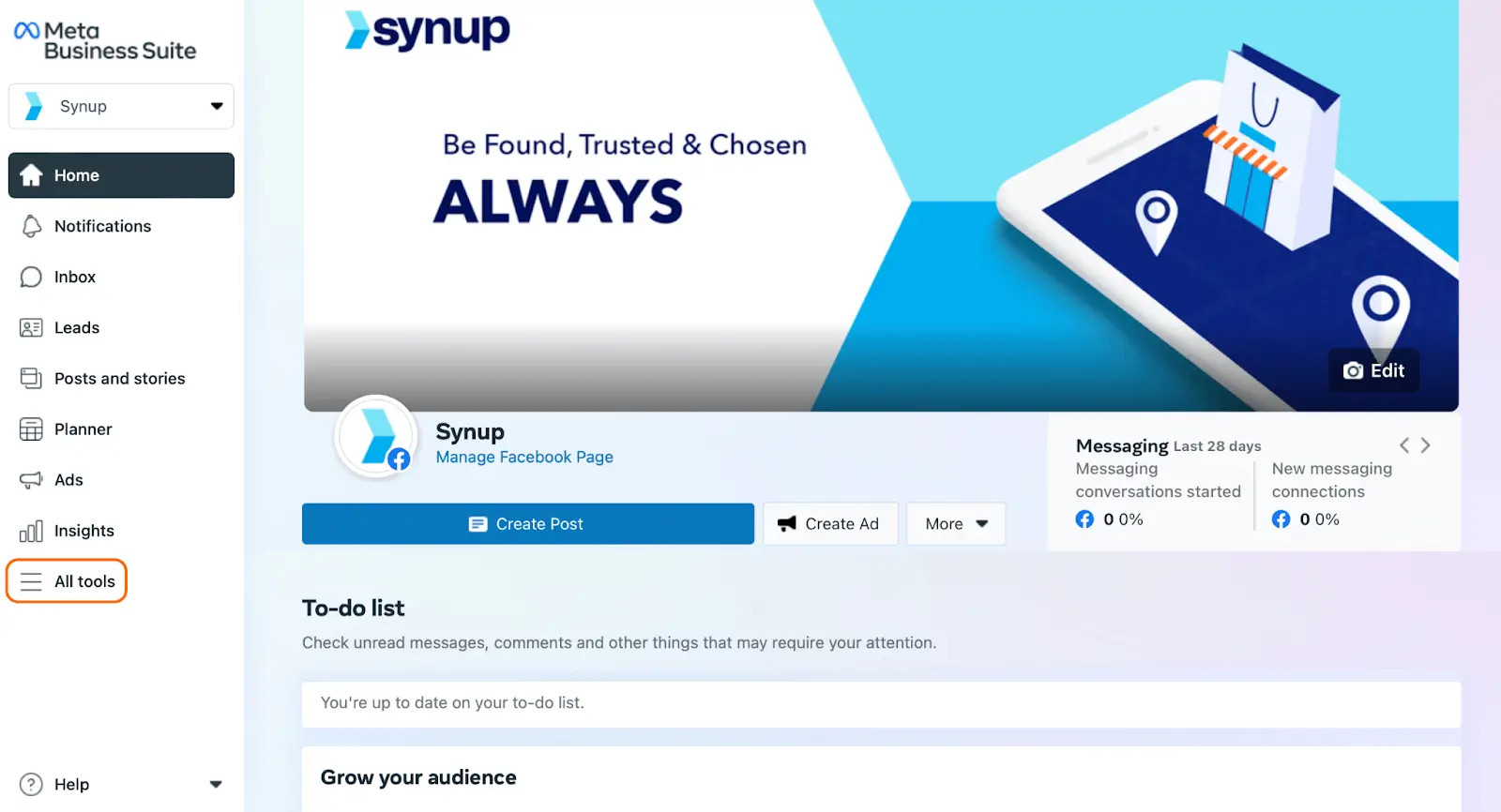
Step 2: Click on the “Gear Icon” option located from the dropdown.
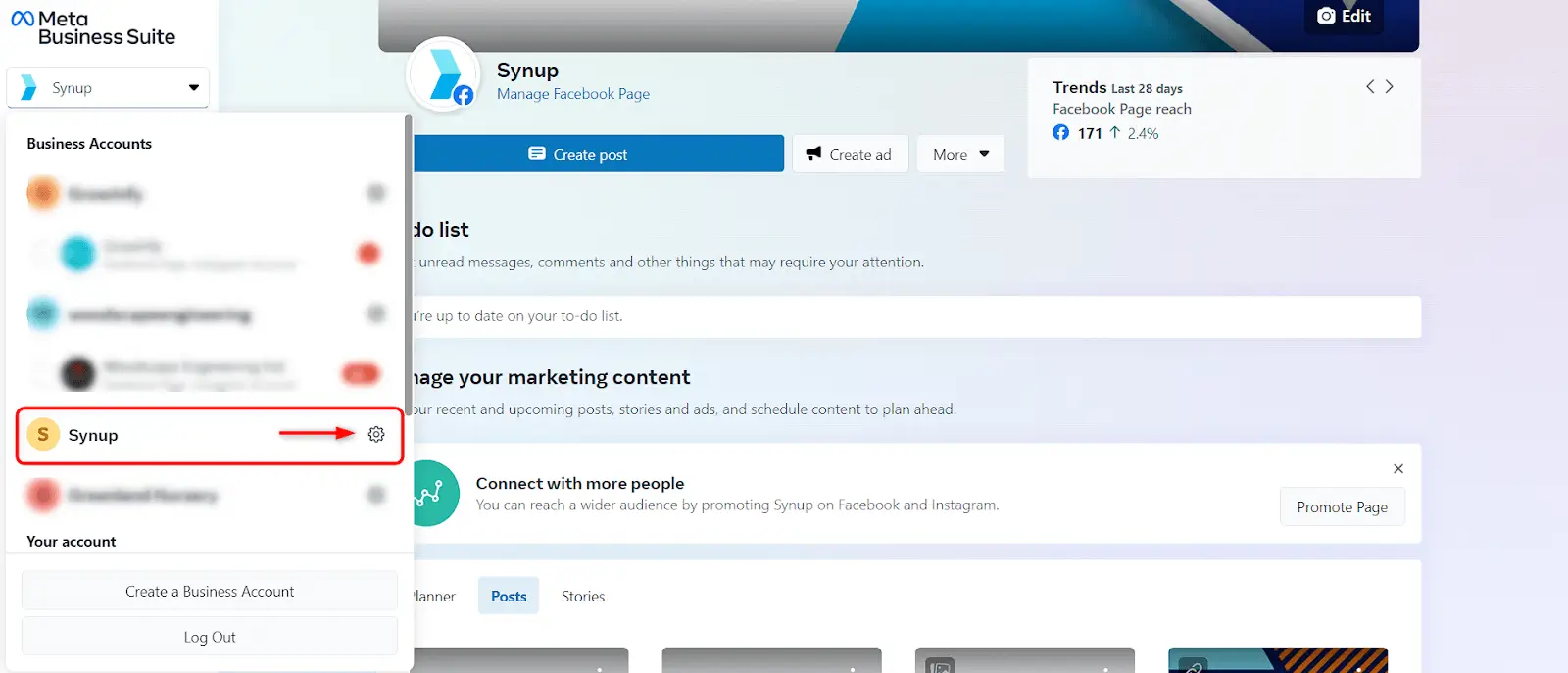
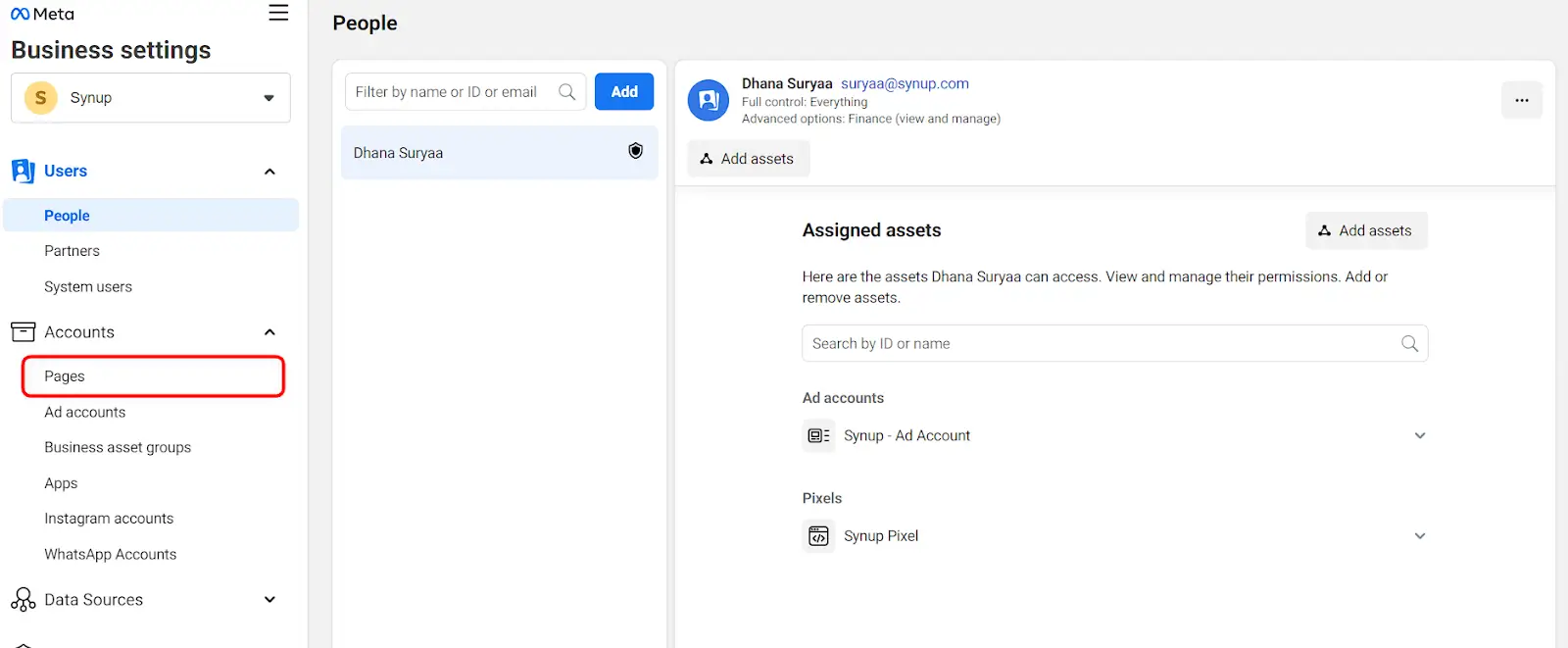
Step 3: Select “Business Settings” from the left-side menu.

Step 4: Navigate to the Accounts tab and find “Pages”
Step 5: Select your “Business Page” next to the Meta Business Suite app.
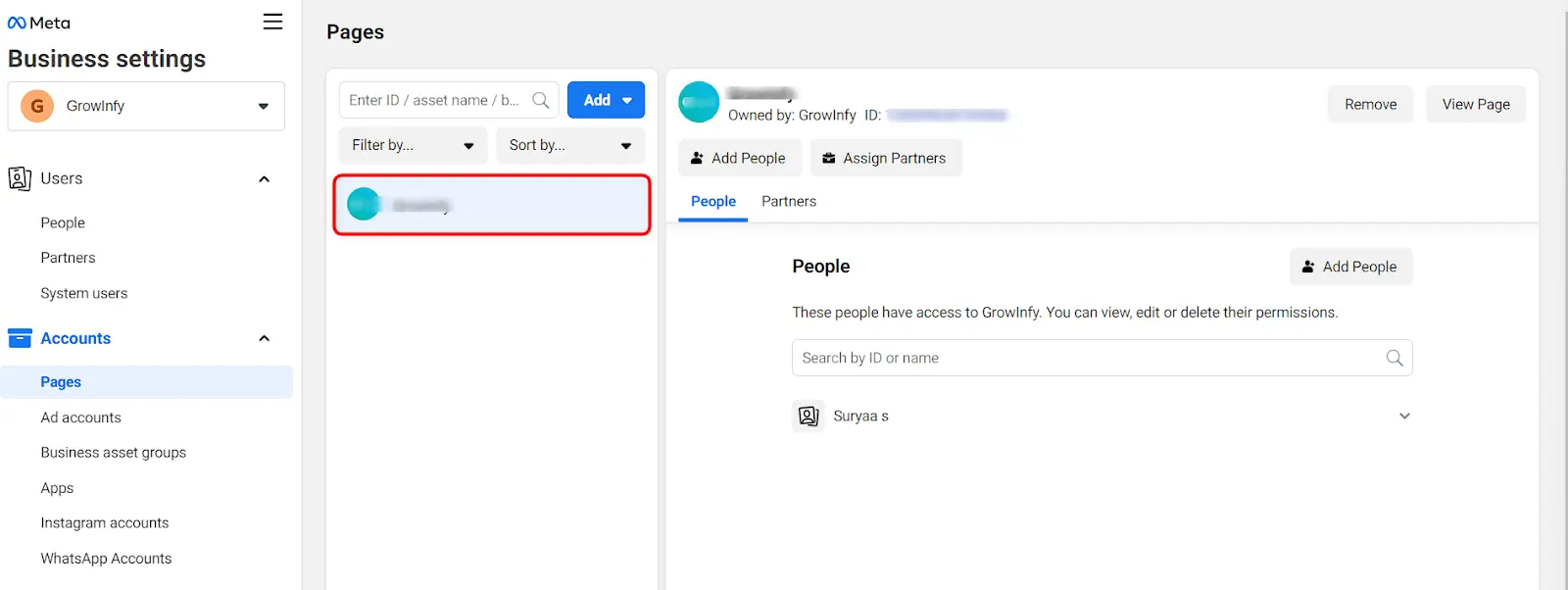
Step 6: Click “Remove” next to the app name.
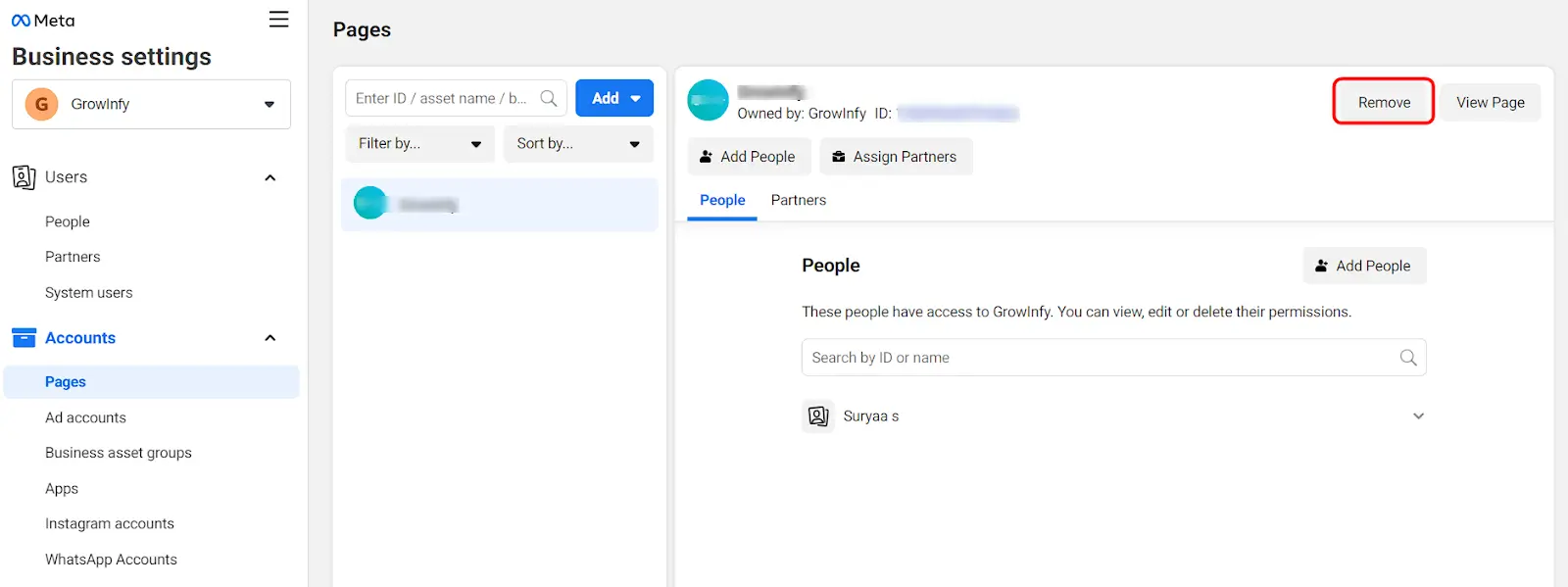
Step 7: Confirm the removal by clicking “Remove” in the pop-up window.

By following these steps, you should be able to successfully remove the Meta Business Suite from your Facebook page.
