
How to switch from Meta Business Suite to personal account
Learn how to smoothly transition from Meta Business Suite to a personal account. Follow our step-by-step guide to switch hassle-free. Start now!
If you want to switch your Meta Business Suite account to a personal account, you’ll need to go directly to Instagram. Once you create a business account on Facebook, you cannot revert it to a personal page. Here’s how to switch your business account to a personal account on Instagram.
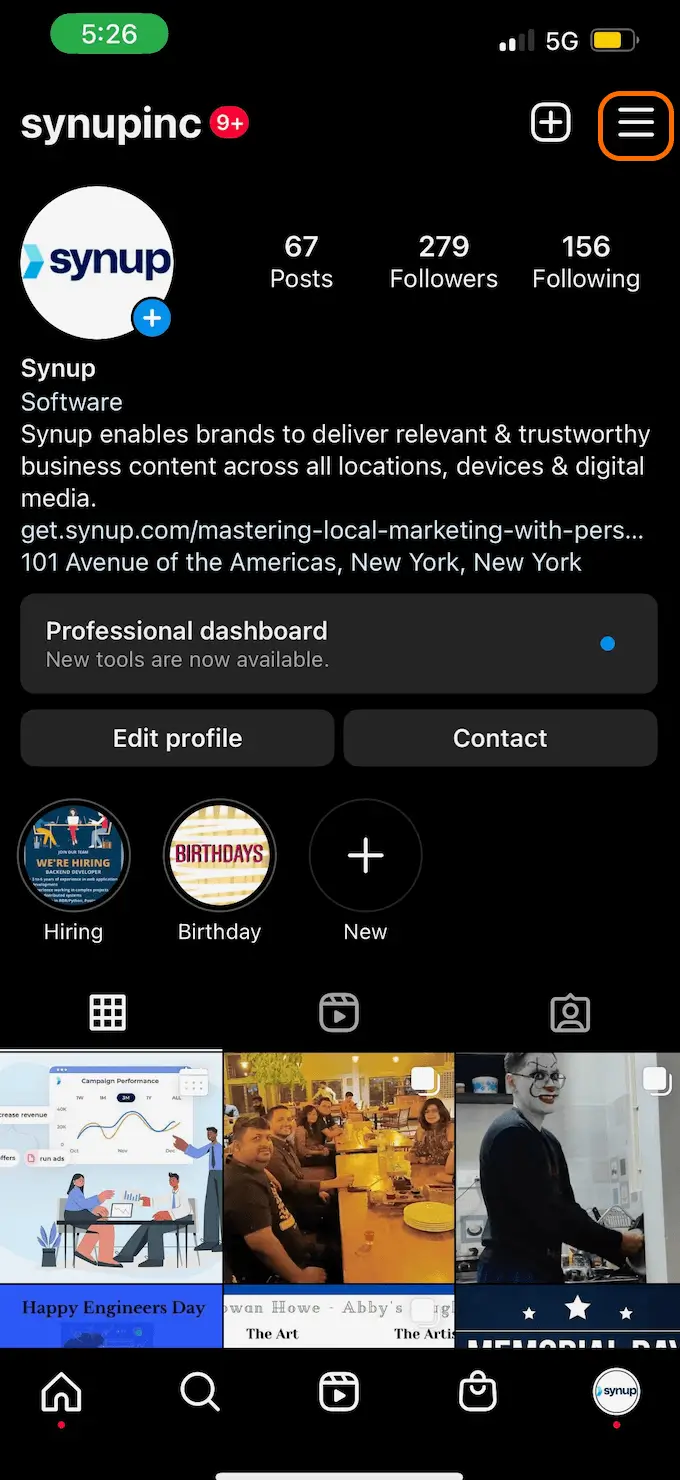
1. Log in to your Instagram account and click on the three horizontal lines in the upper right hand corner on your profile.
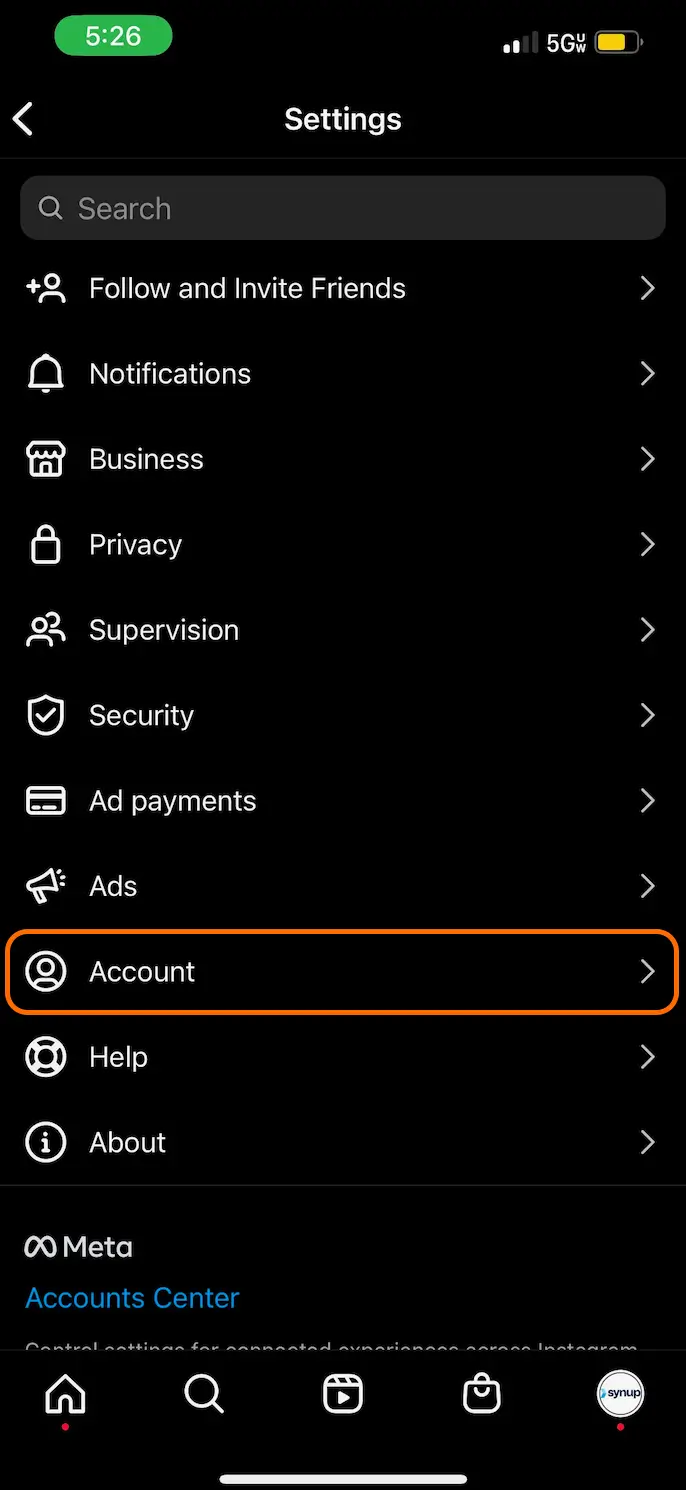
2. Select “Account” from the list
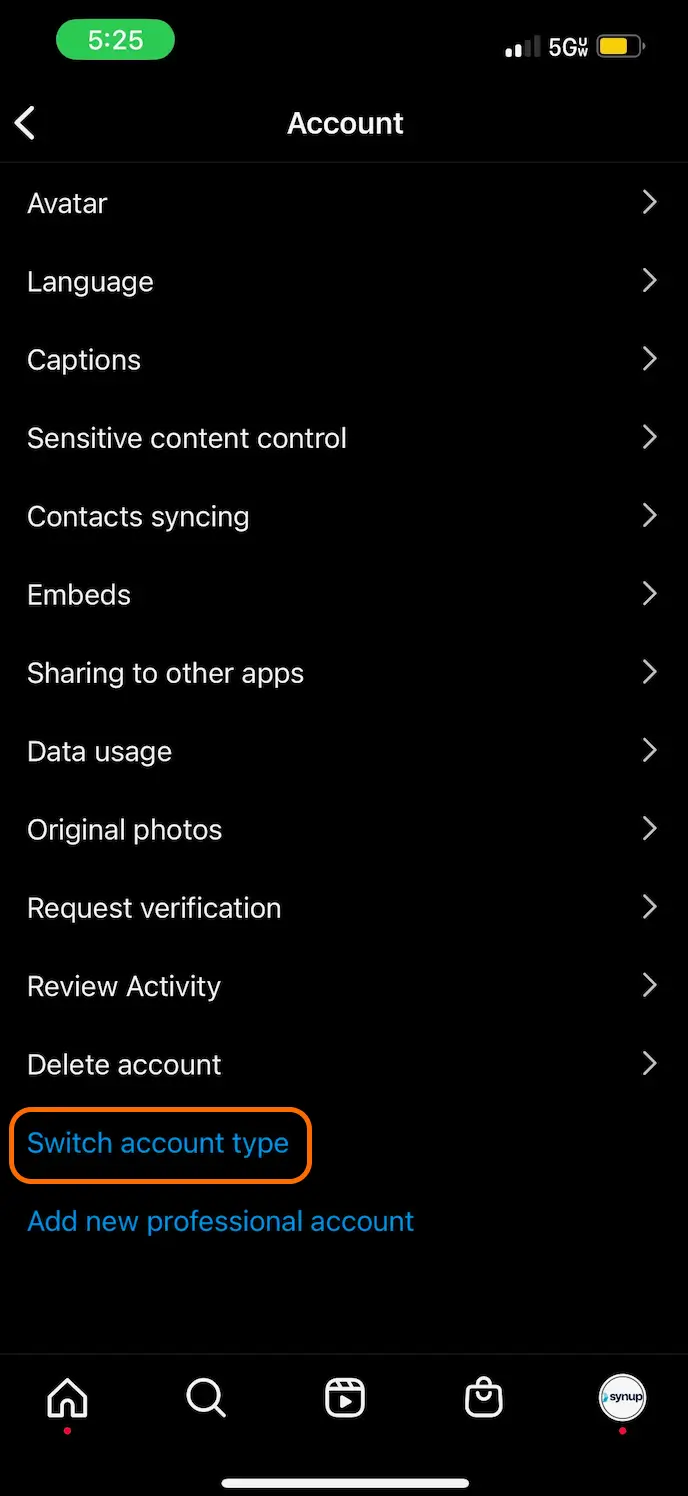
3. Scroll to the bottom and click on “Switch account type”
4. From there, you can change your business account to a personal account
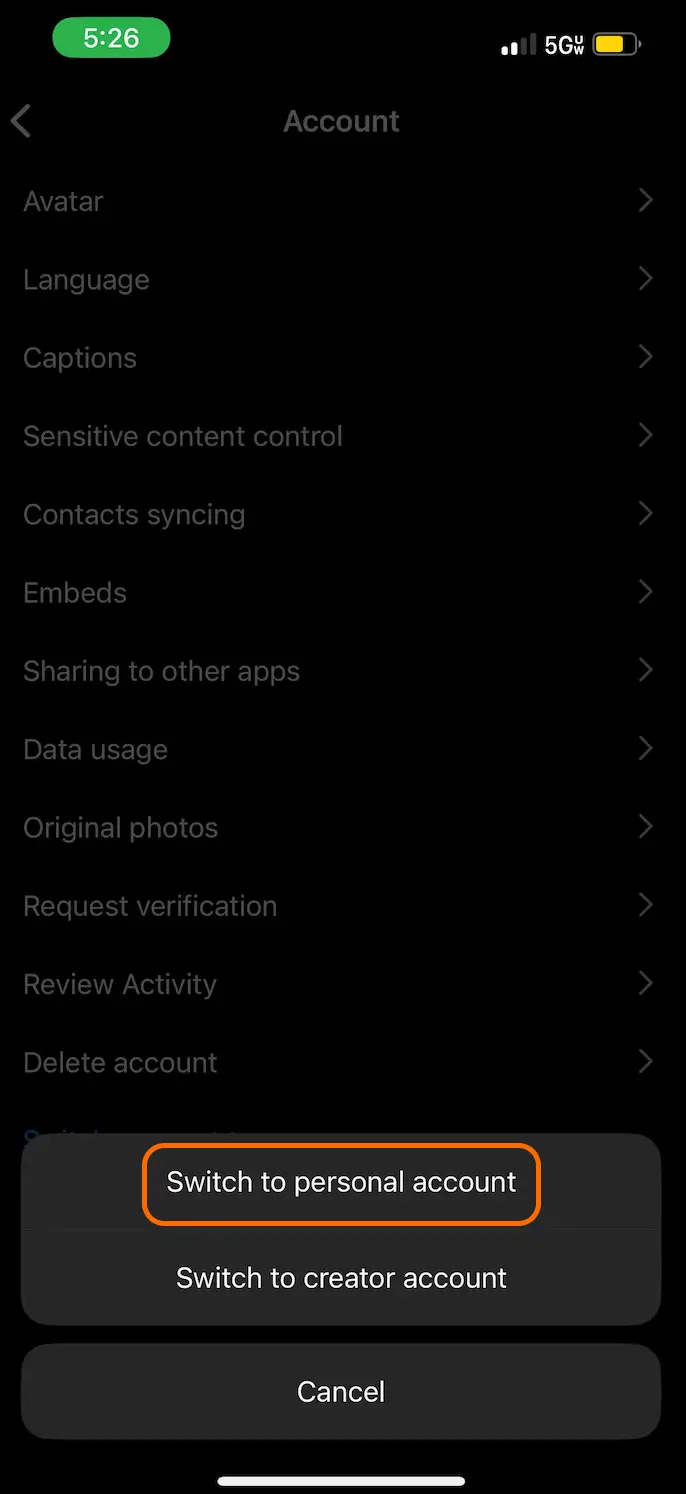
And there you have it! There are some advantages to having a personal account, but make sure you choose the right one for you. If you want to change to a creator account on Instagram, you can use the same method.
