
How to add your business to realself.com
Learn more to increase your business's online presence by adding it to RealSelf.com. Follow our simple step-by-step guide and start reaching new customers today.
What is Realself.com and why is it important?
RealSelf is a website where people review cosmetic treatments. For physicians, having an account is important for marketing their services and expertise, showcasing before-and-after photos, and interacting with potential patients. RealSelf also offers paid advertising to target potential patients in their area.
Step-by-step guide to add your business to realself.com
- Go to the RealSelf website (https://www.realself.com)

- Scroll down to the ‘For Doctors’ section and click on the “Claim Your Profile” from the footer menu (bottom of the page).

- On the Doctor’s page and click on the "Get Your Free Profile" button.

- Create an account by entering your personal information, contact information and practical information.

- Now choose which profile do you want to claim? Doctor Profile / Practice Location.
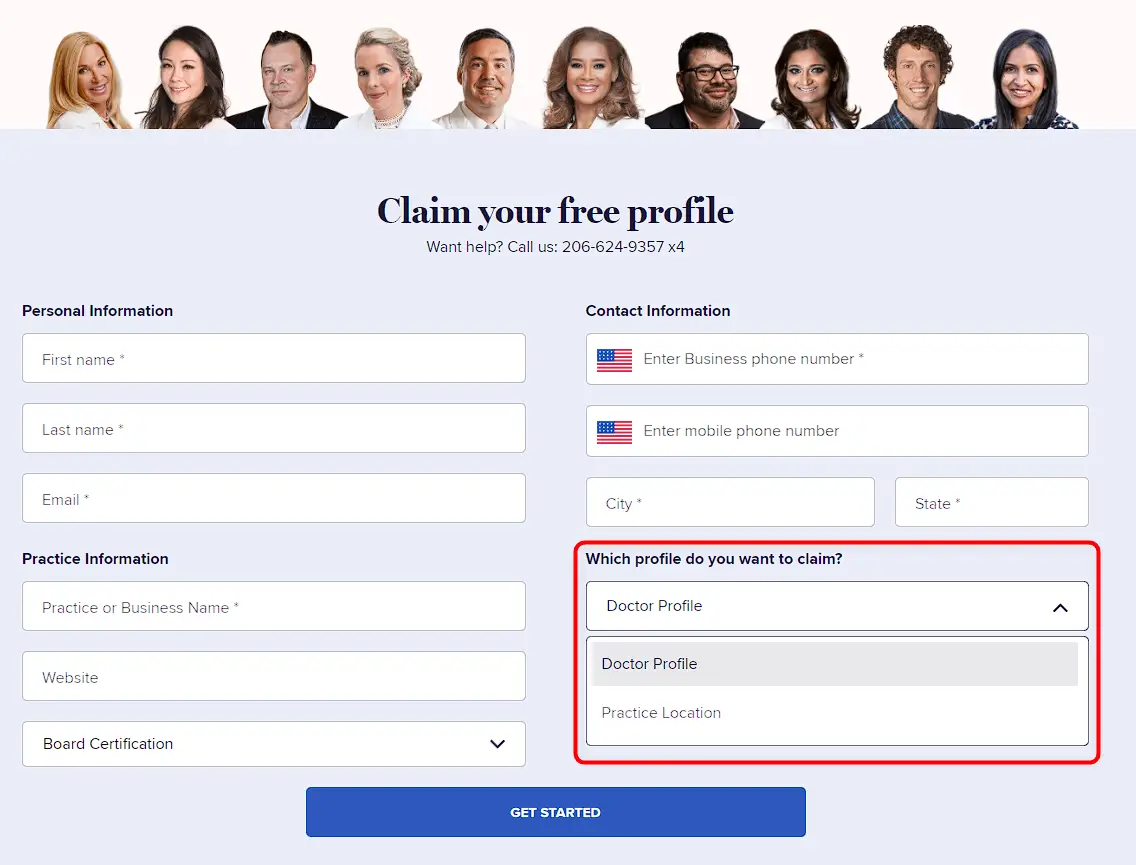
- Click ‘Get Started’ once you are done with filling out all the information.
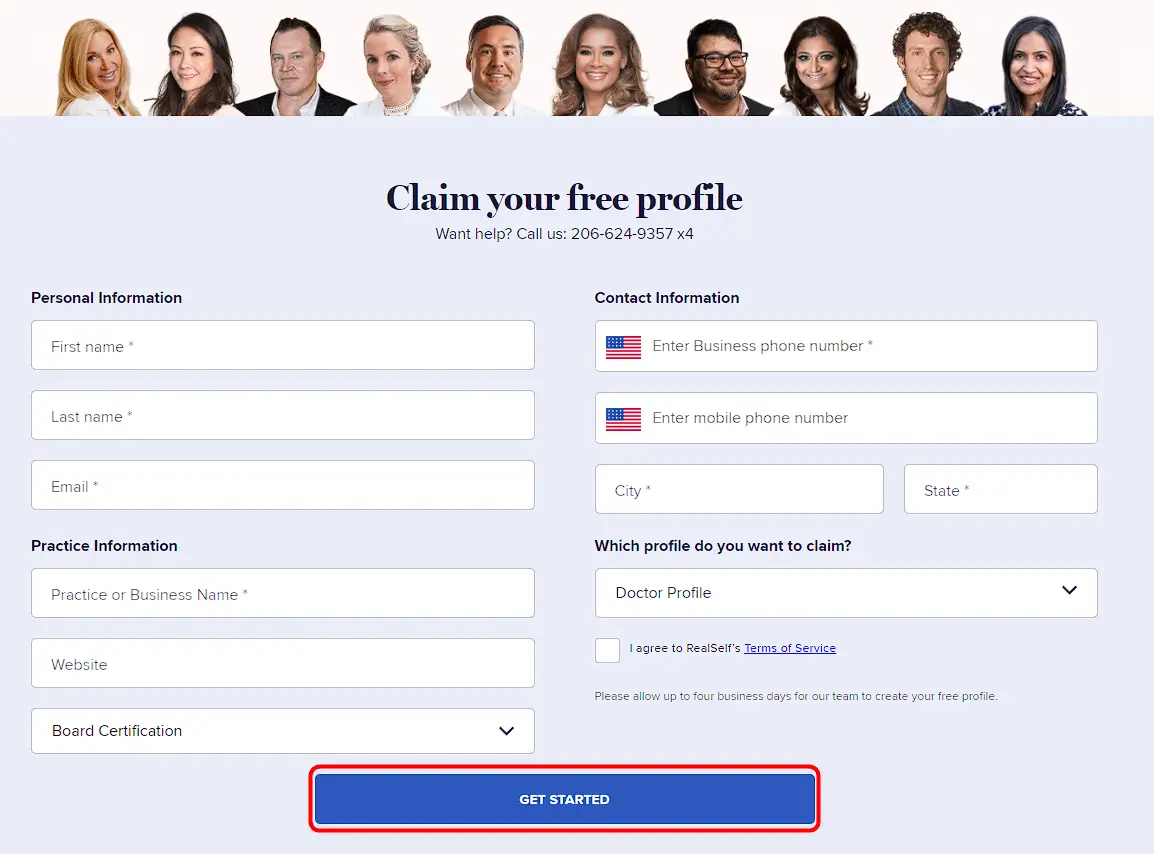
- After submission, it will take 2 working days for the RealSelf profile to be reviewed.

- Once your listing is live, you can start building your profile by adding photos, videos, and reviews from past patients. You can also respond to patient inquiries and build your online reputation as a trusted healthcare provider.
By following these steps, you can add your business to RealSelf and start connecting with potential patients in your area.
We highly recommend that you review other medical web-directories and learn how to claim your listing on them. One such example is Healthgrades.com, which has an extensive database of medical professionals and facilities, and is widely used by patients to search for healthcare providers.
