
How to Get Reviews on Trustpilot
Build a stronger reputation by using TrustPilot email template by learning how to generate more reviews on your business page.
Since 2007, Trustpilot has provided a safe space for consumers to leave reviews on businesses based around the world. For business owners, Trustpilot is a site that can leave a positive or negative impact on the company. It is important to keep track of your business page and respond to customers, whether the review is good or bad. This shows potential and existing customers that you are serious about your business.
One way to build a strong profile on Trustpilot is to generate reviews of your company. But how do you do this? Are there steps you can take to ensure that your customers leave a review about products and services? With more reviews, your business has a higher rating on the site. This generates more business within itself. Learn how to generate reviews with our step-by-step guide below. In no time, you will have more reviews, placing your business at the top of search results.
What are Trustpilot Reviews?
Trustpilot reviews are ratings written by customers and posted on the Trustpilot platform. In these reviews, individuals share their genuine experiences with a business. Customers typically leave reviews after purchasing a product or using a service, but Trustpilot also allows those who haven't made a purchase to share their experiences. While companies can respond to reviews, they cannot edit what customers write.
Trustpilot reviews are publicly accessible, making it a transparent way to assess whether a business is legitimate, reliable, or one to avoid. When people search for a local business, they often check reviews first. If a business has no reviews or poor ratings, potential customers are likely to look elsewhere because they trust the opinions of other customers more than any of your long-drawn marketing efforts. Additionally, positive reviews can improve your visibility in local search results.
For local business owners, Trustpilot reviews enhance trust, visibility, and conversion rates. Displaying Trustpilot ratings on your website or advertisements serves as an instant trust factor. The more authentic reviews you have, the more likely people are to choose your business over competitors.
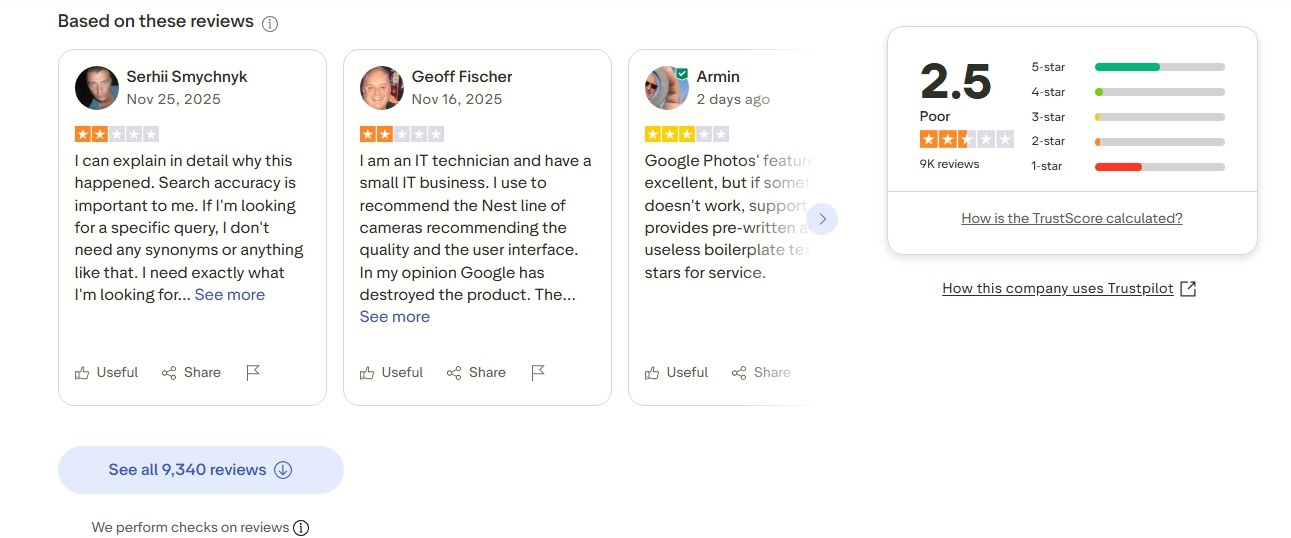
Should You Buy Trustpilot Reviews
Short answer: No, you should not buy reviews on Trustpilot.
Trustpilot's rules strictly prohibit fake or paid reviews. They expect all reviews to be authentic and based on genuine customer experiences.
Some business owners might believe that a few fake reviews can quickly boost sales. While this may work temporarily in some cases, the risks are not worth it. Trustpilot employs automated fraud detection methods, such as tracking IP addresses, device information, and patterns to identify and remove fake reviews. Research shows that many of the fake reviews removed are five-star ratings, which can create misleading impressions.
Trying to cheat may also get your business account suspended or banned.
Ultimately, real loyal customers are a result of honest service. Instead of purchasing reviews, a more effective strategy is to encourage your actual customers to share their genuine opinions and believe in the value of good service.
How to Get Reviews on Trustpilot
Follow the steps below to get more reviews on Trustpilot:
Step 1
To get started, you need to log in to your Trustpilot account.

Once you are logged in, you can use an email invitation template to invite your clients to leave a review on Trustpilot. Many customers often overlook leaving reviews, so sending a reminder can provide the necessary push for them to write a review. To make things simple, Trustpilot has its own template in the Free Plan.
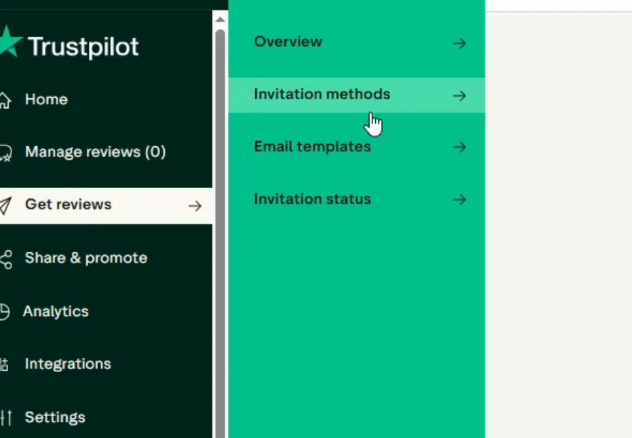
To select your invitation template, click on “Get Reviews,” then “Invitation Methods.”
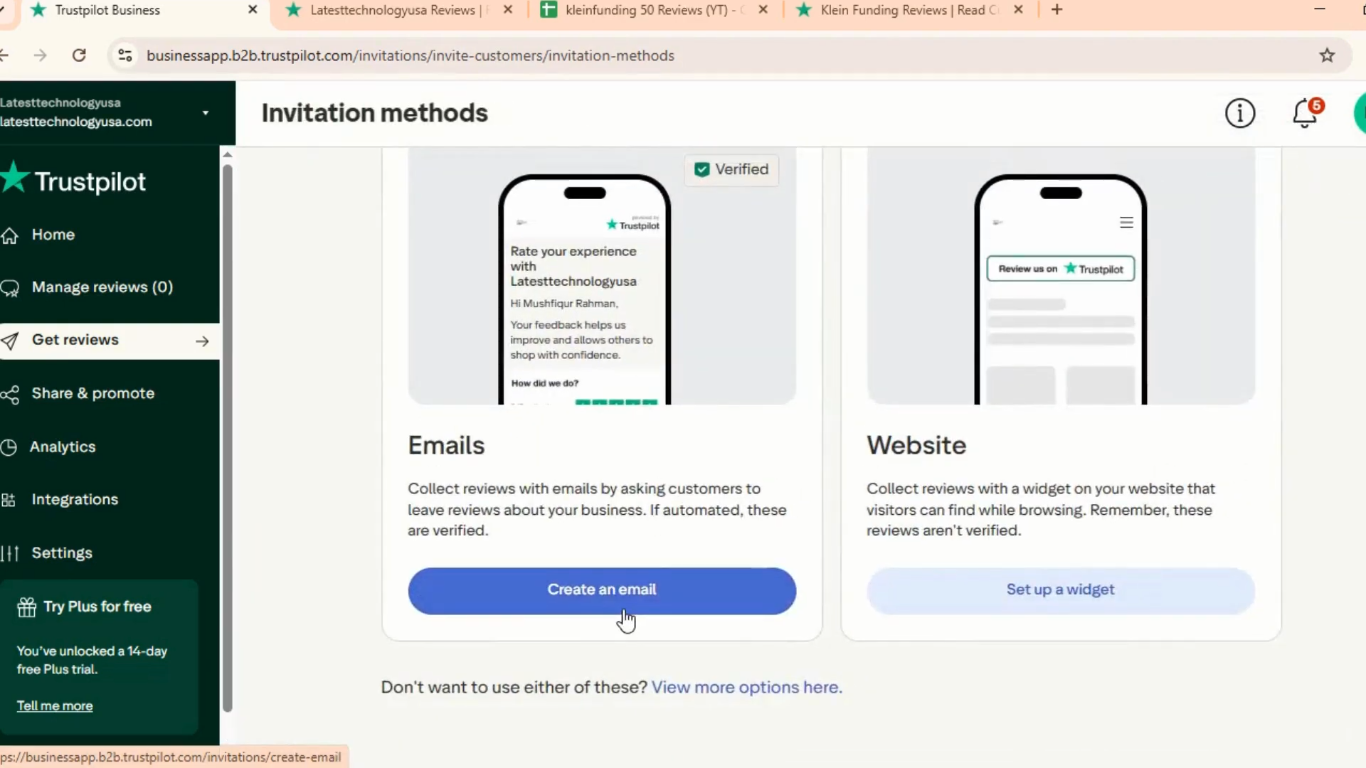
Next, click “Create an email”.
Next, choose a Trustpilot template (or your custom template, if available).
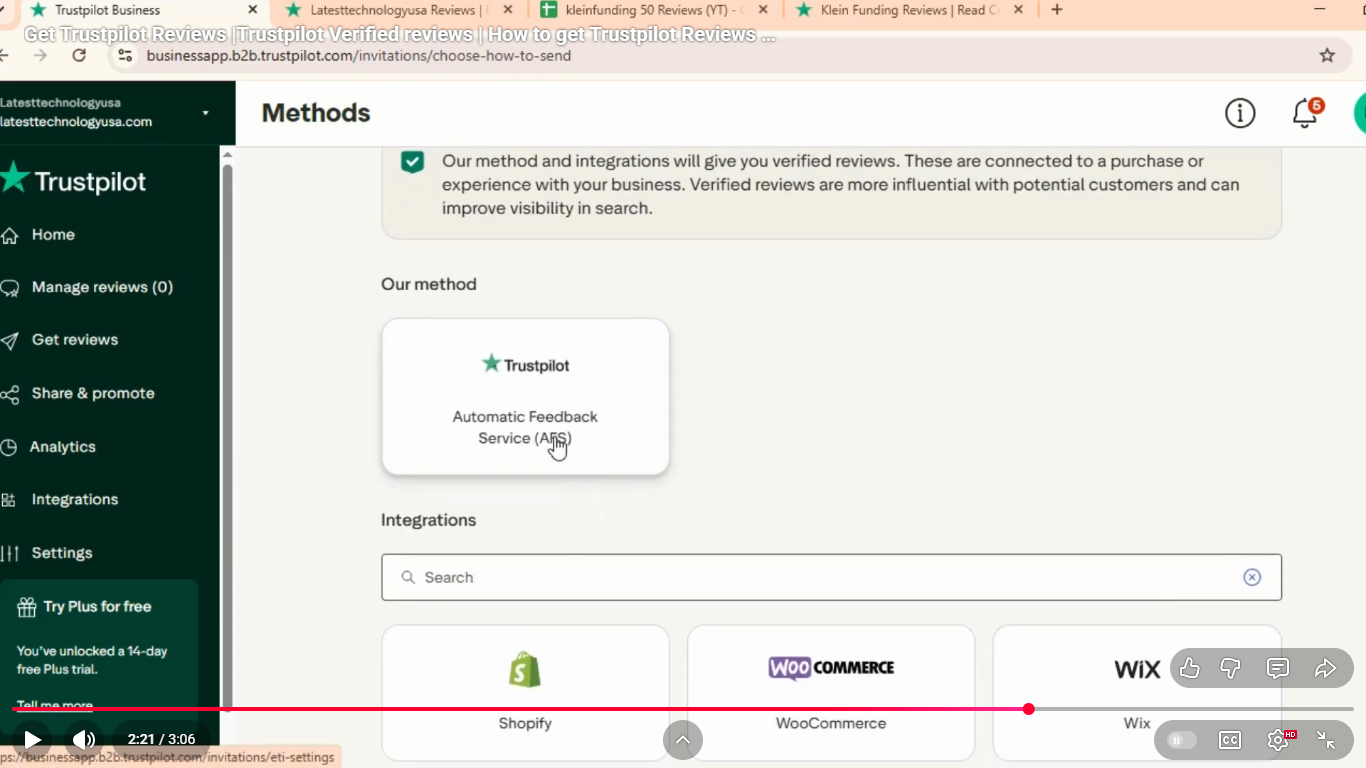
After that, you will reach a section that asks, “How do you want to send emails?”. Click Automatic Feedback Service (AFS) and confirm your selection.
Step 2
In the same section, you can use tools to set up email frequency. Use the settings available to send email reminders for reviews on a regular basis.
In the AFS setup, click “Change timing”. Choose when invitations should be sent (immediately or after a delay). Then, save your settings.
Be mindful of the time between emails. You want to alert your customers of the option to leave a review, but you don’t want to continually spam them with alerts.
In the AFS setup, click "Copy email address" to copy your unique Trustpilot AFS email.
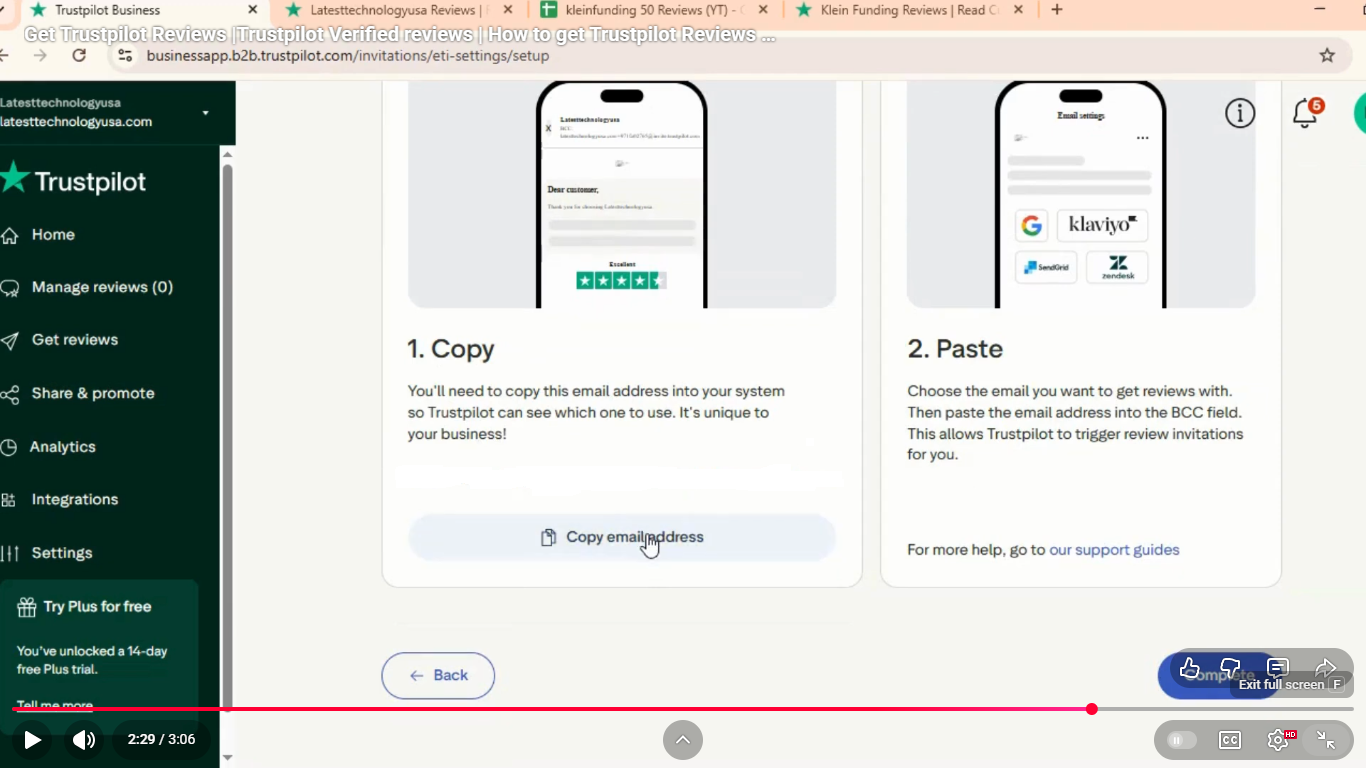
Next, you need to add Trustpilot as a BCC. In your email or ecommerce system, open the transactional email you send after a purchase (e.g., confirmation or receipt). Paste the AFS email address into the BCC field and save.
To confirm it’s working, go to your “Invitation Status” page in Trustpilot. Check that new invitations appear as “Queued”, “Sending”, or “Delivered”.
Step 3
Next, you can add Trustpilot’s TrustBox widget to your website that sends customers to your Trustpilot business page. By clicking on the widget, the consumer is taken directly to your page and is guided through the review process.
Place the link in a spot where it can be viewed easily by visitors to your website. You can also tag the link in blog posts or other areas of your site to drive traffic.
Step 4
Create custom cards with your Trustpilot information listed and leave these cards inside shipped packages, as well as packages of retail customers. Use templates or freehand the design, thanking your customers for their order. Make a short request for a review on the card and provide the information needed to reach your business page.
Tips to Get More Reviews on Trustpilot
If you are trying to grow your Trustpilot presence, here are some tips to get more reviews:
- Ask at the right time: Contact them while the experience is still fresh; this is the optimal time. Send a brief email or text within 24 to 48 hours, including a direct link to your Trustpilot page.
- Keep it easy: Don’t make people go through multiple pages or questions. The simpler the process, the more reviews you’ll get. Make it a one-click process.
- Automate requests: Use Trustpilot’s Automatic Feedback Service (AFS) to send invites automatically.
- Remind them everywhere: Add review requests to receipts, emails, and newsletters. Share your Trustpilot page on social media, but avoid being spammy or pushy.
- Incentivize: Offer rewards for leaving an honest review (discounts, giveaways, early access).
- Respond to reviews: Thank your happy customers and address complaints professionally. This shows that you care and helps you receive better reviews.
- Integrate with platforms: Connect Trustpilot to your eCommerce or CRM system for smooth review collection.
- Flag fake reviews: Keep your profile authentic and maintain trust.
- Use a reputation management tool: Manage and monitor all your reviews with a reputation management tool like Synup effortlessly. With AI-powered automated review responses, Synup helps you stay on top of customer feedback and maintain a strong, consistent reputation across all your online platforms.
Conclusion
Obtaining reviews on Trustpilot relies on executing the basics well, rather than purchasing them. Request feedback at appropriate times, keep the process stupidly simple, automate as much as possible, and make it easy for people to provide feedback.
By utilizing the tools offered at Trustpilot and actively marketing your business page, you can accumulate more recent reviews. With more reviews of your business, consumers can see that you offer quality services, which will prompt them to reach out to you for services or products. Get started with marketing your Trustpilot page today and watch as the reviews start to roll in!
Looking for a simple way to manage your reviews without the stress? Try Synup. It helps you track and organize your reviews and automatically sends personalized responses across platforms like Trustpilot, Google, Yelp, and more. Additionally, you can set up email and SMS campaigns to automate review requests after purchases, making it easier to gather more reviews.
Read More: Top 13 White-Label Reputation Management Platforms in 2025
