
How to Spot Fake Reviews on Your Business
Learn how to detect fake reviews, verify customers, and report fraud on Google, Yelp, and Facebook, plus escalation tips using Federal Trade Commission rules.
Fake reviews are one of the fastest-growing threats to online reputation. From coordinated competitor attacks to purchased 5-star campaigns, businesses today face review manipulation from multiple directions.
Good reviews are worth protecting, even when a few…questionable ones appear. The rise in fake reviews may be concerning, but the good news is that they’re also easier to spot, making proactive reputation management more effective than ever.
Below, we’ll break down how fake reviews work, how to identify them, and what steps businesses can take to protect their reputation.
TL;DR
- Verify reviewer names against your customer records first.
- Look for vague, exaggerated language or unusual reviewer profiles.
- Watch for sudden clusters of reviews instead of steady growth.
- Flag suspicious Google review or reviews on Yelp/Facebook, and document evidence for potential escalation to the Federal Trade Commission.
Understanding the Real Cost
We all know how fake google reviews damage a business’s reputation. But now, they’re also a regulatory risk.
New rules from the Federal Trade Commission (FTC) now allow penalties (up to $51,744 per violation) for businesses that buy, sell, or generate fraudulent reviews. And each fake review may count separately.
Rules now prohibit creating, buying, or manipulating reviews, including AI-generated content, undisclosed insider reviews, and the suppression of negative feedback.
Here’s your takeaway: Fake reviews most definitely still occur, but they’re far easier to regulate and detect than before. The key is understanding where the risks come from and what signals to watch for.
How to Spot Fake Reviews Online: Key Red Flags
Here’s a practical guide to recognizing review manipulation and protecting your brand’s credibility.
Check Your Customer Records First
If you suspect a review may be fake, start with the simplest and most reliable step: verify whether the reviewer was actually a customer.
To verify reviews, first, you need reliable records. It sounds obvious, but it’s often skipped. Many businesses jump straight into reporting a fake google review instead of checking their own data.
Compare reviewer names against your POS system, booking software, CRM, invoices, or email lists. If someone claims they visited last week but no record exists, the review needs further investigation.
Analyze the Language and Content
Research from Cornell University (Negative Deceptive Opinion Spam, 2013) identified patterns that distinguish fake reviews from authentic reviews.
Generic Red Flags
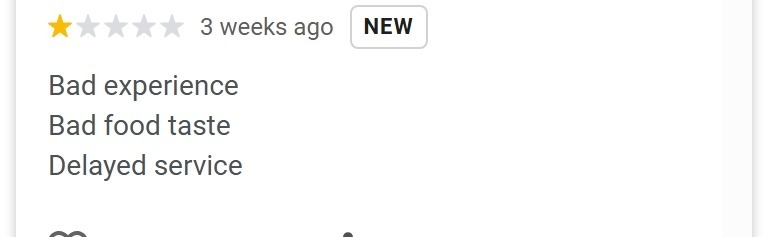
- One-word reviews: “Amazing!” “Terrible.”
- Extreme claims without detail: “Best ever.” “Worst in the state.”
- No specific products, services, or staff mentioned.
Fake reviewers overuse superlatives and vague praise to compensate for a lack of real experience. Authentic reviews include specifics (“The technician explained my AC issue and gave pricing options.”).
Scene-Setting Red Flags
Fake reviewers often create elaborate backstories instead of describing the experience.
Suspicious examples:
- “I was visiting my sister after surgery and…”
- “My husband and I have been married 25 years and…”
Fake negative reviews contain less spatial context and more narrative style and imaginative writing than real ones. Authentic reviews get to the point and describe what actually happened (see below).
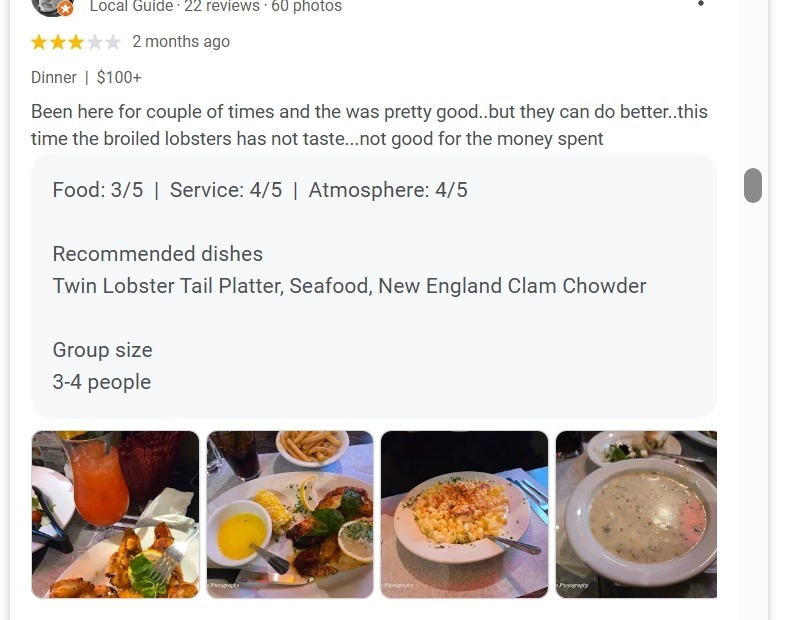
The Cornell study also found that the use of first-person singular pronouns (e.g., “I,” “me”) was 57% greater in deceptive negative reviews and 100% higher in fake positive reviews than in truthful ones.
Investigate the Reviewer’s Profile
Most platforms allow you to click a reviewer’s profile and see their activity. But many businesses never check. Profiles on Google, Yelp, and Facebook often reveal patterns that algorithms miss.
Warning Signs
- Brand-new account with few online reviews.
- No real profile photo.
- Dozens of reviews posted within days.
- Multiple reviews across distant cities and unrelated industries.
- Only 1-star or only 5-star ratings.
- Reviews for competitors right before attacking you.
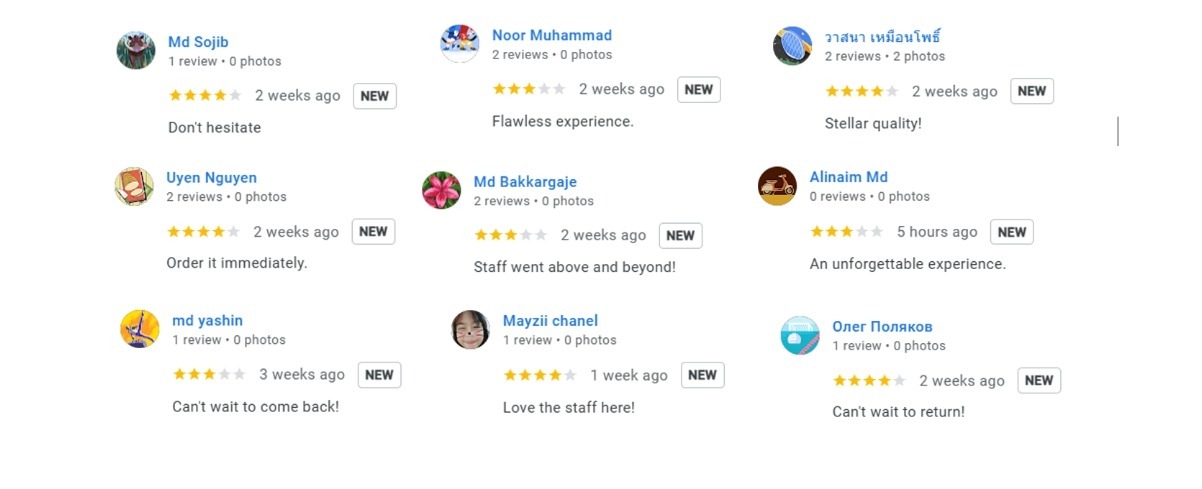
Ask one simple question: Does this review history look like a real person’s behavior over time? If not, keep digging.
Real consumers review a variety of businesses on google maps (restaurants, retail, services) over months or years in their local area. Fake reviewers review in bursts.
Look for Timing Patterns
Authentic reviews accumulate gradually. Fake campaigns create spikes.
- Natural pattern: 2–4 reviews per month.
- Suspicious pattern: 15–20 reviews within 48 hours, then silence.
Sudden spikes usually point to one of three scenarios:
- Paid positive review campaign.
- Competitor attack (cluster of 1-stars).
- Extortion attempt (negative flood followed by payment demand).
Red flag thresholds for a suspicious review:
- 5+ reviews in one day (unless special event).
- 10+ in a week from similar accounts.
- Repeated phrasing across reviews.
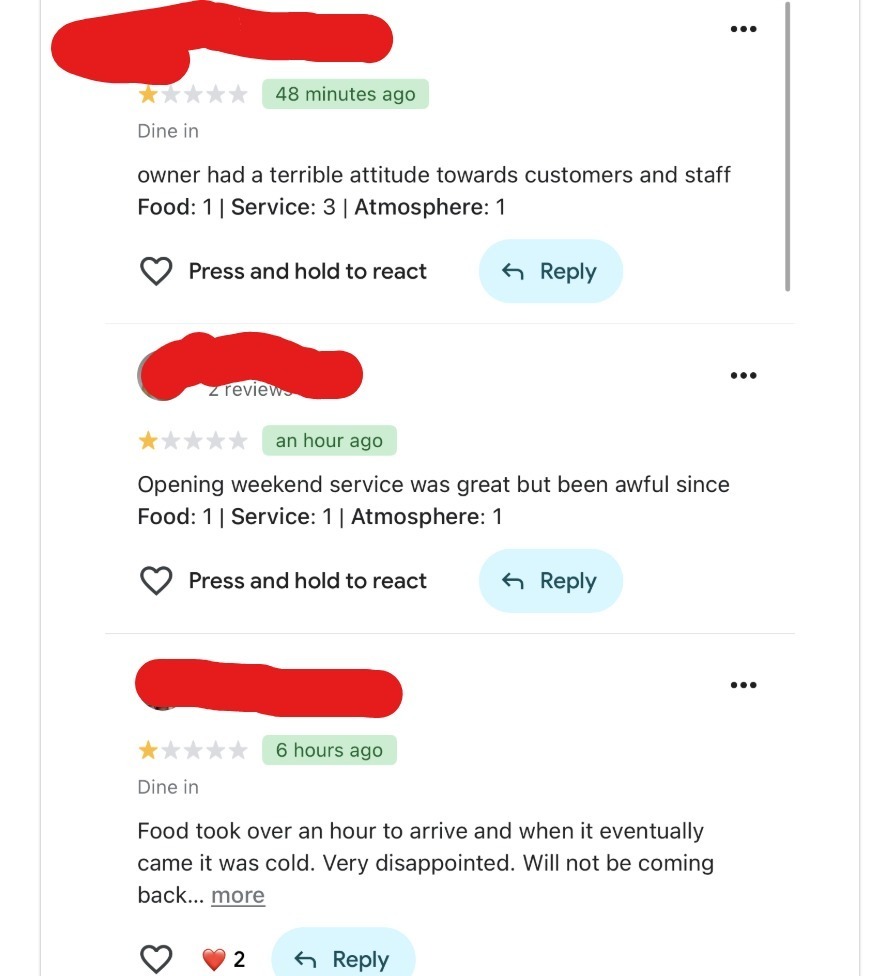
Export reviews into Excel/Sheets and sort by date to see these spikes.
Unusual timing doesn’t confirm fraud. But it’s a strong signal to investigate.
Ambiguity May Be Suspicious (But Context Matters)
Anonymous reviews aren’t automatically fake. But they do require more context.
Anonymous reviews that include specific details, such as staff names or services, are often legitimate. Anonymous reviews that contain only vague praise or criticism are harder to trust.
In some industries like medical, legal, addiction treatment, and mental health, anonymity is normal due to privacy concerns. In these cases, focus on the level of detail instead of the missing name. Specific experiences are harder to fake than general statements.
Also Read: Online Review Management – A Simple Guide
What to Do When You Spot a Fake Review
Here’s what to do when you spot a fake review:
Step 1: Document the Review
Screenshot the full review, reviewer profile, and timestamps. Capture patterns (similar accounts or timing clusters) before anything changes.
Step 2: Verify Customer Records
Check for nicknames, partial visits, or real service issues to avoid false reports.
Step 3: Flag on the Platform
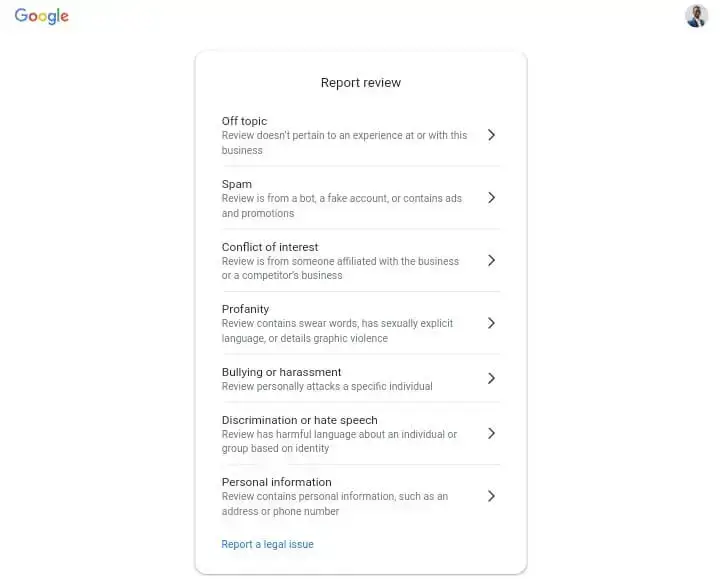
Report through Google Business Profile, Yelp, or Facebook using “fake,” “spam,” or “conflict of interest.”
Step 4: Respond Professionally
Post a neutral reply requesting direct contact while moderation is pending.
Step 5: Escalate with Evidence
Submit documentation to support teams. Report coordinated fraud to the FTC.
Step 6: Monitor Patterns
Set alerts and perform weekly review checks.
Doctor’s Orders: If you manage multiple locations or clients, use dedicated reputation tools like Synup to surface anomalies faster across locations.
Read More: Negative Review Scams: How to Protect Your Business
Conclusion
Now you have the process to identify and handle suspicious reviews before they damage your reputation. Take every step (document, verify, flag, escalate) and turn it into a repeatable workflow. When a review looks suspicious, capture screenshots, confirm records, and submit reports with evidence to platforms like Google or Yelp. Consistent monitoring is what keeps fake reviews from causing real damage.
Also Read: Top 13 White Label Reputation Management Software in 2026
FAQs
- Can I remove fake reviews myself?
No. Only the platforms (Google, Yelp, Facebook, etc.) can remove reviews. You can flag them and submit evidence, but the final decision is theirs.
- How long does review removal usually take?
Google typically reviews reports in 1–5 business days, Yelp in 2–3 days, and Facebook in 3–7 days. If rejected, submit additional documentation or a formal appeal.
