Automating Key Operations For Your Agency
Synup OS helps your agency automate everyday client management tasks so you spend less time on manual work and more time growing relationships.
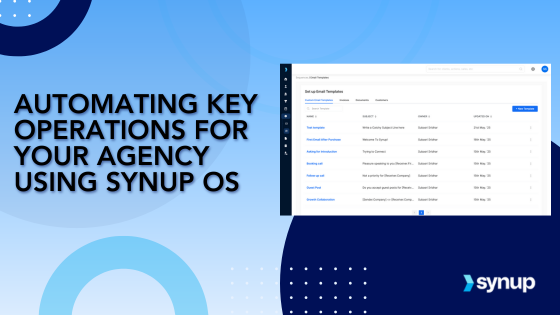
Synup OS empowers agencies to streamline and automate everyday tasks, saving valuable time and ensuring smoother workflows. From creating email sequences to automating document communication, Synup OS provides the tools needed to simplify repetitive tasks and stay focused on what truly matters, growing your business.
Every agency is busy, juggling a variety of tasks and deadlines that can be overwhelming. Managing client communications, tracking meetings, and sending invoices can take up much of your day, leaving little time for strategic planning or creative work. Fortunately, Synup OS offers robust automation tools to take the load off. By automating daily tasks such as email sequences, recurring communications, and notifications, you can ensure that important tasks are handled efficiently and consistently, all while freeing up your team to focus on higher-priority activities. Let’s explore how you can automate routine tasks and supercharge your agency’s productivity with Synup OS.
How Automating Tasks Can Help Your Team
Automating repetitive tasks might sound like a luxury, but for any growing agency, it’s a necessity. Automating key processes not only saves you time but also ensures consistency in your communications and task management. Here’s why automating tasks with Synup OS is a game-changer for your agency.
1. Eliminate Manual Work Automating tasks like follow-up emails, client communications, and invoicing frees up your time, allowing you to focus on strategic work and client relationships. No more manual entry or having to remember to send the same email every month.
2. Increase Consistency Consistency in communication is key to building trust with clients and leads. With automated email sequences and recurring task templates, you ensure that all your communications are timely, accurate, and on-brand, every time.
3. Streamline Workflows With task automation in Synup OS, every step in your workflow is aligned—from scheduling meetings to sending invoices to setting notifications for upcoming tasks. This streamlined approach helps everyone on your team stay organized and in sync.
4. Improve Client Experience By automating communications like emails and meeting reminders, you provide a smooth, professional experience for clients and leads. Whether they’re receiving timely updates or easy-to-book appointments, automation helps create a positive impression.
5. Monitor Key Activities Effortlessly Synup OS automates key notifications, ensuring that you’re always in the loop about important client activities, without manually checking for updates. This allows you to act quickly when necessary and stay ahead of client needs.
How to automate daily agency tasks with Synup OS
Managing follow-up emails, nurturing leads, and keeping clients in the loop can be time-consuming. But Synup helps you automate key steps in the process to make it easier for your team.
1. Automated Email Sequences
Go to ‘Email Sequences’ under the Automations tab in your Synup OS dashboard. You can create multi-step email sequences for nurturing leads and communicating with clients. Click ‘New Sequence’ on the top right of the screen.

You’ll be asked to add emails at different steps in the sequence. You can use an existing email template or create a new email from scratch.

You can personalize the emails using different types of dynamic fields like receiver name, company, address, and more. Synup also allows you to directly add your meeting scheduler link to add to your email with custom availability. All meetings booked get added to your tasks & to-dos in the platform.
For example, let’s say you want to nurture leads by sending a series of emails about your agency’s services. With Synup OS, you can:
- Set up an introductory email.
- Follow up with a case study.
- Add a final reminder to book a meeting.
- Add a final reminder to book a meeting.

We also have an AI email writer, Joy Assist that helps you craft creative and engaging email campaigns in just a few clicks. Once you’re done setting up the emailing sequence, next configure the campaign schedule so it can run automatically.

Once your sequence is set up, configure the campaign schedule to run automatically, and let Synup OS handle the rest. All meetings booked via the email sequence will automatically be added to your tasks and to-dos.
2. Using Templates For Recurring Tasks
Repetitive tasks, such as sending invoices or client updates, can be automated through Synup OS’s Templates feature. This allows you to save time on daily communications. Here’s how you can use templates for recurring tasks:
- Go to ‘Templates’ under the ‘Automations’ tab.
- You can create templates for daily emails, documents, invoices, and more.
- For example, you can set up an invoice email template that automatically sends out a customized email every time an invoice is generated.
You can also set up when a particular type of communication is sent (such as client reminders or meeting confirmations). If you need to edit an existing template, simply click the edit icon next to any communication type, and you can make changes as needed.
Under the Invoices and Documents tab, you can configure when a particular type of communication email is sent out and the template for that.

To edit any template for an invoice or document email, you can click on the edit icon next to any type of communication.

This automation ensures that you never miss a deadline or forget to send an important email, allowing you to focus on higher-value tasks.
3. Setting Up Notifications
Staying on top of key activities across your agency is crucial. Synup OS helps you do this by setting up automated notifications to keep you updated on important events. Here's how you can set up notifications:
- You can receive weekly sales digests, alerts when a lead or client is assigned to you, or when clients upload something to your portal.
- Other notifications include document activities, invoice updates, and calendar changes.
For instance, when a client uploads a new document, or when an email is opened, you’ll get a notification in real-time, ensuring you’re always in the loop without having to manually check for updates.
Synup OS gives you full control over which notifications you’d like to receive, ensuring you stay on top of key activities without being overwhelmed by unnecessary alerts.

Streamline Everyday Processes with Powerful Automations
Automating your agency’s tasks doesn’t just save time—it also boosts efficiency and enhances client satisfaction. With Synup OS, you can automate email sequences, recurring tasks, and notifications, giving you more time to focus on what matters most: growing your business and building strong client relationships.
Ready to streamline your agency’s operations? Try Synup OS today and start automating your daily tasks to save time and improve productivity.
Stop reading about it. Have Sydekick do it.
Every workflow on this page is something Sydekick runs on its own.