Running an agency isn’t easy. You often find yourself caught in the middle. Clients love your ideas but hate paying early. Even if you love pitching campaigns, you probably don’t like chasing invoices. Maybe you’ve used Excel with a couple of clients and thought, “This works fine.” And to be fair, it does… until it doesn’t any longer.
The right marketing agency billing software saves your sanity. It helps you keep invoices straightforward, avoid awkward payment chases, and lets you see where your cash is sitting. If you’ve ever spent tax season digging through spreadsheets, you know why a proper system matters.
TL;DR: Best 7 Agency Billing Software
Billing by spreadsheet breaks once retainers start to pile and expenses grow.
Move to agency billing software to automate invoices, reminders, and payments, keep cash flow predictable, and look professional.
What to require: recurring and split invoices, time and expense tracking, multi-currency, global gateways, solid integrations, and simple UX.
Best fits at a glance:
Synup OS for mid-sized agencies and subscriptions at scale
Bonsai for solos
HoneyBook for creative client flows
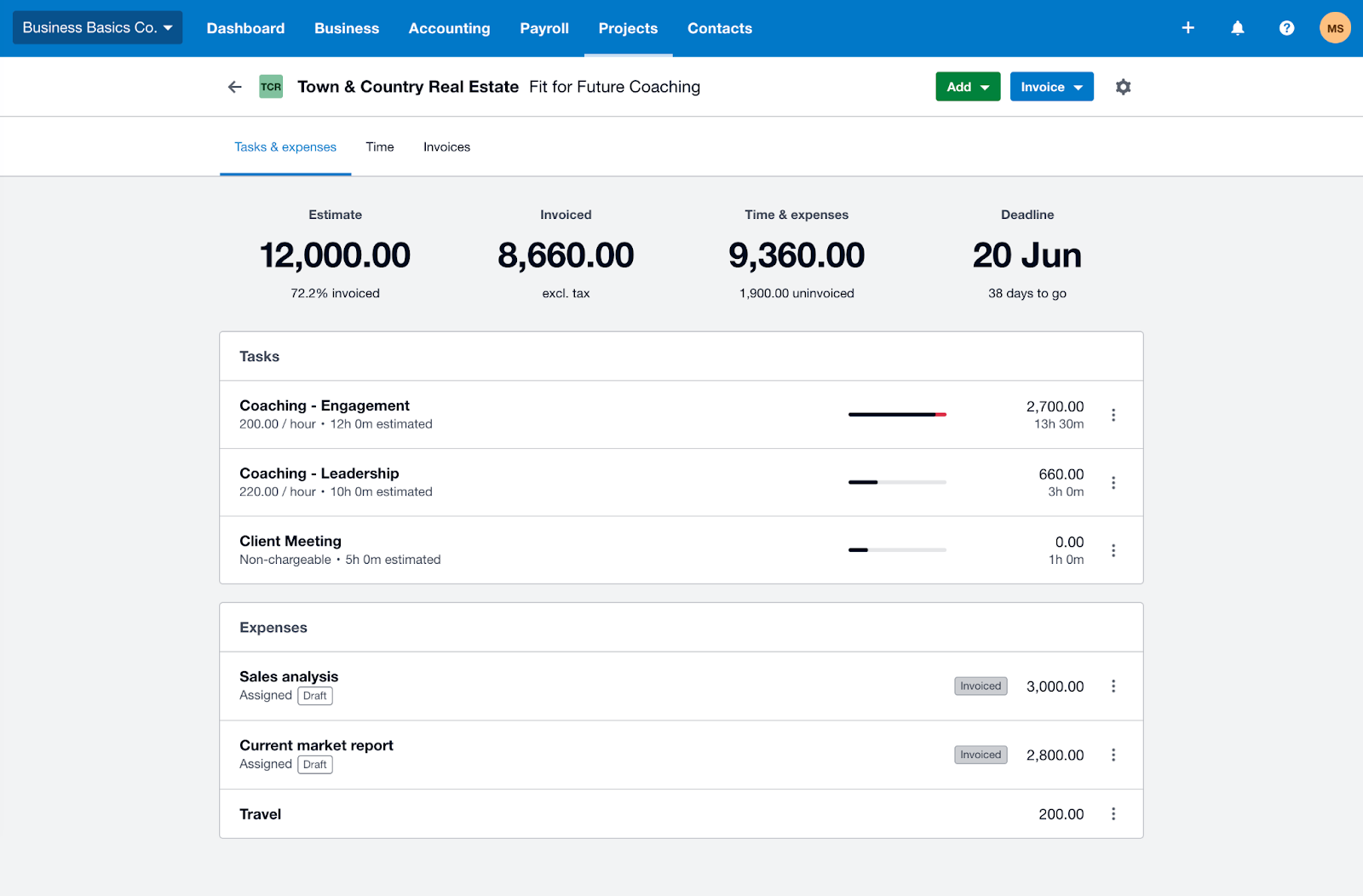
QuickBooks or Xero if accountants drive your books
Productive for time-to-invoice tied to budgets
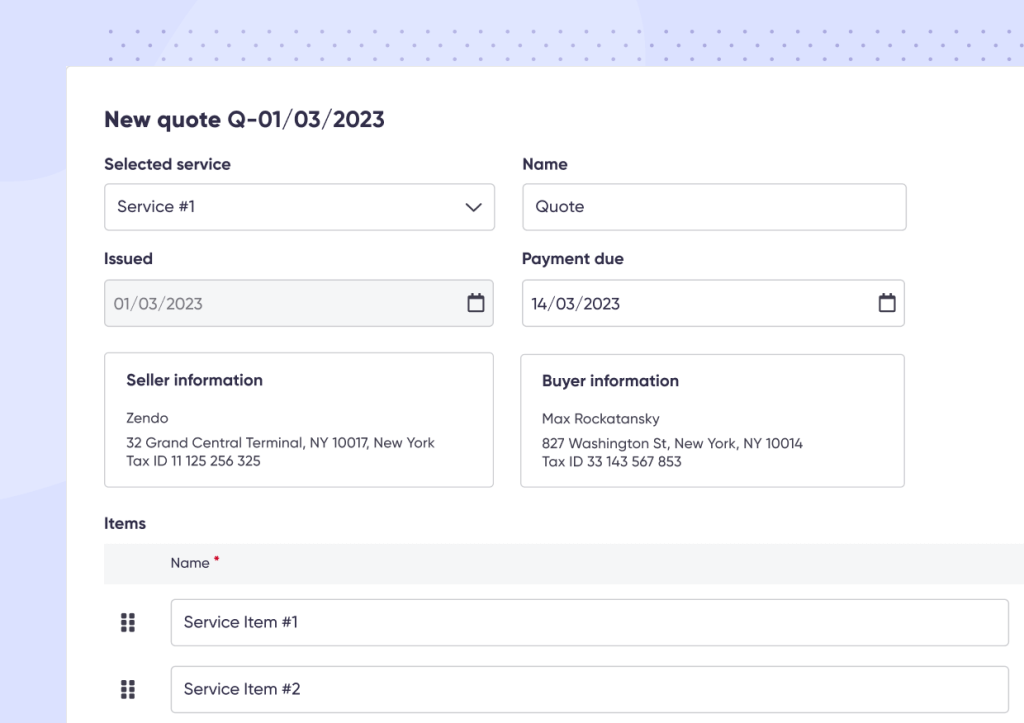
Zendo for productized and subscription services
What Is an Agency Billing Software?
At its core, an agency billing software takes all the grunt work out of getting paid. Instead of working on invoices in Excel, PayPal, and email, you’ve got one system that logs work, generates bills, and tracks payments.
Maybe you run a small digital shop. One client pays you a monthly retainer. Another pays by project milestone. A third reimburses you for ad spend plus fees. Without a proper tool, you’re reconciling all three in different ways. With billing software, you set up the rules once and let the system do the rest.
Benefits of Using an Agency Billing Software
This may sound great, but why should you really switch to using billing software? The benefits go beyond faster payments.
It saves hours every month
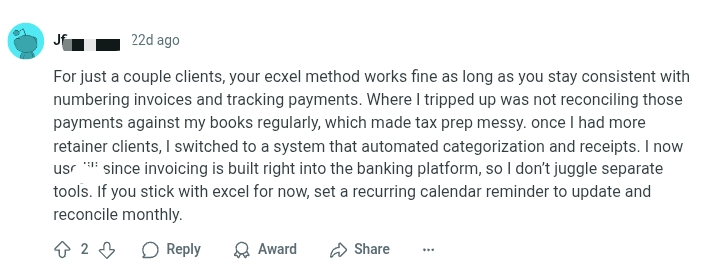
Manual invoicing works just fine until you’re chasing five clients at once. A lot of marketers we monitor agreed that Excel worked fine with three clients, but once retainer work kicked in, reconciliation became a nightmare. They ended up switching to a tool that automated receipts and categorization. Suddenly, tax prep wasn’t a scramble. Here’s what might ring true:
It keeps cash flow predictable
Over 80 percent of B2B payments in the US are now expected to be made digitally. If you’re still waiting on checks or manually sending PayPal links, you’re losing time and money. Billing platforms send reminders, accept online payments, and flag overdue invoices before things spiral.
It makes you look professional
Clients judge you by the little things. Sending a clean, branded invoice through a portal feels very different from firing off a Word doc.
One freelancer shared how they used conditional formatting in Excel so unpaid invoices turned red. Clever? Sure. But imagine sending that spreadsheet to a client. It screams DIY. Billing software automates those reminders and keeps your client experience polished.
It scales with you
Two clients are manageable. Ten retainers plus three projects? This is where mistakes may start to creep in. Without a system, you’ll miss an expense or forget to chase a payment. A billing software grows with you, handling more clients without adding more headaches.
How to Choose the Right Billing Software for Your Advertising Agency
Every agency is different, so here’s how to narrow down the options:
Evaluate your needs
Do you need a simple invoicing tool or a full operating system? If you’re billing hourly, project-based, and on retainers, choose something flexible. If you’re a solo consultant, you can get by with lighter software.
Look for essential features
At a minimum, your advertising agency billing software should:
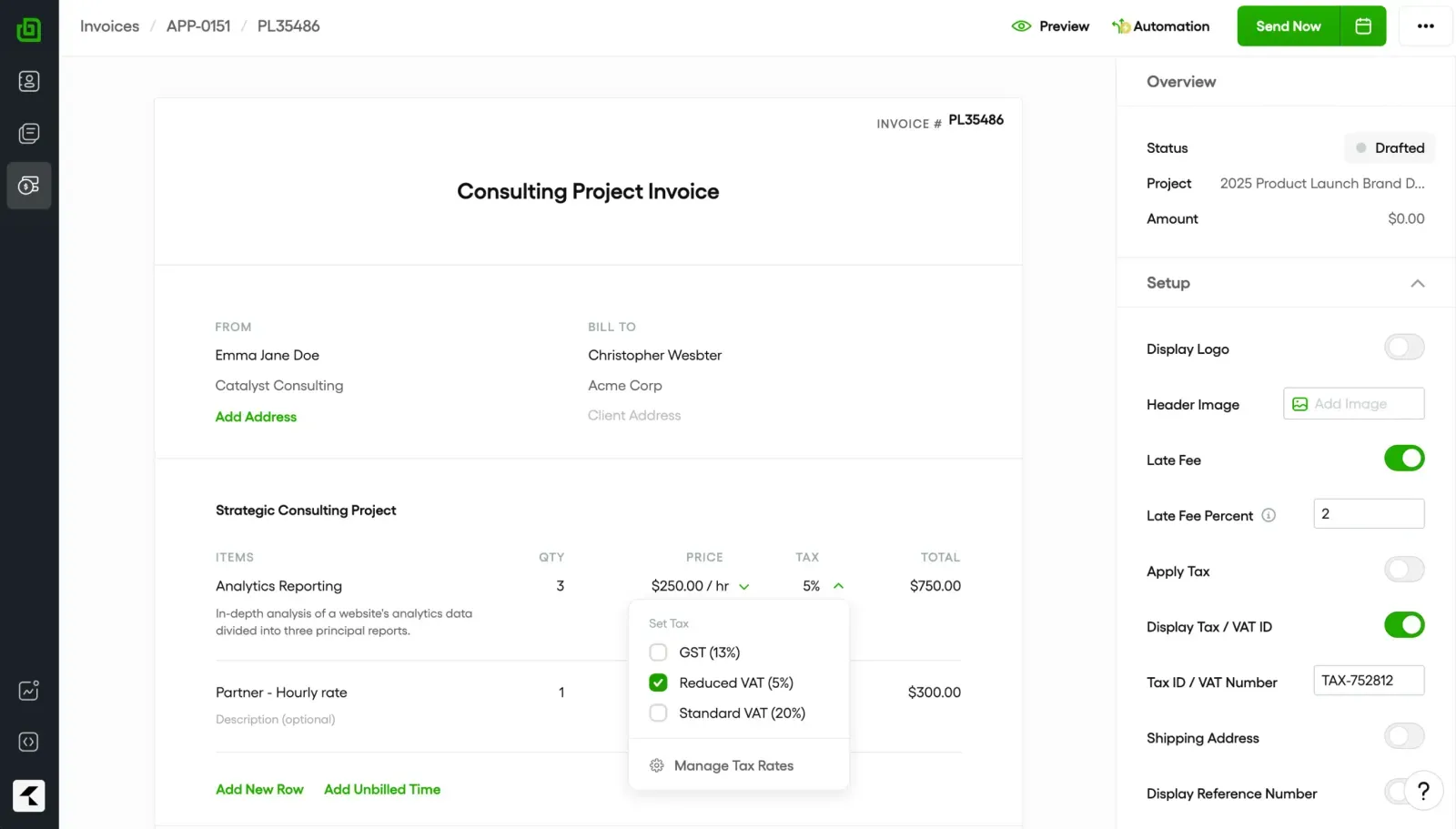
Send branded, customizable invoices
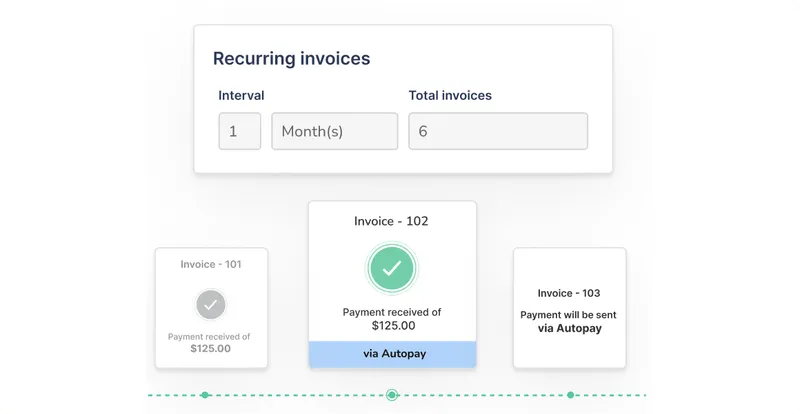
Automate recurring invoices for retainers.
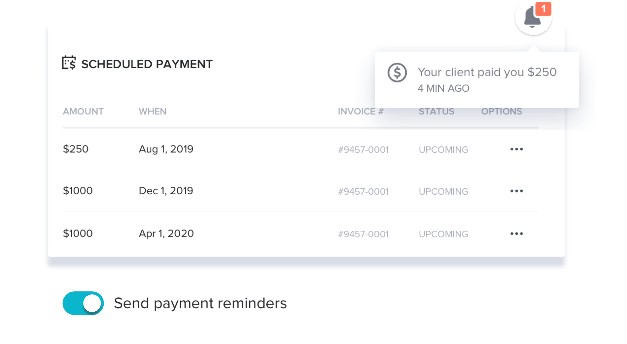
Send payment reminders without you lifting a finger.
For example, if you bill $5,000 a month for SEO, you can schedule invoices to hit on the first of each month. No manual setup every time.
Prioritize integration
If your invoices don’t ‘talk’ to your accounting software, you’ll spend weekends reconciling. Look for billing tools that plug into your project management system, CRM, and finance stack.
Keep ease of use in mind
Your team doesn’t have hours for training. Pick a tool your account manager can figure out in a single afternoon. If sending an invoice feels like learning code, it’s the wrong tool.
Determine whether you need multi-currency support + global payment gateways
If your agency works with international clients, multi-currency support ensures invoices go out in the client’s local currency. This avoids confusion, reduces conversion errors, and creates a smoother experience. Remember: it’s about the little things.
Gateways like Stripe, PayPal, or ACH transfers allow clients to pay directly through the invoices you send. With multiple options built in, you reduce friction and get paid faster across regions.
Split invoices for milestone billing
Large campaigns or multi-phase projects often need milestone-based payments. Now, what does this mean? Split invoices let you bill 30% upfront, 40% mid-project, and 30% on delivery, without laboriously creating split invoices.
AI automations
AI-powered features can auto-populate invoice details from project data, send polite but persistent reminders for overdue payments, and even forecast cash flow trends so you can plan ahead.
Synup OS - Best Billing Software for Agencies
Best suited for: Mid-sized marketing & advertising agencies
What Synup Does
Synup OS is an all-in-one advertising agency billing software that includes invoicing, e-sign, client portal, and CRM for agencies. Also designed for billing, it lets you bypass the heaps of paperwork that you may have gotten used to. You’ll have a centralized view of all your proposals, contracts, invoices, and everything else in one place.
By automating follow-ups, reminders, and key billing processes, you create greater predictability and stability.
Global-ready billing: multi-currency and major gateways out of the box.
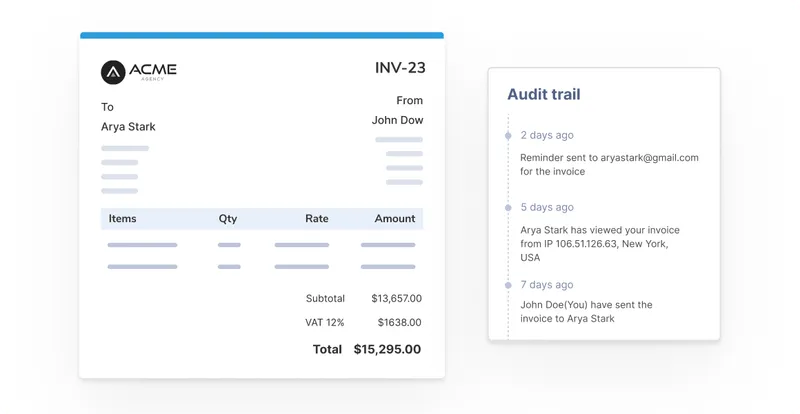
Track Activity: Know when a client has opened/viewed an invoice so you follow up at the right time.
Pricing
Synup OS Base: Starts $79/mo (Plan includes full OS capabilities - CRM/sales/Prospecting/Tasks & invoices; invoicing/e-sign is part of all the OS plans.)
Pros
✅ Strong billing + client-facing portal in one OS. ✅ Recurring/split invoices, multi-currency, branded docs. ✅ Purpose-built automations for finance workflows.
Cons
🚫 Public, granular invoicing price tiers aren’t broken out separately from OS plans.
What Customers Say
“It was surprisingly easy to implement and get started with, even without a dedicated technical team. Their customer support team is also incredibly responsive and helpful whenever I have questions or need assistance.”
– Jonathan Enrique
- Review collected by and hosted on G2.com.
Bonsai
Category: Best “all-in-one” for freelancers & very small creative agencies
Source: Bonsai
What Bonsai Does
Bonsai is another all-in-one agency billing software that offers client CRM, proposals, e-sign, and time tracking. It also has invoicing and payment features in one simple UX. Bonsai is ideal for solo marketers/design studios that want a quick setup and recurring billing with minimal admin. However, Bonsai lacks a white-label client portal, multi-currency split invoicing, or built-in marketing apps.
Key Features
Invoicing with automated reminders & recurring schedules.
Proposals + e-sign + contracts in the same flow.
Time tracking & expenses feeding invoices.
Pricing
Basic: $15/user/m
Essentials: $25/m
Premium: $39/m
Elite: $59/mo
Bonsai also offers annual billing options that help reduce the monthly equivalent cost.
Pros
✅ Very easy to use for one-person shops. ✅ All-in-one quoting→contract→invoice pipeline.
Cons
🚫 Support quality & price complaints appear in some reviews.
🚫 Not built for scaling agencies; some missing functionalities
What Customers Say
“Automated invoice reminders are… super helpful. The user interface is very clean and easy to use, and the customisation options for branding are great.”
- Review collected by and hosted on G2.com.
Honeybook
Category: Best for creative services (photography, events) needing client workflows + billing
Source: Honeybook
What HoneyBook Does
HoneyBook focuses on “clientflows.” It's great for photographers, designers, and event marketers who need proposals, scheduling, contracts, and invoicing in one elegant system. It's ideal for recurring invoices/retainers in creative workflows.
Key Features
Invoices & recurring billing; online payments.
Proposals, questionnaires, and scheduling in one flow.
Pricing
Starter: $36/m
Essentials: $59/m
Premium: $129/m
Honeybook also offers annual billing options that help reduce the monthly equivalent cost.
Pros
✅ Strong support ratings vs several peers on G2. ✅ Recurring invoicing praised by reviewers.
✅ Templates & automation reduce back-and-forth.
Cons
🚫 Some users say finding client info is harder.
🚫 Limited customizations
🚫 Can be expensive, especially for small businesses
What Customers Say
“Helps me invoice my clients in a timely way… I like the recurring invoice so I don’t have to worry…”
- Review collected by and hosted on G2.com.
Xero
Category: Best accounting-first platform with invoicing
Source: Xero
What Xero Does
Xero is an accounting-first software with invoicing features added in. It's perfect for agencies that need to manage VAT, payroll, and reconciliation alongside billing.
Key Features
Quotes & invoices (with online payments), bank feeds & reconciliation.
Capture bills and receipts with Hubdoc
Multi-currency on higher tiers; reporting & VAT (UK).
✅ Combines agency billing with full accounting & VAT.
Cons
🚫 Invoice UX/features not well reviewed vs specialist tools.
🚫 Limited tracking capabilities (only two custom fields)
🚫 May be restrictive for some companies
What Customers Say
“I love how Xero automates… bank reconciliations and invoicing… dashboard gives me a clear view of real-time cash flows.”
- Review collected by and hosted on G2.com.
Quickbooks
Category: Best for small agencies that want mainstream accounting with strong invoicing & payments
Source: G2
What Quickbooks Does
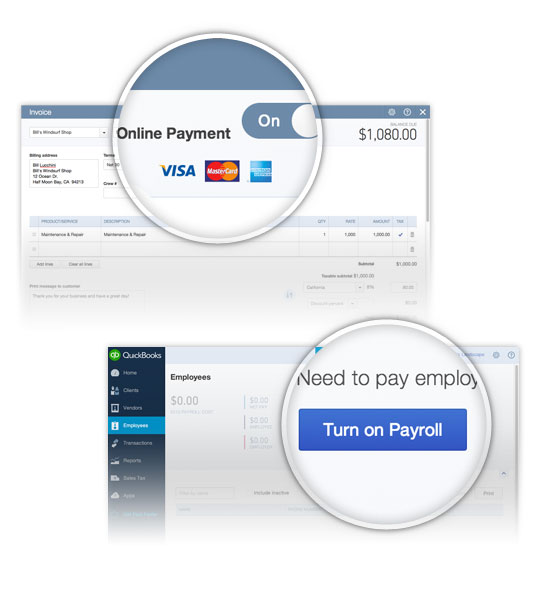
Quickbooks is the household name for SMB accounting. This marketing agency billing software is often the first stop because it handles taxes, payroll, expenses, and billing with a huge app ecosystem.
Discounts are available for the first three months of use.
Pros
✅ Familiar workflows; strong invoicing capabilities and reminders. ✅ Scales across plans with user controls.
✅ Widely documented; team onboarding is straightforward.
Cons
🚫 Interface depth can feel heavy vs “light” agency tools.
🚫 Certain complexity that may require basic accounting experience.
🚫 Some mixed reviews about the customer and technical support.
What Customers Say
“Helps me keep track of all my invoices, payments and taxes in one place… save time every month.”
- Review collected by and hosted on G2.com.
Productive
Category: Best “agency operating system” for time, budgets, and invoicing tied to projects
Source: G2
What Productive Does
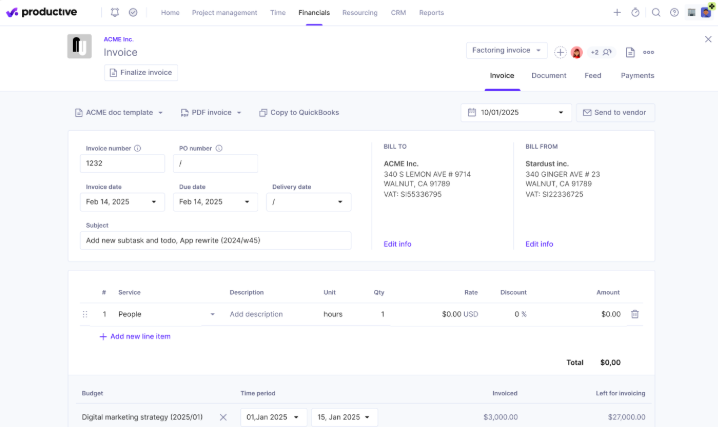
Productive is an end-to-end agency management (sales pipeline, resourcing, time, budgets, reporting) with invoicing integrations and time-to-bill workflows. Invoicing is tied directly to tracked time and project budgets.
Productive also offers annual billing options that help reduce the monthly equivalent cost.
Pros
✅ Financial/budget tooling is deeper than typical PM apps. ✅ Built for agencies; robust reporting & utilization.
✅ Precise margin control (budget vs. actual) and revenue forecasting.
✅ One system for sales, delivery, and billing handoff.
Cons
🚫 Requires more setup/process maturity than “light” tools.
🚫 Lack of integration with other tools
🚫 Reporting features and tools are slightly limited
What Customers Say
“End-to-end… with integrated Sales Pipeline, Resource Planning, and powerful Project Management.”
- Review collected by and hosted on G2.com.
Zendo
Category: Best for productized & subscription services
Source: Zendo
What Zendo Does
Zendo is an agency billing software that offers subscription packages with a white-label client portal. Zendo helps agencies sell services like products, whether one-off, subscription, or custom. Its branded client portal combines chat, approvals, invoices, and payments.
“Zendo is a powerful productized services manager with a complete back-office. Easy to launch and onboard clients”
- Review collected by and hosted on G2.com.
Billing with Excel might work while you’re small. But once retainers stack up and expenses get more complex, mistakes creep in. A proper marketing agency billing software keeps your books clean, cash flow predictable, and clients paying on time. Remember, the best agency billing software ticks five boxes:
Matches your billing model.
Automates recurring or milestone invoices.
Plays nice with your other tools.
Handles payments in multiple currencies.
Scales without extra admin work.
If your current setup can’t check those off, you’re going to feel the pain as you grow.
Get Started with Synup
If you’re running a mid-sized agency, you might benefit from all that Synup OS brings to the table. Here’s what you can do with this billing software:
Share Trackable Documents: Send branded invoices and proposals with built-in e-signatures. Clients sign off without extra tools.
Automated Payment Followups: Set reminders once and let the system nudge clients. Payments flow in through Stripe, PayPal, and more.
Simplify Subscriptions: Bill monthly, quarterly, or annually. Perfect for retainers. Clients can even enable auto-pay.
Stay Globally-compliant: Smart reminders and integrations keep you on schedule and clients satisfied.
This combination reduces tool fatigue, saves finance teams hours, and makes your agency look more professional in every client interaction. Check out the OS’s invoicing and payments functionality and book a demo for a setup/walkthrough.
Best 7 Agency Billing Software: FAQs
Which billing software works best for freelancers or solo consultants?
Freelancers usually need something lightweight with invoicing, contracts, and time tracking in one place. Tools like Bonsai are popular because they cover the basics in a single dashboard without overwhelming features. The key is choosing a platform that keeps admin simple so you can focus on client work.
How do agencies that sell fixed packages or subscriptions handle billing?
Agencies offering set services like “Monthly Social Media Management” or “Content Bundles” benefit from platforms that support recurring and productized billing. Tools such as Zendo make it easy to turn packages into ready-to-purchase offers. The real advantage is consistency. Clients know exactly what they’re paying for, and you reduce billing friction.
What’s the most scalable option for agencies growing large?
Synup OS is built with mid-sized and scaling agencies in mind. It handles recurring and split invoices, integrates with payment gateways globally, and adds a white-label portal for clients. The automation features mean you don’t need to add headcount every time your client list grows.
¡Asóciese con Synup hoy mismo!
Reserve una llamada con nuestro gerente de asociaciones para explorar soluciones de crecimiento personalizadas para su agencia.