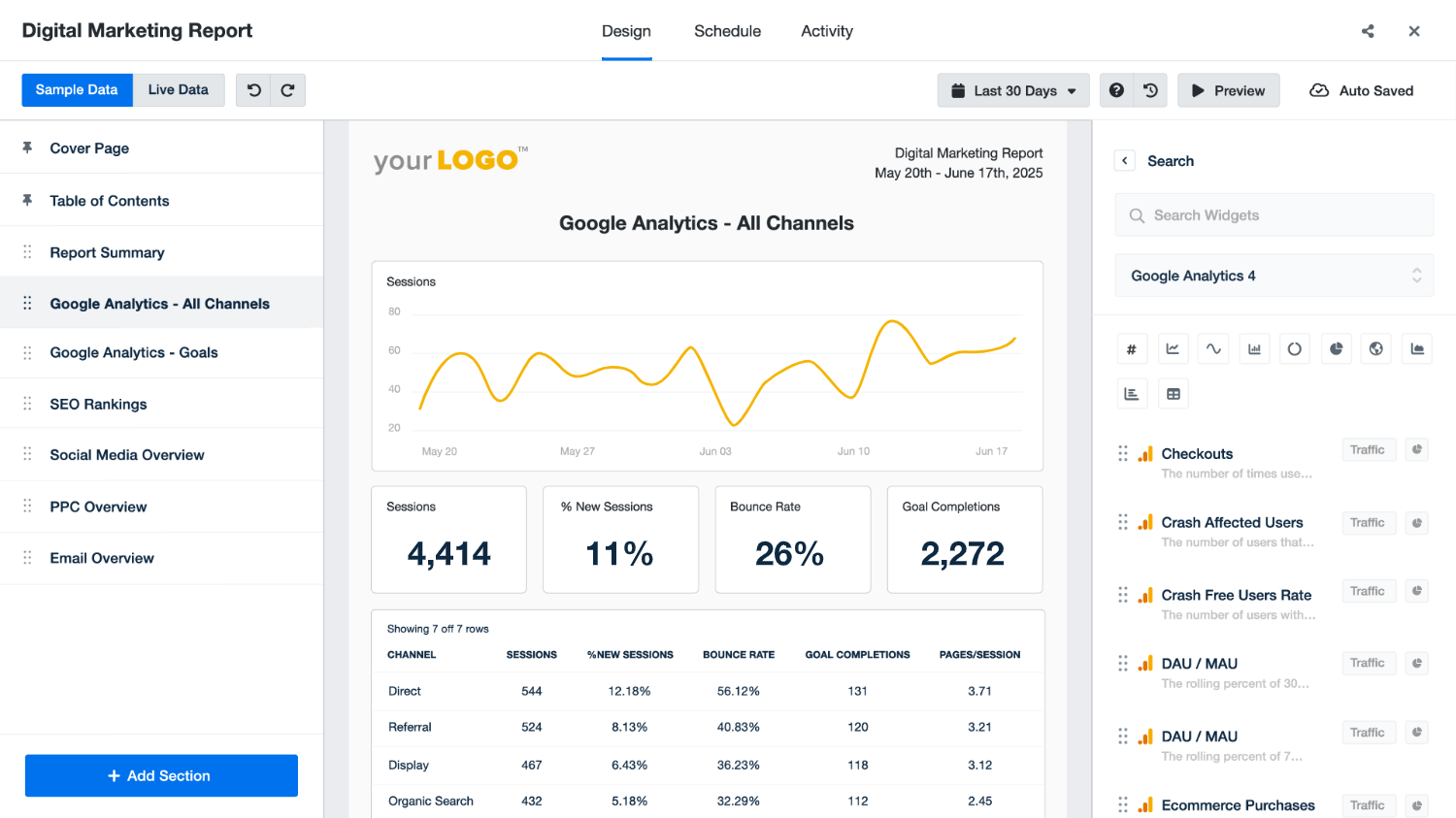
Top 7 Agency Client Dashboard Platforms for Marketing Agencies

Click to Compare

Best Platforms for Agency Client Dashboards

Let’s zoom out for a second. Do you remember your first client? The fresh-faced excitement and constant check-ins probably made the entire experience a special one. It’s the magic of those first few days (that ~honeymoon phase) that many agencies strive to recreate. Back then, you had time to answer every call and send detailed updates. But giving that same VIP treatment to many clients becomes impossible when you’re buried in spreadsheets and emails.

You may still be delivering great results, but clients often miss it. Static PDFs and scattered updates blur the real story of your work. What they want is context, real-time progress, and one clear place where performance is easy to understand.

That is why more agencies are turning to dedicated client dashboard platforms. These tools give your clients a single, branded space where performance speaks for itself. No chasing, no confusion, just proof of the value you bring every day.

In this blog, we’ll explore seven of the best client dashboard platforms to help you deliver.

TL;DR

  • Managing clients with spreadsheets and emails is messy and time-consuming.
  • Client dashboards centralize data, automate reports, and give clients real-time visibility.
  • Top agency client dashboard tools include: 
    • Synup OS
    • Looker Studio 
    • Databox
    • DashThis
    • Productive
    • ManyRequests
    • AgencyAnalytics

What is an Agency Client Dashboard?

An agency client dashboard is a client-facing, centralized platform where all your clients’ marketing data, updates, and reports come together. Instead of chasing information across spreadsheets, emails, and multiple tools, everything is in one organized space. A single source of truth for all parties.

Here’s what it can include:

  • Performance tracking: Real-time view of campaigns, traffic, conversions, and ROI.
  • Custom branding: Your agency’s logo, domain, and layout so it feels like your own platform.
  • File sharing: Proposals, reports, and other documents stored in one place.
  • Self-serve access: Clients can log in anytime without waiting for updates.
  • Tool integrations: Connects data from ads, SEO, social, email, and more.

For clients, it works like a progress board that they can check whenever they want. They don’t need to dig around or ask for updates. For agencies, it saves hours of manual work, reduces confusion, and creates a polished, professional experience every time a client logs in.

Benefits of Using an Agency Client Dashboard Tool

You may have heard the process of running an agency being described as a “balancing act.” You’re delivering results, sending updates, and answering questions, all at once. A client dashboard takes a lot of that weight off your shoulders. It’s not just another software add-on; it transforms how your team works, how clients see your value, and how both sides communicate every day.

Haven’t you ever been in the middle of a long, exhausting process at work and thought, “I wish there was a tool that just did all this for me”?

If this sounds hard to quantify, here’s how an agency dashboard actually helps with daily work:

  1. Work smarter, not harder

Manual reporting eats up a lot of time. Real people on real teams still spend whole mornings hopping between tabs, exporting CSVs, and reformatting numbers to match brand colors. One agency pro summed it up, explaining how they were pulling data from too many platforms, reformatting everything, and writing every summary from scratch. 

This is just a drop in the ocean. But hey, it’s 2025. You do have a recourse. One thing’s for sure: automating reporting is no longer optional for growing agencies.

  1. Stronger client connections

When clients can track progress down to the minutest detail and see their feedback reflected quickly, it creates a smoother working relationship. They feel more involved in the process and more confident in your team. Over time, that sense of inclusion leads to loyalty and long-term partnerships.

  1. Faster and smarter decision-making 

Dashboards update in real time, which means you are never working with outdated numbers. Agencies can quickly spot if a campaign is overspending, underperforming, or exceeding expectations. This agility empowers you to make conscious decisions on the spot and demonstrates to clients that you are being proactive in the management of their investment.

  1. Centralized access to everything 

A dashboard pulls data, files, and updates in one place. Clients don’t need to jump between Google Analytics, spreadsheets, and email threads to understand performance. Having everything centralized eliminates confusion and gives them one trusted space to check progress.

Without it, you’re left with what many agency employees know to be the “endless tab-switching nightmare”:

  1. Reduced reporting errors 

Manual reporting often leads to mistakes such as wrong numbers, copy-paste errors, or outdated screenshots. This human margin of error is entirely understandable, but in 2025, why should that be the standard you deliver?

Dashboard updates automatically, which reduces human error and ensures clients always see accurate, reliable data. 

How to Choose the Right Client Dashboard & Portal for your Agency

Agencies exist across a spectrum, and not every dashboard is built the same. 

Naturally, the right one depends on what your agency and clients really need. Agency owners talk about this often. Those involved in marketing operations look for dashboards that primarily focus on their clients’ social stats; others prefer systems that also give their team visibility into performance, campaign timelines, and revenue impact.

This largely sums up what most clients look for today: a unified, easy-to-use dashboard that gives them full visibility across campaigns without constant follow-ups.

Before signing up for a tool, make sure it checks the boxes that matter most: 

  • White-label and branding options: If you’re giving your clients a view of the work you’re doing for them, the dashboard should look and feel like it belongs to you. Custom domains, your logo, and branding colors make your agency appear more trustworthy and professional. 
  • Custom navigation options: The best tools let you add your own campaign trackers, success parameters, or resources so clients can find everything in one place without switching tabs.
  • Self-serve access for clients: Clients should be able to log in anytime, check performance, and download reports without waiting for you to send updates.
  • Document and file sharing: A good dashboard lets you store reports, proposals, and contracts in one secure place, so clients can access them anytime without digging through emails.
  • Role-based access controls: Different people need different levels of access. For example, your team may need full control, while clients only need to view reports. A dashboard with role-based permissions makes this easy to manage.
  • Scalability and performance: Your dashboard should work just as smoothly with fifty clients as it does with five. A reliable tool can handle more data and users without slowing down.

Best Agency Client Dashboard Tools

With so many tools out there, it is easy to get lost in features that look good on paper but do little to solve real agency problems. The right client dashboard should simplify your reporting, give clients a smooth experience, and free your team from repetitive work.

To make the choice easier, we have put together a list of platforms that agencies actually find useful. Each one brings something different to the table, and by the end, you will have a clearer idea of which option fits your agency best.

Synup OS – White-Label Client Dashboard for Agencies

Best suited for: Medium to large marketing and advertising agencies looking for an all-in-one system with full control

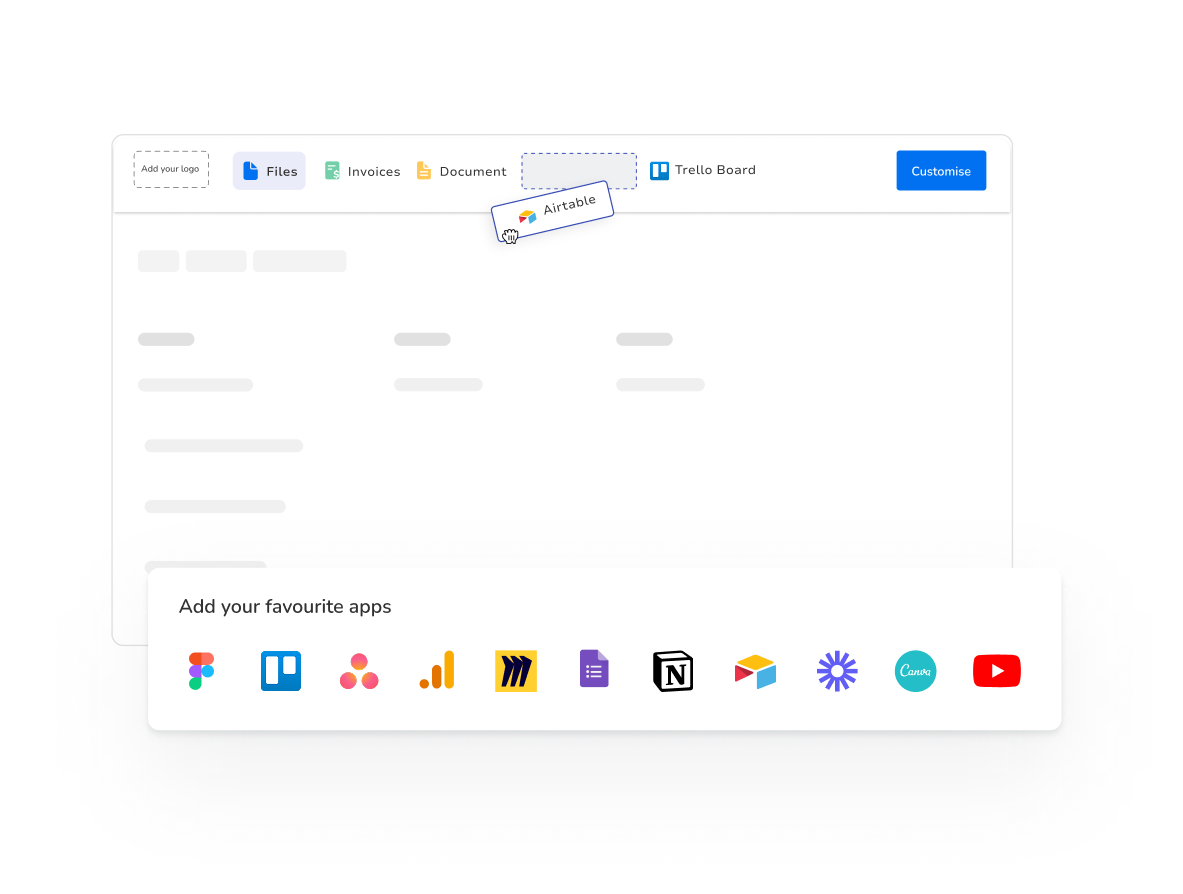
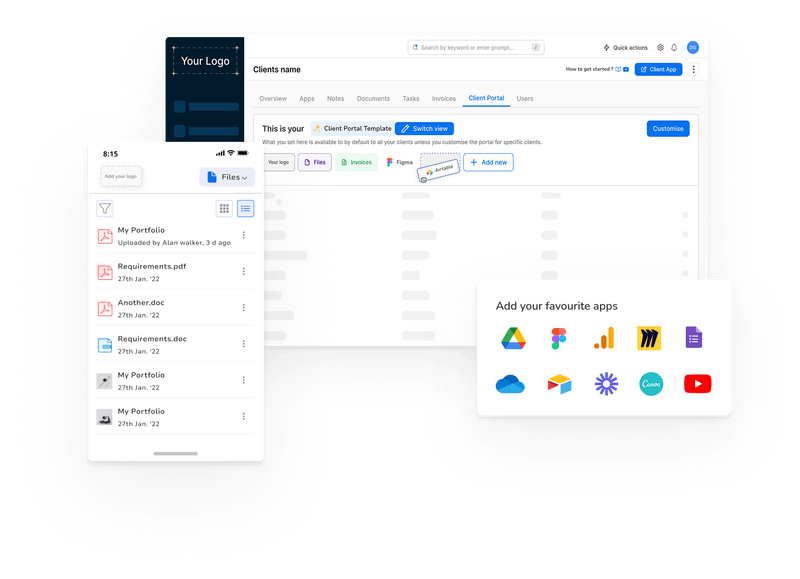
Synup is designed to function as a complete operating system built for agencies. A large part of the OS is its client portal, which centers on a “self-serve” experience. Agencies can seamlessly set up a fully branded white-label portal where clients can log in and view performance insights.

Clients can be granted access (as you see fit) to Synup’s suite of marketing apps and integrations. These include listings, reviews, social, and SEO management.

Behind the scenes, custom tags help you organize client data, generate seamless summaries (that highlight risks and opportunities), and navigate operational insights through a clean client table. Everything is designed to be smooth and intuitive, for both your team and your clients.
Key Features

🏆Client summary in one place: Instead of switching between different tools, you get a single dashboard that shows campaign performance, invoices, tasks, and engagement metrics together. 

🏆Fully white-labeled client portal: You can customize the portal with your agency’s logo, colors, and even your own domain. You also decide what each client sees, so the experience is personalized.

🏆Churn forecasting with smart alerts: If a client’s engagement drops or campaign results start to slide, Synup sends early alerts. You can also customize these risk criteria for teams. This provides your team a chance to address the issue quickly before the client considers leaving.

🏆Built-in marketing apps: Clients can directly use self-serve apps for listings, reviews, social, and SEO inside their portal. You can control which apps they access based on the package they’ve purchased, making upselling easier.

🏆Document management and billing: All contracts, proposals, and invoices can be stored and shared in one secure space. Clients can check and track their billing status without needing separate tools or endless email follow-ups.

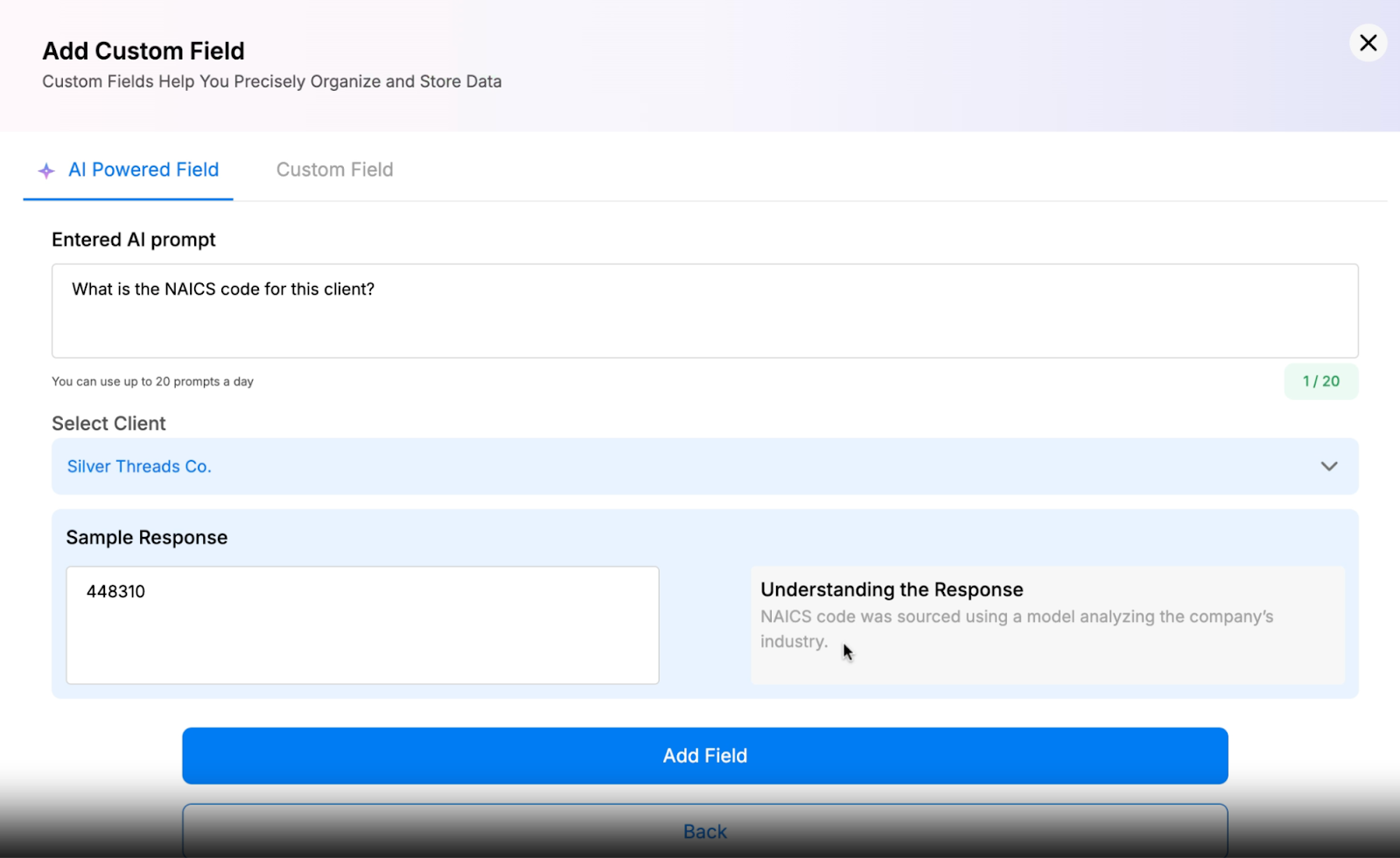
🏆Custom fields and tags to manage client data: Custom tags let you group clients by region, project requirements, or any other criteria, making navigation simpler. You can also store additional client-specific information beyond standard fields, helping to streamline workflows.

What Sets Synup Apart 

Unlike most dashboards, Synup also includes self-serve apps for listings, reviews, social, SEO, and CRM. This means clients can do more inside one platform, while you decide which features they can access. Combined with client management, invoicing, and fulfillment tools, Synup replaces multiple software subscriptions with one integrated system.

Synup OS also leverages AI insights in a way that feels natural, not forced. For example, you can use an AI-powered custom field as a research assistant, pulling in data (such as an NCAIS code for a client) and continuously updating the field as needed, removing the need for manual effort.
Benefits of Using Synup

This is how Synup helps agencies and clients:

  • Stronger trust: Clients feel confident when they can see results clearly in a branded portal.
  • Smoother communication: No more searching for files or waiting for updates. Everything is centralized.
  • Proactive client retention: With churn alerts, you can identify risks before they become cancellations.
  • Upsell opportunities: Clients notice additional apps and may request to add them to their package.
  • Operational efficiency: Your team works from one platform instead of switching between multiple tools.
  • Refined teamwork: Your team has crystal clear client data, enhanced with custom tags and enriched with additional business-specific information. These sharper insights mean your team can view everything at a glance and plan accordingly.

Pros

✅ Easy to use for agencies and clients

✅ Strong review management tools

✅ Helpful and responsive customer support 

✅ Centralizes multiple agency functions

Cons

🚫 Learning curve for new users

🚫 Best for medium to large-sized agencies

What Customers Say

“Synup has been a total game-changer for me. I use it for business listings management, review monitoring, local landing pages, and now their AI-powered social media publishing. I’m just blown away by how much I can accomplish in one place. One dashboard.

The platform is easy to use. Whether I’m updating dozens of listings with a single click, replying to reviews, or adjusting SEO landing pages, it’s all smooth and reliable. The AI-generated social media content has been another bonus. It has saved me hundreds of hours and dollars every week, all by scheduling posts across platforms without jumping from account to account.

Since using Synup, I’ve seen a huge boost in client satisfaction as well. My professional reputation has grown immensely, all in a positive and transparent way.”

- Review collected by and hosted on G2.com.
Looker Studio

Best suited for: Agencies that want a free, flexible dashboard for data visualization and reporting

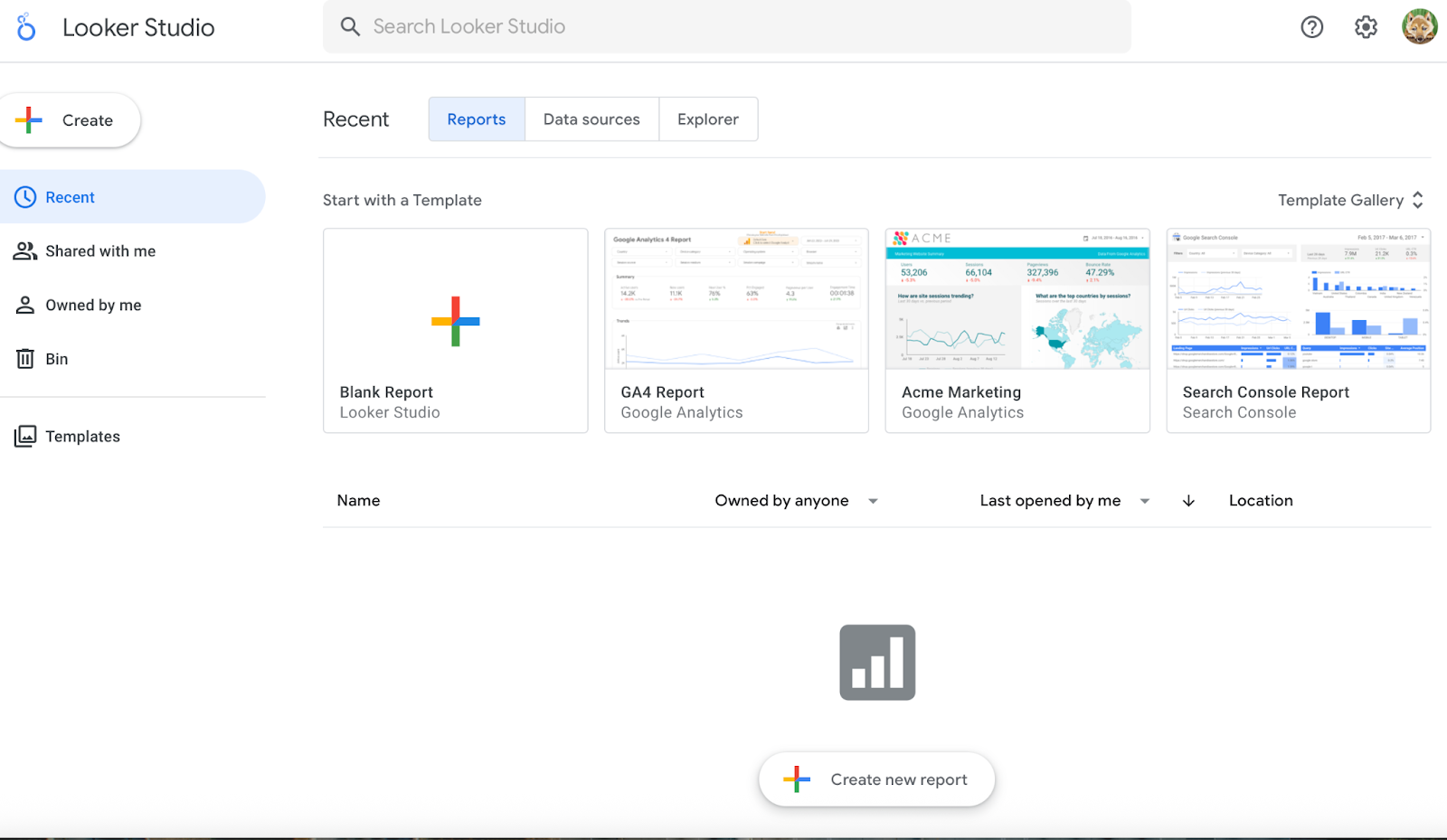
Looker Studio, formerly Google Data Studio, is a free tool from Google that helps agencies turn raw marketing data into easy-to-read dashboards and reports. The tool is best used for clients whose data mostly lives in the Google ecosystem (Analytics, Ads, YouTube). For agencies managing many non-Google channels (e.g., LinkedIn, Salesforce), you’ll rely on paid connectors or merges, which may erode the ‘free’ advantage. 

Source: LookerStudio

Key Features

🏆Free access for unlimited reports: Build as many dashboards as you need without worrying about license costs.

🏆Direct connections to Analytics, Ads, Search Console, YouTube, and more.

🏆 Choose from charts, tables, and graphs to make data easier for clients to understand.

🏆Share reports with clients or team members, and allow them to view or edit in real time.

🏆With paid connectors, you can bring in data from Facebook Ads, LinkedIn, HubSpot, and other platforms.

Pros

✅Free and budget-friendly for agencies.

✅Quick to set up and simple to use.

✅Flexible dashboard design and layout

✅Strong Google and third-party integrations.

Cons

🚫Limited customization.

🚫Online reviews call out instances of the tool slowing down, especially when working with large datasets

🚫Sync delays can cause inaccuracies.

What Customers Say

“I have used Looker Studio mainly for building dashboards on top of the data pipeline. The strongest part of the tool is how easy it integrates with Google BigQuery and Google Sheets. Once the data models are ready, I can quickly connect them to Looker Studio and build a visualization without much setup. It's a reliable tool for teams already working in the Google ecosystem.”

– Review collected by and hosted on G2

Databox

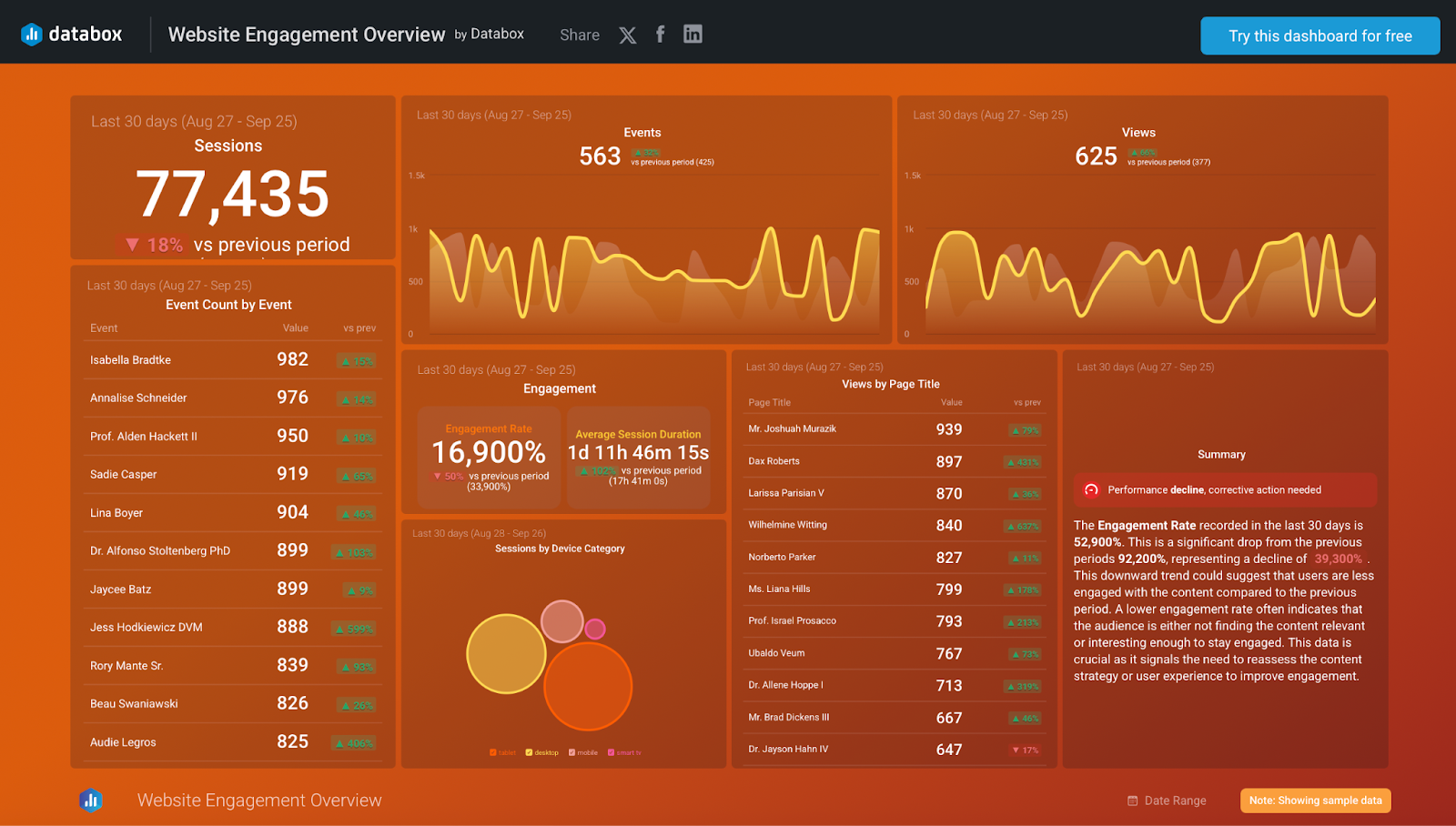
Best suited for: Agencies that want real-time performance tracking with strong mobile access

Databox is a reporting and dashboard platform built to help agencies and businesses monitor performance in real time. It lets you sync data from 130+ software tools, APIs, databases, or even custom spreadsheets in seconds, bringing all your clients’ KPIs into one place. Databox is great for agencies that need mobile access, alerting, and a polished client interface, especially when clients expect to check metrics on the go. If your client base is less mobile, the overhead may not justify the cost.

Source: Databox

Key Features

🏆Choose from hundreds of ready-made templates for marketing, sales, and finance metrics.

🏆Connect to tools like HubSpot, Google Analytics, Facebook Ads, Salesforce, and more.

🏆Set performance goals and receive notifications when metrics are on track or need attention.

🏆Gives clients and teams access to dashboards anywhere, anytime.

🏆Combine and manipulate metrics to create custom KPIs.

🏆Automate delivery of reports to clients via email.

Pricing 

  • Professional: $199/month 
  • Growth: $499/month
  • Premium: $999/month

There are significant discounts when choosing to bill annually.

Pros

✅Saves time with ready-made templates.

✅Easy to set up and simple for agencies to use.

✅Live data sharing for client transparency.

✅Strong analytics for KPI tracking and insights.

Cons

🚫Some users mention that customer support can be slow to respond.

🚫It takes time for new users to get familiar with all features.

🚫Customization options are somewhat limited.

What Customers Say

“Databox has transformed how we report both internally and to clients.

The AI summary feature is particularly impressive. It keeps our reports insightful and always up to date. There’s a great selection of built-in metrics, and creating custom ones is super easy.

The visualizations are clean, professional, and really help bring the data to life. Most importantly, the data reliability is rock-solid. Far better than what we experienced with other platforms. Highly recommend for any agency serious about performance reporting.

It also works well for being able to scan the most important metrics across all of your clients at once.”

– Review collected by and hosted on G2

DashThis

Best suited for: Marketing agencies, consultants, and in-house teams managing multiple client accounts

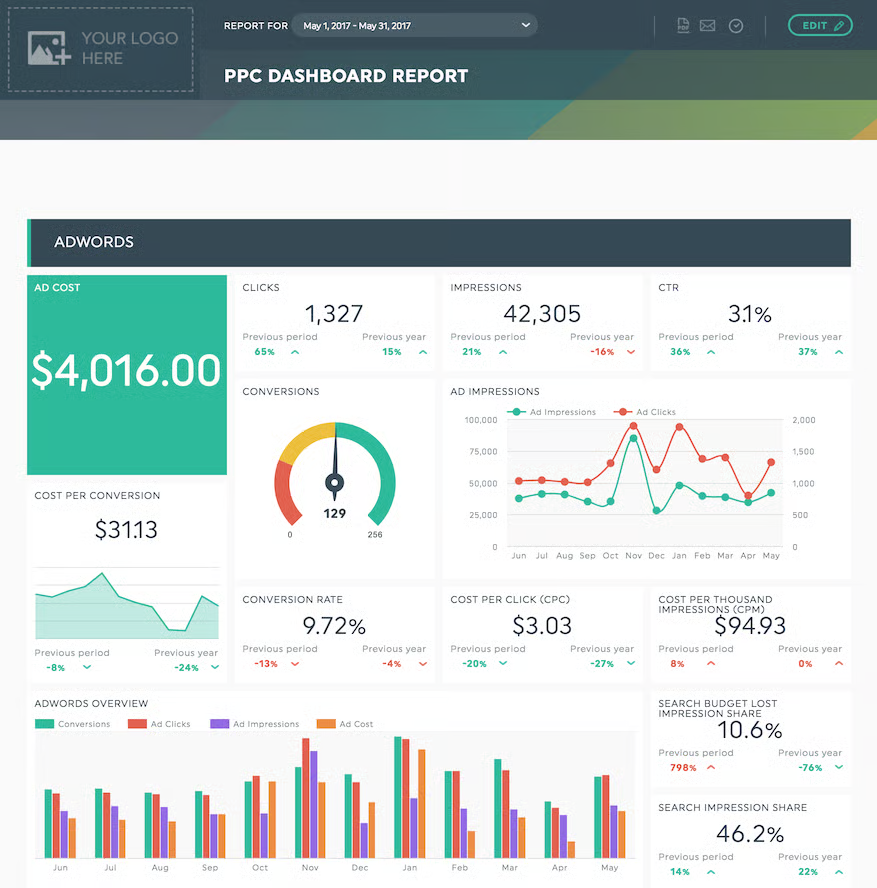
DashThis is built to simplify reporting by transforming complex, multi-platform data into client-ready dashboards. Instead of manually compiling screenshots and spreadsheets, the tool pulls data automatically from 30+ platforms such as Google Analytics 4, Facebook Ads, LinkedIn, TikTok Ads, HubSpot, Ahrefs, and Google My Business. 

With daily data refreshes, white-label branding, and easy sharing options, DashThis helps agencies deliver professional, up-to-date reports without the extra workload.

Source: DashThis

Key Features

🏆30+ native integrations with major marketing platforms, plus CSV import for custom data.

🏆Automatic daily refreshes to keep dashboards current.

🏆50+ preset templates and 1,000+ widget options for quick setup.

🏆Dashboard cloning and custom templates to save time across clients.

🏆White-label branding with custom domains, themes, and logos.

🏆Multiple sharing methods, including URLs, scheduled emails, and downloadable reports.

🏆Drag-and-drop customization for adding widgets, comments, and notes.

🏆New AI insights feature that interprets marketing data to pinpoint wins, gaps, and potential opportunities.

Pricing

  • Individual: $49/month
  • Professional: $159/month 
  • Business: $309/month
  • Standard: $479/month

Pros

✅Easy-to-use interface and setup.

✅Strong analytics and data visualization features.

✅Integrates with major marketing platforms.

✅Allows collaborative sharing with clients.

Cons

🚫Pricing can be high for smaller agencies.

🚫Limited advanced features compared to BI tools.

🚫Some users find the setup and usage complex.

🚫Certain reporting options can feel restrictive.

What Customers Say

“We have been using DashThis for several years for metrics reports for our clients. We can pull in just about any platform we use, whether social media accounts or email marketing. The reports are beautiful and easy to read. Our clients enjoy seeing growth in our campaigns without having to read through a wordy report or dig through numbers. Plus, customer support is amazing!!”

– Review collected by and hosted on G2

Productive

Best suited for: Agencies and professional service firms that need full project, sales, and financial management in one platform

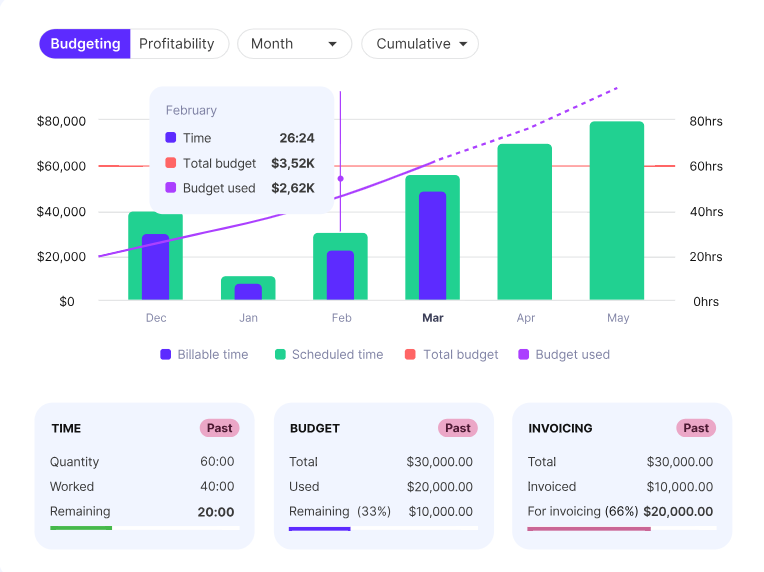
Productive declares itself to be “purpose-built for agencies”. It combines project delivery, resource planning, billing, and reporting in a single tool. Instead of handling multiple apps, agencies get a complete view of operations, profitability, and client progress, all in one place.

Productive’s true strength lies in project management, resource allocation, and financial planning.

Source: Productive

Key Features

🏆Assign tasks, collaborate with teams, and integrate time tracking for smoother delivery.

🏆Schedule workloads, avoid blockages, and prevent overbooking.

🏆Create reports on utilization, revenue, profitability, and performance across projects.

🏆Clients can access detailed budget reports to get a clear picture of how much they’ve spent

Pricing

Productive offers a 14-day free trial, after which you can choose from 3 pricing plans:

  • Essential: $11/month
  • Professional: $28/month
  • Ultimate: $39/month

There are discounts on pricing with annual billing.

Pros

✅Easy-to-use interface once set up

✅Highly customizable to fit agency workflows; notable reporting functionality

✅Strong collaboration and project tracking features

✅Combines project management with financials

Cons

🚫Limited third-party integrations and white label functionality

🚫Some users report a learning curve

🚫Certain advanced features still missing; works best as a support for internal agency processes

What Customers Say

“The most helpful thing for us as an agency is the visibility we have over everything that is going on in the business. From an initial quote/budget, through the life of a project, and into invoicing, the tight integration of relevant data makes errors far less likely. Being able to see all of our resourcing and utilization (did I mention you can pull a report for just about anything?), all in one dashboard is really useful.”

– Review collected by and hosted on G2

ManyRequests

Best suited for: Agencies offering subscription services, design, or creative work that need a client portal with billing and project management built in

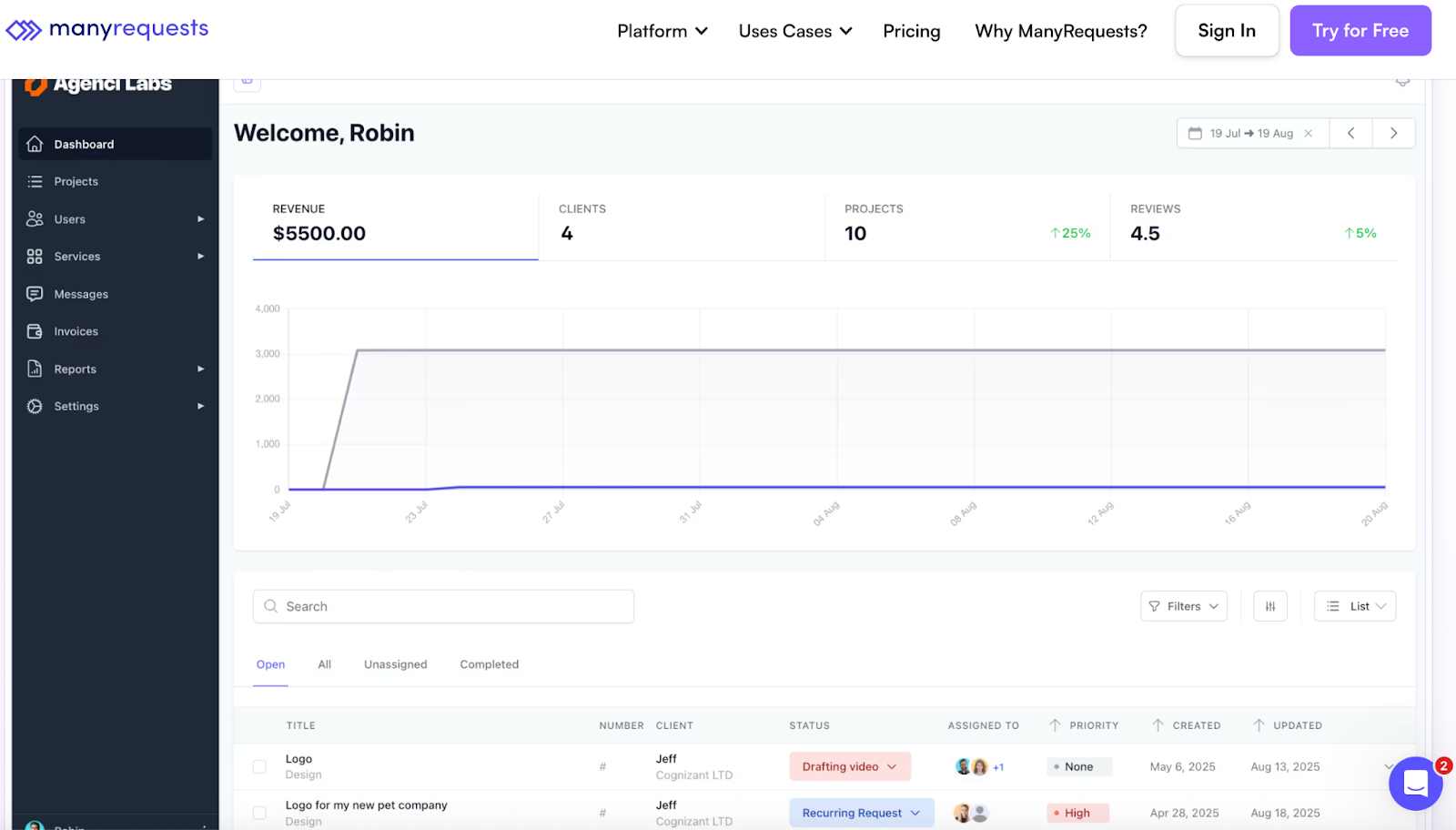
ManyRequests is a client portal and management tool designed for service-based agencies. It helps agencies handle client requests, projects, communication, and billing in one platform. Unlike traditional dashboards that focus mainly on reporting, ManyRequests acts as both a collaboration hub and a white-labeled portal where clients can submit requests, check project progress, access files, and manage payments.

Source: ManyRequests

Key Features

🏆White-label client portal: Custom branding, domains, and a professional client login.

🏆Clients can submit project briefs, tasks, or design requests directly in the portal.

🏆Visual workflows show the status of ongoing work.

🏆Share deliverables, revisions, and supporting files securely.

🏆Manage internal workflows with client-facing updates.

Pricing

  • Starter: $29/month
  • Core: $59/month 
  • Pro: $99/month

There are significant discounts on pricing with annual subscriptions.

Pros

✅Fully white-labeled client experience

✅Strong billing and subscription tools

✅Easy client request and project tracking

✅Central place for communication and files

Cons

🚫Limited integrations compared to larger platforms

🚫Reporting features are less advanced than competitors

🚫Can feel basic for larger, complex agencies

🚫Some setup required to customize branding and workflows

What Customers Say

“We’ve been using ManyRequests for almost a year, and it’s one of the best project management and client portal systems we’ve tried. The customization, time tracking, checklists, and client feedback features make it easy to manage everything in one place.”

– Review collected by and hosted on G2

AgencyAnalytics – Marketing Dashboard and Reporting Tool for Agencies

Best suited for: Agencies that want a client-friendly dashboard with strong reporting and SEO tools

AgencyAnalytics is a reporting and dashboard platform designed specifically for marketing agencies. It pulls data from 80+ marketing platforms, including Google Analytics, Facebook Ads, HubSpot, and Shopify, and turns it into client-ready dashboards and reports. Beyond reporting, it also includes built-in SEO tools like rank tracking, site audits, and backlink monitoring, making it a strong all-in-one reporting solution.

Source: AgencyAnalytics

Key Features

🏆80+ integrations with marketing, sales, and eCommerce platforms.

🏆Drag-and-drop dashboard builder to customize layouts quickly.

🏆Automated scheduled reporting via email in PDF or web format.

🏆White-label dashboards with custom domains, branding, and client login.

🏆SEO tools including keyword rank tracking, site audits, and backlink monitoring.

🏆Client and staff management for multi-account reporting.

Pricing

AgencyAnalytics has 3 plans, all with a 14-day free trial and annual discounts:

Freelancer: $79/month

  • Agency: $239/month
  • Agency Pro: $479/month

There is also custom pricing available under the ‘Enterprise’ tier. You can also access notable discounts with annual plans.

Pros

✅Wide range of integrations with major marketing tools

✅Built-in SEO features (rank tracking, audits, backlinks)

✅Easy to customize and white-label

✅Strong automation for reporting

Cons

🚫Some integrations require manual setup

🚫Customization options can feel limited for advanced users

🚫Learning curve for SEO tools if you’re new to them

What Customers Say

“AgencyAnalytics has been a game-changer for our agency. It’s user-friendly, integrates with all our marketing tools, and saves hours every week by automating client reporting. The dashboards are fully customizable, and branding makes us look more professional to clients.”

– Review collected by and hosted on G2

Summing Up

What does your agency need most? What do your clients need most? Some tools are simple and focused on reporting. Others combine billing, project management, or even subscription management. The best fit depends on the size of your agency, the services you provide, and how much control you want to exert over the client experience.

At the end of the day, the right dashboard should save time, give clients clarity, and strengthen relationships. If you are looking for a single solution that covers the whole agency lifecycle from winning deals to retaining clients, Synup OS is designed to do just that.

The best way to understand the impact is to try it yourself. Book a demo with Synup today and see how it transforms client management.

Frequently Asked Questions (FAQs)

  1. Do agency dashboards support custom metrics or formulas?

Absolutely. Top platforms let you build custom metrics, apply formulas, and mix data from different tools to create KPIs according to each client’s business.

  1. How often should data be updated on agency client dashboards?

It depends on the plan and tool, but many platforms offer daily or even real-time refreshes so clients see up-to-date performance without delay.

¡Asóciese con Synup hoy mismo!

Reserve una llamada con nuestro gerente de asociaciones para explorar soluciones de crecimiento personalizadas para su agencia.