
How to Handle Listing Management for Businesses with Rotating Locations (Food Trucks, Mobile Services)
Learn how to manage local listings for food trucks and mobile services without suspensions. Use stable setups and real-time updates to stay visible.
When you manage listings for businesses that move around all day (food trucks, mobile mechanics, pet groomers), you’ll usually feel one of two things:
“Nice. Flexible businesses are fun to market!”
Or...
“Wait... how am I supposed to optimize something that doesn’t stay in one place?”
TBH, you’ll probably feel both at the same time, and that’s completely normal.
Mobile businesses are great for customers, but they can get messy fast when it comes to local listings. Most platforms (especially Google) are built for permanent locations, not parking lots that change every afternoon.
A customer searches on Google Maps, drives to the pinned address, and finds an empty parking lot. Now you’ve got a 1-star review.
So what do you do? Update the address every day?
Well, no. The idea here isn’t to update the address every day (that almost guarantees suspension).
Instead, through this post, we will walk you through the right way to manage rotating-location listings without triggering suspensions, confusing customers, or creating review disasters.
TL;DR
- Don’t change addresses frequently. It can cause suspension.
- Set up your GBP as a Service Area Business (SAB).
- Share daily locations through Google Posts, social media, and your website.
The Rules of Engagement: SAB vs. Hybrid Setup
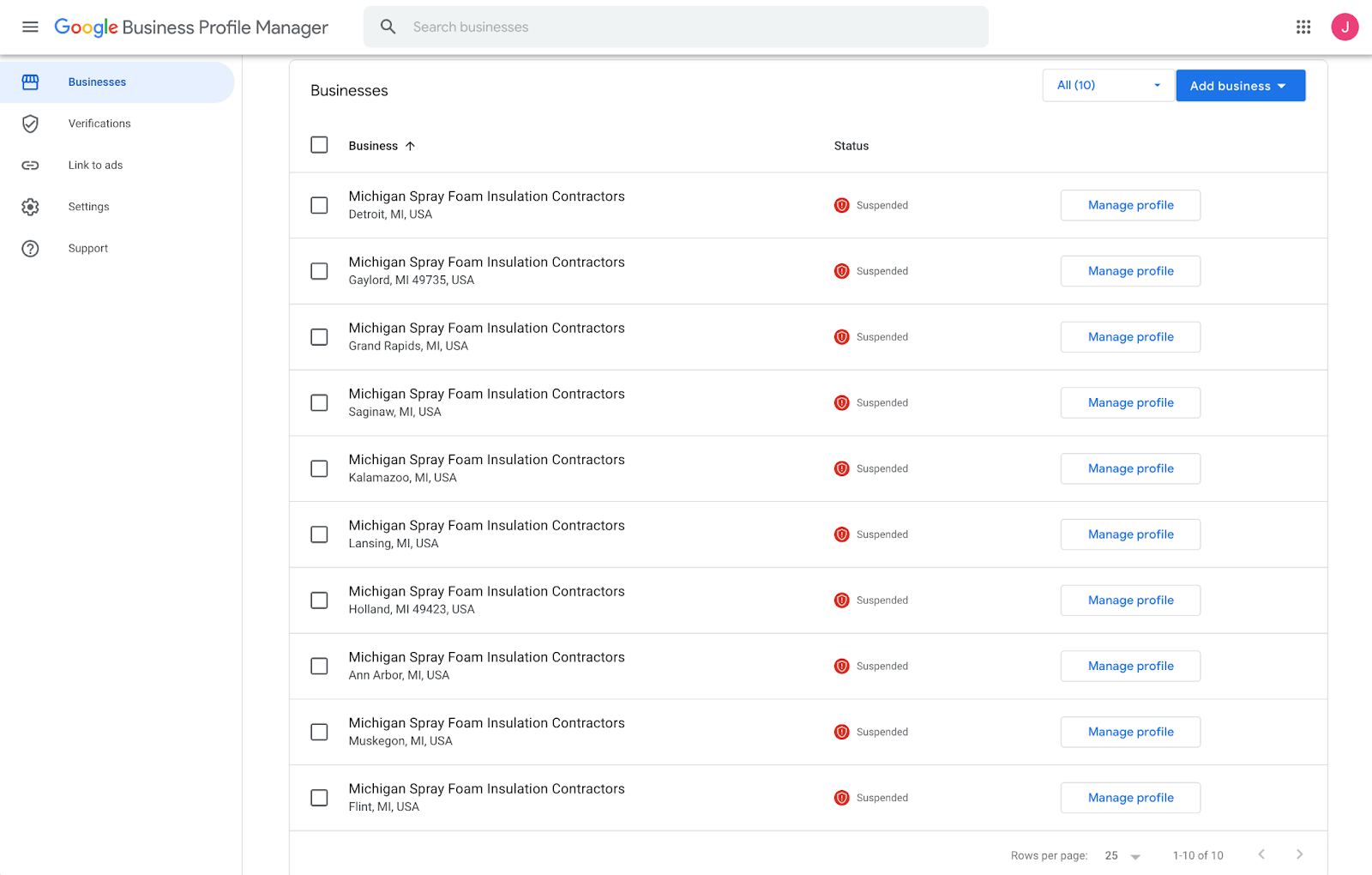
The golden rule: Never update the Google Business Profile (GBP) address daily or weekly.
Businesses attempting daily address updates face suspension within 7-14 days as Google’s algorithm interprets this as spam or guideline violations. So instead of changing the listing itself, you need to change how location signals are communicated.
Configuration A: Service Area Business (SAB) - Recommended
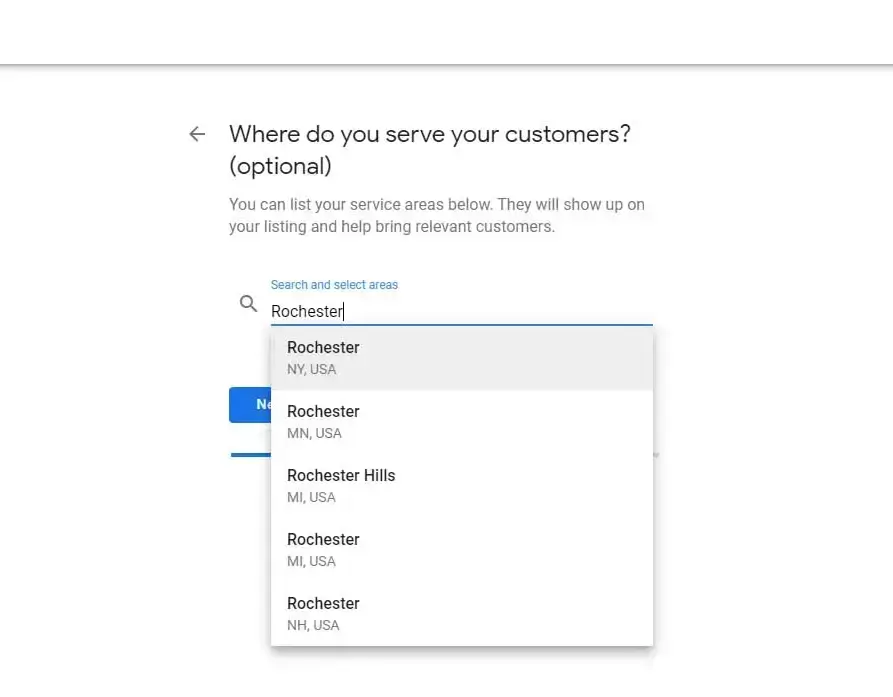
For most mobile businesses (food trucks, mobile mechanics, cleaning vans, mobile pet groomers), the correct configuration is a Service Area Business (SAB). This structure keeps the listing stable while still allowing geographic relevance.
How to Configure SAB Correctly
- Use a home base or office address for verification.
- Hide the address from public view.
- Define a service radius (typically 15–25 miles).
- Choose mobile-specific categories (e.g., Mobile Caterer, Mobile Mechanic).
This approach keeps the listing compliant while avoiding suspension triggers.
The tradeoff is that hyper-local “near me” rankings can be slightly harder outside your service centroid, but stability matters more than short-term visibility.
Configuration B: The “Permanent Pop-Up”
Some mobile businesses operate at the same location consistently. For example:
- Every Friday at the same brewery
- Every weekend at the same market
- With permanent signage visible from the street
In these cases, a standard location listing (non-SAB) may qualify. But enforcement by Google is inconsistent. One listing gets approved. Another gets suspended. So, unless the location is truly permanent, stick to the SAB structure for safety.
The “Digital Beacon” Strategy (The Solution)
Once the listing is stable, the real work begins.
If your address stays static, your content must become dynamic. Think of this as a Digital Beacon System: signals that broadcast real-time location without editing core listing data.
Tactic 1: Use Google Posts as Daily Location Updates
Treat posts like a daily broadcast.
Example structure:
- TODAY: We are at The Patriot’s Brewery, 123 Main St (11 AM–3 PM)
- Featured items: Birria tacos & loaded nachos
- Outdoor seating available
Why this works:
- Posts appear directly in the Knowledge Panel, often before users read reviews.
- Posting daily reinforces activity signals without triggering address instability.
Tactic 2: Add a “Live Location” Banner on the Website
When users click through from the listing, they should instantly see where the business is operating.
A simple banner at the top of the site works:
“TODAY: Downtown Taproom, 5 PM–9 PM | View Map”
Sync this with a shared calendar so updates remain consistent. The goal is clarity: no scrolling required.
Tactic 3: Use Social Media as Real-Time Location Signals
Platforms like Instagram and X function as real-time verification layers.
Recommended workflow:
- Post Instagram Stories using location stickers
- Share setup updates (“We’re live at [Location]!”)
- Embed social feeds into the website
Also Read: Top 15 White Label Local SEO Tools
Automating Location Signals with Synup
Let’s get into the operational reality.
Food truck owners aren’t going to log into four platforms every morning to broadcast “We’re here!”. They’re prepping inventory. Automation solves this gap.
Multi-Channel Publishing
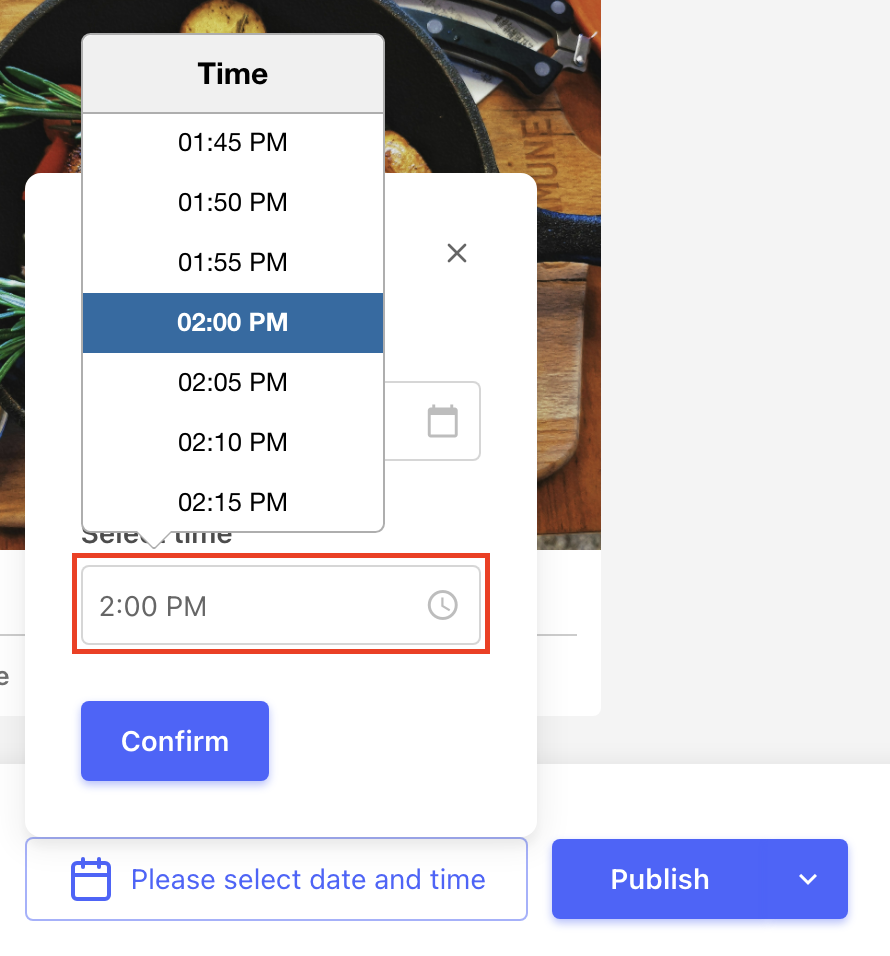
Using tools like Synup OS, agencies can create one daily location update and publish simultaneously across Google, social, and website channels. To do so in Synup:
- Create one post.
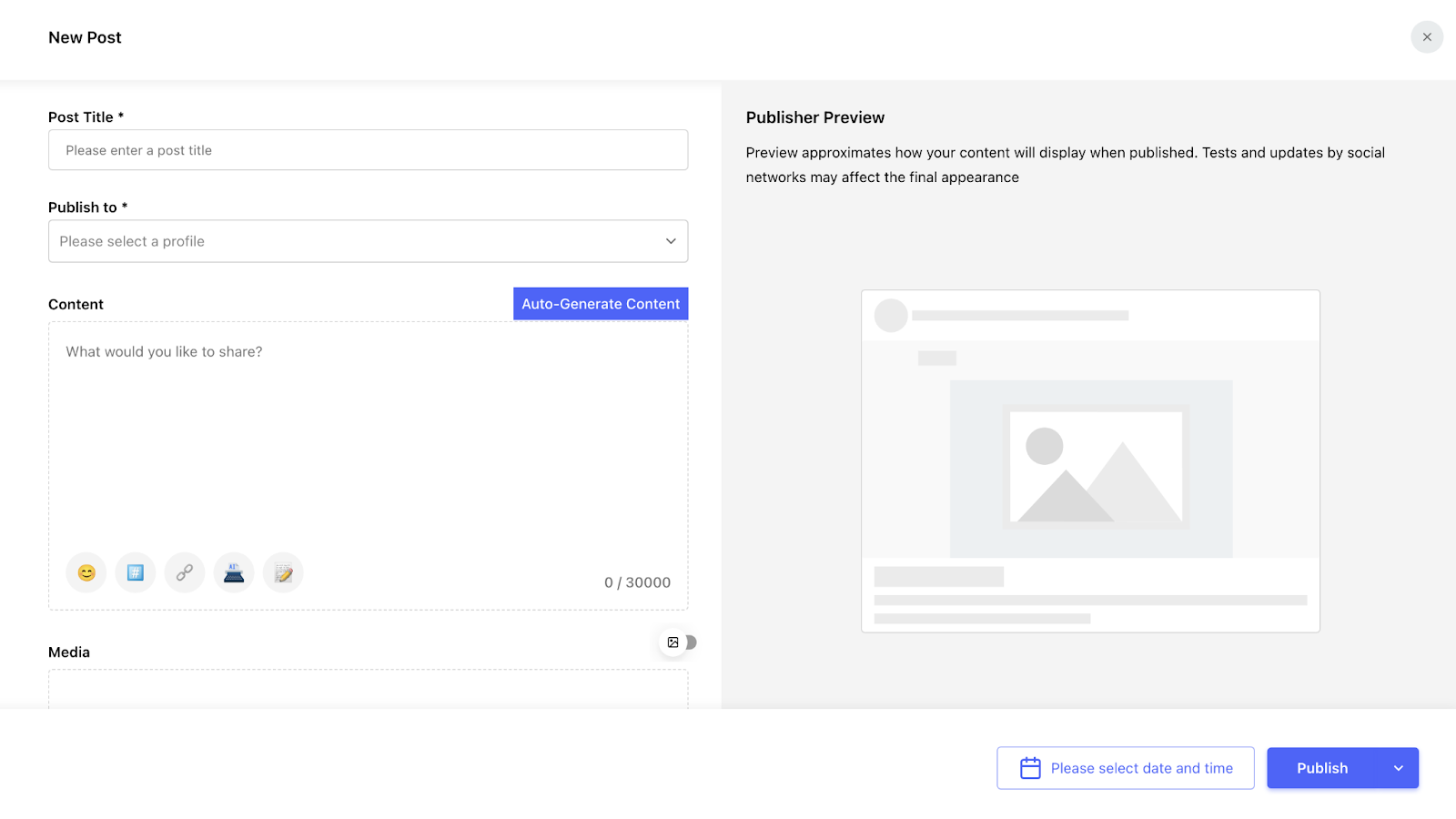
- Select all platforms you want to publish to.
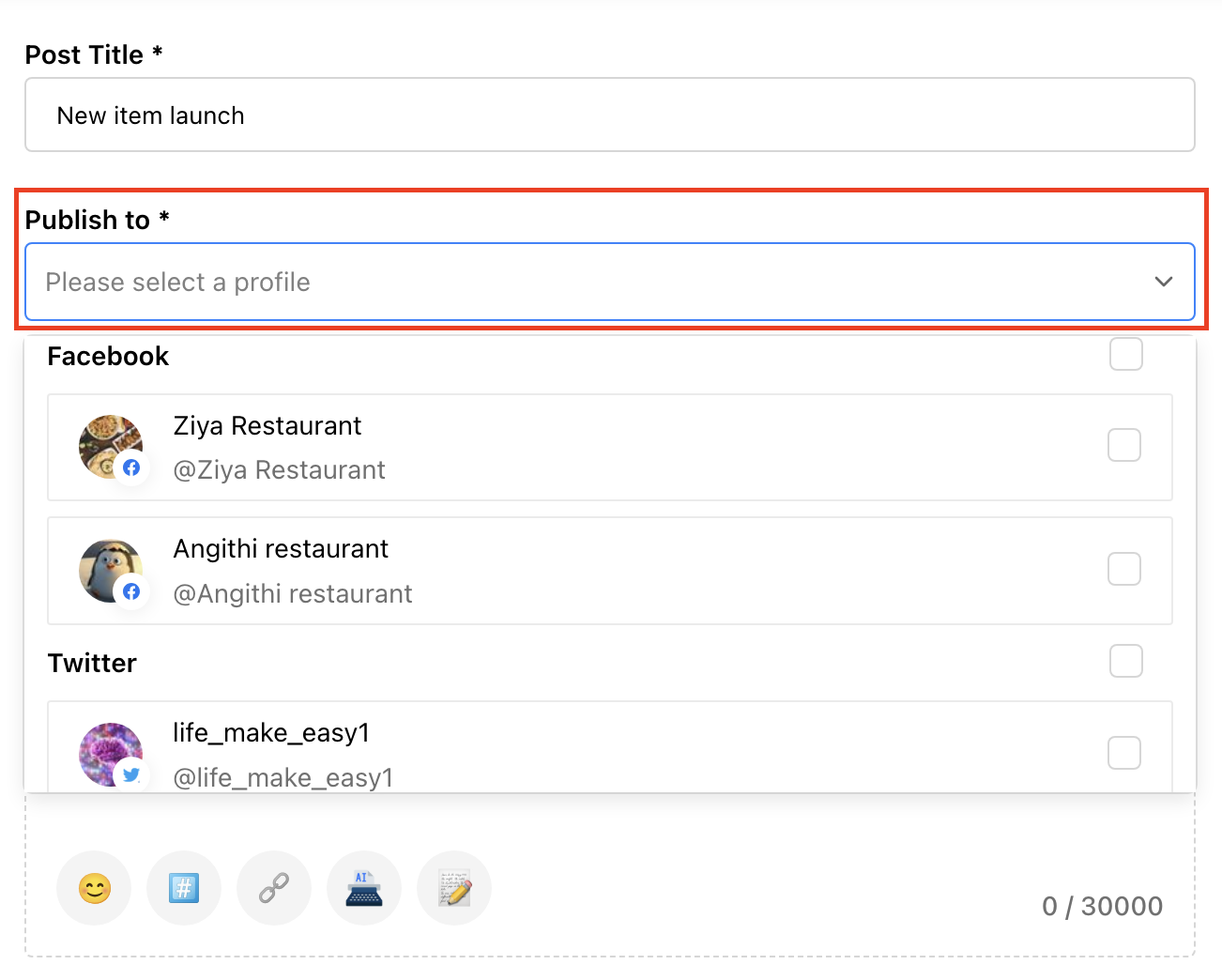
- Click publish. Content then goes simultaneously to all channels.
Note: If you want it to go live at a specific peak time, you can click “Schedule” instead.
Voice Search Optimization for Moving Locations
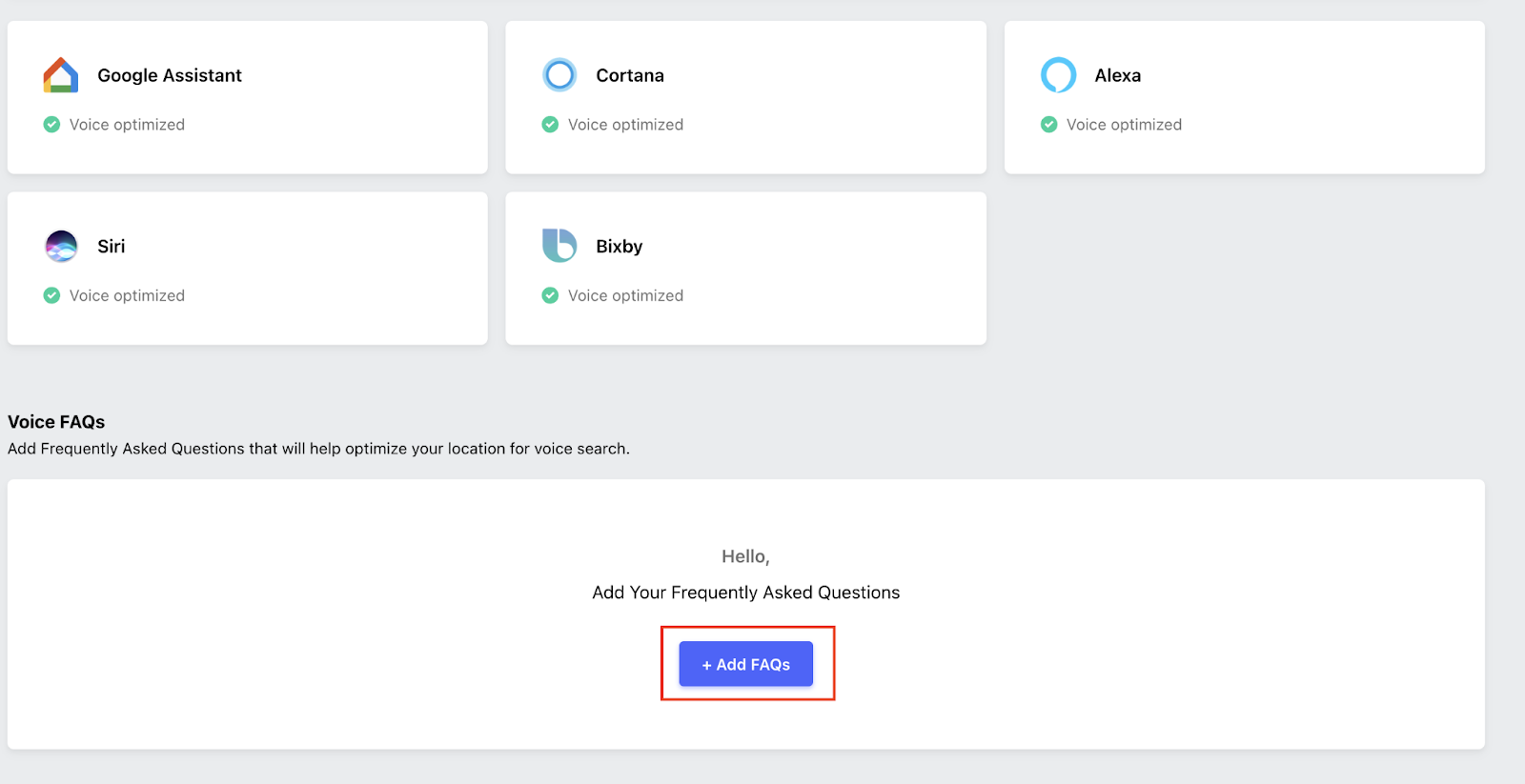
Voice assistants like Siri rely heavily on geographic context. If your service area only lists a city name (for example, Chicago), you may miss neighborhood-level queries.
Instead, you should include neighborhood references in descriptions and FAQs, and mention them in recurring posts using Synup.
Faster Review Response for Location Confusion
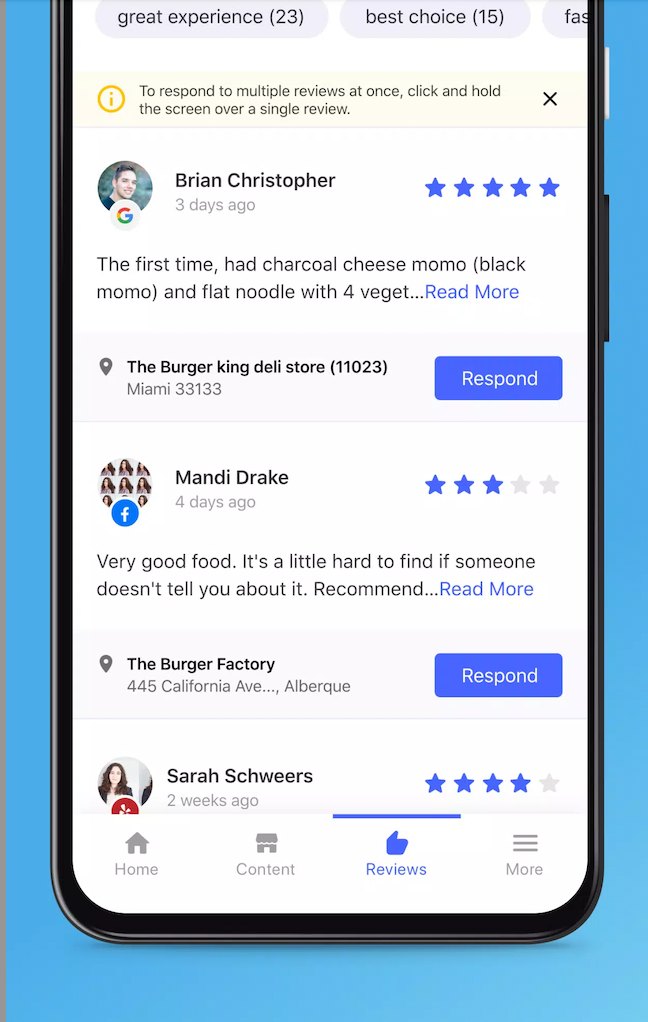
One unavoidable challenge for mobile businesses: customers occasionally go to the wrong spot and post, “Drove to the pin and they weren’t there.” When that happens, response speed matters.
Synup’s mobile app provides real-time, instant alerts for new customer reviews across multiple platforms. You can quickly respond with something like: “We’re so sorry! We moved 2 blocks north to [Street Name] at 6 PM. DM us for a free appetizer on your next visit!”
Handling Multiple Trucks (The Fleet Strategy)
Things get more complex when a business runs multiple vehicles. In that case, clarity becomes even more important.
If each truck serves different areas, consider creating separate listings for each one. This helps prevent confusion and allows location-specific reviews.
Tools like Synup can help manage multiple listings and publish updates across platforms from one dashboard without logging into everything manually.
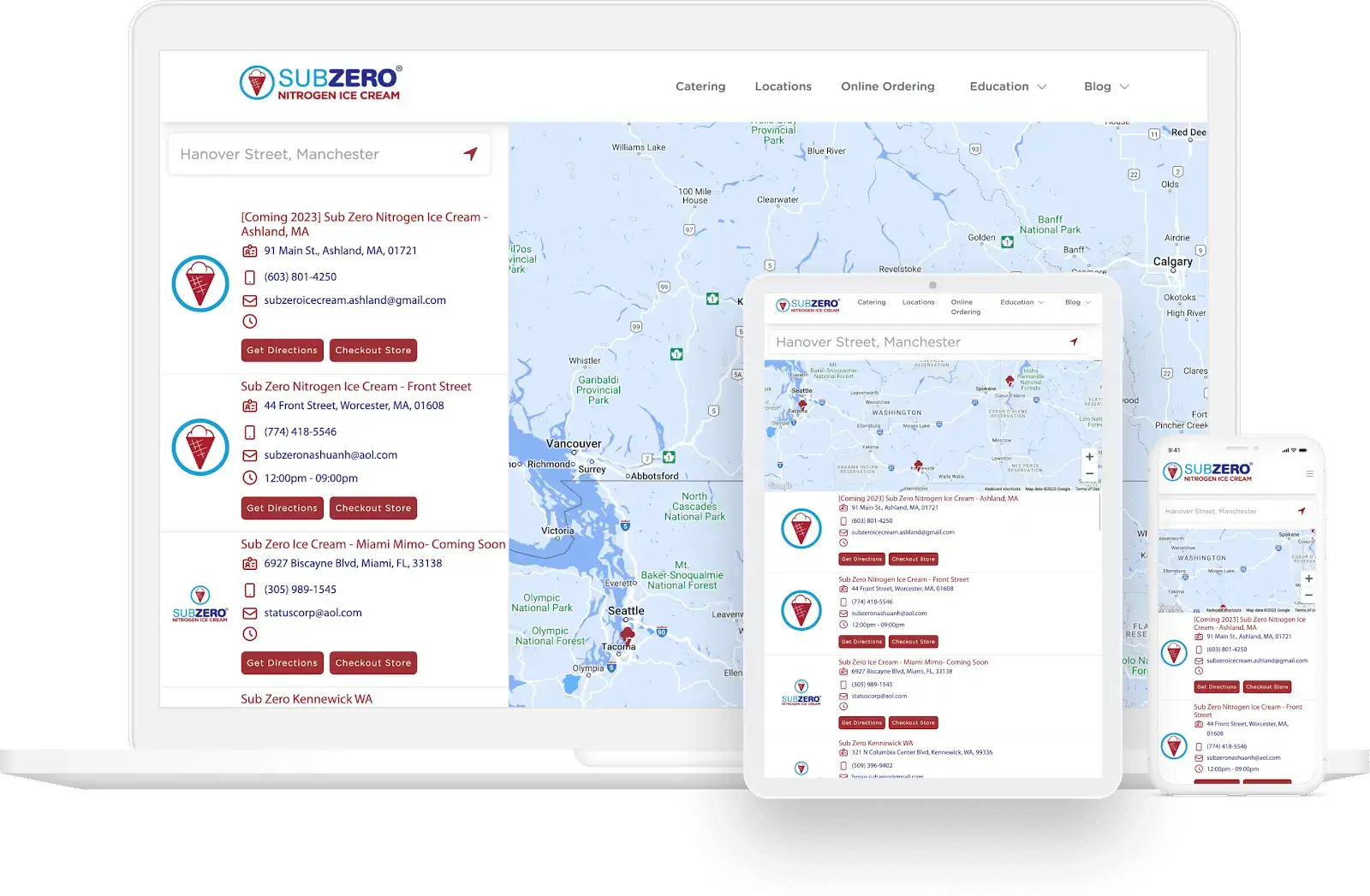
Bonus: Add a “Store Locator” widget to the client’s website through Synup, showing a live map with all trucks’ current locations updated in real-time.
Conclusion
Don’t keep changing addresses. It leads to suspension.
Keep the listing stable, share real-time locations through content, and stay consistent. Your listing is the anchor; your content is the beacon.
Also Read: Top 8 White Label Local Listing Management Software
FAQs
- What if customers go to the wrong location?
Respond quickly, clarify the correct spot, and offer a make-good if appropriate.
- Do seasonal closures affect mobile listings?
Yes, mark temporary closures or update hours to avoid outdated availability signals.
