If you run an agency or work as a marketing consultant, you probably know the headache of chasing leads in one app, managing projects in another, and then scrambling through spreadsheets or some portal just to get invoices paid. That patchwork setup chews through your time and leads to missed follow-ups, late payments, and frustrated clients.
We get it: it’s hard to find agency management software made for specific needs of your agency. But there are a handful of platforms that pull sales, delivery, and payments into one place. You move from working with five open tabs and sticky notes to logging into one dashboard that shows you your pipeline, project deadlines, and client invoices at a glance.
In this guide, we’ll show you eight tools that do this well. You’ll see what each is best at, where they fall short, and how to pick the one that makes sense for your agency instead of adding another distraction.
TLDR: 8 Best Agency Management Software for Sales, Projects, and Payments
Agencies are shifting to all-in-one platforms that manage sales, project delivery and payments in one place
Synup OS offers prospecting, pipelines, tasks, proposals, and payments with a white-label portal starting at US$79 per month
HubSpot delivers powerful CRM and marketing automation with proven ROI, but comes at a higher cost
ClickUp and Wrike focus on project management with flexible views and automations, but need add-ons for billing
Productive and Scoro provide advanced financial control with budgeting, forecasting, and multi-subsidiary support
Teamwork helps agencies with time tracking, budgeting, invoicing, and HubSpot integration
Bonsai suits freelancers and small agencies with CRM, contracts, invoicing, and built-in banking tools
No single tool fits every agency, so pick the agency management software that aligns with your size, goals, and stack
What Is an Agency Management Software?
An agency management system consolidates the core functions of running a creative or advertising agency (sales pipelines, project planning, resource scheduling, collaboration, invoicing, and client reporting) into one platform. Unlike standalone project management tools, these platforms integrate CRM, task management, and billing so you can nurture leads, execute projects, and get paid without switching systems.
The agency management software market was already valued at US$6.58 billion in 2024 and is projected to reach US$14.29 billion by 2033 with a 9% CAGR. Clearly, more agencies are turning to integrated platforms.
Benefits of Using an Agency Management Software
Such a tool can transform how your agency operates. Key benefits include:
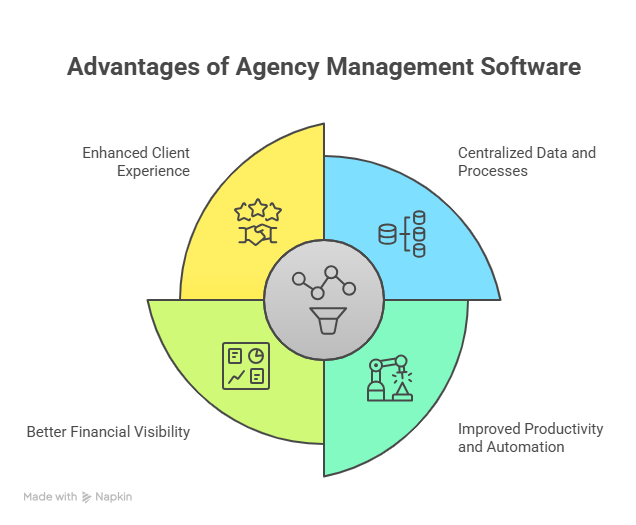
Source: NapkinAI
Centralized data and processes: Keep leads, projects, tasks, files, and invoices in one workspace. Platforms like Synup OS centralize prospect filters, sales pipelines, and tasks so teams always work from the same source of truth.
Improved productivity and automation: Automated workflows reduce manual tasks. HubSpot customers saw 129% more leads and close 36% more deals after one year, showing how automation can directly drive revenue.
Better financial visibility: Tools such as Productive provide budgeting, time tracking, and revenue forecasting in one place. Knowing profitability in real time helps agencies quote confidently and avoid surprise losses.
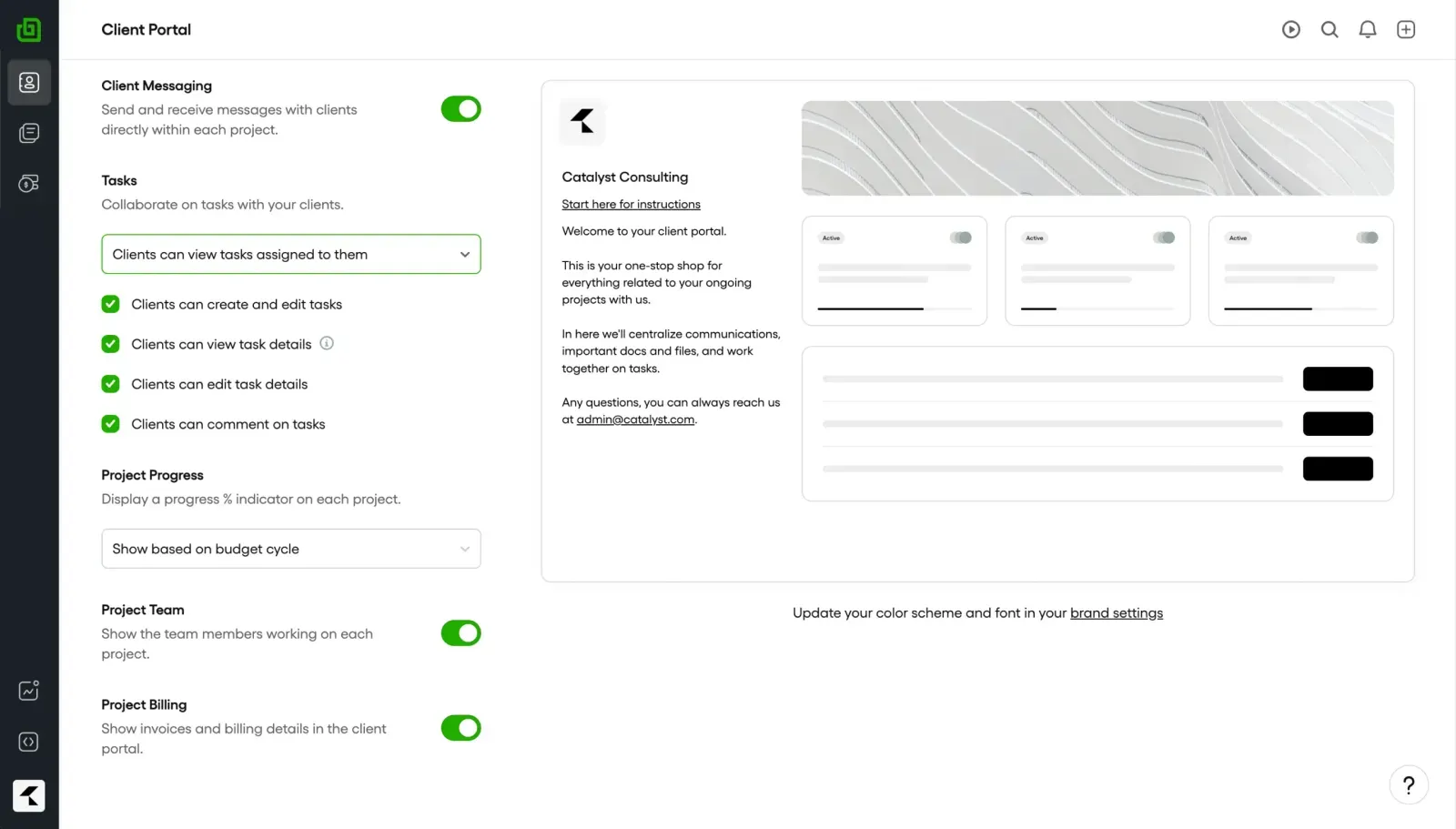
Enhanced client experience: White‑label portals (offered by Synup OS and Productive) let clients view project progress and approvals, improving transparency and trust.
How to Choose the Perfect Agency Management Software
Before jumping into reviews of the (ostensibly) top agency management software platforms, it helps to know what to actually look for.
Core Priorities Come First
No two agencies run the same way. Some are sales engines, others live and die by delivery.
Sales-heavy agencies: If you’re constantly sending out proposals and chasing signatures, you need strong lead management, pipeline visibility, and contract tools. For example, a small paid ads shop that pitches 15 proposals a month can’t afford to track them in spreadsheets. A platform like Synup OS, which ties prospecting, sales, and payments into one flow, means fewer deals slip through the cracks.
Delivery-focused teams: Content studios, design shops, and dev agencies care more about projects landing on time. Resource allocation, task dependencies, and visibility across clients are key. Tools like ClickUp or Wrike give you Gantt charts, Kanban views, and resource planners that make sure deadlines don’t clash and workloads are balanced.
A mix of both: Of course, we don’t mean to box you in. Maybe you fall somewhere in between the types of functionalities and feel the pressing need for a single dashboard for lead tracking, project execution, and billing. Here, integrated systems that combine CRM, project management, and invoicing (like Synup or Productive.io) can empower agencies to scale faster and manage the oft-confusing cash flow.
Scalability and Customization Save Pain Later
Realistically, what works for five people usually breaks when clients get to 15 or 50. Growing agencies need software that grows with them.
Look for custom fields, user roles, and workflows you can tweak. For example, Productive is a good case: its lower tiers cover basics, but higher tiers add revenue forecasting, utilization reports, and even multi-subsidiary support. Perfect if you plan to expand or run multiple brands under one umbrella.
We’ve seen many design agencies that grew (from say, 8 to 40 staff) and had to abandon existing solutions because they were too complex to understand. That steep learning curve ultimately impacted their services and client satisfaction. Moving to a dedicated OS, like Synup, gave them some control without a messy switch later.
Integrations Cut the Tab-Hopping
An agency management system should reduce the number of tabs you live in, not add more. Ask yourself: Does this tool talk to my CRM, email, or accounting software, or am I going to keep copy-pasting data forever?
User Experience Determines Adoption
You can buy the most powerful tool on the market, but if your team hates it, they’ll ditch it. Bad onboarding and confusing layouts kill adoption. You don’t want to end up like this:
As many agencies will highlight, you need something simpler. Friendly UX is what makes your staff actually use the tool instead of slipping back into email threads and Slack messages.
Good, old-fashioned teamwork is a good example of getting this right. You need everyone's buy-in. Onboarding materials and updates keep the tool useful. Use your stand-ups to walk through the system together and decide on a way forward that feels natural for most of the team.
Pricing and Value Need Math
Yes, price matters, but don’t just look at the sticker price. Do the math on time saved.
A freelancer might be fine with Bonsai’s US$9 plan, since it covers proposals, contracts, and payments in one place.
A 25-person agency probably needs Scoro, Synup, or Productive, because those unlock revenue reports and financial forecasting that actually justify the spend.
Action step: multiply the hours saved per week by your billable rate. If the tool saves five hours across your team each week, even a pricier plan pays for itself.
Synup OS
Best For: Sales, projects, and payments (all-in-one solution)
What Synup OS Does
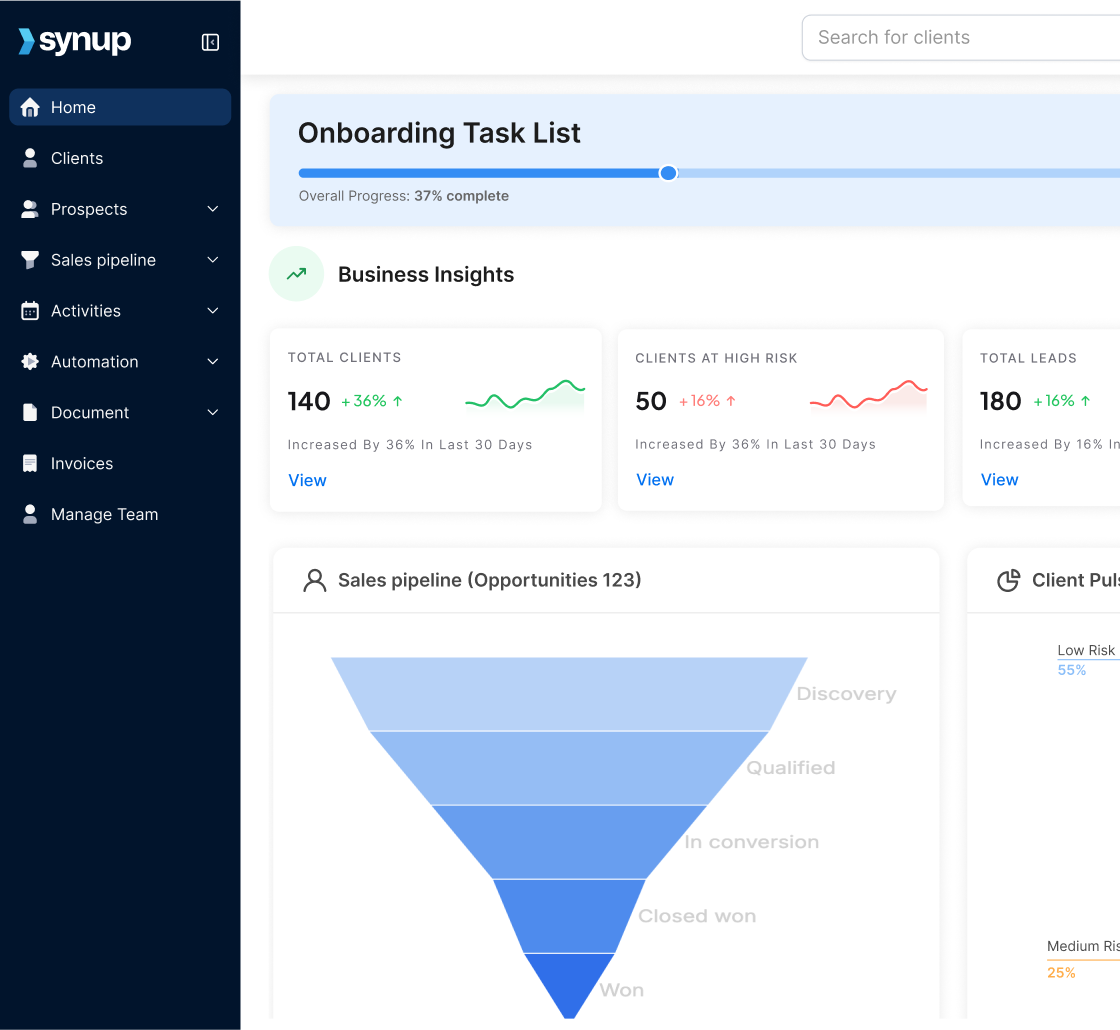
Synup OS is a unified marketing agency management software designed to manage the entire client lifecycle, from prospecting and sales to project execution and payments. It centralizes over 40 million contacts with 150+ filters for precise prospecting, offering a clear view of your sales pipeline and actionable insights to refine future strategies.
With the OS, you are afforded a complete view of all your project tasks. Calls, proposals, meetings, and notes are recorded in the built-in calendar and sorted by what’s done, what’s left, and what needs attention.
Unlike other tools, Synup OS also embeds payment collection into the portal, so you can close deals and get paid in one place. The OS sends automated payment follow-ups and offers clients e-signature and auto-pay functionality for greater ease.
Key Features
🏆 High‑intent lead acquisition: Discover prospects using advanced filters across 40M contacts and schedule meetings directly.
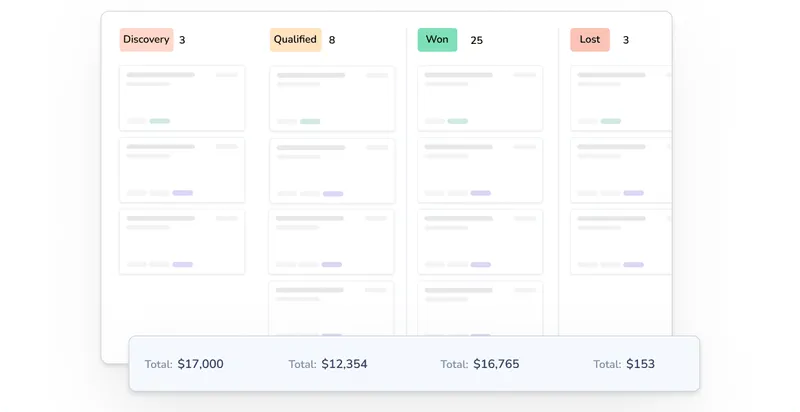
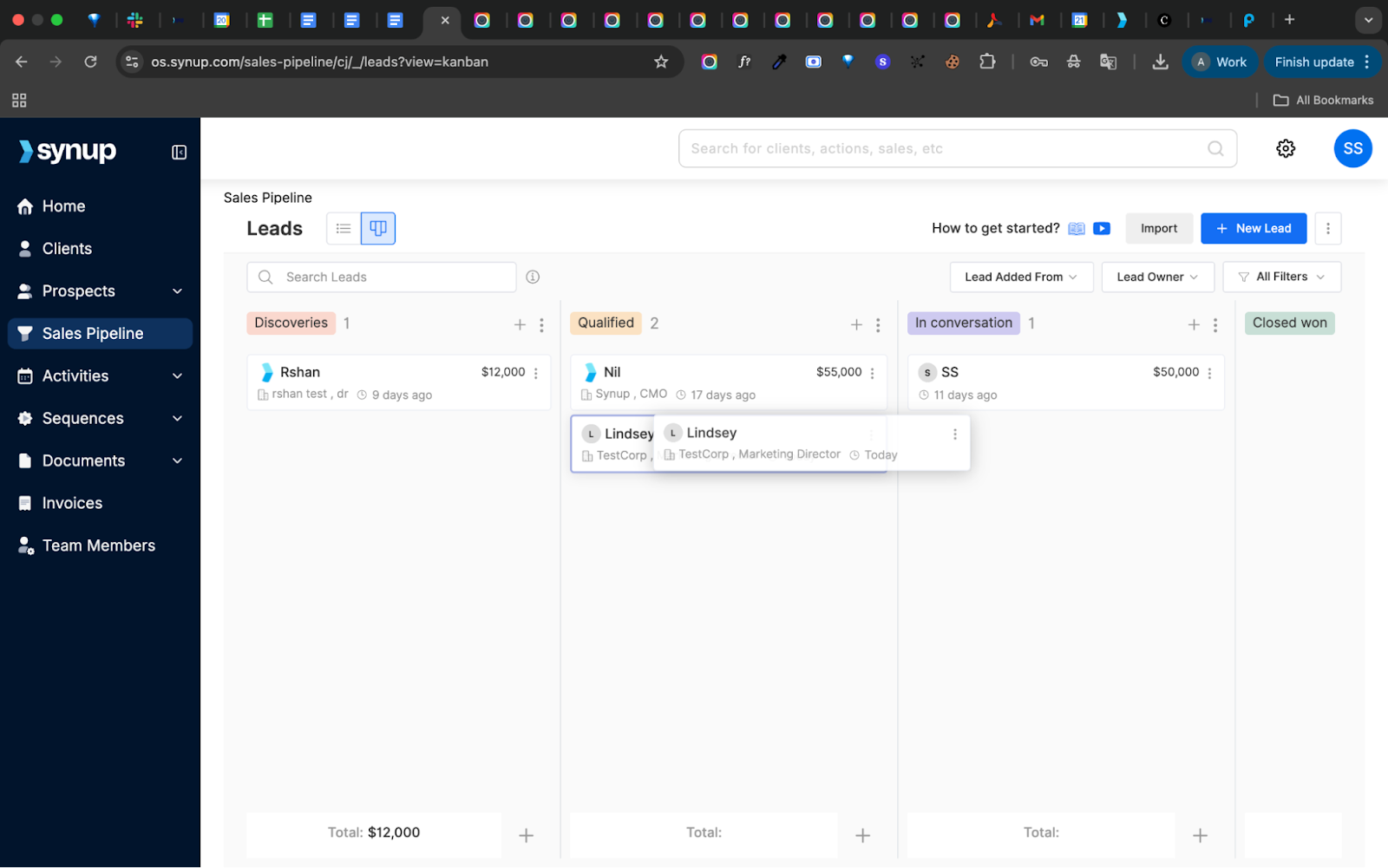
🏆 Sales pipeline & tasks: Track leads, deals, and tasks in a unified pipeline with task lists, calendar reminders, and automations.
🏆 Centralized client info: Store full client histories, communications, and contracts with custom fields and a client summary for context.
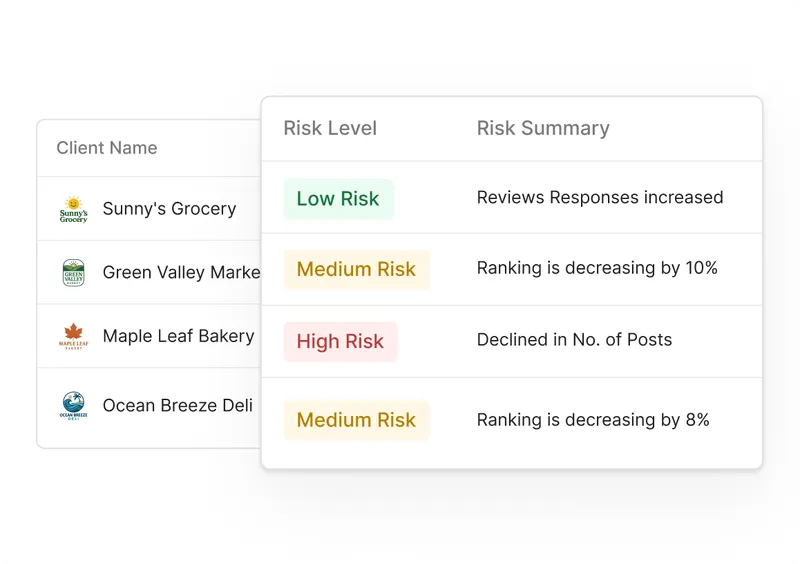
🏆 Project health insights: Client Pulse dashboard offers up-to-date view of client satisfaction (you can set your own unique criteria) and helps agencies identify which accounts are at risk to reduce churn.
🏆 Proposals and payments: Send trackable proposals, capture e‑signatures, and collect payments through embedded invoice links.
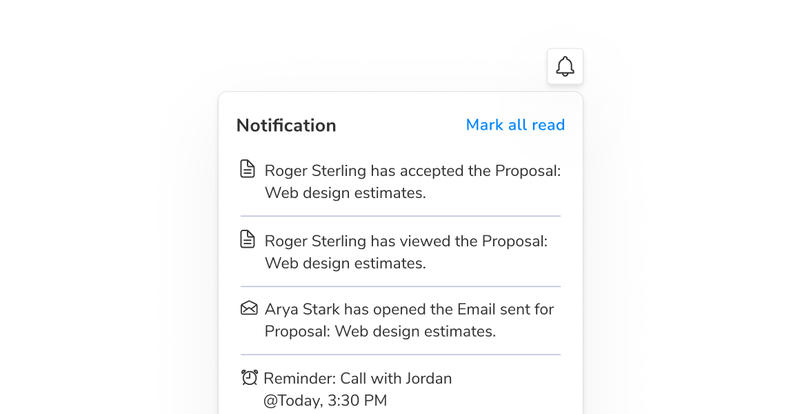
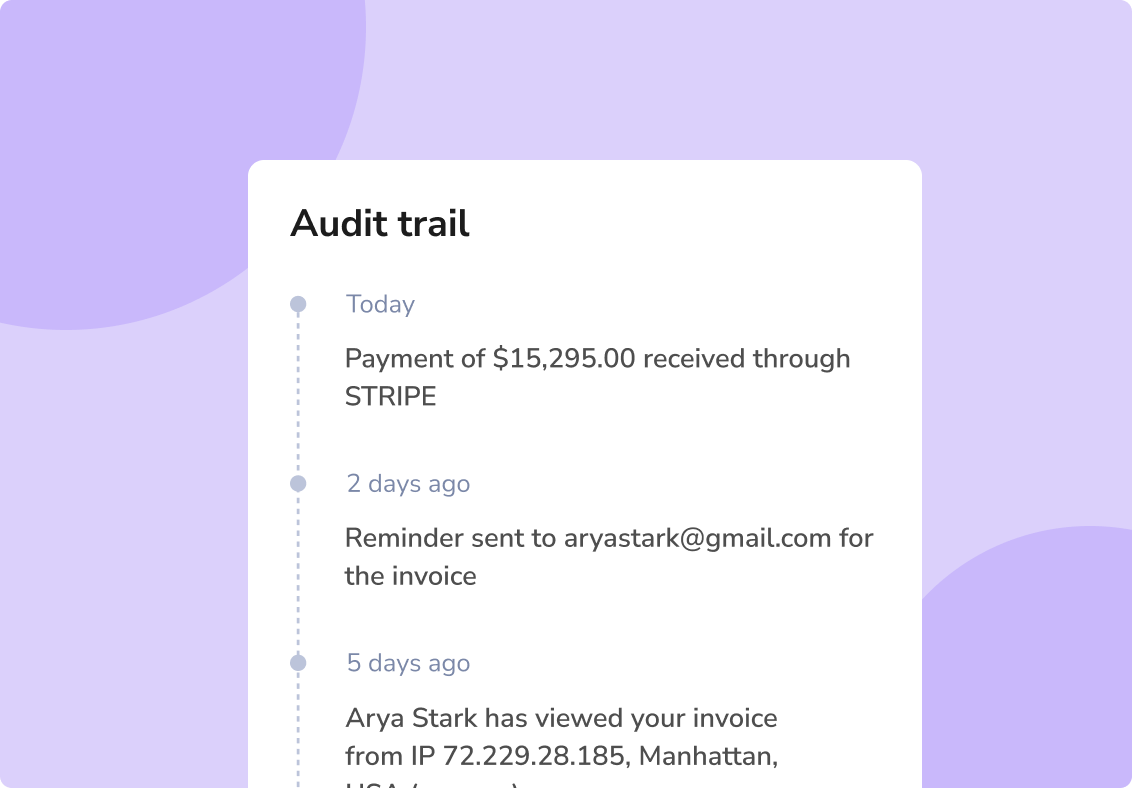
🏆 Invoice & proposal tracking: Set up recurring and international billing with global payment gateways and track status with real-time logs. Get alerts when documents or emails are opened so you can plan your course of action.
Benefits of Using Synup OS
Faster deal closure thanks to integrated lead filters, sales pipeline, and e‑signature proposals.
Improved client satisfaction with a unified portal for communication, files, tasks, and payment status.
Additional revenue streams via self‑serve marketing apps that you can upsell to clients.
Predictive churn insights using risk‑based churn forecasting to identify at‑risk clients early.
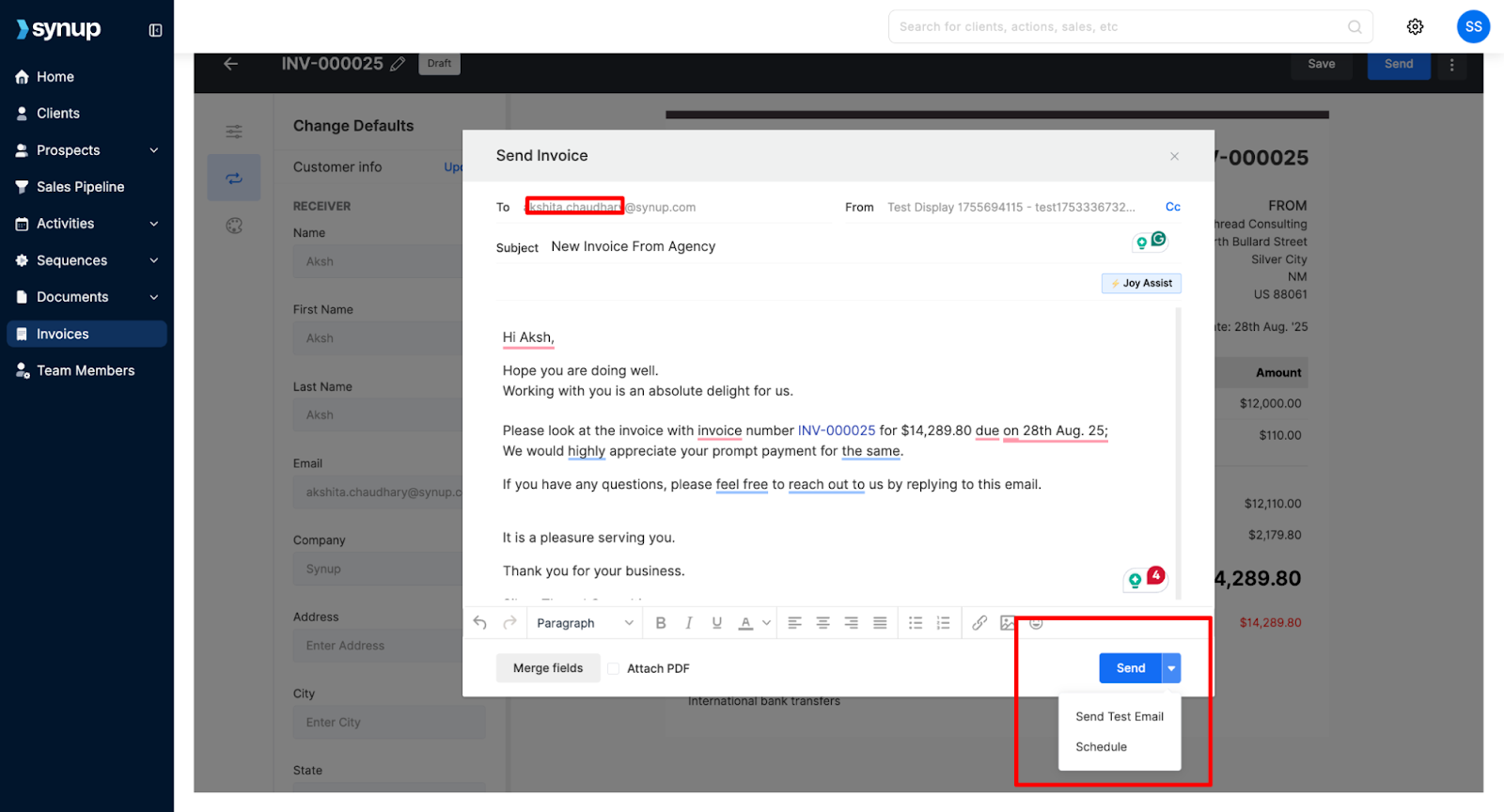
Get paid faster and stay on schedule with pre-built or custom proposal templates featuring quick e-sign options. Automate one-time, split, or recurring invoices with easy “Pay Now” buttons.
Pros
✅ All‑in‑one platform that handles prospecting, sales, project tasks, and payments. ✅ Built‑in marketing apps for listings, review management, and social media to increase client success.
✅ Automated monthly, quarterly, or annual invoices; good fit for recurring retainers and ongoing projects of various types.
Cons
🚫 Built for growing agencies, so may have more features than small agencies or solopreneurs need initially.
What Customers Say
“Synup has made it so much easier for me to manage my business’s online presence across multiple platforms.”
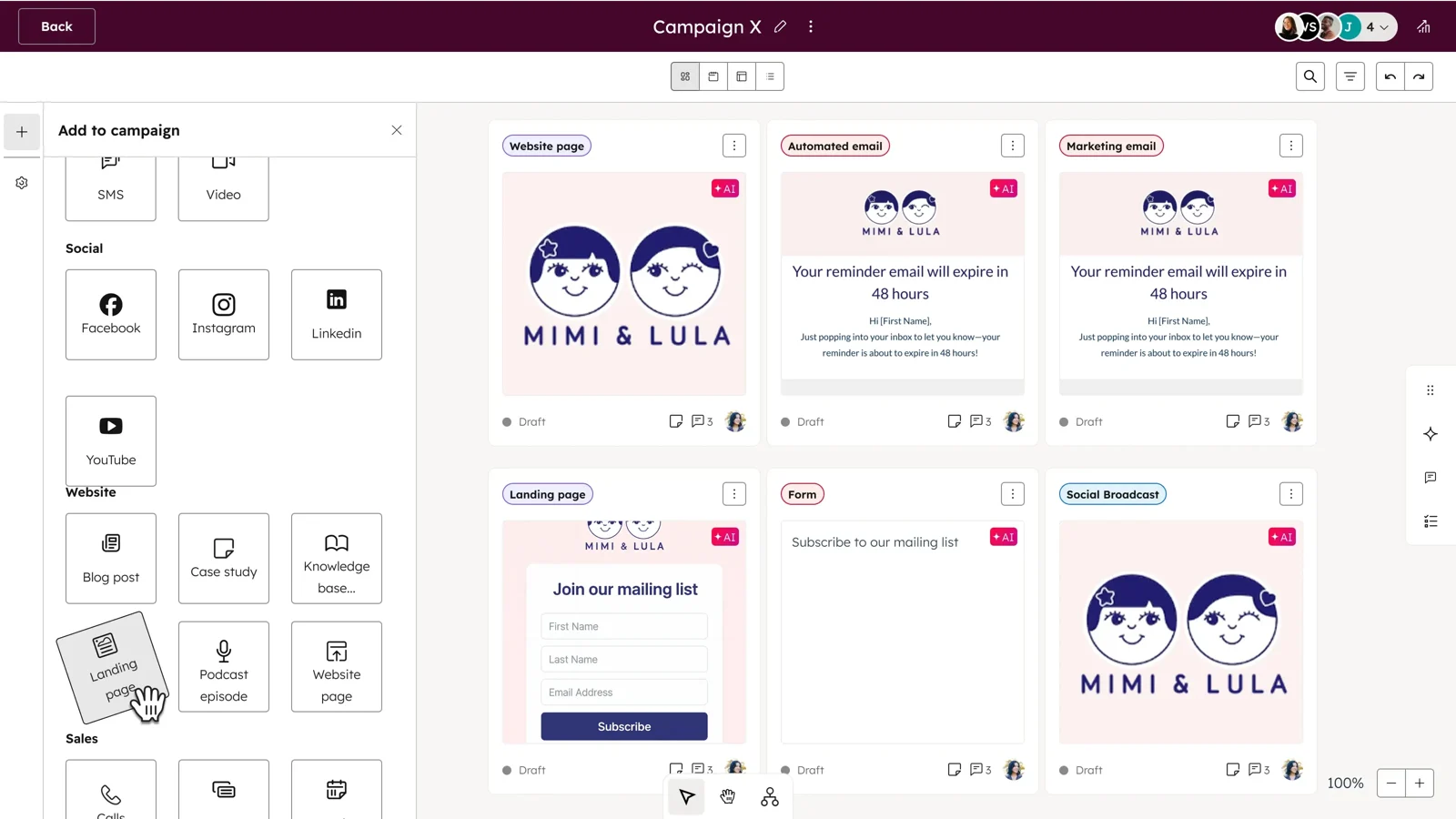
HubSpot offers a suite of hubs (Marketing, Sales, Service, CMS, and Operations). For agencies, the Marketing Hub and Service Hub provide email marketing, social media management, landing pages, automation, and help desk tools. HubSpot’s AI content assistant and social agent help teams create content faster and manage campaigns across channels.
Key Features
🏆 Unified CRM for marketing, sales, and service teams.
🏆 AI content and social agents that generate blog posts, social copy, and images.
🏆 Marketing automation for email sequences, lead scoring, and nurturing workflows.
🏆 Multi‑channel campaign management, including social media scheduling and ads reporting.
🏆 Analytics and custom reporting to track performance across the funnel.
🏆 Generate professional invoices with a built-in payment processing tool or integrate with options like Stripe or QuickBooks.
Benefits of HubSpot
Marketing, Sales, and Service all live under one roof, so leads don’t get lost between teams.
Automates emails, ad campaigns, and follow-ups, saving hours every week while keeping outreach consistent.
Provides detailed dashboards that show ROI across campaigns, letting agencies prove value to clients.
Allows teams to plan and publish content in advance, ensuring clients see steady activity without manual effort.
Connects with over 1,500 apps, from accounting tools to CRMs, reducing the need to copy-paste data.
Pricing
HubSpot uses a tiered approach.
Marketing Hub Professional: US$890/month with three seats.
Marketing Hub Enterprise: US$3,600/month with five seats.
Free and Starter (US$15 to US$20/month/seat) versions are available for basic CRM and marketing features.
Pros
✅ Comprehensive marketing automation and CRM with AI content generation. ✅ Strong ecosystem of integrations and marketplace apps. ✅ Extensive support materials and certification programs.
Cons
🚫 Higher tiers are expensive for small agencies. 🚫 Can be overkill if you only need project management and billing.
What Customers Say
“The ticketing, knowledge base and live chat make HubSpot the hub for our sales, marketing and customer success teams.”
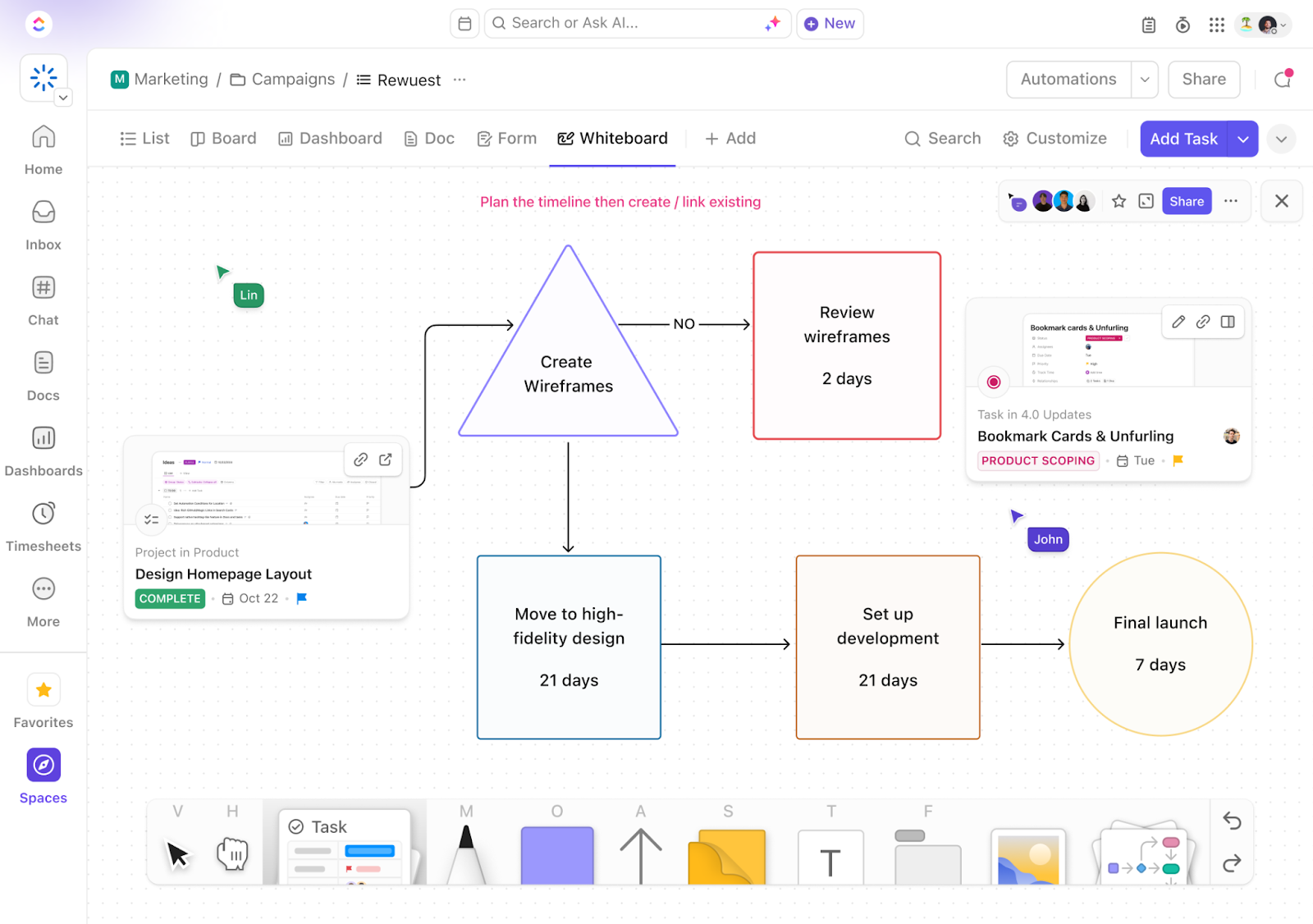
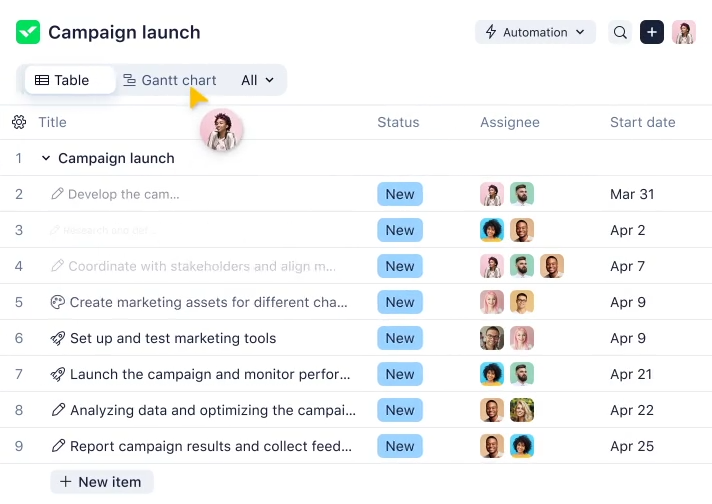
ClickUp is an all‑in‑one workspace that combines tasks, docs, spreadsheets, goals, and chat. Agencies can organize projects in list, board, Gantt, calendar, or mind‑map views. The free plan provides unlimited tasks and basic views, while paid plans unlock advanced features like custom fields, automations, and dashboards.
Key Features
🏆 Multiple views (lists, boards, Gantt charts, calendars, and mind maps) for flexible project planning.
🏆 Custom fields and forms to tailor task attributes and capture client requests.
🏆 Time tracking, workload management, and sprint points for agile teams.
🏆 Docs and wikis integrated into your projects.
🏆 Automations and dashboards to visualize progress across clients.
Benefits of ClickUp
Lists, boards, and Gantt charts to match workflows.
Centralizes collaboration and reduces tool switching.
Speeds up repetitive, manual tasks.
Links hours directly to billable work.
Supports unlimited users for the free plan.
Pricing
Free: Unlimited tasks, 60 MB storage, and basic views.
Unlimited: US$7/user/month.
Business: US$12/user/month.
Enterprise: Custom pricing.
Pros
✅ Highly customizable with multiple views and custom fields. ✅ Generous free plan and affordable paid tiers. ✅ Centralizes docs, chat, and tasks.
Cons
🚫 Not specialized for sales or billing; requires add‑ons or integrations for CRM and invoicing. 🚫 The abundance of features may overwhelm new users.
What Customers Say
“I have seen this platform grow from scratch to being one of the most sought-after PM tools.”
Review collected by and hosted on G2.com.
Productive
Best for: Professional services automation (projects, resources, budgets, and billing)
Source: Productive
What Productive Does
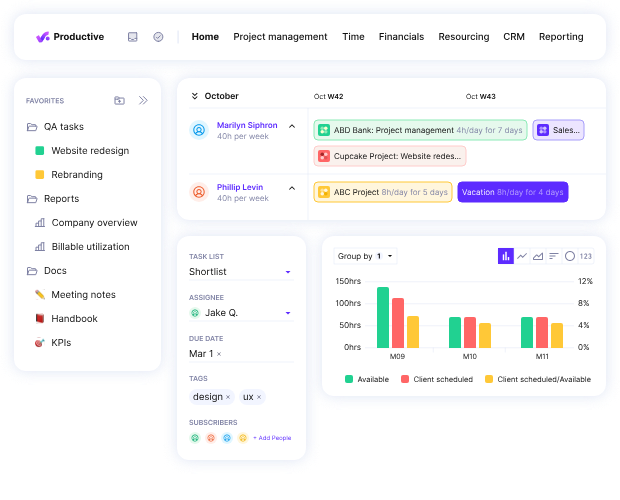
Productive is built for agencies and professional services firms. It combines resource planning, time tracking, project management, sales CRM, budgeting, profitability, invoicing, and revenue forecasting. The tool even includes a scenario builder to model different outcomes.
Key Features
🏆 Resource scheduling and time tracking with a mobile app.
🏆 Budgeting and profitability modules to set budgets and track margins.
🏆 Recurring budgets and revenue recognition for retainers and subscription clients.
🏆 AI and automations to streamline repetitive tasks.
🏆 Agencies with multiple business entities or branches can use the Ultimate plan’s multi-subsidiary support to manage all operations under one unified account.
Benefits of Productive
Matches staff availability with project needs.
Monitors margins in real time.
Predicts future income based on the pipeline.
Keeps client data tied to financials.
Manages multiple brands under one account.
Pricing
Essential: US$11 monthly.
Professional: US$28/user/month.
Ultimate: US$39/user/month.
Choosing an annual plan provides a reduced monthly rate.
Pros
✅ All‑in‑one PSA with resource planning, budgeting, profitability, and CRM. ✅ Scenario builder and revenue forecasting for strategic planning. ✅ Flexible invoicing and revenue recognition.
Cons
🚫 Some internal integration issues are reported, such as different modules for task management (in Sales CRM) and project management + minor issues with reporting. 🚫 Limited marketing automation compared with HubSpot or Synup.
What Customers Say
“The budgeting and resourcing features help me track billable utilization and ensure margins, but I wish it were easier to delete subtasks.”
Scoro provides projects, calendars, Gantt charts, contacts, quotes, bills, invoices, and detailed reporting in one platform. Additional modules include retainer management, role‑based labor cost, utilization reporting, and revenue recognition. The project manager dashboard gives you a clear overview of your team’s progress and availability for tasks.
Key Features
🏆 Projects and task boards with Gantt charts and dependencies.
🏆 Quotes, bills, and invoicing directly from projects.
🏆 Utilization and financial reports such as quoted vs actual, cost & profit forecasts, and revenue recognition.
🏆 Retainer management and recurring tasks.
🏆 Automation triggers to streamline workflows.
Benefits of Scoro
Covers quoting, invoicing, and delivery.
Automates recurring client billing.
Tracks team productivity and capacity.
Provides finance teams with accurate forecasting.
Shows KPIs in one central view.
Pricing
Core: US$23.90/user/month.
Growth: US$38.90/user/month.
Performance: US$59.90/user/month.
Enterprise: Custom pricing with advanced security and multi‑account reporting.
Choosing an annual plan provides a reduced monthly rate.
Pros
✅ Comprehensive quoting, billing, and financial forecasting. ✅ Supports multiple currencies and retainer contracts. ✅ Detailed utilization and cost reports.
Cons
🚫 Interface can feel dated compared to newer tools (limited customization + formatting). 🚫 Some minor integration issues are reported (for example, with invoicing).
🚫 Mobile app lacks features in the desktop version.
What Customers Say
“I like Scoros quotation capability because it makes it easy to create standard quoting for our clients.”
Review collected by and hosted on G2.com.
Wrike
Best for: Project and work management
Source: Wrike
What Wrike Does
Wrike offers project management, task tracking, document collaboration, and reporting for teams of all sizes. It provides various views (boards, Gantt, tables), shared spaces, request forms, resource planning, and integrations. Higher tiers add proofing, approvals, portfolio management, risk prediction, and SSO/SAML security.
Key Features
🏆 Multiple views (boards, tables, Gantt charts, calendar) with cross‑tagging and shared spaces.
🏆 Request forms and approvals to capture client briefs and streamline sign‑offs.
🏆 Resource & capacity planning for workload balancing.
🏆 Automations and AI risk prediction for up to 1,000 actions per user in Enterprise plans.
🏆 Security features like SAML SSO and two‑factor authentication.
🏆 Digital whiteboard + collaboration tools that allow for dynamic teamwork and ideation.
Benefits of Wrike
Boards, tables, and Gantt charts for flexible project tracking.
Balances workloads across teams.
Speeds up creative feedback cycles.
Flags projects likely to miss deadlines.
Reduces repetitive admin tasks.
Pricing
Free: $0/user/month.
Team: US$10/user/month.
Business: US$25/user/month.
Enterprise and Pinnacle: Custom pricing.
Pros
✅ Robust views and cross‑tagging for complex portfolios. ✅ Proofing, approvals, and resource planning built in. ✅ Strong security and compliance features.
Cons
🚫 UI can be overwhelming due to the number of features + optimizations. 🚫 Users report that the tool can quickly become “over-engineered,” causing issues for larger teams + muddling task management.
🚫 May require an experienced in-house admin; not very suitable to track “quick tasks.”
What Customers Say
“Love being able to create departmental spaces and use Kanban and Gantt views—the notifications and mentions keep everyone aligned.”
Review collected by and hosted on G2.com.
Teamwork
Best for: Project management with resource planning and time tracking
Source: Teamwork
What Teamwork Does
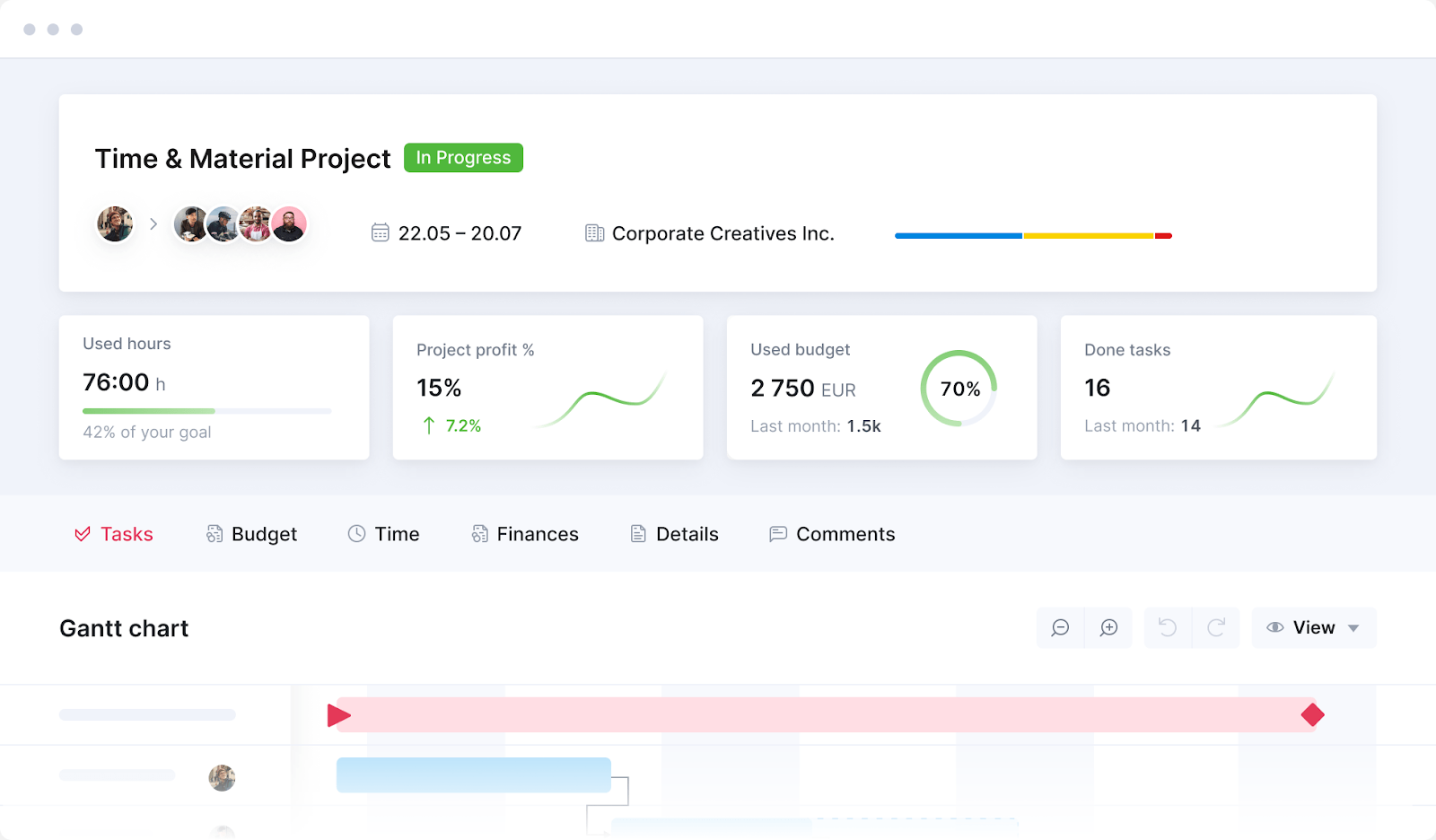
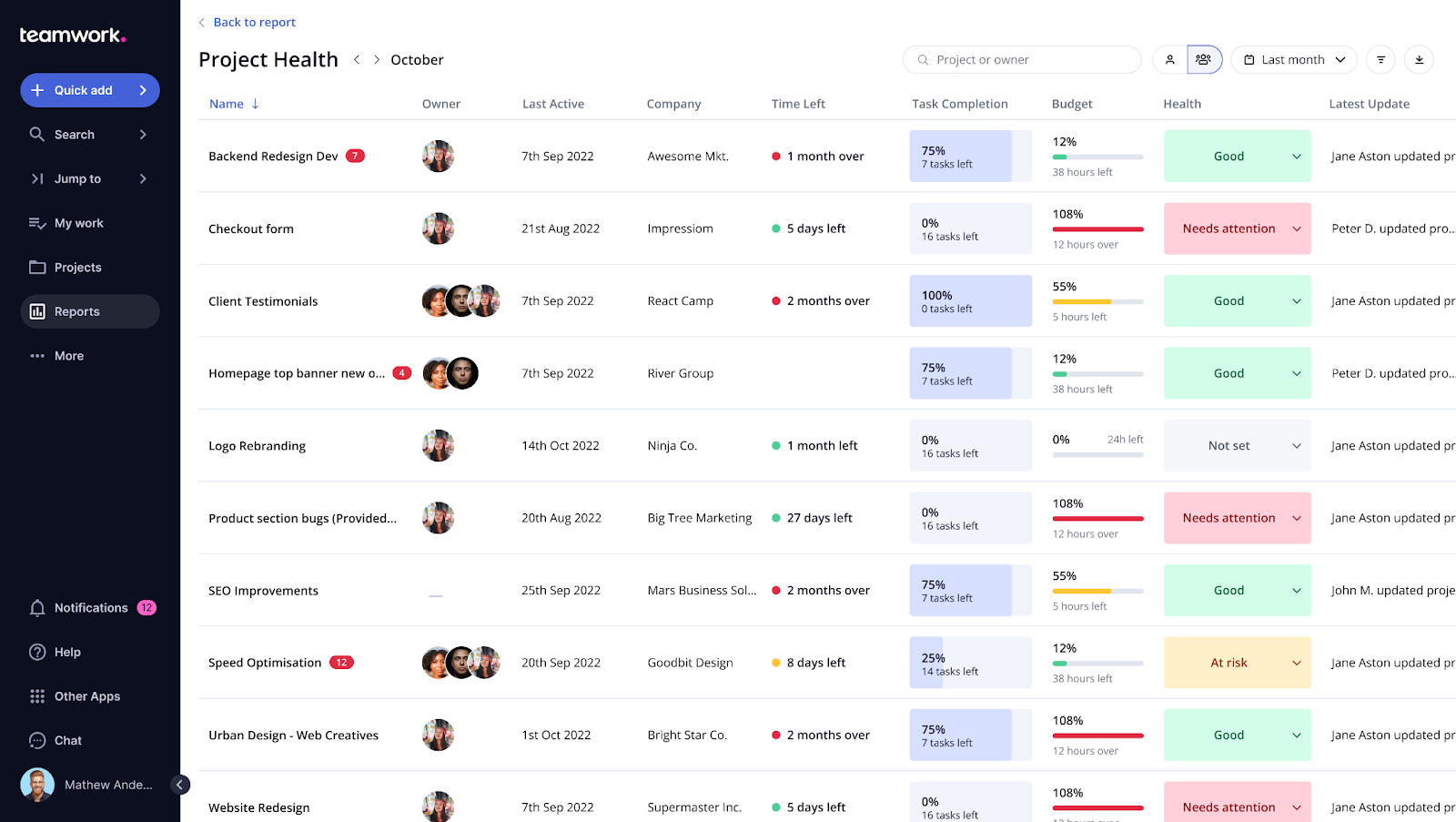
Teamwork is designed for client service agencies. It includes project and task management, time tracking, resource planning, budgeting, file storage, and billing. Recent updates introduced Teamwork AI to generate tasks and summaries and improved HubSpot integration.
Key Features
🏆 Projects, tasks, and milestones with Gantt charts and Kanban boards.
🏆 Time tracking and billing to capture billable hours and create invoices.
🏆 Resource planning to assign tasks based on capacity and availability.
🏆 Integrations with HubSpot, Slack, Google Drive, and Microsoft Teams.
🏆 Teamwork AI and task automations to streamline workflows.
Benefits of Teamwork
Built for agencies working on retainer contracts.
Connects hours worked to invoices.
Monitors spend versus scope in real time.
Syncs sales and project delivery.
Regular product updates and strong onboarding.
Pricing
Free: Small teams get basic project management.
Deliver: US$13.99/user/month.
Grow: US$25.99/user/month.
Scale & Enterprise: Custom pricing.
Choosing an annual plan provides a reduced monthly rate.
Pros
✅ Tailored for agencies needing time tracking and better billing. ✅ Frequent updates like Teamwork AI and improved integrations. ✅ Generous automation allowances and templates.
Cons
🚫 Free plan lacks key features like budgeting and invoicing; updates require plan upgrades to enjoy. 🚫 Interface isn’t as visually appealing as some competitors; mobile app lacks functionality of desktop app.
🚫 Some users report storage limitations and slow load times.
What Customers Say
“What I like best about Teamwork is how it helps us not drop the ball on all the different things we need to get done in the business.”
Review collected by and hosted on G2.com.
Bonsai
Best for: Freelance and small agency management (client, project, and finance)
Source: Bonsai
What Bonsai Does
Bonsai is a lightweight creative agency management software for freelancers and small agencies. It unifies client CRM, project management, proposals, contracts, invoicing, and banking. Modules include Client CRM, Project Management, and Finance Management.
Key Features
🏆 Client CRM to store leads, clients, and communication.
🏆 Proposals, contracts, and e‑signatures to onboard clients quickly.
🏆 Project insights and workload management to plan tasks and monitor capacity.
🏆 Invoicing and payments with automated reminders and expense tracking.
🏆 Banking and tax tools (in higher tiers) to manage cash flow and taxes.
Benefits of Bonsai
CRM & client management that organizes leads, contacts, and notes.
Proposals and contracts create legally sound docs in minutes.
Tracks performance across deliverables.
Handles billing and collection in one place.
Offers built-in banking features for freelancers and agencies.
Pricing
Basic: US$15/user/month.
Essentials: US$25/user/month.
Premium: US$39/user/month.
Elite: US$59/user/month.
Choosing an annual plan provides a reduced monthly rate and four months of free service. Discounts are also available for teams with 30+ members.
Pros
✅ Designed for freelancers and small agencies with streamlined workflows; sleek interface. ✅ Built‑in contracts, invoicing, and tax tools. ✅ Continuous product improvements with regular feature rollouts.
Cons
🚫 Limited resource planning and robust reporting compared to enterprise tools. 🚫 Less suitable for large teams with complex projects.
🚫 Users point out a lack of integrations with other common agency tools; functionality exists, but doesn’t quite work as expected.
What Customers Say
“I like that I get to organize different tasks with different clients on different projects in ONE PLACE! That’s awesome!”
Choosing an ideal agency management system depends on your agency’s size, focus, and budget. The best one matches how your shop runs. A three-person design studio doesn’t need the same system as a 50-seat performance agency.
Synup OS stands out as an all‑in‑one platform that covers sales, project management, and payments with the option of a white‑label portal for clients. HubSpot offers powerful marketing automation and CRM, but is pricier. ClickUp and Wrike excel at project management and collaboration, with ClickUp providing the most generous free tier.
When evaluating, ask yourself: Does the tool support my entire client lifecycle? Is it scalable and customizable? Does it integrate with my present tech stack? Do I need advanced budgeting, forecasting, or resource planning? When you line these questions up against your day-to-day realities, your agency will avoid the painful (and expensive) tool-hopping cycle.
Get Started with Synup
Ready to unify your sales, projects, and payments? Explore Synup OS or book a demo to test drive it for yourself and see how it can streamline your agency operations. With prospecting, CRM, tasks, and payments all in one place, Synup OS helps you close deals faster, deliver projects confidently, and get paid on time.
FAQs
What is the difference between agency management software and project management tools?
Project management tools are mainly about tasks, deadlines, and collaboration. Agency management software goes further. It combines CRM, sales pipelines, resource planning, invoicing, and reporting. In other words, it manages the entire client journey, from the first lead to the final payment.
Why should small agencies invest in an agency management system?
Even a two- or three-person shop can save hours with one platform instead of juggling spreadsheets, Trello boards, and QuickBooks. Tools like ClickUp and Bonsai keep costs low while giving you unlimited projects and contracts.
How much does agency management software cost?
Pricing starts at around US$7–10 per user/month for lighter tools such as ClickUp or Teamwork. Full-suite platforms like Synup OS can start at US$79/month and go up depending on team size and features. The key is balancing what you’ll actually use against what you’re paying for. Not every agency needs enterprise-grade automation from day one.
Arbeiten Sie noch heute mit Synup zusammen!
Vereinbaren Sie einen Anruf mit unserem Partnerschaftsmanager, um maßgeschneiderte Wachstumslösungen für Ihre Agentur zu finden.