Best Recurring Billing & Invoicing Systems for Marketing Agencies

Best Recurring Billing Tools

If you’re running a marketing agency with 10+ employees, you already know the “15th of the month” panic. That’s the day you realize half your retainers haven't cleared, three clients are disputing an old line item, and your account managers are wasting hours manually chasing checks instead of optimizing campaigns.

​For agencies serving local businesses at $100–$200 per location, volume is the name of the game. You can’t afford to spend $50 in labor costs just to collect a $150 payment. You need a system that puts your cash flow on autopilot.

​In this guide, we’re breaking down the best recurring billing and invoicing systems specifically for agency owners who need to scale without the administrative bloat.

​TL;DR: The Agency Owner’s Guide to Automated Billing

  • ​Manual invoicing wastes high-cost labor on low-margin local business accounts.
  • ​Recurring billing software automates collections, handles dunning (failed payment retries), and provides predictable revenue.
  • Key Selection Criteria: Look for agency-specific hierarchy (multi-location support), white-labeling, and integration with fulfillment workflows.
  • Top 10 Software Reviews:
    1. Synup: Best all-in-one Agency OS; combines billing with CRM and fulfillment.
    2. Scoro: Best for high-level resource planning and utilization tracking.
    3. Honeybook: Best for creative "clientflows" and aesthetic proposals.
    4. Recurly: Enterprise-grade subscription and churn management.
    5. AgencyHandy: Budget-friendly service catalog and order management.
    6. ManyRequests: Premium white-labeled portal for productized services.
    7. Stripe Invoicing: Reliable, developer-friendly payment infrastructure.
    8. Invoicera: Strong traditional expense tracking and approval workflows.
    9. Invoicely: Simple, low-cost entry point for small teams.
    10. Zoho Books: Full-scale accounting for deep financial compliance.

​What is a Recurring Billing Software?

​At its simplest, recurring billing software is a tool that automatically charges your clients at pre-set intervals, monthly, quarterly, or annually, without you having to lift a finger.

​For an agency, it’s the difference between "hoping" you get paid and "knowing" the revenue is hitting your bank account on the 1st of the month. It stores client payment methods securely and triggers invoices and transactions based on the contract terms you’ve locked in.

​How Does a Recurring Invoice Software Help?

​If you’re still sending manual PDFs every month, you are wasting time and leaking profit. Here is how a dedicated system changes the math for your agency:

  • Eliminates "The Chase": Automated dunning (the fancy word for payment retries) handles expired credit cards and failed transactions. The software emails the client, so you don’t have to play debt collector.
  • Predictable Cash Flow: When billing is automated, your "Accounts Receivable" isn't a mystery. You can forecast exactly how much revenue is coming in, which makes hiring that next SEO specialist or account manager much less stressful.
  • Professionalism at Scale: Clients get branded, clear invoices that they can pay with one click. It builds trust, especially with SMB owners who are often too busy to handle bank transfer processes that can take several hours out of the workweek. 
  • Unified Client Data: Instead of digging through emails to see what a client is paying for, everything is tied to their profile. You see their billing history, active services, and any outstanding balances in one spot.

​How to Choose the Right Recurring Billing Software for Your Agency?

​Don't just buy the first tool with a pretty landing page. Here are the five "non-negotiables" to watch out for when choosing:

  1. Agency-Specific Hierarchy: Can the tool handle one client with 50 different locations? If it treats every location as a separate "customer," your dashboard will be a nightmare.
  2. White-Label Capabilities: Your clients should feel like they are interacting with your brand, not a third-party billing company. Look for custom domains and branded portals.
  3. Payment Gateway Flexibility: Ensure it plays nice with Stripe or PayPal, but also check the transaction fees. When you’re billing at $150/location, every percentage point matters.
  4. Workflow Integration: Does the billing talk to your project management? Ideally, when a client pays, the "onboarding" task should trigger automatically.
  5. Dunning Logic: How does the system handle a declined card? It should have "smart retries" that attempt the charge over several days before alerting you.

​Synup

​Best Suited For: Mid-sized Marketing & Advertising Agencies

What Synup Does

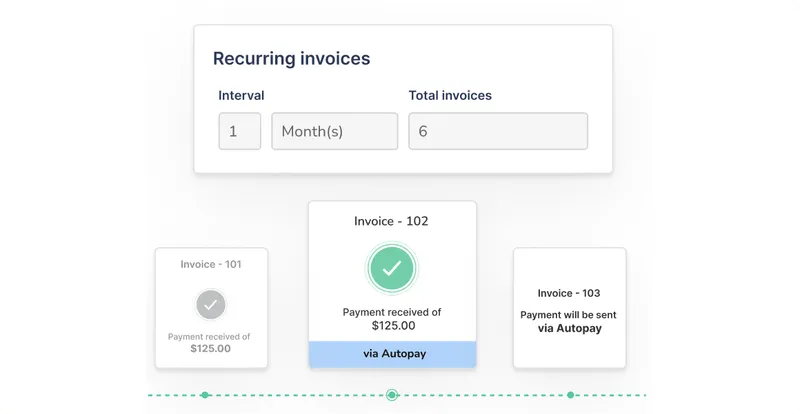
​Synup provides a unified platform for managing the entire client lifecycle. From the moment you pitch a prospect to the day they pay their 12th monthly retainer, the Synup invoicing tool is used for local SEO, reputation management, and high-volume SMB invoicing. It bridges the gap between delivering the work (listings, reviews, social) and getting paid for it.
Source: Synup

​Key Features

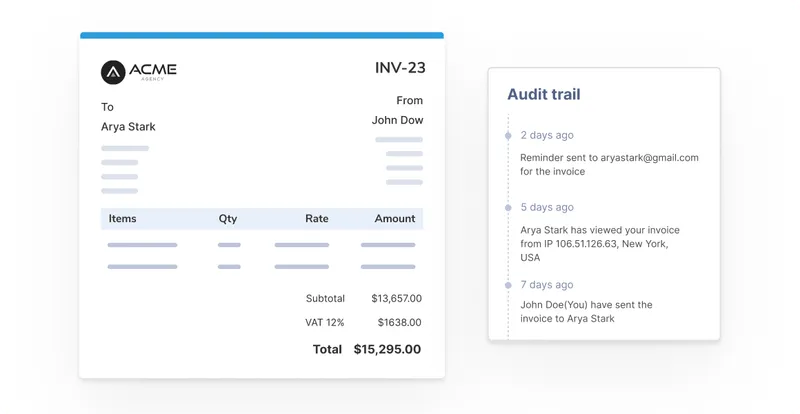
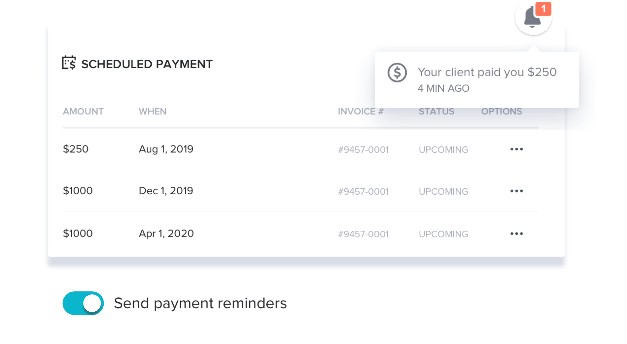
​🏆 Automated payment follow-ups & dunning: The system tracks activity and sends reminders automatically.

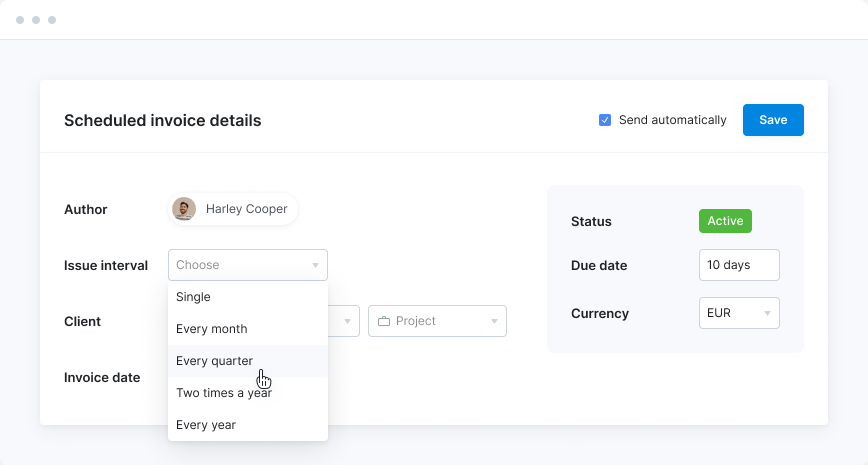
​🏆 Recurring subscriptions: Set it once and forget it. Bill monthly, quarterly, or annually with seamless auto-pay.

​🏆 Global compliance: Easily add local taxes, work in multiple currencies, and ensure your invoices meet regional standards.

🏆 Flexible invoicing: Handle one-time setup fees, split payments for big projects, or standard recurring retainers.

​🏆 Branded documents: Everything from proposals to invoices carries your agency's branding, keeping the client experience premium.

​🏆 Finance workflow automations: Set pre-defined triggers so that billing happens exactly when a project milestone is hit.

​🏆 Billing visibility: Real-time timestamps show you exactly when a client opened an invoice and when they clicked "pay."

What Sets Synup Apart

First, Synup is integrated into the same platform you use to fulfill the services. Most agencies have a "billing silo" and a "delivery silo." In Synup, they are the same thing.

​You get the Synup OS Base (starting at $79/mo), which gives you a full CRM, sales prospecting tools, and task management alongside the invoicing. Plus, the AI-powered JoyAssist helps automate the mundane parts of client communication. For agencies managing hundreds of locations, the ability to white-label the entire portal is a massive retention booster.
Source: Synup

​Benefits of Using Synup

  • Total Operational Harmony: You don't need a separate CRM or project management tool. Your sales team closes a deal, the invoice is sent, and the project is created in one motion.
  • Reduced Churn: By giving clients a professional portal where they can see their results (SEO, reviews) and their billing in one place, you become an indispensable partner.
  • Faster Collections: The "Open-to-Paid" tracking means you know exactly who is stalling, allowing your team to intervene before it becomes a cash flow crisis.

​Pros

​✅ Strong billing + client-facing portal in one OS.

✅ Recurring/split invoices, multi-currency, branded docs.

✅ Purpose-built automations for finance workflows.

​Cons

​🚫 Public, granular invoicing price tiers aren’t broken out separately from OS plans.

​How to Get Started with Synup

Start by booking a demo. Once you're signed in on the system and have purchased a package, you can sync your existing client list, set up your branded portal, and connect your payment gateway (Stripe/PayPal) in a single afternoon. The dashboard is intuitive, designed for marketers rather than accountants.

What Customers Say

​"Their customer service offers helpful support when I have questions or need assistance. No downsides that I can tell so far from using Synup!"

– Review collected by and hosted on G2.com.
​Scoro

​Category: Work Management & Financial Profitability

What Scoro Does

​Scoro combines project management with high-level financial reporting. It’s designed to help you see not just if you were paid, but if that payment actually made you money after labor costs.

Source: Scoro

​Key Features

​🏆 Gantt Charts & Dependencies: Serious project planning for complex agency campaigns.

​🏆 Quoted vs. Actual Reporting: See exactly where projects go over budget in real-time.

​🏆 Retainer Management: Handles complex recurring contracts that involve a set number of hours per month.

​🏆 Utilization Reports: Know which of your team members are over-billed or under-utilized.

​Benefits of Scoro

​Scoro is fantastic for agencies that have graduated past simple "tasks" and now need to manage complex resources. It automates the "boring" part of billing by turning approved quotes directly into recurring invoices.

​Pricing

  • Core: $23.90/user/month
  • Growth: $38.90/user/month
  • Performance: $59.90/user/month

Scoro also offers custom Enterprise pricing. There are also discounts available when choosing to bill annually. 

Note: Requires a minimum of 5 users, which can make it pricey for smaller teams.

​Pros

​✅ Comprehensive quoting, billing, and financial forecasting.

✅ Supports multiple currencies and retainer contracts.

✅ Detailed utilization and cost reports.

​Cons

​🚫 Interface can feel a bit "busy" and dated compared to modern SaaS.

🚫 The mobile app is significantly limited compared to the desktop version.

What Customers Say

​“I like Scoros' quotation capability because it makes it easy to create standard quoting for our clients.”

– Review collected by and hosted on G2.com.
​Honeybook

​Category: Client Experience & Small Agency CRM

What Honeybook Does

HoneyBook is extremely popular among smaller agencies (1–10 employees). ​It focuses on "Clientflows", that is, it combines the proposal, the contract, and the first payment into one beautiful, interactive file.

Source: Honeybook

​Key Features

​🏆 Smart Files: Highly customizable documents that allow clients to select services and pay in one go.

​🏆 Automated Scheduling: Integrated booking so clients can pay a retainer and book their kickoff call simultaneously.

🏆 Simple Invoicing: Very easy to set up recurring payments for monthly retainers.

​Benefits of Honeybook

​The biggest benefit is speed. You can go from a lead to a signed contract and paid deposit in minutes. For agencies selling "packaged" services, it makes the onboarding feel high-end.

​Pricing

  • Starter: $36/mo
  • Essentials: $59/mo
  • Premium: $129/mo

All the plans start with a free trial. There are also significant discounts available on annual pricing. 

​Pros

​✅ Highest-rated support for smaller teams.

✅ The most "beautiful" client-facing interface on the market.

✅ Templates that save hours of manual proposal drafting.

​Cons

​🚫 Hard to manage a high volume of local business locations (no location-specific hierarchy).

🚫 Limited advanced reporting for agency profitability.

What Customers Say

​“Helps me invoice my clients in a timely way… I like the recurring invoice so I don’t have to worry…”

– Review collected by and hosted on G2.com

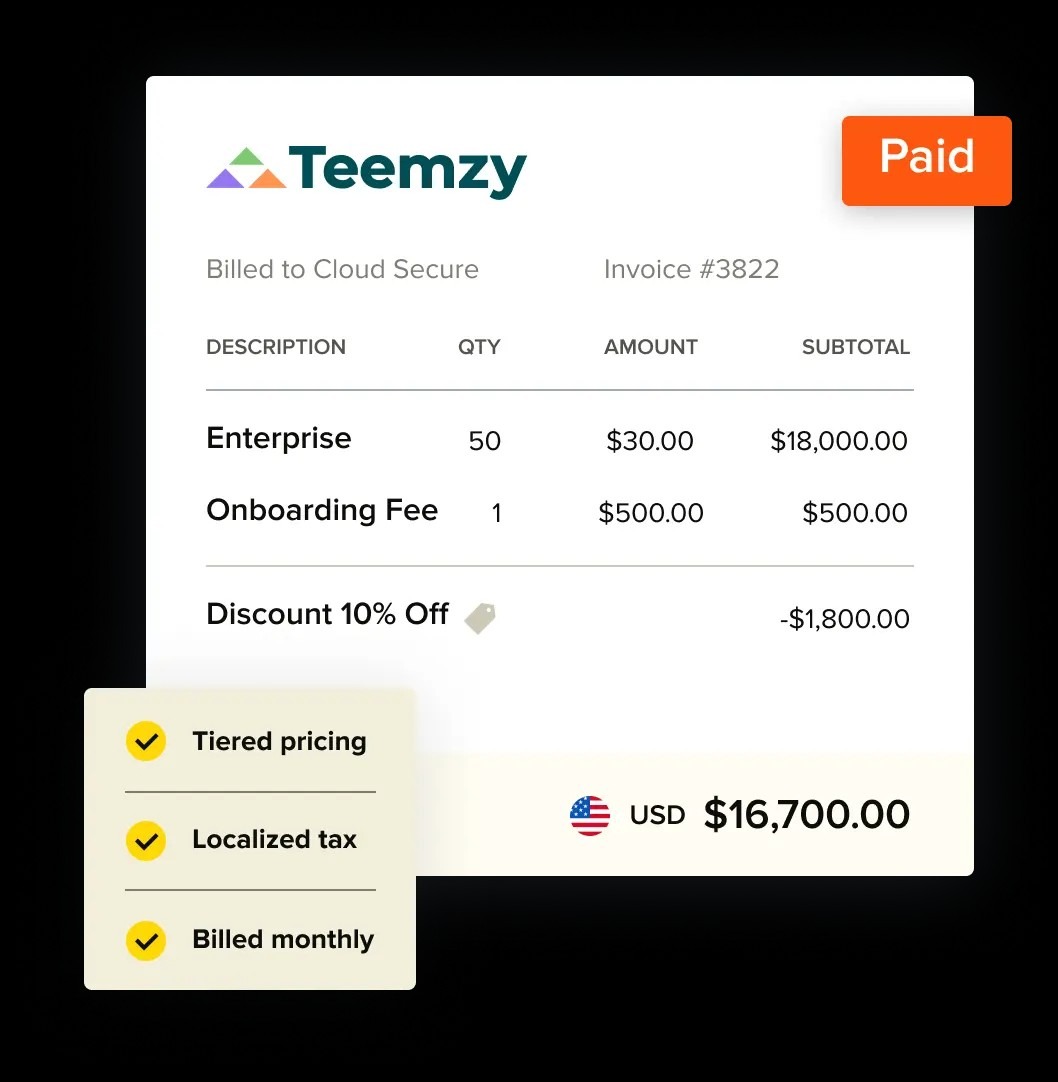
Recurly

​Category: Enterprise Subscription Management

What Recurly Does

If your agency is processing millions in recurring revenue and has complex "usage-based" billing (like charging per lead or per ad spend), Recurly is the enterprise standard. ​Recurly is a "billing engine." It doesn't care about your project management or your SEO rankings. It cares about ensuring that every subscription is captured, billed, and collected with zero errors.

Source: Recurly

​Key Features

🏆 Machine Learning Revenue Optimization: Uses AI to determine the best time to retry a failed credit card based on the bank’s history.

​🏆 Complex Plan Modeling: Want to offer a "Buy 10 locations, get 2 free" discount that expires after 6 months? Recurly handles that easily.

​🏆 Revenue Recognition: Automated accounting that complies with GAAP standards, essential for agencies looking to be acquired.

​Benefits of Recurly

​It is built for "subscription nerds." If you are running a "Productized Service" agency where hundreds of clients sign up via a checkout page, Recurly’s ability to prevent churn is key for growing agencies.

​Pricing

Recurly offers custom, scalable pricing across various payment structures. 

​Pros

​✅ The gold standard for churn reduction and payment retries.

✅ Extremely scalable for high-volume agencies.

​Cons

​🚫 Very expensive for mid-sized agencies.

🚫 No built-in CRM or project management; it’s just billing.

What Customers Say

​"Recurly simplifies billing and subscription management, letting them easily track payments, manage accounts, and customize subscription plans."

– Review collected by and hosted on G2.com.
​AgencyHandy

​Category: Project Management & Client Portal

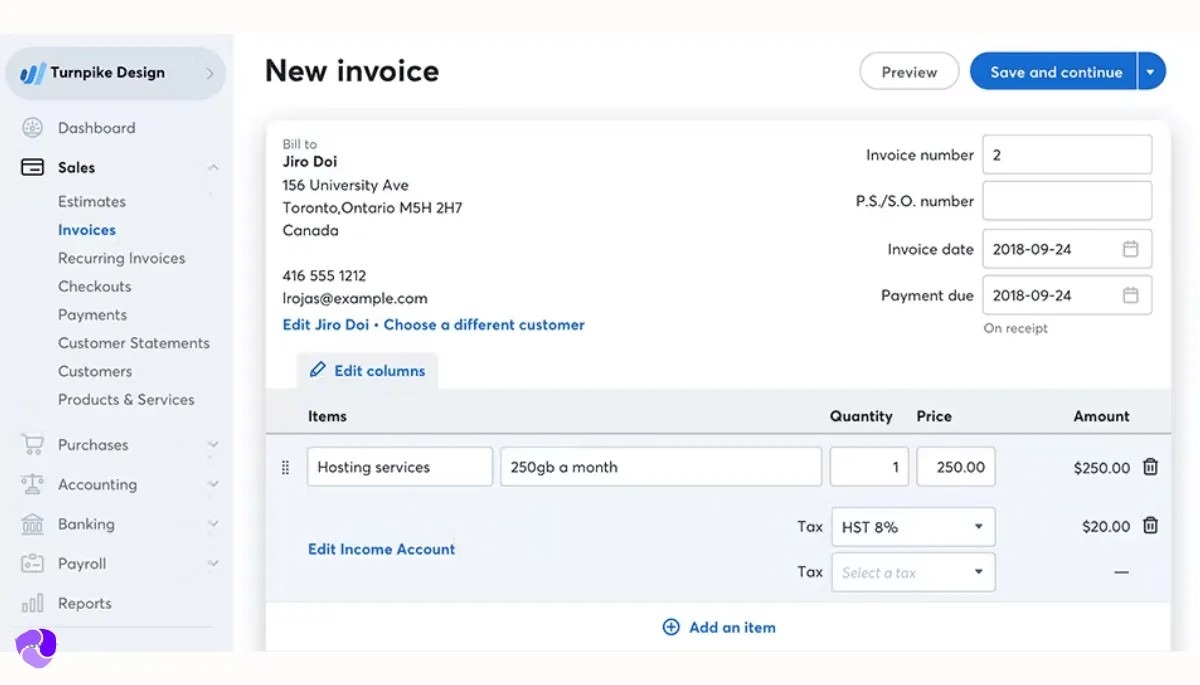
What AgencyHandy Does

AgencyHandy is a newer tool that focuses on the "unfiltered" agency experience: getting orders, doing the work, and getting paid. It’s built for agencies that act like "order fulfillment centers.” ​It provides a service catalog where clients can "shop" for your agency services. It’s perfect for the "productized" model where you have set prices for things like "5 Blog Posts" or "GMB Setup."

Source: AgencyHandy

​Key Features

​🏆 Service Catalog: A "checkout" experience for your marketing services.

​🏆 Task-to-Invoice Sync: Automatically generates tasks when an order is paid.

🏆 Client Ticket System: Keeps support requests tied to the client’s billing profile.

​Benefits of AgencyHandy

​It’s incredibly affordable and focused on the workflow of a growing team. It removes the "back and forth" of custom quoting by forcing clients into standardized packages.

​Pricing

  • Freelancer: $29/mo
  • Team Starter: $99/mo (up to 10 users)
  • Business Pro: $199/mo (up to 30 users)

There are also discounts available when choosing to bill annually.

​Pros

​✅ Very budget-friendly for the feature set.

✅ Great for "order-based" agency models.

​Cons

​🚫 Limited customization for the client portal.

🚫 Lacks deep financial forecasting found in tools like Scoro.

What Customers Say

​"I love the organization ability of Agency Handy. It really helps me keep my orders organized and in one spot, along with payments."

– Review collected by and hosted on G2.com.
​ManyRequests

​Category: Productized Service Billing

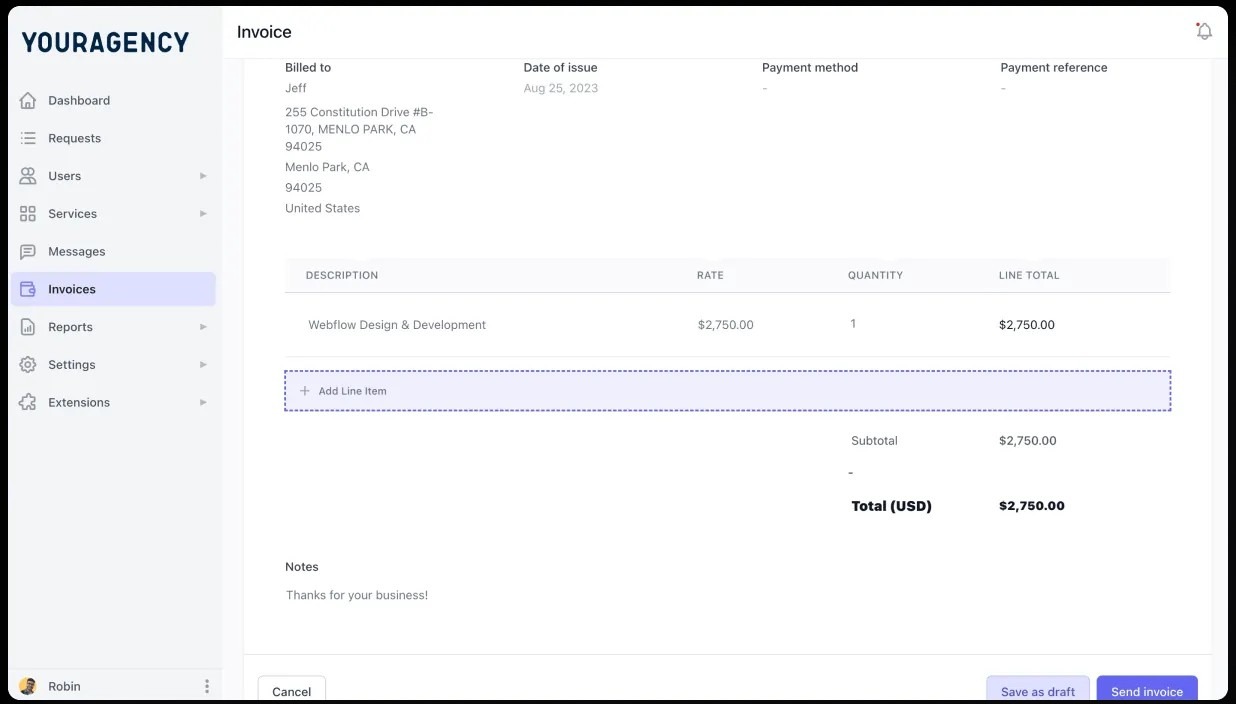
What ManyRequests Does

ManyRequests is the "cleaner" cousin of AgencyHandy. It is widely considered the top choice for agencies moving away from "custom work" and into "subscriptions.” ​It gives you a sleek, white-labeled portal where clients can submit requests, see their files, and manage their recurring billing. It’s very popular for design and content agencies.

Source: ManyRequests

​Key Features

🏆 White-Label Client Portal: High-end look with your own domain and logo.

🏆 Request Management: Clients "spend" their subscription credits or hours through a ticketing system.

​🏆 Onboarding Workflows: Automated forms that trigger the moment a recurring payment is confirmed.

​Benefits of ManyRequests

​It makes your agency look like a software company. The "Modern Portal" feel justifies higher retainers because the client feels they are getting a "premium" tech-enabled service.

​Pricing

  • Starter: $29/mo
  • Core: $59/mo
  • Pro: $99/mo (includes full white-labeling)

There are also discounts available when choosing to bill annually.

Pros

​✅ Extremely polished UI/UX for the client.

✅ Handles "unlimited" request models perfectly.

​Cons

​🚫 Can get expensive quickly as you add team seats.

🚫 No "lead generation" or CRM tools built in.

​What Customers Say

​"It has almost all the customization options we require, time tracking, checklists, ticketing, and feedback from our clients."

– Review collected by and hosted on G2.com.
Stripe Invoicing

​Category: Infrastructure & API-First Billing

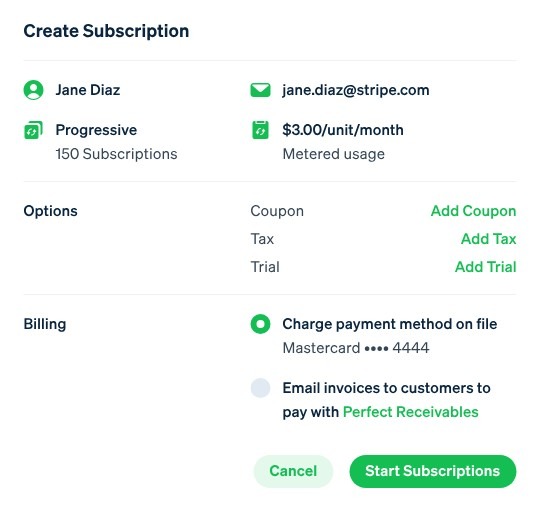
What Stripe Does

Sometimes you don't need a "platform"; you just need a "pipe" to get money from the client's bank to yours. That’s Stripe Invoicing. ​It provides a reliable, no-frills way to send invoices and collect recurring payments. If you already use Stripe to process payments, this is the native way to handle the paperwork.

Source: Stripe

Key Features

​🏆 Hosted Invoice Pages: Stripe hosts the payment page, so you don't have to worry about security.

🏆 Smart Retries: Uses data from millions of businesses to retry cards when they are most likely to succeed.

​🏆 Automatic Reconciliation: Matches incoming wire transfers to open invoices.

​Benefits of Stripe

​It is one of the most "stable" systems on the planet. You never have to worry about it being down, and the integration with other tools (via Zapier) is endless.

​Pricing

  • Starter: 0.4% per paid invoice.
  • Plus: 0.5% per paid invoice (includes Smart Retries and Quotes).

Note: This is in addition to the standard ~2.9% credit card processing fee.

​Pros

​✅ Flawless mechanics; payments just work.

✅ No monthly subscription fee (pay-as-you-go).

Cons

​🚫 No "client portal" for them to see their history or results.

🚫 The backend is built for developers, not account managers.

What Customers Say

​"Stripe Invoicing is a terrific component of a confusing system... the backend support is awful when it can be found."

– Review collected by and hosted on G2.com.
Invoicera

​Category: Traditional Invoicing & Expense Tracking

What Invoicera Does

Invoicera is a "pure-play" invoicing tool. It’s been around for a long time and is geared towards agencies that need to track every penny, including staff expenses and billable hours. ​It’s an automated billing platform that excels at "legacy" features like purchase orders, expense attachments, and multi-layer invoice approvals.

Source: Invoicera

Key Features

🏆 Hierarchy of Approvals: Great for larger agencies where a manager needs to "approve" an invoice before it goes to the client.

​🏆 Expense Tracking: Staff can upload receipts directly to a project for reimbursement or client billing.

🏆 Time Tracking: Built-in timers that convert directly into line items on an invoice.

​Benefits of Invoicera

​It is incredibly economical. If you have hundreds of clients but don't need a "fancy" portal, Invoicera gives you professional automation for a fraction of the cost of its competitors.

​Pricing

  • Starter: $15/mo
  • Business: $39/mo
  • Enterprise: $79/mo
  • Infinite: $119/mo

​Pros

​✅ Very economical for high-volume invoicing.

✅ Excellent "old-school" financial features like expense management.

​Cons

​🚫 The UI feels a bit dated and "clunky" compared to modern SaaS.

🚫 Customer support can be hit-or-miss.

What Customers Say

​"I really liked the pricing structure, it is too economical and efficient. The dashboard feature really excites me."

– Review collected by and hosted on G2.com.
Invoicely

​Category: Simple, Low-Cost Invoicing

What Invoicely Does

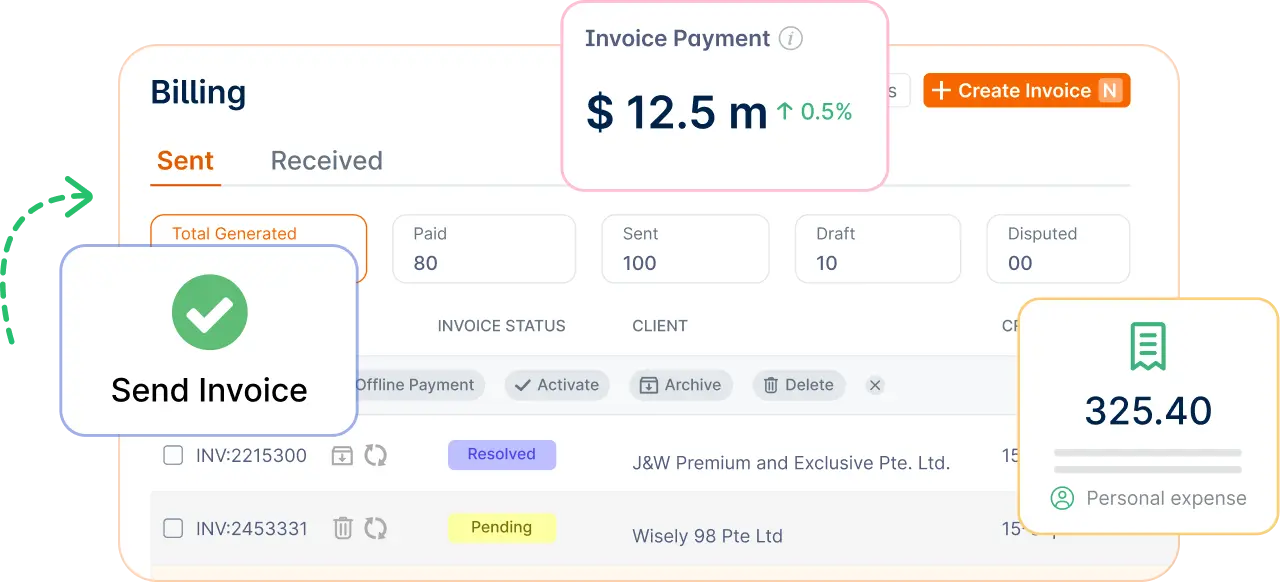
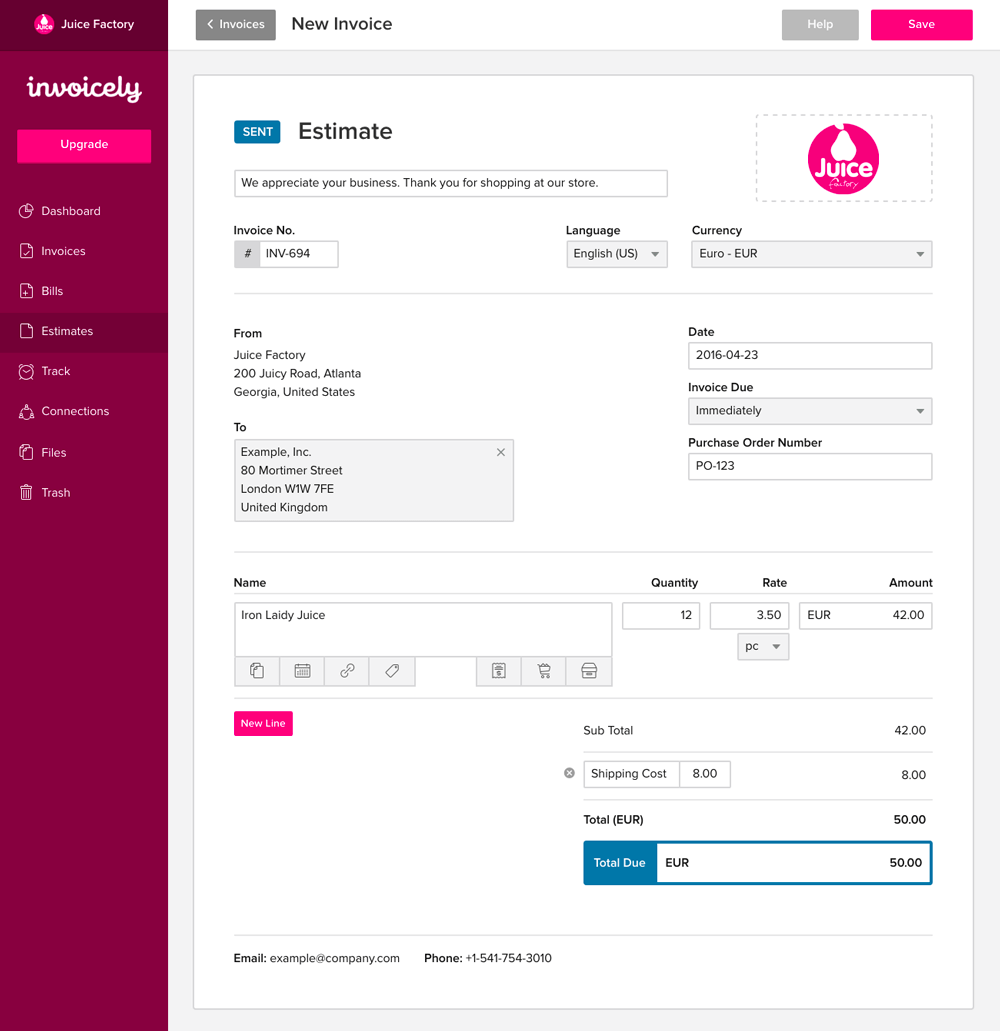
Invoicely is the "entry-level" choice for agencies that want to get away from manual invoices but aren't ready for a full "Operating System" like Synup. ​It provides a very simple dashboard to send, track, and manage invoices and estimates. It’s perfect for the agency owner who is currently doing everything in Excel.

Source: Invoicely

​Key Features

​🏆 Multi-Business Support: Manage multiple agency brands from one login.

🏆 Simple Estimates: Send quotes that clients can "accept" to turn into an invoice.

🏆 Automated Reminders: Basic "nudge" emails for late payments.

​Benefits of Invoicely

​The learning curve is non-existent. You can be up and running in 5 minutes. It’s also one of the few tools that still offers a functional "Free Plan."

​Pricing

  • Free: $0 (5 invoices/month)
  • Basic: $9.99/mo
  • Professional: $19.99/mo
  • Enterprise: $29.99/mo

There are also discounts available when choosing annual billing plans.

​Pros

​✅ Extremely affordable.

✅ Great for managing multiple "side hustles" or brands.

​Cons

​🚫 Very limited customization.

🚫 No project management or client communication tools.

What Customers Say

​"I love the convenience for our client to pay the retainer fee directly through the app."

– Review collected by and hosted on G2.com.
​Zoho Books

​Category: Comprehensive Accounting Software

What Zoho Books Does

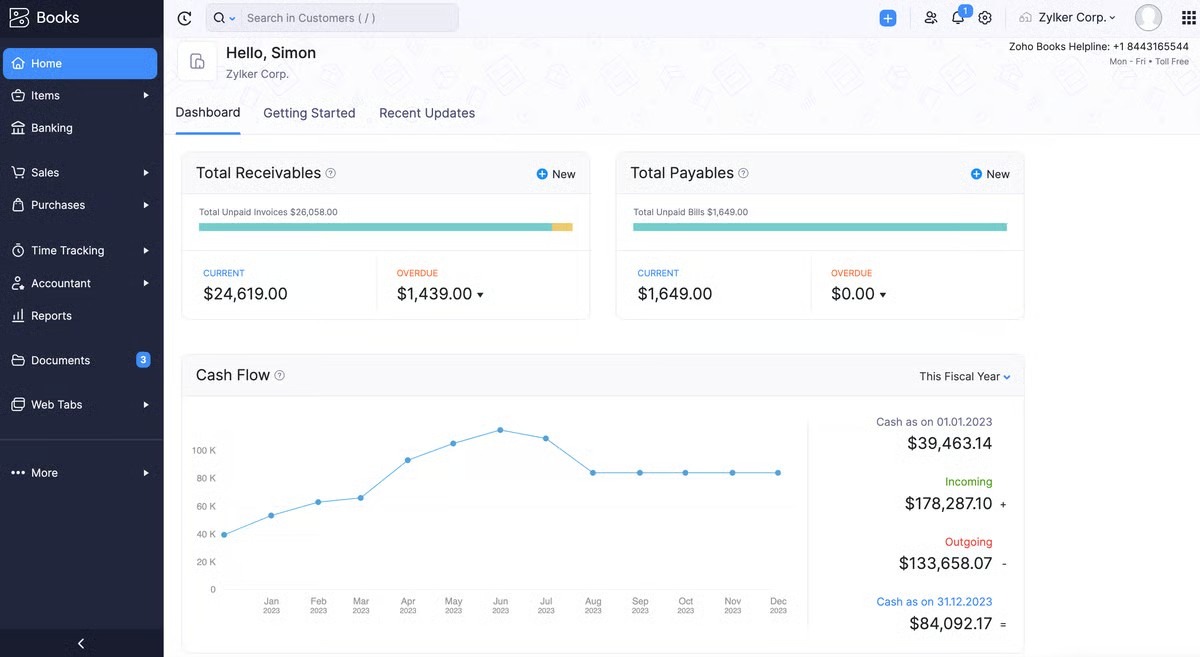
If you want your billing to live inside your actual accounting software (the tool your CPA uses), Zoho Books is the answer. It’s the "QuickBooks Alternative" that is actually built for the modern web. ​It’s a full-scale accounting package. It handles everything from bank reconciliation and VAT/Sales Tax to inventory and recurring billing.

Source: Zoho Books

​Key Features

🏆 Client Portal: A secure place for clients to see all their past invoices and current projects.

🏆 Bank Sync: Automatically pulls in your bank transactions for easy reconciliation.

🏆 Workflow Rules: Highly technical "If/Then" logic for almost any action in the system.

​Benefits of Zoho Books

​It scales with you. As your agency grows to 50+ employees and complex tax requirements, Zoho Books won't break. It also integrates perfectly with the rest of the massive Zoho ecosystem.

​Pricing

  • Standard: $20/mo (billed annually)
  • Professional: $50/mo (billed annually)
  • Premium: $70/mo (billed annually)

There is a free plan available as well. Discounts are available when choosing to bill annually.

​Pros

​✅ The most "complete" financial tool on this list.

✅ Excellent automation for bank reconciliation.

​Cons

​🚫 Can be overwhelming for non-accountants.

🚫 Customer support is famously slow unless you are on a high-tier plan.

What Customers Say

​"What stands out for me is the invoicing automation, including recurring invoices and the ability to connect bank reconciliation with the bank server."

– Review collected by and hosted on G2.com.
​Summing Up…

Choosing a recurring billing system is about more than automating invoices. The right platform influences how smoothly an agency scales, how easily teams manage ongoing work, and how predictable monthly revenue becomes.

Agencies that prioritize operational visibility and long-term profitability often benefit from a system like Synup OS, where billing is closely connected to client management and service delivery. Teams that place greater emphasis on design-forward proposals and client-facing experiences may prefer HoneyBook. For agencies that require white-label flexibility and support for multi-location clients, Synup remains a strong option worth considering.

​Why Synup is the Strategic Choice

​For the mid-sized agency owner serving local businesses, Synup remains the most logical choice. That's because it’s the only tool that understands that billing is just one part of the service.

​By combining your CRM, your local SEO tools, your reputation management, and your recurring billing into one "Agency Operating System," you eliminate the "app tax" (paying for 10 different subscriptions) and the "attention tax" (switching between 10 different tabs).

Synup OS lets you automate everything from the initial proposal to the final payment. With built-in e-signatures, automated dunning, and a white-labeled client portal, you can finally focus on what you do best: growing your clients' businesses. ​Get started with Synup now. 

FAQs

  1. What's a good billing system for both one-time and recurring payments?

​Tools like Synup and Stripe Billing are the most flexible here. They allow you to bundle a one-time "Setup Fee" with a "Monthly Management" retainer in the same invoice, giving your client a single, easy checkout experience.

  1. ​Which software is best for billing?

​There is no "best," only "best for you." If you need accounting-grade depth, Zoho Books is top-tier. If you need a tool that actually helps you fulfill agency work while billing, Synup is the industry leader for marketing agencies.

  1. ​Is CRM a billing system?

​Technically, no, but the lines are blurring. Modern "Agency Operating Systems" like Synup combine CRM (managing relationships) with Billing (managing money) because, in an agency, those two things are inseparable. Using a CRM that has a billing system built in is usually much more efficient than trying to sync two separate platforms.

Arbeiten Sie noch heute mit Synup zusammen!

Vereinbaren Sie einen Anruf mit unserem Partnerschaftsmanager, um maßgeschneiderte Wachstumslösungen für Ihre Agentur zu finden.
