
Managing Agency Tasks & To-Dos with Synup OS
Easily manage tasks, deadlines, and projects in one place with Synup OS. Keep your agency organized, aligned, and on top of every to-do.
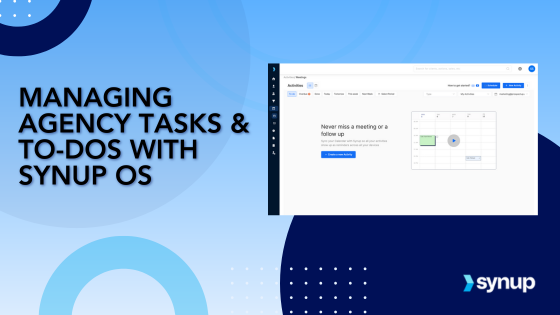
Synup OS makes it easy to manage your agency’s tasks and projects in one centralized platform. From creating and assigning tasks to syncing your calendar, Synup OS helps you stay on top of all your day-to-day activities and ensures your team is always aligned.
Stay on Top of All Activities
Keeping track of tasks and deadlines is a challenge every agency faces, especially when managing multiple clients and projects. With Synup OS, managing your agency’s activities becomes seamless. Whether you’re setting up meetings, creating tasks, or keeping track of assignments across your team, Synup OS brings everything together in one place. This use case will guide you through how to efficiently manage tasks and to-dos, ensuring that nothing slips through the cracks and that your team stays organized and productive.
Manage Your Client Tasks Smoothly & Improve Efficiency
In any agency, staying on top of tasks and managing them efficiently is the key to smooth operations. But with multiple moving parts, it’s easy to lose track. Synup OS takes the guesswork out of task management by providing a clear, organized way to manage all of your activities. Here’s why managing your agency tasks with Synup OS can elevate your workflow and boost productivity.
1. Centralized Task Management
Synup OS consolidates all tasks, meetings, and activities into one platform. You no longer have to juggle between multiple apps to keep track of your calendar and team’s to-dos. Everything is in one place, saving time and preventing confusion.
2. Real-Time Collaboration
With Synup OS, you can assign tasks to specific team members and link them directly to clients. This ensures that everyone knows their responsibilities, deadlines, and the bigger picture. Plus, it allows for collaboration, so your team can work together on tasks, ensuring nothing is missed.
3. Streamlined Calendar and Mailbox Syncing
Switching between different calendars and email platforms can be a productivity killer. With Synup OS, you can sync your calendar and mailbox, making it easy to manage calls, meetings, and tasks without leaving the platform. You’ll never miss an important meeting again.
4. Easy Access to Task Status
Synup OS gives you a bird’s-eye view of all tasks; whether they’re overdue, completed, or still to-do. You can easily sort through tasks by type, deadline, or assignee, so you know exactly where things stand at any given time.
5. Clear Accountability
Whether you’re managing tasks for a single client or multiple projects, Synup OS allows you to assign tasks to specific team members. This creates clear accountability, ensuring everyone is aligned and focused on their responsibilities.
How to Manage Client Tasks & To-dos with Synup OS
Whether you're scheduling meetings, assigning tasks, or syncing your calendar, Synup OS provides a seamless way to keep everything in one place. In this section, we’ll walk you through how to create, manage, and track tasks efficiently, ensuring that you and your team stay on top of all client activities without missing a beat.
1. Create New Activities or Tasks
Managing tasks starts with creating them, and Synup OS makes this incredibly simple. Here’s how you can do it:
Go to your Synup OS dashboard and click on the ‘Meetings’ tab under the ‘Activities’ section. This will show you all your current meetings and activities on the calendar.

To create a new task or activity, click the “New Activity” button at the top right corner.
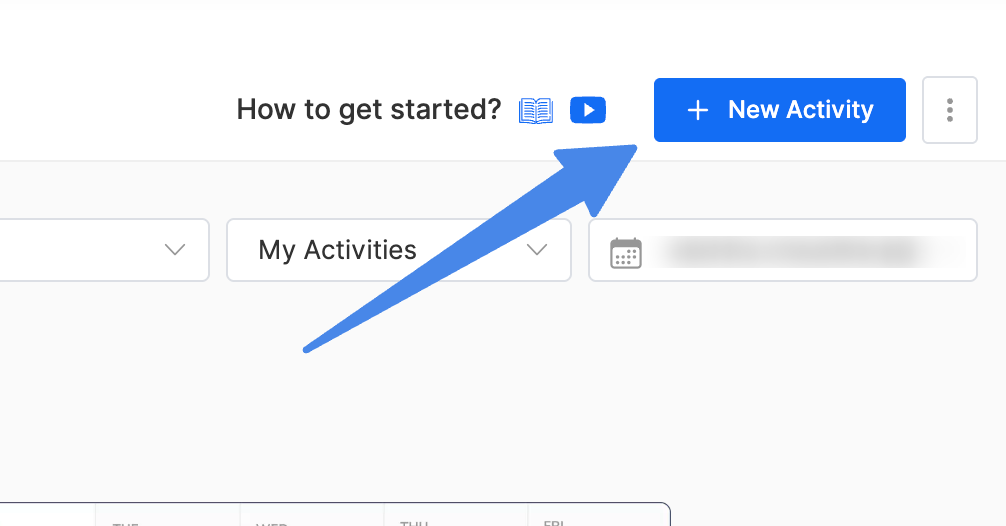
You can now choose the type of activity you want to add:
- Task: Assign a specific task to your team.
- Call/Meeting: Schedule a call or meeting and add details like attendees, meeting notes, and location.
- Other: Add any other type of activity for your team to prioritize better
Once you’ve created the activity, you can easily assign it to a team member and link it to a specific client. For example, if you’re setting up a meeting for a client’s marketing campaign, you can add the campaign details to the meeting notes, link it to the client, and block the relevant time in your calendar. Everything is linked and organized, saving you from confusion later.
2. Syncing Your Calendar & Mailbox With Synup OS
Managing activities across multiple calendars can get chaotic, but with Synup OS, you can sync your calendars and mailbox to keep everything in one place.
- To sync your calendar, simply click on the menu bar next to the “New Activity” button.
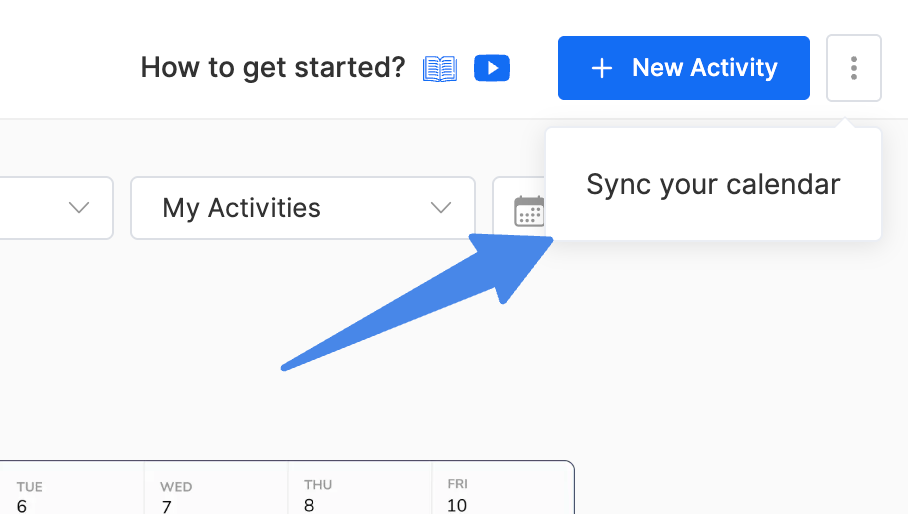
- Select ‘Sync Calendar’ from the dropdown, which will take you to the calendar settings.
- Here, you can easily connect your mailbox and calendar to Synup OS.
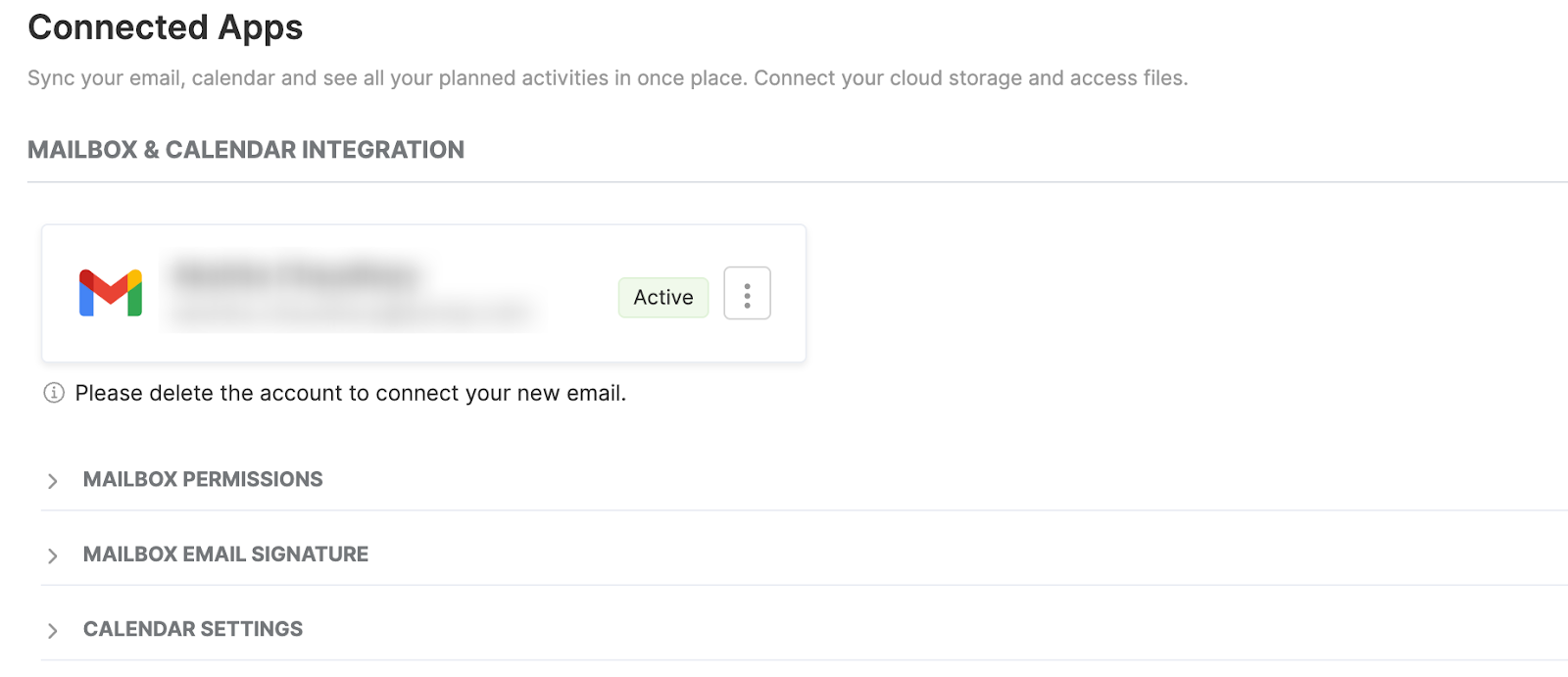
By syncing your calendar, you ensure that all meetings, tasks, and appointments appear in one central place, reducing the need to jump between different tools. This makes it easier to track your day’s schedule and ensures that all important tasks are included in your Synup OS calendar.
3. Manage Tasks & Activities
Once you’ve created and synced your activities, it’s time to manage them. Synup OS provides a comprehensive view of all tasks and activities, whether they’re assigned to you or someone else.
- You can view your tasks in either a list view or a calendar view, depending on your preference.
- Use filters to easily see activities that are overdue, completed, or still pending.
- You can also filter by activity type (tasks, meetings, etc.) or by a specific time period to quickly find what you’re looking for.
For example, if you’re working on a campaign for a client and need to track all related tasks (calls, follow-ups, content creation), you can filter the tasks easily and see all the activities in one place. This allows you to stay organized and never miss a deadline.
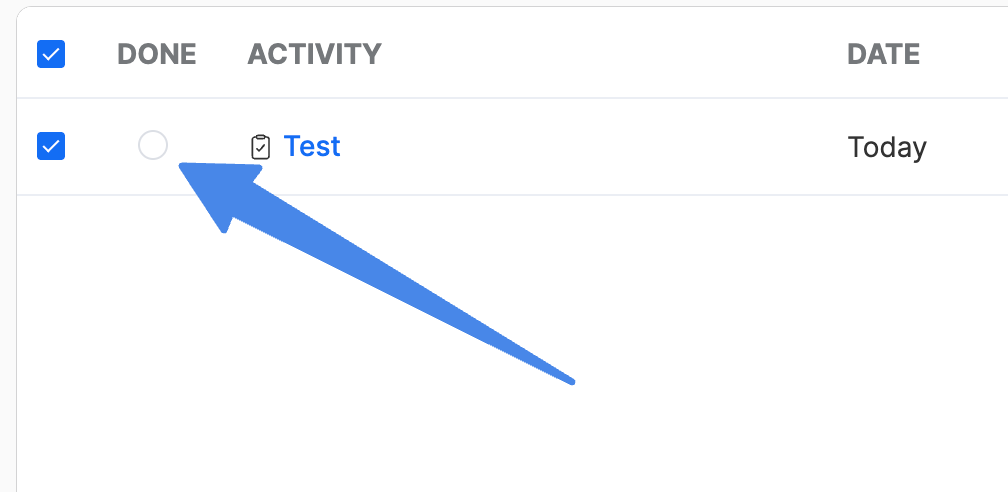
When a task is completed, simply select it and click on the ‘Done’ toggle to mark it as finished. It’s a quick way to keep track of progress and maintain accountability across your team.
Enhance Productivity with Synup OS
Managing your agency’s day-to-day tasks doesn’t have to be overwhelming. With Synup OS, you can streamline your processes, keep everyone on the same page, and ensure that tasks are completed on time. From creating activities to syncing your calendars and tracking team performance, Synup OS gives you the tools you need to stay organized and productive.
Want to simplify your agency’s task management and boost your team’s efficiency? Try Synup OS today and start managing your tasks like a pro.
