Running a marketing agency doesn't end with launching great campaigns. You're also keeping 10, 20, sometimes 50 clients happy, all while tracking deliverables across SEO, ads, social, and email. That's a lot of things to keep tabs on.
Clients also want weekly updates, clear performance reports, quick answers to questions, and proof they're getting return on investment, especially on retainer contracts. Your clients' list of expectations is endless, but your capabilities….not so much.
If you've tried managing all that with Google Sheets, email threads, and some everyday software logins, things can easily slip through the cracks. Then, clients get restless. Not long after, you're on the verge of losing the account.
The fix is simple: use a client management tool designed for agencies. You'll find how one platform can integrate campaign tracking, reporting, communication, and billing into a single space, automating the process and often cutting admin time by half.
We've worked with thousands of client accounts over the years, and we've seen firsthand how the best client management tools help an agency. It shortens reporting cycles, keeps clients longer by showing measurable value, and frees your team to grow and handle other operational aspects.
TLDR: Best 9 Client Management Tools for Marketing Agencies
The right client management tool can save agencies with multiple clients a lot of admin work.
Real-time dashboards mean clients see campaign progress instantly, not days later in a PDF.
Picking the right platform depends on your team size, budget, and integration needs.
Synup lets you manage reviews, listings, and client reports for 600k+ businesses in one hub.
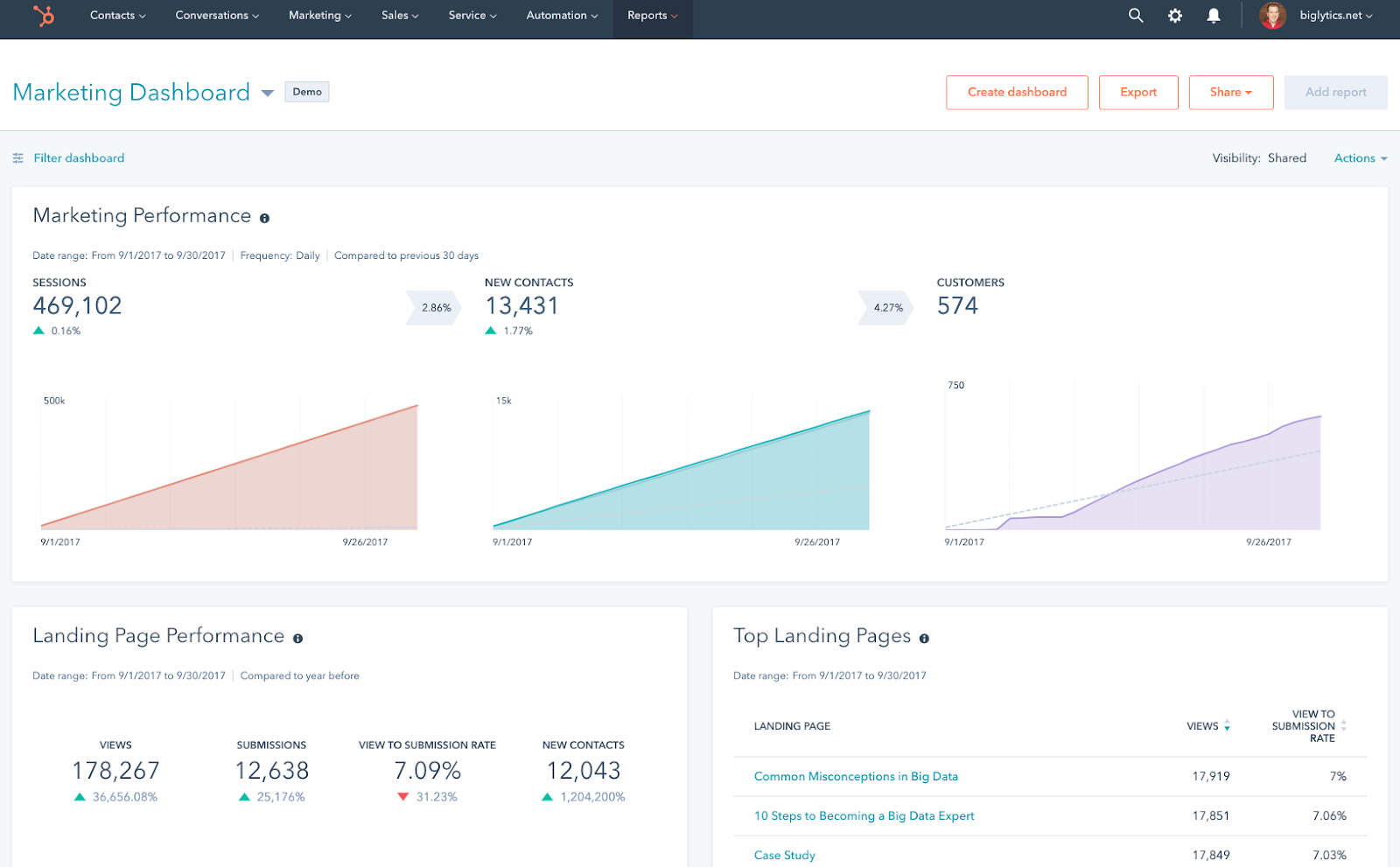
HubSpot's CRM tracks every email, call, and lead touchpoint while syncing with 1,000+ apps.
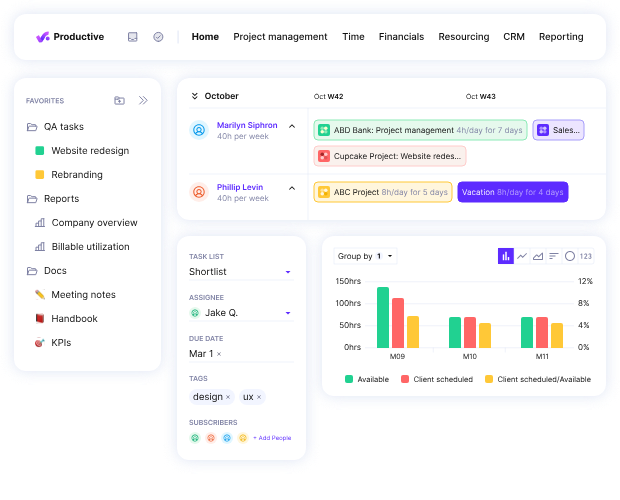
Productive helps agencies track project profit margins down to the last billable hour.
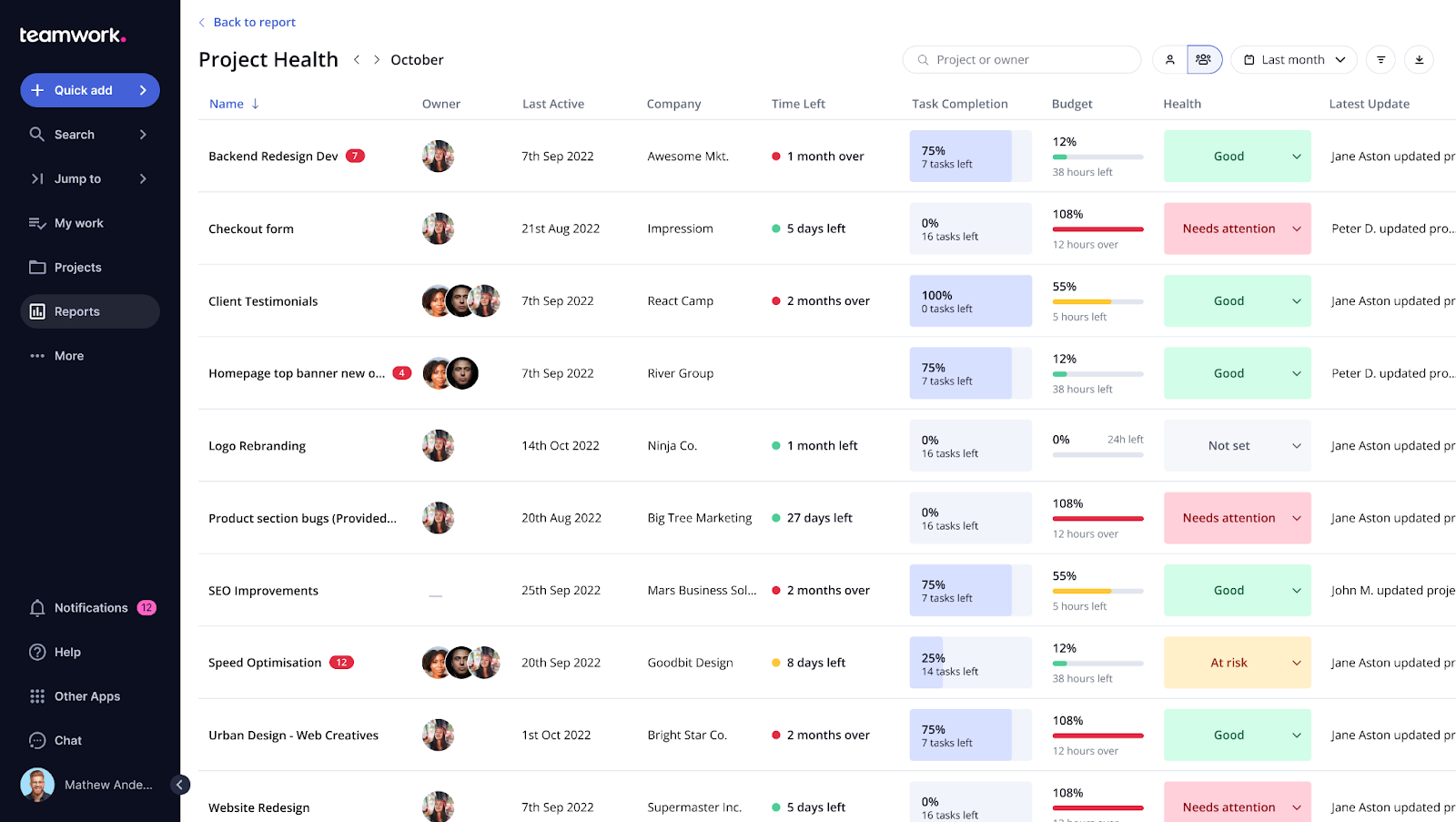
Teamwork makes project plans clear for both your crew and the client in one shared space.
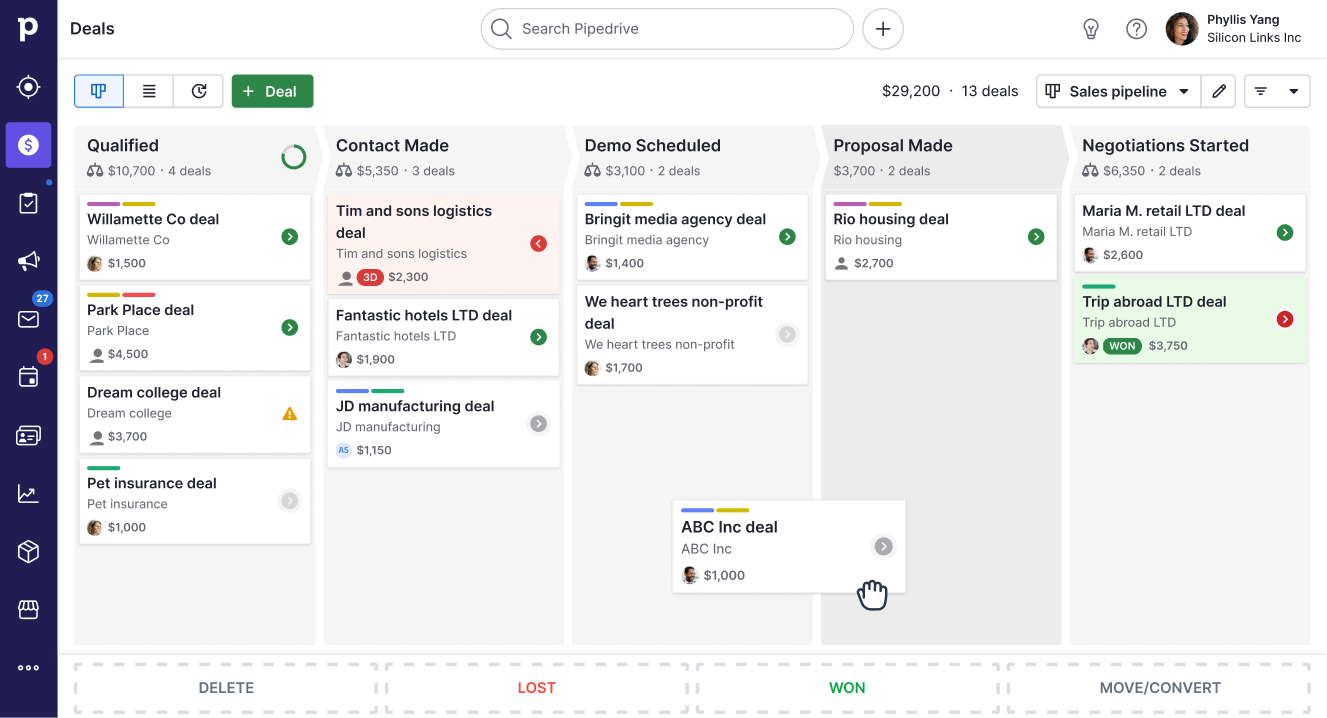
Pipedrive's pipeline view means no lead gets “forgotten,” even if you have 500+ open deals.
Zoho CRM costs from as little as $20/month, yet it packs sales automation and AI forecasting.
Salesforce handles complex CRM setups for enterprises with 500+ team members and multiple regions.
Monday.com keeps every task, status, and deadline visual, so nothing slips when plans change.
Bonsai covers proposals, contracts, invoicing, and time-tracking, and is perfect for solo operators or small agencies under 10 people.
What is a Client Management Tool for Agencies?
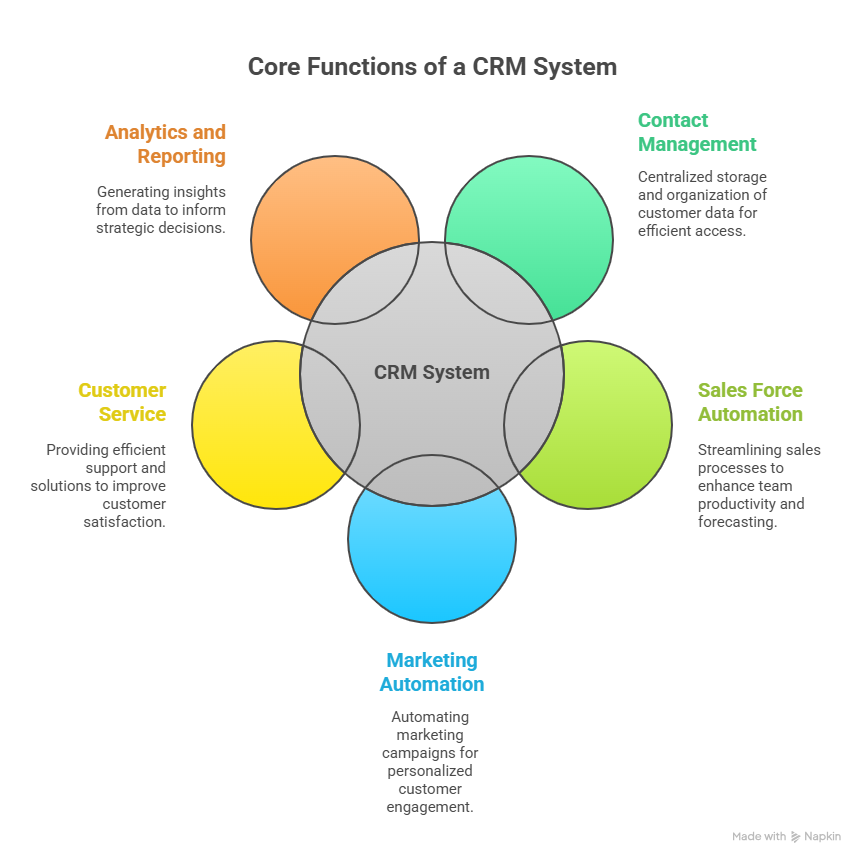
A client management tool is software that centralizes every moving part of your client relationship. It's where you store contact details, track tasks, share reports, and keep all communication in one place.
Instead of separate systems for project management, reporting, and billing, you've got a single login where you can:
See campaign performance in real time.
Track what your team's working on.
Send branded reports without manual formatting.
Keep every client conversation in one place.
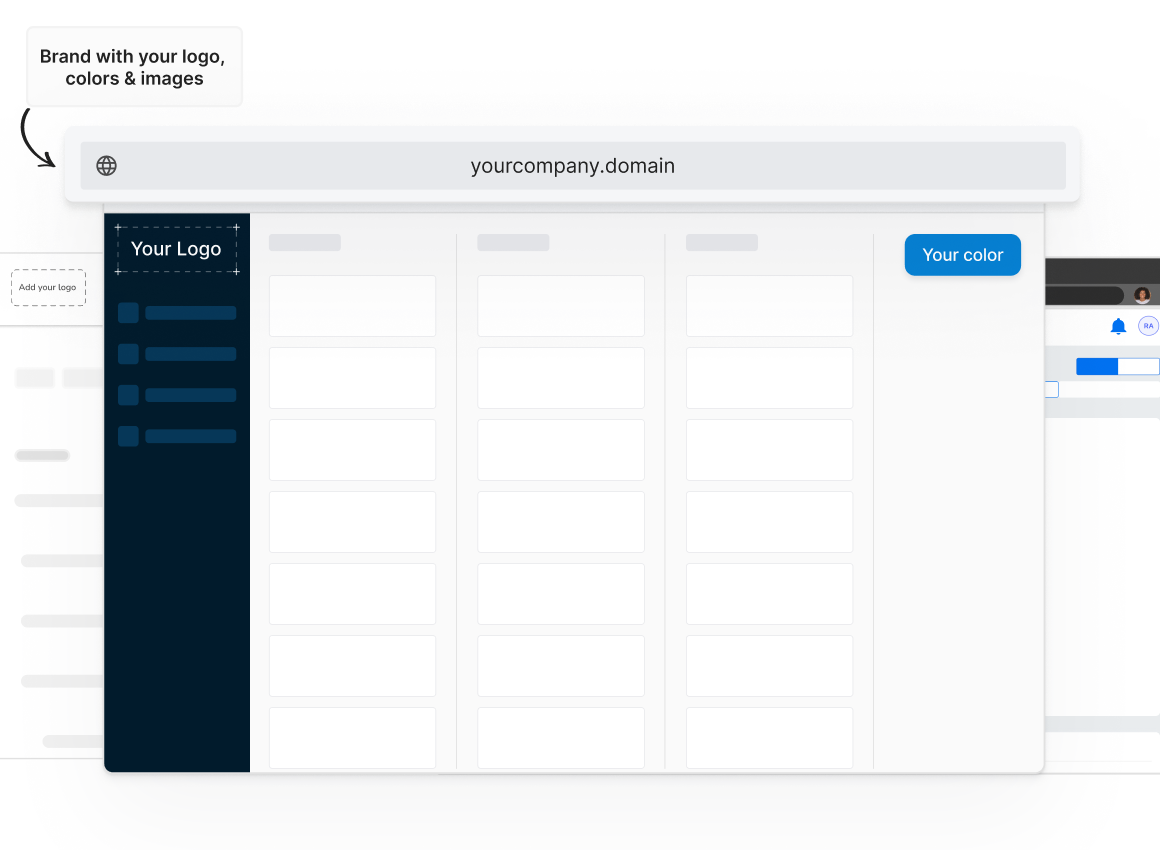
Many go a step further with white-label local listing management options. That means clients log in through your domain, see your logo, and interact with your brand, even though the backend runs on a provider's platform.
The Benefits of a Client Management Tool for Agencies
Here's what you get when you bring a client management tool into your workflow:
Reduces mistakes: Fewer copy-paste errors when everything lives in one place.
Makes you look professional: White-label dashboards feel like custom software you built for them.
Keeps clients longer: When clients can see exactly what's happening, trust builds. And trust keeps contracts from walking out the door.
Gives back hours every week: No more manual report building or chasing after campaign links.
Drives upsells: A single login makes it easy to show clients what else you can help with.
Industry data shows that integrated CRM setups like this can improve productivity by 34%, sales by 29% and accuracy in forecasting sales by 42%. Agencies feel that difference in both client retention and the bottom line.
How to Choose the Best Client Management Tool for Your Agency
Not all tools are built for agency life. You need to look beyond the marketing page and see if it fits your actual day-to-day. Here's how to choose:
Platform Capabilities
Start with a hard look at your service menu. If you offer SEO, PPC, social, and listings, don't pick a tool built only for project timelines. Many CRMs will do what you want, but here's a better way of looking at it:
A good agency platform should:
Handle different service types in one space.
Let you add or remove modules as your agency evolves.
Pull data from campaigns into automated, branded reports.
If you've ever had to log into three different tools just to answer one client question, you'll understand why this matters.
Integrations
Your platform should play nice with your other tools.
If your Facebook Ads results live in one tab, Google Analytics in another, and invoices in yet another, you're wasting time. Look for a tool that connects directly to your ad accounts, analytics platforms, and email marketing tools so data flows in without manual exports.
Integration gaps are one of the top reasons agencies abandon new tools within months.
White-Labeling
White-labelling isn't just “add your logo.” True white-labeling means clients never see the platform's original branding, from login page to report headers. If you want clients to associate the experience with you, make sure the vendor lets you fully brand it.
Even better if the provider's support works behind the scenes, that means they help you solve client issues without ever reaching out to your clients directly. It keeps the relationship (and the credit!) in your hands.
Reselling Support for Agencies
A platform that helps you sell is worth more than one that only helps you deliver.
Look for providers that offer sales decks, proposal templates, and even pre-written service descriptions you can adapt. Some will even run product training for your team so you can close new services faster.
It's the difference between buying a tool and buying a business growth partner.
Pricing Flexibility
You don't want to lock into a plan that feels like overkill when you're onboarding clients slowly or one that spikes costs the second you grow.
Look for per-client or per-module pricing so you only pay for what you use. Rigid tiers can trap you into overspending or under-delivering.
Synup
Best Suited For: Agencies handling multiple locations
What Synup Does
If you're running a marketing agency, you've probably done the “tool shuffle.” One tab for listings, another for reviews, another for socials… plus a spreadsheet to keep track of it all. Synup fixes that by pulling all your marketing agency workflows into one place. Since launching in 2014, it's helped over 600,000 businesses keep their online presence consistent.
From prospecting and lead generation to client management and payments, Synup helps you run your entire agency from a single login.
And their built-in CRM so you can track leads without an extra subscription.
Key Features
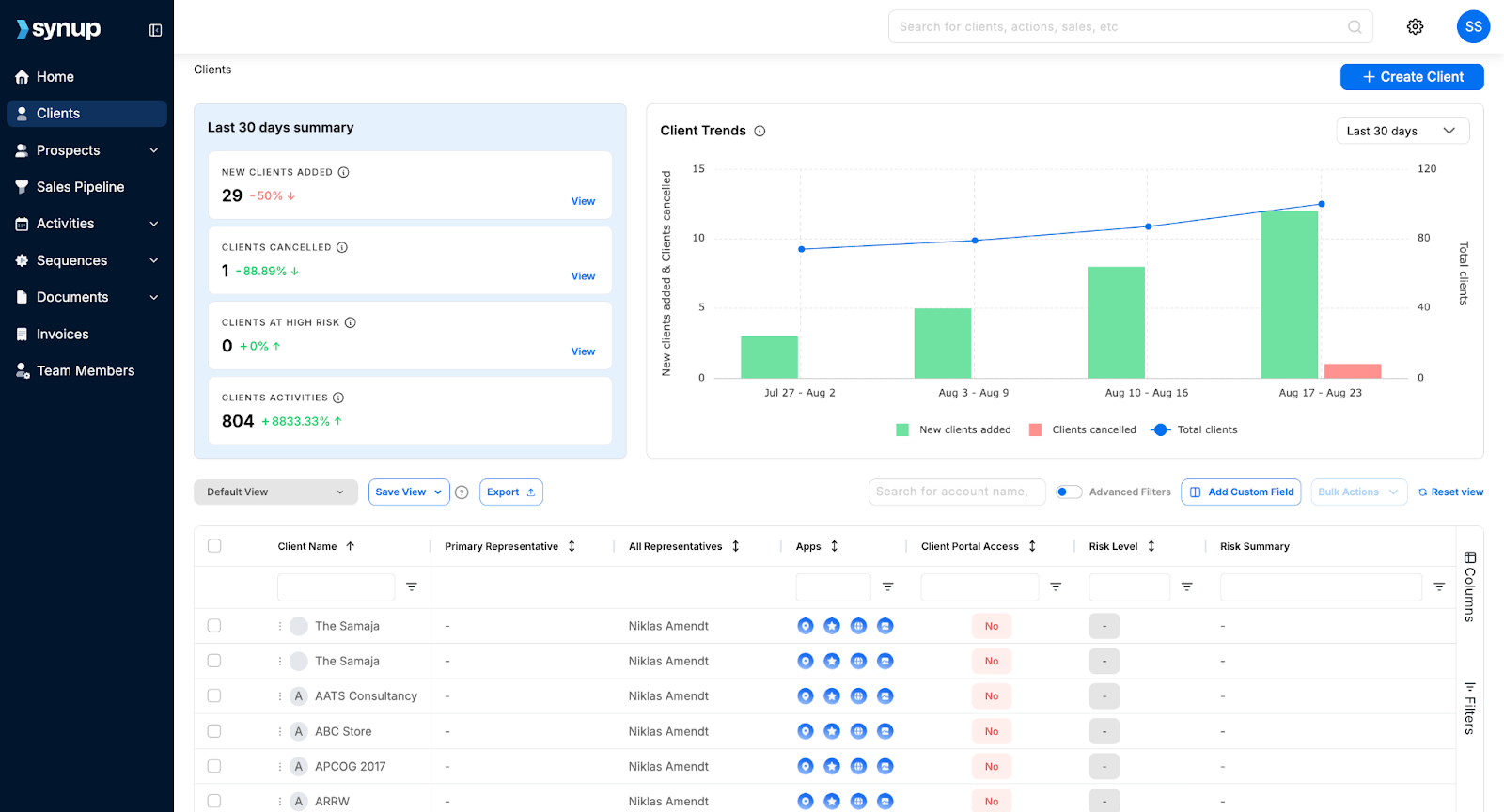
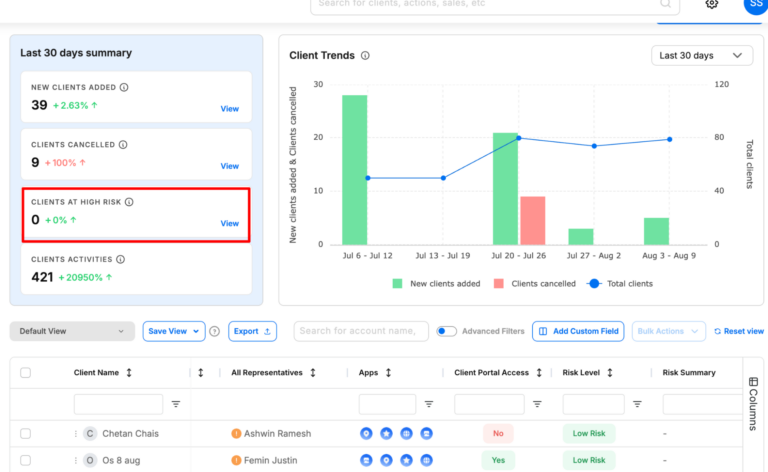
🏆 Centralized Client Dashboard: Manage all client accounts, data, and assets from one place
🏆 Churn Risk Forecasting: Configure custom churn criteria and predict which clients are about to churn to take action.
🏆 SMB Prospecting: Find new SMB leads with over 100+ data points into their business and marketing needs.
🏆 Offer Marketing Apps to Clients: Enable essential marketing apps for clients like listings, reputation management, social media tool, and more at no extra cost.
🏆 White-Label Reporting: Deliver branded performance reports to clients automatically.
🏆 Client Onboarding Tools: Quickly import client data and connect accounts.
🏆 CRM & Lead Tracking: Store client details, track leads, and monitor campaign outcomes.
🏆 Payments & Invoicing: You can bill clients and manage all your invoices from one place.
What Sets Synup Apart
Most CRM tools are just that – a CRM that helps you manage leads and clients. But Synup goes one step ahead by offering you new revenue opportunities and features churn prevention. With Synup, your clients also get access to free of cost marketing apps that they can use to run their business - more revenue for you and better performance for your clients.
Benefits
Faster onboarding helps import a client's info once and push it everywhere.
Better client retention as clients see clean, consistent data and proof of work.
You can create more upsell opportunities by adding reviews, social media, or CRM without needing extra tools.
Pros
✅ All-in-one, white-label ready for agencies
✅ User-friendly interface and notable ease-of-use ✅ AI assistance and automations that genuinely save hours each week
✅ Especially good for managing clients with multiple locations
Cons
🚫 Needs a bit of setup time upfront
🚫 Can feel a little overwhelming for smaller agencies
What Customers Say
Synup has been a total game-changer for me. I use it for business listings management, review monitoring, local landing pages, and now their AI-powered social media publishing. I'm just blown away by how much I can accomplish in one place. One dashboard.”
Zee D, Executive Admin
- Review collected by and hosted on G2.com.
Hubspot
Category: All-in-one CRM and marketing automation for client-focused marketing agencies
HubSpot is a CRM platform designed to manage every stage of the client journey. It's ideal for agencies that want a single space to handle lead capture, marketing campaigns, sales pipelines, and client communications without switching from multiple tools. It's best suited for medium to large marketing agencies ready to streamline processes and deliver measurable results. Start-ups also get a 90% discount for the first year.
Key Features
Contact, lead, and pipeline management
Email marketing and automation workflows
Customizable reporting dashboards and analytics
Social media scheduling and monitoring tools
Campaign budget tracking and expense permissions
Role-based access control for teams
Multi-language and geo-targeted page content
Integration with 1,000+ apps and tools
Benefits of HubSpot
Sophisticated CRM with marketing automation
Improves client reporting with real-time performance dashboards
Supports cross-department collaboration with role-based permissions
Enhances client experience with personalised, geo-targeted content
Pricing
HubSpot Marketing Hub starts at $15/month for basic features, with Professional plans starting at $890/month and Enterprise plans starting at $3,600/month (billed annually). Prices vary based on contacts, features, and team size.
Pros
✅ Comprehensive CRM and marketing suite in one platform ✅ Powerful automation for scaling agencies
✅ Effective API for lead capturing
✅ Good reporting capabilities and easy to measure sales effectiveness
Cons
🚫 Pricing increases steeply as you scale 🚫 Can be complex for small teams to learn fully
🚫 All-in-one platform that may not be necessary for teams with a specific requirement (for example, if you only need a CRM)
What Customers Say
“I really like how easy it is to keep track on users that show interest in our product and keep their interaction and activity. HubSpot also allow for department collaboration in planning marketing budget spending, track expenses and coordinating for a expense permission.”
Shahrul K.
- Review collected by and hosted on G2.com.
Productive
Category: All-in-one agency management platform for projects, budgets, and profitability tracking.
Productive is a purpose-built agency management tool that combines project management, budgeting, resourcing, and reporting into one platform. It's designed specifically for creative, marketing, and digital agencies that want full visibility over operations and profitability.
However, its broad feature set can feel excessive for very small teams that only need basic project tracking. It's best suited for mid-sized agencies that want a single source of truth for projects, finances, and resources.
Key Features
Project and task management
Recurring budget tracking for retainers
Resource planning and utilisation tracking
Built-in time tracking and invoicing
Financial forecasting and profitability reports
Integration with tools for accounting (like Xero and QuickBooks)
Customizable reporting for projects, budgets, and performance
Client portal for project updates and approvals
Benefits of Productive
Centralizes project, budget, and resourcing data in one place
Reduces manual admin with automation and integrated invoicing
Improves profitability tracking with accurate budget vs. actual reports
Increases visibility into team utilisation and capacity
Supports agency growth with scalable features and integrations
Pricing
Productive starts at $9/month per user for the Essential plan, $24/month per user for Professional, and $32/month for Ultimate, all billed annually, with custom pricing available for Enterprise. All plans include core project management features, with advanced reporting and financial tools in higher tiers.
Pros
✅ Built for agencies with end-to-end operations in mind
✅ Great pick for agencies looking for a simple, for-purpose tool ✅ Strong budget tracking and profitability insights
Cons
🚫 Overkill for teams that only need simple project tools 🚫 Requires onboarding to unlock advanced features fully
🚫 UI can be more dynamic and intuitive; can be frustrating to work with
What Customers Say
“The ability to set recurring budgets for monthly retainers was the deciding factor for us - something we rely on strongly as an agency. The tool is easy to use, with integrations with a large amount of other tools - including Xero.”
Jess T., Head of Delivery
- Review collected by and hosted on G2.com.
Teamwork
Category: Flexible project management platform built for client service teams and agencies
Teamwork is a project management platform crafted to help service-based teams manage client work from start to finish in one space.
It combines task tracking, time logging, billing, and resource management in a single interface, reducing the need for multiple tools. While it's rich in features, newer users may face a learning curve, and some advanced automation options are less robust compared to specialised tools.
Key Features
Task and project management with multiple view options
Time tracking and integrated billing
Resource scheduling and workload management
Client portal for project updates and collaboration
Customizable templates and workflows
Milestone tracking and dependency management
Detailed reporting and analytics
Integrations with tools like Slack, HubSpot, and Google Drive
Benefits of Teamwork
Centralizes all client work in one platform
Improves collaboration with real-time updates and file sharing
Saves time by linking time tracking directly to billing
Enhances client trust with transparent project progress
Flexible enough to adapt to different project styles and industries
Tools for budgeting, time and resource management and portfolio management
Pricing
Teamwork offers a Free Forever plan with basic features, a Deliver plan at $13/month per user, and a Grow plan at $25/month per user. Custom pricing is available for enterprise needs.
Pros
✅ Combines project management, billing, and resource tracking in one tool ✅ Highly customizable to fit different workflows and client needs
✅ Particularly helpful for client-facing work
Cons
🚫 Learning curve that can be hard for new users 🚫 Limited automation compared to some competitors
🚫 Users have reported some difficulties in adding and assigning tasks
What Customers Say
“Teamwork easily allows us to share the workload amongst colleagues with total visibility of progress so far. Jobs are assigned, tracked, and archived with complete simplicity, meaning our whole team has continuous awareness of 'the big picture'.”
Ian R., Managing Director
- Review collected by and hosted on G2.com.
Pipedrive
Category: Visual sales pipeline CRM for small‑to‑mid‑sized marketing and sales teams
Pipedrive is a sales‑focused CRM designed to help agencies and small businesses manage deals from first contact to closing. It revolves around a drag‑and‑drop pipeline view that lets you see exactly where each opportunity sits and what needs to happen next.
However, Pipedrive is firmly rooted in sales; there's no built‑in marketing automation, and advanced features such as email marketing are add‑ons. It's best suited for agencies that need a clear, visual way to manage sales pipelines rather than full‑blown marketing automation.
Key Features
Visual pipeline management with customizable stages
Email integration and activity reminders
Easy-to-set-up dashboards for easy reporting
Mobile app for iOS and Android
Lead and contact management with custom fields
Task automation and workflow automation
Calendar integration and meeting scheduler
Product catalog, goal setting, and data import/export
Benefits of Pipedrive
Keeps sales teams organized with a clear, visual pipeline that highlights deal progress and bottlenecks
Enhances productivity by automating repetitive tasks such as lead assignment and follow‑ups
Helps agencies make data‑driven decisions with customizable reporting and dashboards
Streamlines communication through built‑in email tracking, reminders, and mobile access
Integrates smoothly with email marketing, help desk, and accounting tools for a unified workflow
Offers great value-for-money; offers mostly all standard CRM features at a reasonable price
Pricing
Pipedrive offers tiered plans that can be paid month‑to‑month. Plans start at $24 per user/month for the Lite tier, $49 per user/month for Growth, $79 per user/month for Premium, and $99 per user/month for Ultimate. Add‑ons like LeadBooster or Campaigns cost extra.
Pros
✅ Intuitive visual pipeline with drag‑and‑drop stages and clear visibility on project stages ✅ Automations and integrations reduce manual work and sync data across tools
✅ Great tool to manage sales and track progress
Cons
🚫 Automation may not be as robust as its contemporaries, such as Hubspot 🚫 Pricing can increase quickly as you move up tiers or add extra functionality; flat fees for add-ons.
🚫 Simplifies things, but sometimes to a fault, especially when compared against competitors.
What Customers Say
“I like how user-friendly Pipedrive is, even for people who aren't tech experts. The visual sales pipeline helps me see exactly where each deal stands at a glance, and the customizable stages mean I can adapt it to fit different workflows.”
Vicente L., Consultant
- Review collected by and hosted on G2.com.
Zoho CRM
Category: Customizable CRM solution for small and mid‑sized marketing and sales teams.
Zoho CRM is a flexible, cloud‑based customer relationship management platform built to help agencies, marketing teams, and small businesses manage leads, automate sales processes, and deliver personalised customer experiences.
The built‑in Zia AI assistant provides intelligent sales insights and predictive deal‑closing recommendations. However, Zoho CRM focuses primarily on sales, not marketing automation, and its extensive customization options can feel complex if you just need a basic contact manager.
Key Features
Sales force automation automates contact maintenance, follow‑ups, and lead scoring.
Process management (Blueprints) visualizes and standardizes each step of your sales process.
Omnichannel communication captures email, social, phone, and live chat interactions in one customer record.
Dashboards and analytics for deep insights
Extensive integrations and customization options
AI and predictive sales (Zia) for anomaly detection and deal‑closing predictions.
Benefits of Zoho CRM
Simplifies sales operations by automating routine tasks and enforcing consistent processes.
Improves team collaboration with a unified view of customer interactions across multiple channels.
Enables data‑driven decisions through robust reporting and analytics.
Supports growth. You can start simple and expand functionality as your agency scales, thanks to deep customization and integration options.
AI assistant Zia provides predictive insights and suggestions, enhancing productivity and forecast accuracy.
Pricing
Zoho CRM offers several tiers with monthly per‑user pricing (billed annually):
Free Edition (up to 3 users).
Standard: $20 per user/month.
Professional: $35 per user/month.
Enterprise: $50 per user/month.
Ultimate: $65 per user/month.
Pros
✅ One of the most flexible and customizable CRM options that scales with your agency ✅ Affordable entry pricing with powerful automation and AI features
✅ Offers a comprehensive suite of services, especially beneficial for small agencies
Cons
🚫 Heavy emphasis on sales, marketing automation features require separate tools or extensions 🚫 The breadth of configuration options can be overwhelming for very small teams needing a simple contact manager
🚫 Users have reported UI/UX and navigation issues that can be harder to navigate with the learning curve
What Customers Say
“What I really like about Zoho CRM is how easy it is to use and how it helps keep everything in one place. It makes managing leads, follow‑ups and customer conversations feel more organised without being overwhelming. I especially appreciate how it helps build better relationships, everything's at your fingertips.”
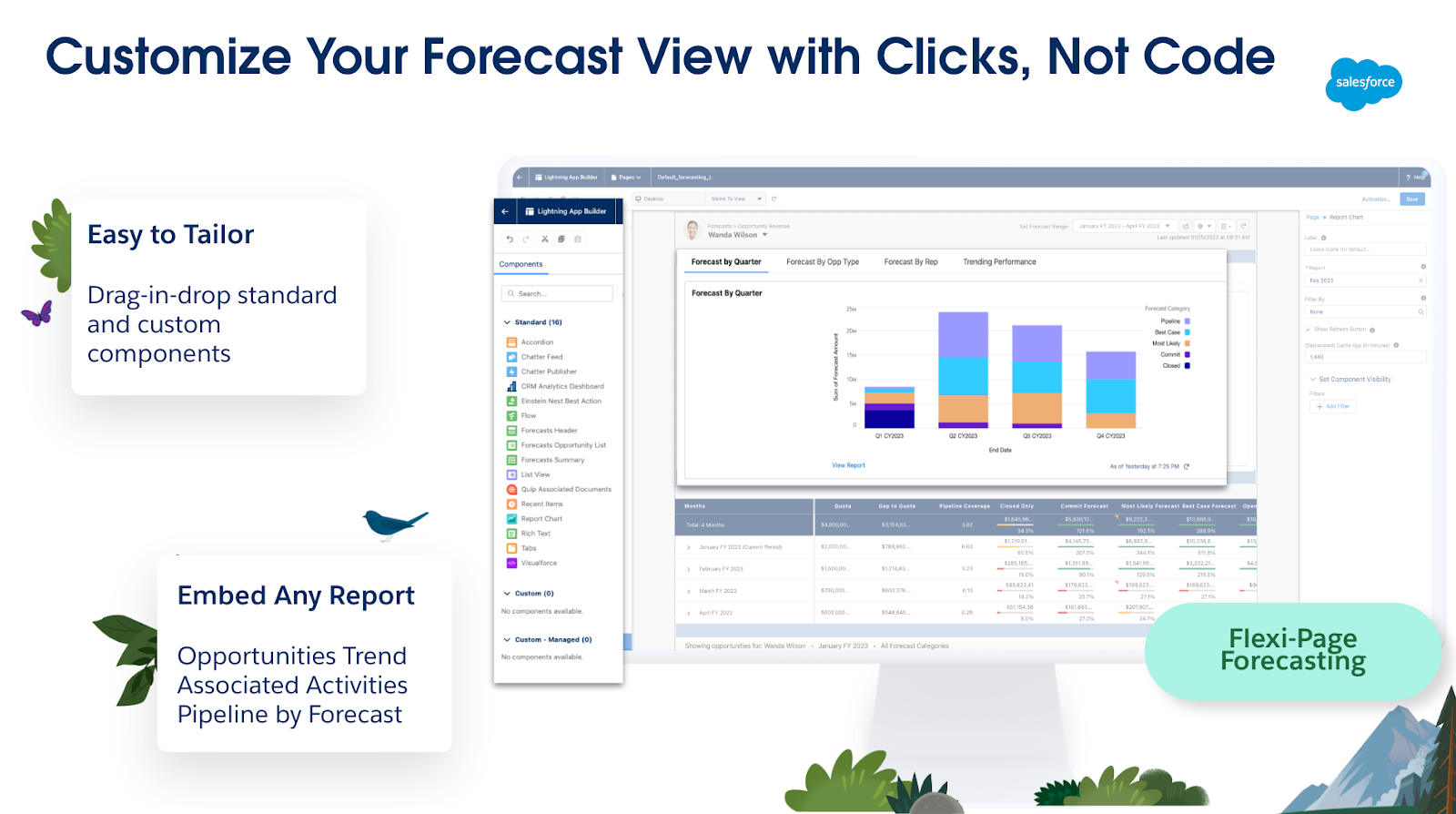
Salesforce is the market-leading cloud-based CRM platform that goes beyond contact tracking. It brings together sales, service, marketing, analytics, and commerce in one unified system. Salesforce is an exhaustive platform: you can customize UI elements, build workflows, design integrations, and even develop entire apps using its low-code tools.
AI capabilities, like Einstein and the newer Agentforce, automate predictions, generate smart recommendations, and drive proactive engagement. That said, there's a bit of a learning curve and implementation cost, so it's ideal for mid-sized to enterprise agencies ready for serious scaling, and not the best fit for solo freelancers or very small teams.
Key Features
Powerhouse tool with a unified Sales, Service, Marketing & Commerce suite
Visual dashboards with real-time pipeline insights
Advanced automation with workflows and AI agents (Einstein/Agentforce)
Highly customizable via low-code tools and AppExchange ecosystem
Contact, account, opportunity, and quote management with reporting
Built-in collaboration via Chatter and mobile access
Augmented analytics and AI-driven insights across departments
Benefits of Salesforce
Creates a single, real-time view of your customers across every department
Boosts sales velocity and precision with AI-powered forecasting and recommendations
Grows with your business: scale workflows, data, and users with enterprise-grade infrastructure
Enhances team collaboration and response via built-in communication tools like Chatter
Cross-platform access enables usage anywhere, anytime, mobile included
Pricing
Starter Suite: $25/user/month, for small teams with core CRM needs
Pro Suite: $100/user/month adds automation and customization features
Sales Enterprise: $165/user/month, deeper control and advanced AI tools
Agentforce 1 Sales: $550/user/month, includes full AI agent integration
Pros
✅ Enterprise-grade CRM with unmatched scalability, AI, and extensibility
✅ An incredibly powerful and versatile fit for a range of business needs and customer relationship management ✅ Comprehensive cross-department automation and real-time insights
Cons
🚫 High price point, especially at advanced tiers with AI and customization 🚫 Onboarding and implementation complexity can lead to lengthy deployments
🚫 Might be too much to handle, and the admin console may be a hard to get the hang of
What Customers Say
“What I like most is how centralized and customizable everything is. I can easily track customer cases, view interaction history, and log updates across multiple channels in one place.”
Lemuel P., Consumer Support Associate
- Review collected by and hosted on G2.com.
Monday.com
Category: Work management & project collaboration tool
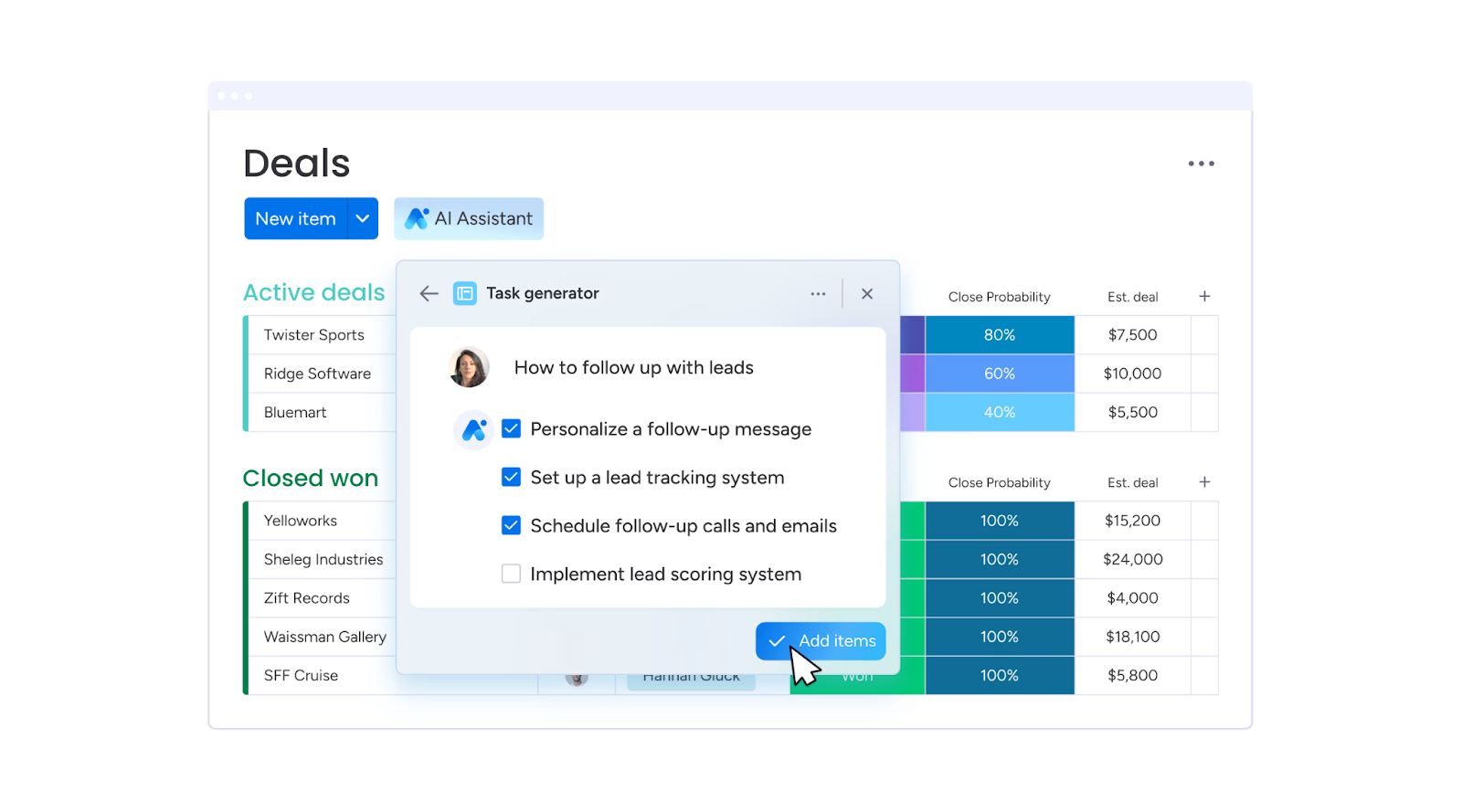
Monday.com is a cloud-based work operating system (Work OS) designed to help teams plan, track, and deliver projects efficiently. It's built for marketing teams, agencies, software developers, and operations managers. While its project management abilities are its strength, the breadth of features can feel overwhelming for beginners. Teams that prefer simple, fixed templates might find Monday.com a bit heavy to configure at first.
Key Features
Customizable project boards and workflows
Automation for repetitive tasks
Real-time collaboration and file sharing
200+ pre-built templates for different industries
Time tracking and workload management
Analytics and reporting tools
Integrations with Slack, Zoom, Google Drive, Google Calendar and more
AI-powered project updates and insights
Benefits of Monday.com
Boosts productivity by automating repetitive tasks
Improves team transparency with centralized project tracking
Reduces time spent on status meetings
Allows scaling across multiple teams and departments
Enhances decision-making with visual dashboards and analytics
Pricing
Basic: From $10/seat/month (billed annually)
Standard: From $12/seat/month (billed annually)
Pro: From $19/seat/month (billed annually)
Enterprise: Custom pricing
Pros
✅ Highly customizable for different workflows ✅ Especially strong integration ecosystem
✅ Great features for team integration and collaboration
Cons
🚫 Steeper learning curve for new users 🚫 Can get expensive with larger teams or when setting up advanced features
🚫 Better as a project management board, not a CRM
What Customers Say
“Personally, I love everything about Monday.com, the automations, flexibility of the structure, sorting options, integrations, and now the AI capabilities. There's no way I could manage the volume of projects in our internal marketing department without it.”
Carrie F., Marketing Director
- Review collected by and hosted on G2.com.
Bonsai
Category: All-in-one business management platform for freelancers, agencies, and small businesses.
Bonsai is a streamlined business management tool designed to help freelancers, small agencies, and micro-businesses manage projects, contracts, invoicing, and payments in one place. Bonsai's automation features, like recurring invoices, proposal templates, and integrated time tracking, help cut admin time so you can focus on billable work.
Its biggest draw is its simplicity: setup is quick, and the interface is intuitive, even for non-technical users. However, its CRM functions are basic compared to dedicated CRM platforms, and advanced accounting features may require integration with external tools.
Key Features
Project and client management dashboard
Time tracking with start/stop timers
Customizable contracts and proposal templates
Invoicing with partial payments, recurring billing, and payment reminders
✅ Easy to set up and use, even for non-technical users ✅ Strong all-in-one toolkit for freelancers and micro-businesses
Cons
🚫 Limited CRM compared to dedicated platforms
🚫 Advanced accounting features require external tools
What Customers Say
“Professional looking easy to use and implement timer, project/client set up and invoicing/chasing etc. Ability to log a partial payment and email client with updates, disable routine reminders if required and to tweak/suspend accrued interest again as necessary when negotiating with clients (without the overheads of a full accounting app if you're only operating on a micro level). Basic CRM if paying for basic package.”
Anita Q., Associate
- Review collected by and hosted on G2.com.
Trying to manage 20+ client accounts using Google Sheets and email threads is a recipe for missed deadlines, lost files, and frustrated clients. A proper system puts everything in one place, from the first kickoff call to the final invoice, and makes your agency look more professional while doing it.
The tools above do exactly that. They cut down on admin time, keep clients in the loop without endless calls, and help you spot when a project's going off-track before it costs you money.
If you want all of that plus a way to build your client's brand and reputation while managing projects and reporting, Synup OS is one to watch. It's being built with agencies in mind, so you'll get onboarding, renewals, campaign tracking, and client comms, all under your own branding. Once it's in place, you'll wonder how you managed without it.
Synup is your agency's control room with one login for every moving part of client management. You get tools that keep campaigns, reporting, and brand-building under one roof, all fully white-labelled so your clients only see you, not the software.
With Synup, you can:
Manage all client campaigns, leads, and updates in one dashboard
Schedule posts, monitor reviews, and respond in real time
Generate branded reports that clients can access 24/7
Track performance across search, social, and reputation in one view
Scale from 10 to 200+ clients without drowning in admin
Book a demo, give it a try, and see how it saves your team, retains your clients, and offers their customer base better value.
Frequently Asked Questions
What is the best client management software?
Synup is great if you want one place to keep projects, reports, and client updates tidy. Over 5,000 agencies use it to manage more than 600,000 business profiles. You can stick your own logo on the dashboard, so clients feel it's yours, not a third-party tool. And if you need heavy-duty marketing automation and deep integration with over a thousand apps, HubSpot is built for that.
What is the best agency management system?
Productive nails the boring-but-critical stuff like tracking every billable hour, quoting jobs properly, and checking project profitability before it's too late. Agencies use it to run everything from team schedules to budget forecasts without needing ten different logins. If you'd rather keep client management, brand building, and lead generation under one roof, Synup's toolset gives you that without extra subscriptions.
What CRM do agencies use to manage multiple clients?
Zoho CRM is a favorite among agencies with 50 to 200+ accounts due to its affordability (approximately $20 per user per month) and flexibility to accommodate various workflows. Users can create custom pipelines, automate follow-ups, and consolidate everyone's contact history in one place. Synup is also a strong option, as its white-labeled dashboards allow clients to view live results without exposing the backend complexities.
Partner With Synup Today!
Book a call with our partnership manager to explore custom growth solutions for your agency.