La gestión de una agencia de marketing no termina con el lanzamiento de grandes campañas. También mantienes contentos a 10, 20 y, a veces, 50 clientes, mientras haces un seguimiento de los resultados en SEO, anuncios, redes sociales y correo electrónico. Son muchas cosas que hay que tener en cuenta.
Los clientes también quieren actualizaciones semanales, informes de rendimiento claros, respuestas rápidas a las preguntas y pruebas de que están obteniendo un retorno de la inversión, especialmente en los contratos de retención. La lista de expectativas de sus clientes es infinita, pero sus capacidades... no tanto.
Si has intentado gestionar todo eso con Google Sheets, las cadenas de correo electrónico y algunos inicios de sesión de software cotidianos, las cosas pueden pasar desapercibidas fácilmente. Entonces, los clientes se ponen inquietos. Poco después, estás a punto de perder la cuenta.
La solución es sencilla: utilice una herramienta de gestión de clientes diseñada para agencias. Descubrirás cómo una plataforma puede integrar el seguimiento, la elaboración de informes, la comunicación y la facturación de las campañas en un solo espacio, automatizando el proceso y, a menudo, reduciendo el tiempo de administración a la mitad.
Hemos trabajado con miles de cuentas de clientes a lo largo de los años y hemos visto de primera mano cómo las mejores herramientas de gestión de clientes ayudan a una agencia. Acorta los ciclos de presentación de informes, mantiene a los clientes durante más tiempo al mostrar un valor cuantificable y permite a tu equipo crecer y gestionar otros aspectos operativos.
TLDR: Las 9 mejores herramientas de gestión de clientes para agencias de marketing
La herramienta de gestión de clientes adecuada puede ahorrarle a las agencias con varios clientes mucho trabajo administrativo.
Los paneles de control en tiempo real permiten a los clientes ver el progreso de la campaña al instante, no días después en un PDF.
La elección de la plataforma adecuada depende del tamaño del equipo, el presupuesto y las necesidades de integración.
Suscribirse te permite gestionar las reseñas, los anuncios y los informes de clientes de más de 600 000 empresas en un solo centro.
HubSpotEl CRM rastrea cada correo electrónico, llamada y punto de contacto de clientes potenciales mientras se sincroniza con más de 1000 aplicaciones.
Productivo ayuda a las agencias a rastrear los márgenes de beneficio de los proyectos hasta la última hora facturable.
Trabajo en equipo aclara los planes del proyecto tanto para tu equipo como para el cliente en un espacio compartido.
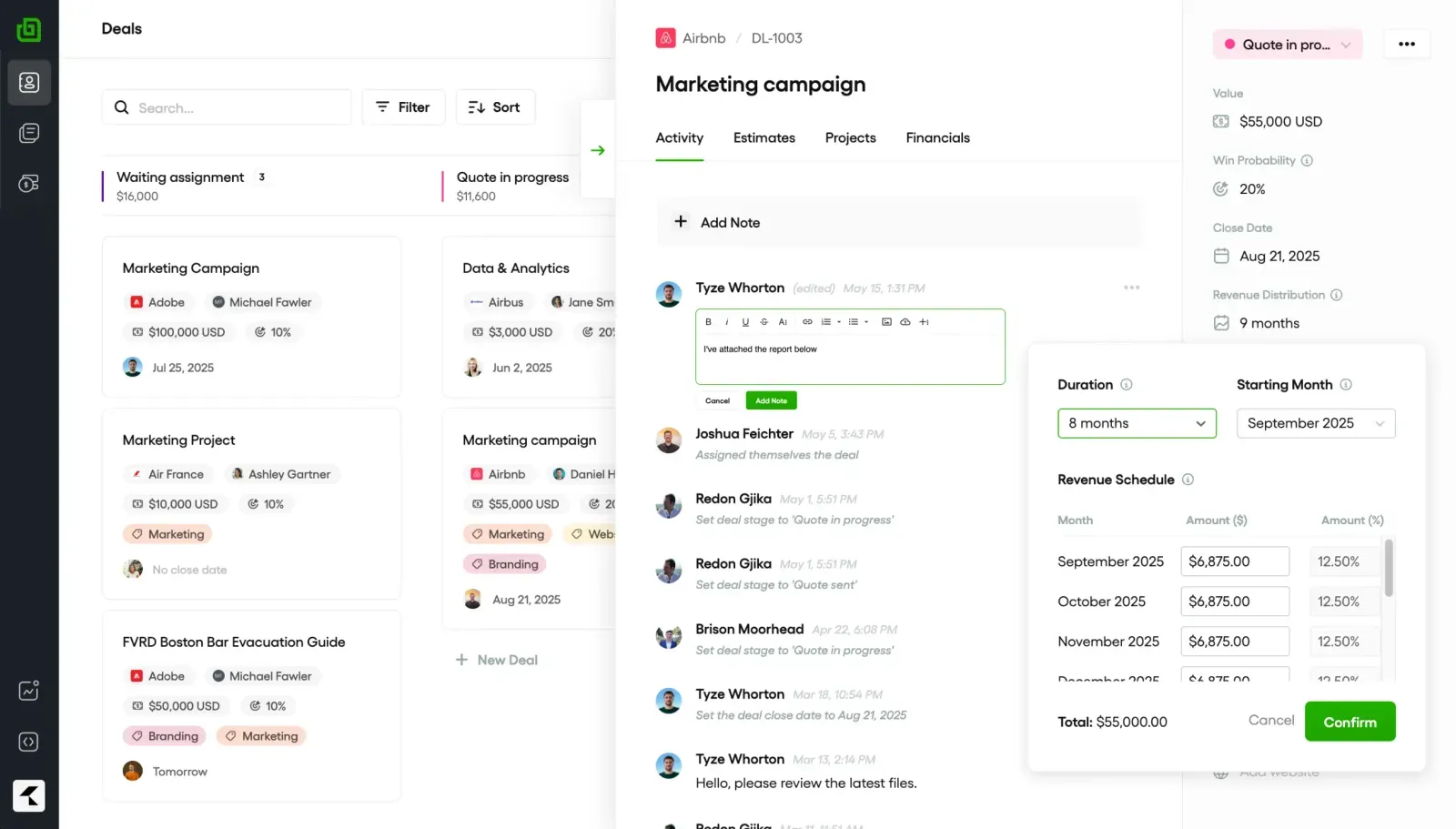
TuberíaSu visión de cartera significa que no se «olvida» ningún cliente potencial, incluso si tienes más de 500 operaciones abiertas.
Zoho CRM cuesta desde tan solo 20 dólares al mes, pero incluye automatización de ventas y pronósticos de inteligencia artificial.
Fuerza de ventas gestiona configuraciones de CRM complejas para empresas con más de 500 miembros del equipo y varias regiones.
Monday.com mantiene cada tarea, estado y fecha límite de forma visual, para que no se pierda nada cuando cambian los planes.
Bonsái cubre propuestas, contratos, facturación y seguimiento del tiempo, y es perfecto para operadores individuales o pequeñas agencias de menos de 10 personas.
¿Qué es una herramienta de gestión de clientes para agencias?
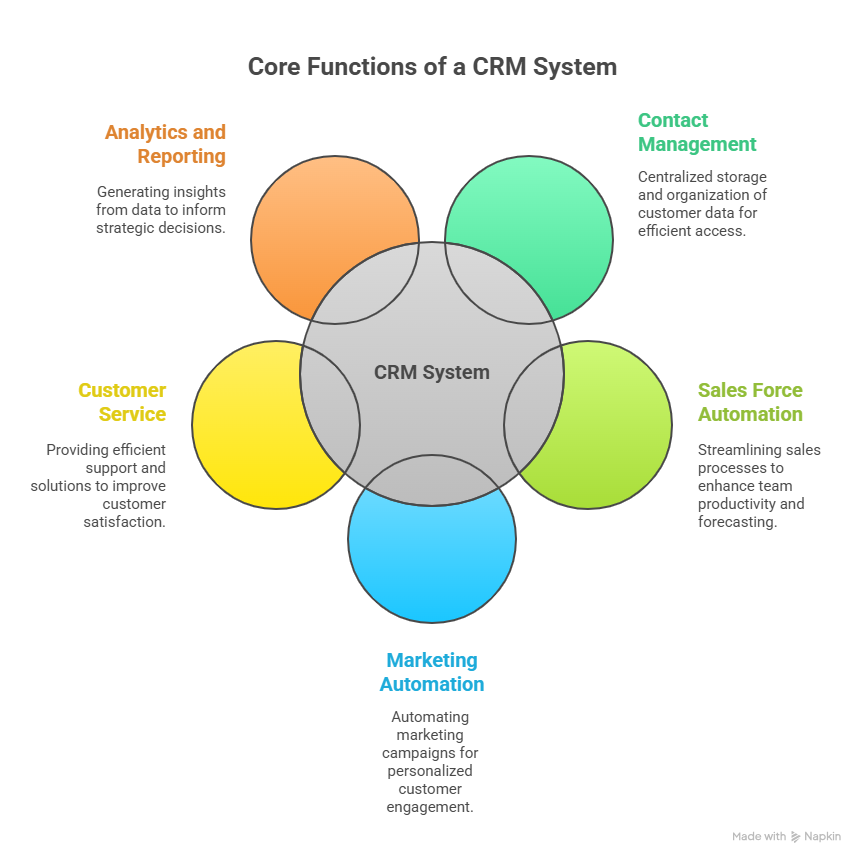
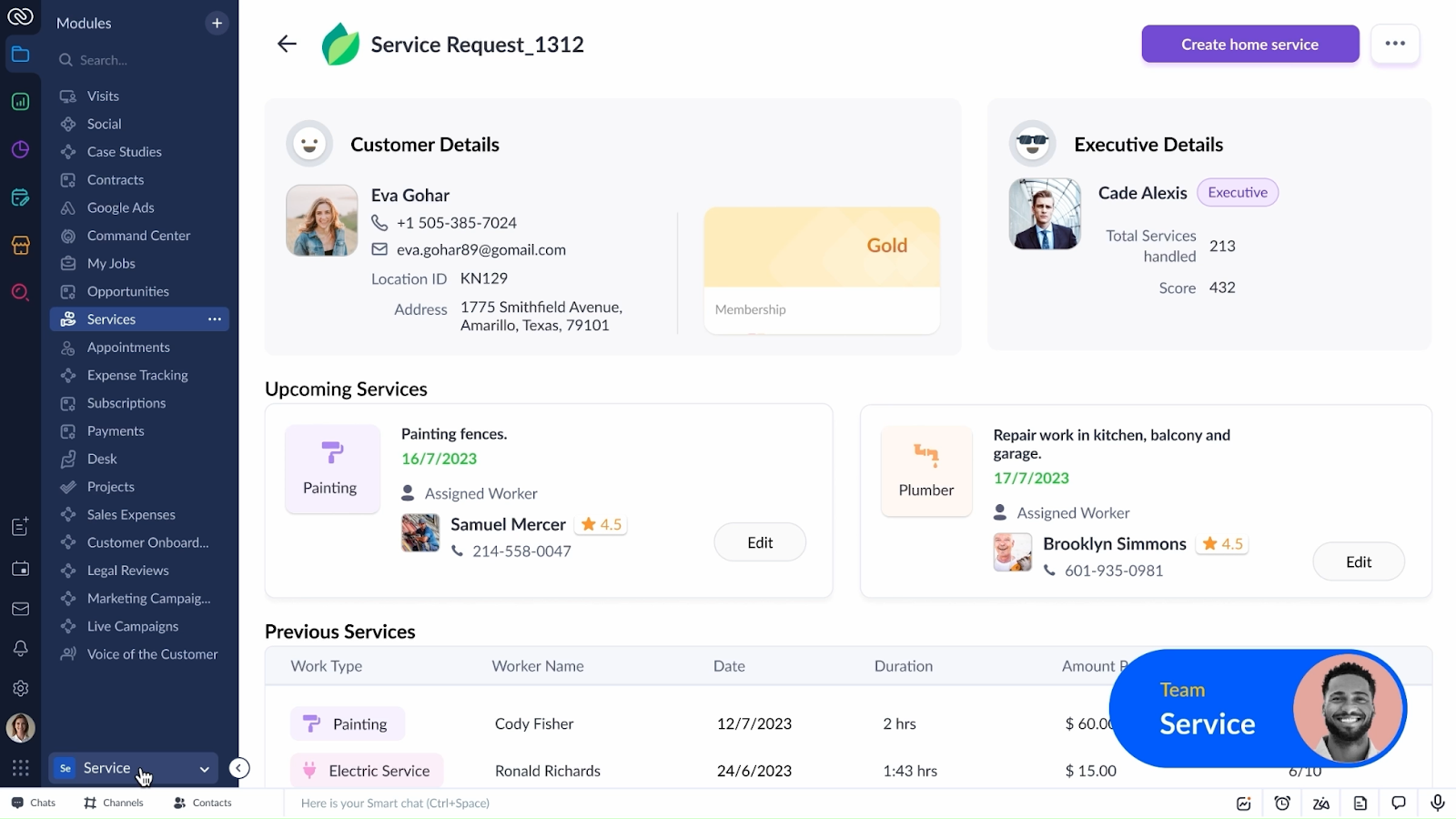
Una herramienta de gestión de clientes es un software que centraliza cada parte móvil de la relación con el cliente. Es el lugar donde guardas los datos de contacto, realizas un seguimiento de las tareas, compartes informes y mantienes todas las comunicaciones en un solo lugar.
En lugar de sistemas separados para la gestión de proyectos, los informes y la facturación, tienes un único inicio de sesión en el que puedes:
Consulta el rendimiento de la campaña en tiempo real.
Haz un seguimiento de en qué está trabajando tu equipo.
Envía informes de marca sin formatear manualmente.
Mantén todas las conversaciones con tus clientes en un solo lugar.
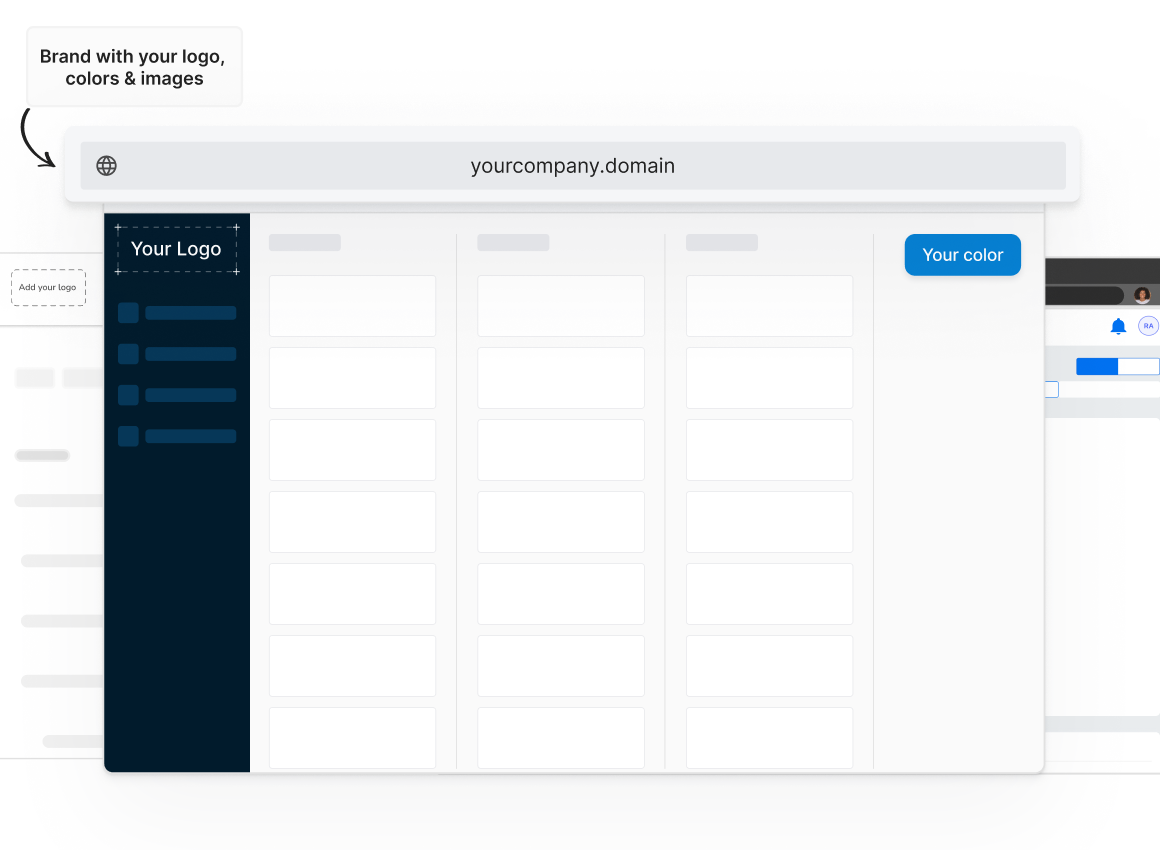
Muchos van un paso más allá con gestión de listados locales de marca blanca opciones. Esto significa que los clientes inician sesión a través de tu dominio, ven tu logotipo e interactúan con tu marca, aunque el backend funcione en la plataforma de un proveedor.
Los beneficios de una herramienta de gestión de clientes para agencias
Esto es lo que obtienes cuando incorporas una herramienta de administración de clientes a tu flujo de trabajo:
Reduce los errores: Menos errores de copiar y pegar cuando todo está en un solo lugar.
Te hace lucir profesional: Los paneles de control de marca blanca parecen un software personalizado que creó para ellos.
Mantiene a los clientes por más tiempo: Cuando los clientes pueden ver exactamente lo que está sucediendo, se genera confianza. Y la confianza evita que los contratos se vayan por la puerta.
Devuelve horas cada semana: No más creación manual de informes ni búsqueda de enlaces de campañas.
Impulsa las ventas adicionales: Un solo inicio de sesión facilita mostrar a los clientes en qué más puedes ayudar.
Datos de la industria muestra que las configuraciones de CRM integradas como esta pueden mejorar la productividad en un 34%, las ventas en un 29% y la precisión en la previsión de ventas en un 42%. Las agencias perciben esa diferencia tanto en la retención de clientes como en los resultados finales.
Cómo elegir la mejor herramienta de gestión de clientes para su agencia
No todas las herramientas están diseñadas para la vida de una agencia. Debes mirar más allá de la página de marketing y ver si se ajusta a tu día a día real. A continuación, te explicamos cómo elegir:
Capacidades de la plataforma
Comience con un análisis detallado de su menú de servicios. Si ofreces SEO, PPC, redes sociales y anuncios, no elijas una herramienta diseñada únicamente para los plazos de los proyectos. Muchos CRM harán lo que quieras, pero esta es una forma mejor de verlo:
Una buena plataforma de agencia debería:
Gestione diferentes tipos de servicios en un solo espacio.
Le permite agregar o eliminar módulos a medida que su agencia evoluciona.
Extraiga los datos de las campañas para convertirlos en informes automatizados y de marca.
Si alguna vez has tenido que iniciar sesión en tres herramientas diferentes solo para responder a la pregunta de un cliente, entenderás por qué es importante.
Integraciones
Tu plataforma debería funcionar bien con tus otras herramientas.
Si los resultados de tus anuncios de Facebook aparecen en una pestaña, los de Google Analytics en otra y las facturas en otra, estás perdiendo tiempo. Busca una herramienta que se conecte directamente a tus cuentas publicitarias, plataformas de análisis y herramientas de marketing por correo electrónico para que los datos fluyan sin necesidad de exportarlos manualmente.
Las brechas de integración son una de las principales razones por las que las agencias abandonan las nuevas herramientas en cuestión de meses.
Etiquetado blanco
El etiquetado blanco no es simplemente «añadir su logotipo». La verdadera etiqueta blanca significa que los clientes nunca ven la marca original de la plataforma, desde la página de inicio de sesión hasta los encabezados de los informes. Si quieres que los clientes asocien la experiencia contigo, asegúrate de que el proveedor te permita personalizarla completamente.
Aún mejor si el soporte del proveedor funciona entre bastidores, eso significa que lo ayudan a resolver los problemas de los clientes sin tener que comunicarse directamente con sus clientes. Mantiene la relación (¡y el crédito!) en tus manos.
Soporte de reventa para agencias
Una plataforma que te ayuda a vender vale más que una que solo te ayuda a cumplir.
Busca proveedores que ofrezcan mazos de ventas, plantillas de propuestas e incluso descripciones de servicios preescritas que puedas adaptar. Algunos incluso capacitarán a tu equipo sobre los productos para que puedas cerrar nuevos servicios más rápido.
Es la diferencia entre comprar una herramienta y comprar un socio de crecimiento empresarial.
Flexibilidad de precios
No querrás limitarte a un plan que parezca exagerado cuando estás incorporando clientes lentamente o uno que aumente los costos en cuanto crezcas.
Busca precios por cliente o por módulo para pagar solo por lo que usas. Los niveles rígidos pueden llevarte a gastar de más o a entregar menos.
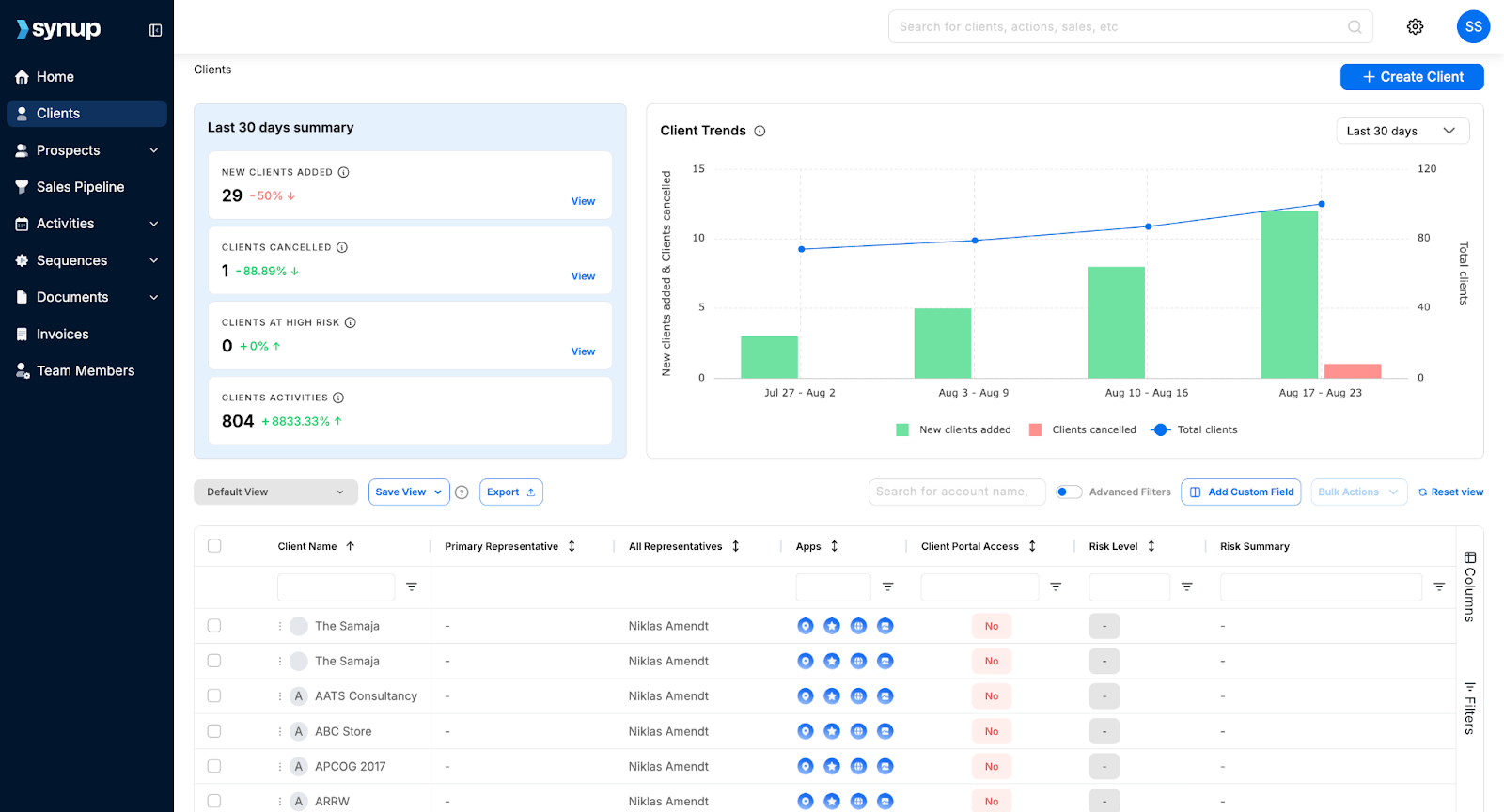
Synup
Best Suited For: Agencies handling multiple locations
What Synup Does
If you're running a marketing agency, you've probably done the “tool shuffle.” One tab for listings, another for reviews, another for socials… plus a spreadsheet to keep track of it all. Synup fixes that by pulling all your marketing agency workflows into one place. Since launching in 2014, it's helped over 600,000 businesses keep their online presence consistent.
From prospecting and lead generation to client management and payments, Synup helps you run your entire agency from a single login.
And their built-in CRM so you can track leads without an extra subscription.
Key Features
🏆 Centralized Client Dashboard: Manage all client accounts, data, and assets from one place
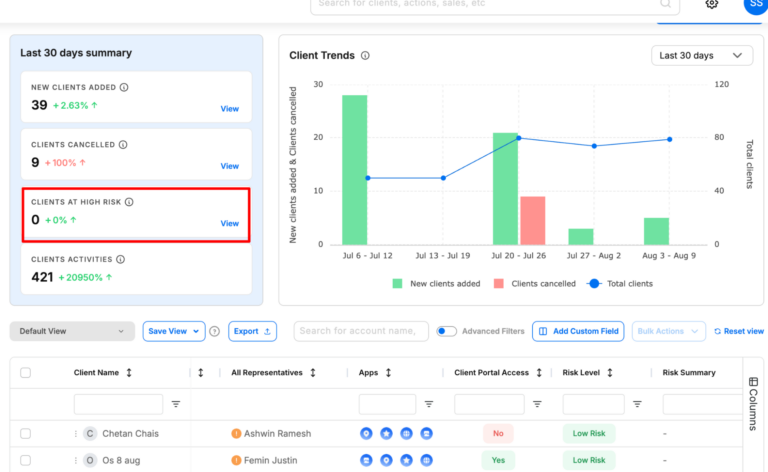
🏆 Churn Risk Forecasting: Configure custom churn criteria and predict which clients are about to churn to take action.
🏆 SMB Prospecting: Find new SMB leads with over 100+ data points into their business and marketing needs.
🏆 Offer Marketing Apps to Clients: Enable essential marketing apps for clients like listings, reputation management, social media tool, and more at no extra cost.
🏆 White-Label Reporting: Deliver branded performance reports to clients automatically.
🏆 Client Onboarding Tools: Quickly import client data and connect accounts.
🏆 CRM & Lead Tracking: Store client details, track leads, and monitor campaign outcomes.
🏆 Payments & Invoicing: You can bill clients and manage all your invoices from one place.
What Sets Synup Apart
Most CRM tools are just that – a CRM that helps you manage leads and clients. But Synup goes one step ahead by offering you new revenue opportunities and features churn prevention. With Synup, your clients also get access to free of cost marketing apps that they can use to run their business - more revenue for you and better performance for your clients.
Benefits
Faster onboarding helps import a client's info once and push it everywhere.
Better client retention as clients see clean, consistent data and proof of work.
You can create more upsell opportunities by adding reviews, social media, or CRM without needing extra tools.
Pros
✅ All-in-one, white-label ready for agencies
✅ User-friendly interface and notable ease-of-use ✅ AI assistance and automations that genuinely save hours each week
✅ Especially good for managing clients with multiple locations
Cons
🚫 Needs a bit of setup time upfront
🚫 Can feel a little overwhelming for smaller agencies
What Customers Say
Synup has been a total game-changer for me. I use it for business listings management, review monitoring, local landing pages, and now their AI-powered social media publishing. I'm just blown away by how much I can accomplish in one place. One dashboard.”
Zee D, Executive Admin
- Review collected by and hosted on G2.com.
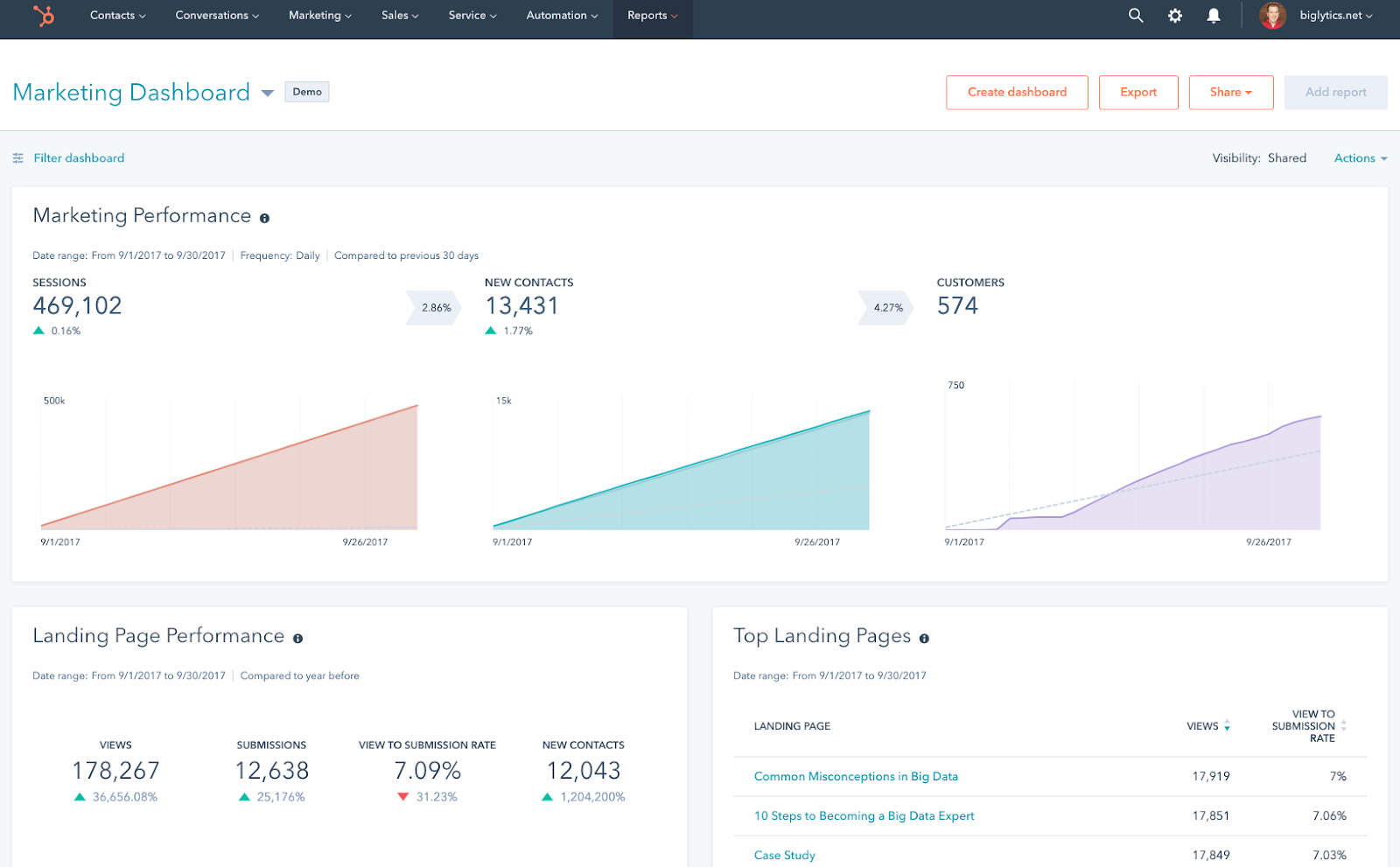
Hubspot
Category: All-in-one CRM and marketing automation for client-focused marketing agencies
HubSpot is a CRM platform designed to manage every stage of the client journey. It's ideal for agencies that want a single space to handle lead capture, marketing campaigns, sales pipelines, and client communications without switching from multiple tools. It's best suited for medium to large marketing agencies ready to streamline processes and deliver measurable results. Start-ups also get a 90% discount for the first year.
Key Features
Contact, lead, and pipeline management
Email marketing and automation workflows
Customizable reporting dashboards and analytics
Social media scheduling and monitoring tools
Campaign budget tracking and expense permissions
Role-based access control for teams
Multi-language and geo-targeted page content
Integration with 1,000+ apps and tools
Benefits of HubSpot
Sophisticated CRM with marketing automation
Improves client reporting with real-time performance dashboards
Supports cross-department collaboration with role-based permissions
Enhances client experience with personalised, geo-targeted content
Pricing
HubSpot Marketing Hub starts at $15/month for basic features, with Professional plans starting at $890/month and Enterprise plans starting at $3,600/month (billed annually). Prices vary based on contacts, features, and team size.
Pros
✅ Comprehensive CRM and marketing suite in one platform ✅ Powerful automation for scaling agencies
✅ Effective API for lead capturing
✅ Good reporting capabilities and easy to measure sales effectiveness
Cons
🚫 Pricing increases steeply as you scale 🚫 Can be complex for small teams to learn fully
🚫 All-in-one platform that may not be necessary for teams with a specific requirement (for example, if you only need a CRM)
What Customers Say
“I really like how easy it is to keep track on users that show interest in our product and keep their interaction and activity. HubSpot also allow for department collaboration in planning marketing budget spending, track expenses and coordinating for a expense permission.”
Shahrul K.
- Review collected by and hosted on G2.com.
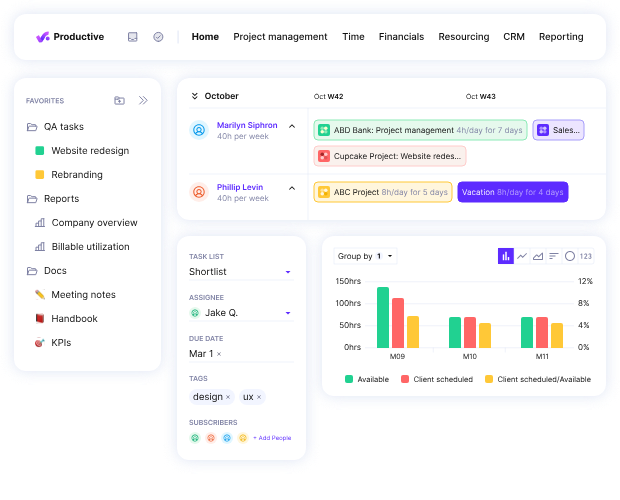
Productive
Category: All-in-one agency management platform for projects, budgets, and profitability tracking.
Productive is a purpose-built agency management tool that combines project management, budgeting, resourcing, and reporting into one platform. It's designed specifically for creative, marketing, and digital agencies that want full visibility over operations and profitability.
However, its broad feature set can feel excessive for very small teams that only need basic project tracking. It's best suited for mid-sized agencies that want a single source of truth for projects, finances, and resources.
Key Features
Project and task management
Recurring budget tracking for retainers
Resource planning and utilisation tracking
Built-in time tracking and invoicing
Financial forecasting and profitability reports
Integration with tools for accounting (like Xero and QuickBooks)
Customizable reporting for projects, budgets, and performance
Client portal for project updates and approvals
Benefits of Productive
Centralizes project, budget, and resourcing data in one place
Reduces manual admin with automation and integrated invoicing
Improves profitability tracking with accurate budget vs. actual reports
Increases visibility into team utilisation and capacity
Supports agency growth with scalable features and integrations
Pricing
Productive starts at $9/month per user for the Essential plan, $24/month per user for Professional, and $32/month for Ultimate, all billed annually, with custom pricing available for Enterprise. All plans include core project management features, with advanced reporting and financial tools in higher tiers.
Pros
✅ Built for agencies with end-to-end operations in mind
✅ Great pick for agencies looking for a simple, for-purpose tool ✅ Strong budget tracking and profitability insights
Cons
🚫 Overkill for teams that only need simple project tools 🚫 Requires onboarding to unlock advanced features fully
🚫 UI can be more dynamic and intuitive; can be frustrating to work with
What Customers Say
“The ability to set recurring budgets for monthly retainers was the deciding factor for us - something we rely on strongly as an agency. The tool is easy to use, with integrations with a large amount of other tools - including Xero.”
Jess T., Head of Delivery
- Review collected by and hosted on G2.com.
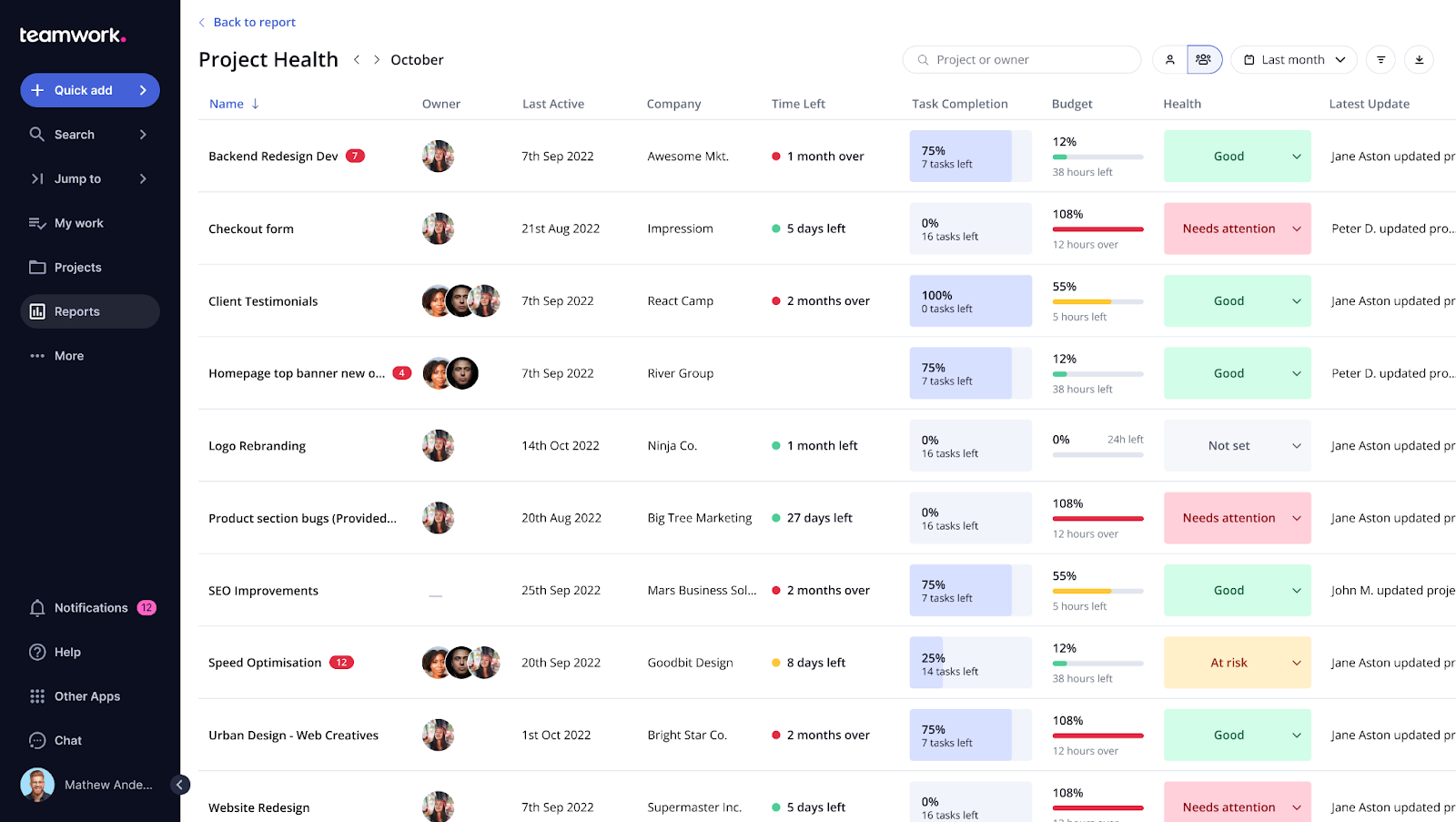
Teamwork
Category: Flexible project management platform built for client service teams and agencies
Teamwork is a project management platform crafted to help service-based teams manage client work from start to finish in one space.
It combines task tracking, time logging, billing, and resource management in a single interface, reducing the need for multiple tools. While it's rich in features, newer users may face a learning curve, and some advanced automation options are less robust compared to specialised tools.
Key Features
Task and project management with multiple view options
Time tracking and integrated billing
Resource scheduling and workload management
Client portal for project updates and collaboration
Customizable templates and workflows
Milestone tracking and dependency management
Detailed reporting and analytics
Integrations with tools like Slack, HubSpot, and Google Drive
Benefits of Teamwork
Centralizes all client work in one platform
Improves collaboration with real-time updates and file sharing
Saves time by linking time tracking directly to billing
Enhances client trust with transparent project progress
Flexible enough to adapt to different project styles and industries
Tools for budgeting, time and resource management and portfolio management
Pricing
Teamwork offers a Free Forever plan with basic features, a Deliver plan at $13/month per user, and a Grow plan at $25/month per user. Custom pricing is available for enterprise needs.
Pros
✅ Combines project management, billing, and resource tracking in one tool ✅ Highly customizable to fit different workflows and client needs
✅ Particularly helpful for client-facing work
Cons
🚫 Learning curve that can be hard for new users 🚫 Limited automation compared to some competitors
🚫 Users have reported some difficulties in adding and assigning tasks
What Customers Say
“Teamwork easily allows us to share the workload amongst colleagues with total visibility of progress so far. Jobs are assigned, tracked, and archived with complete simplicity, meaning our whole team has continuous awareness of 'the big picture'.”
Ian R., Managing Director
- Review collected by and hosted on G2.com.
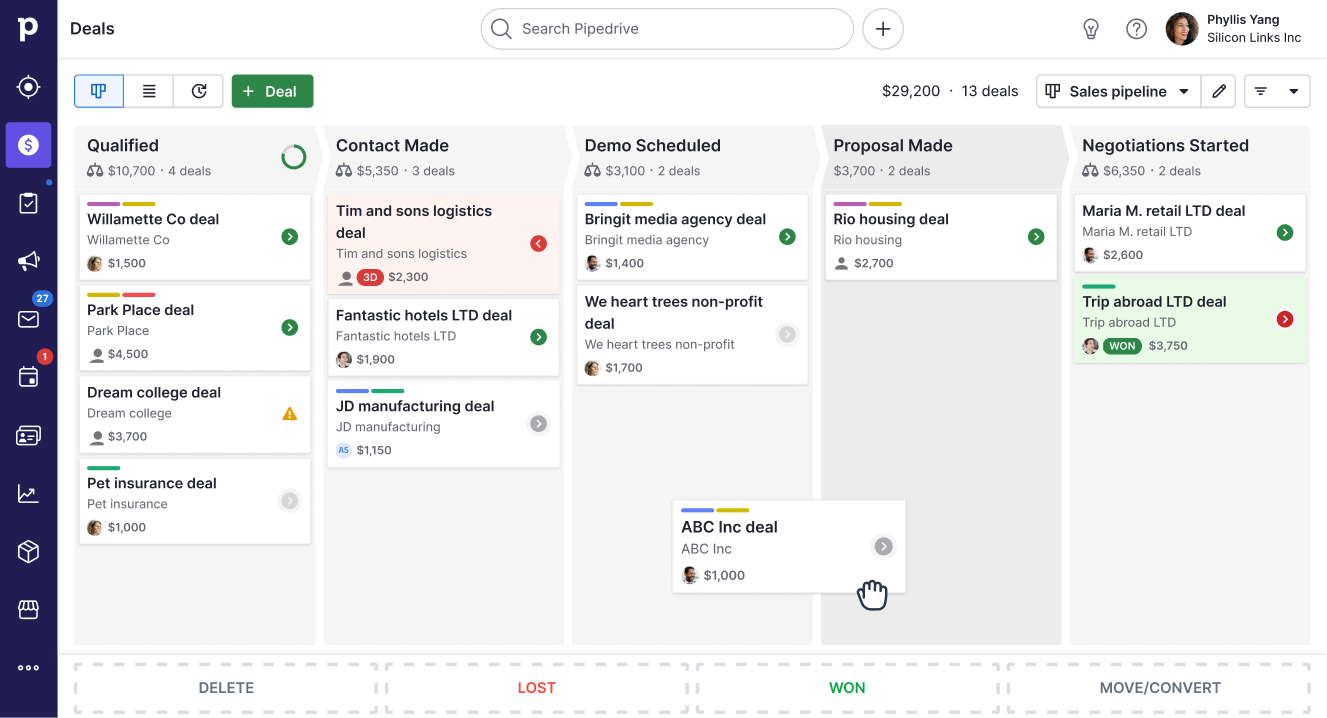
Pipedrive
Category: Visual sales pipeline CRM for small‑to‑mid‑sized marketing and sales teams
Pipedrive is a sales‑focused CRM designed to help agencies and small businesses manage deals from first contact to closing. It revolves around a drag‑and‑drop pipeline view that lets you see exactly where each opportunity sits and what needs to happen next.
However, Pipedrive is firmly rooted in sales; there's no built‑in marketing automation, and advanced features such as email marketing are add‑ons. It's best suited for agencies that need a clear, visual way to manage sales pipelines rather than full‑blown marketing automation.
Key Features
Visual pipeline management with customizable stages
Email integration and activity reminders
Easy-to-set-up dashboards for easy reporting
Mobile app for iOS and Android
Lead and contact management with custom fields
Task automation and workflow automation
Calendar integration and meeting scheduler
Product catalog, goal setting, and data import/export
Benefits of Pipedrive
Keeps sales teams organized with a clear, visual pipeline that highlights deal progress and bottlenecks
Enhances productivity by automating repetitive tasks such as lead assignment and follow‑ups
Helps agencies make data‑driven decisions with customizable reporting and dashboards
Streamlines communication through built‑in email tracking, reminders, and mobile access
Integrates smoothly with email marketing, help desk, and accounting tools for a unified workflow
Offers great value-for-money; offers mostly all standard CRM features at a reasonable price
Pricing
Pipedrive offers tiered plans that can be paid month‑to‑month. Plans start at $24 per user/month for the Lite tier, $49 per user/month for Growth, $79 per user/month for Premium, and $99 per user/month for Ultimate. Add‑ons like LeadBooster or Campaigns cost extra.
Pros
✅ Intuitive visual pipeline with drag‑and‑drop stages and clear visibility on project stages ✅ Automations and integrations reduce manual work and sync data across tools
✅ Great tool to manage sales and track progress
Cons
🚫 Automation may not be as robust as its contemporaries, such as Hubspot 🚫 Pricing can increase quickly as you move up tiers or add extra functionality; flat fees for add-ons.
🚫 Simplifies things, but sometimes to a fault, especially when compared against competitors.
What Customers Say
“I like how user-friendly Pipedrive is, even for people who aren't tech experts. The visual sales pipeline helps me see exactly where each deal stands at a glance, and the customizable stages mean I can adapt it to fit different workflows.”
Vicente L., Consultant
- Review collected by and hosted on G2.com.
Zoho CRM
Category: Customizable CRM solution for small and mid‑sized marketing and sales teams.
Zoho CRM is a flexible, cloud‑based customer relationship management platform built to help agencies, marketing teams, and small businesses manage leads, automate sales processes, and deliver personalised customer experiences.
The built‑in Zia AI assistant provides intelligent sales insights and predictive deal‑closing recommendations. However, Zoho CRM focuses primarily on sales, not marketing automation, and its extensive customization options can feel complex if you just need a basic contact manager.
Key Features
Sales force automation automates contact maintenance, follow‑ups, and lead scoring.
Process management (Blueprints) visualizes and standardizes each step of your sales process.
Omnichannel communication captures email, social, phone, and live chat interactions in one customer record.
Dashboards and analytics for deep insights
Extensive integrations and customization options
AI and predictive sales (Zia) for anomaly detection and deal‑closing predictions.
Benefits of Zoho CRM
Simplifies sales operations by automating routine tasks and enforcing consistent processes.
Improves team collaboration with a unified view of customer interactions across multiple channels.
Enables data‑driven decisions through robust reporting and analytics.
Supports growth. You can start simple and expand functionality as your agency scales, thanks to deep customization and integration options.
AI assistant Zia provides predictive insights and suggestions, enhancing productivity and forecast accuracy.
Pricing
Zoho CRM offers several tiers with monthly per‑user pricing (billed annually):
Free Edition (up to 3 users).
Standard: $20 per user/month.
Professional: $35 per user/month.
Enterprise: $50 per user/month.
Ultimate: $65 per user/month.
Pros
✅ One of the most flexible and customizable CRM options that scales with your agency ✅ Affordable entry pricing with powerful automation and AI features
✅ Offers a comprehensive suite of services, especially beneficial for small agencies
Cons
🚫 Heavy emphasis on sales, marketing automation features require separate tools or extensions 🚫 The breadth of configuration options can be overwhelming for very small teams needing a simple contact manager
🚫 Users have reported UI/UX and navigation issues that can be harder to navigate with the learning curve
What Customers Say
“What I really like about Zoho CRM is how easy it is to use and how it helps keep everything in one place. It makes managing leads, follow‑ups and customer conversations feel more organised without being overwhelming. I especially appreciate how it helps build better relationships, everything's at your fingertips.”
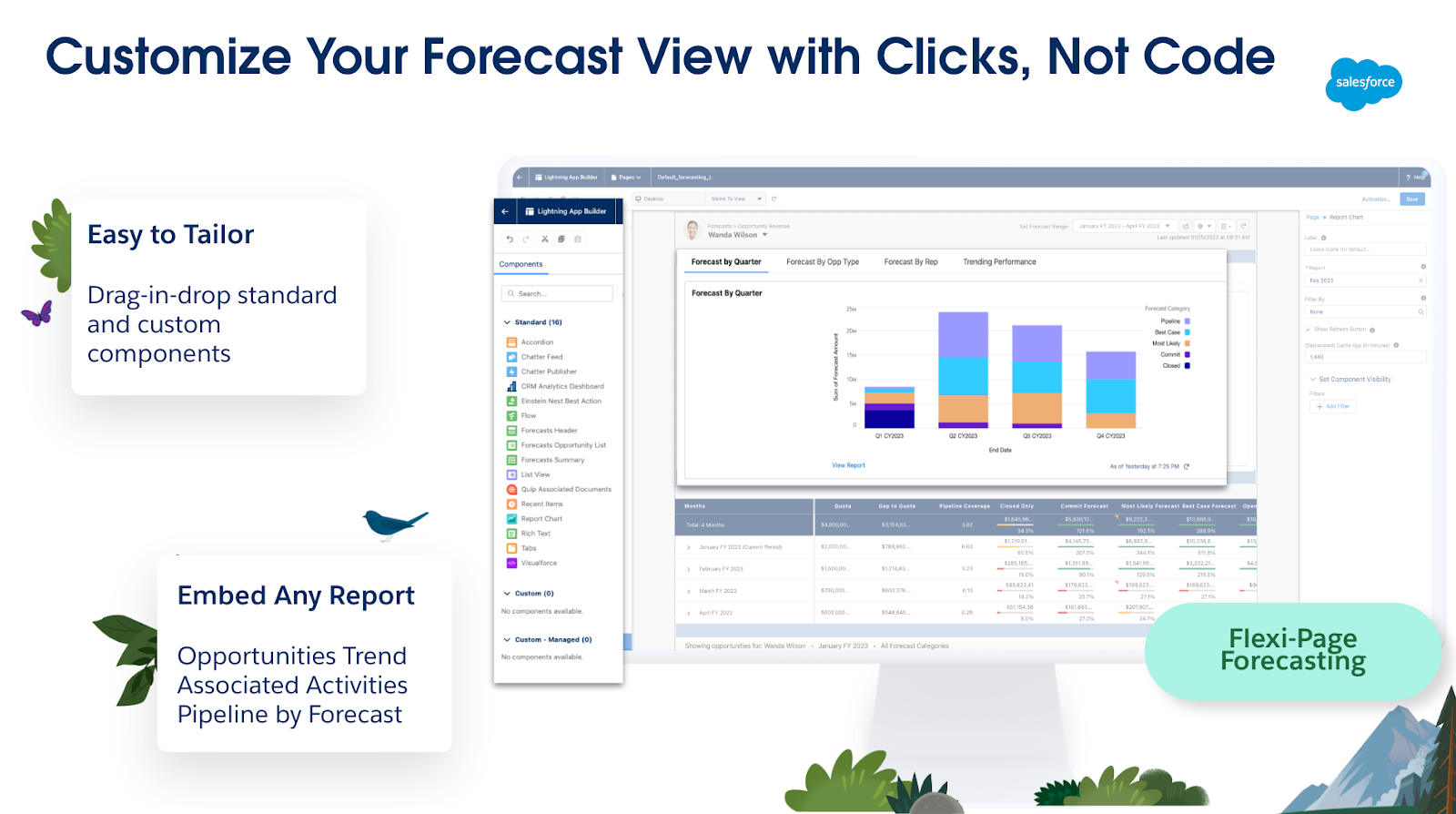
Salesforce is the market-leading cloud-based CRM platform that goes beyond contact tracking. It brings together sales, service, marketing, analytics, and commerce in one unified system. Salesforce is an exhaustive platform: you can customize UI elements, build workflows, design integrations, and even develop entire apps using its low-code tools.
AI capabilities, like Einstein and the newer Agentforce, automate predictions, generate smart recommendations, and drive proactive engagement. That said, there's a bit of a learning curve and implementation cost, so it's ideal for mid-sized to enterprise agencies ready for serious scaling, and not the best fit for solo freelancers or very small teams.
Key Features
Powerhouse tool with a unified Sales, Service, Marketing & Commerce suite
Visual dashboards with real-time pipeline insights
Advanced automation with workflows and AI agents (Einstein/Agentforce)
Highly customizable via low-code tools and AppExchange ecosystem
Contact, account, opportunity, and quote management with reporting
Built-in collaboration via Chatter and mobile access
Augmented analytics and AI-driven insights across departments
Benefits of Salesforce
Creates a single, real-time view of your customers across every department
Boosts sales velocity and precision with AI-powered forecasting and recommendations
Grows with your business: scale workflows, data, and users with enterprise-grade infrastructure
Enhances team collaboration and response via built-in communication tools like Chatter
Cross-platform access enables usage anywhere, anytime, mobile included
Pricing
Starter Suite: $25/user/month, for small teams with core CRM needs
Pro Suite: $100/user/month adds automation and customization features
Sales Enterprise: $165/user/month, deeper control and advanced AI tools
Agentforce 1 Sales: $550/user/month, includes full AI agent integration
Pros
✅ Enterprise-grade CRM with unmatched scalability, AI, and extensibility
✅ An incredibly powerful and versatile fit for a range of business needs and customer relationship management ✅ Comprehensive cross-department automation and real-time insights
Cons
🚫 High price point, especially at advanced tiers with AI and customization 🚫 Onboarding and implementation complexity can lead to lengthy deployments
🚫 Might be too much to handle, and the admin console may be a hard to get the hang of
What Customers Say
“What I like most is how centralized and customizable everything is. I can easily track customer cases, view interaction history, and log updates across multiple channels in one place.”
Lemuel P., Consumer Support Associate
- Review collected by and hosted on G2.com.
Monday.com
Category: Work management & project collaboration tool
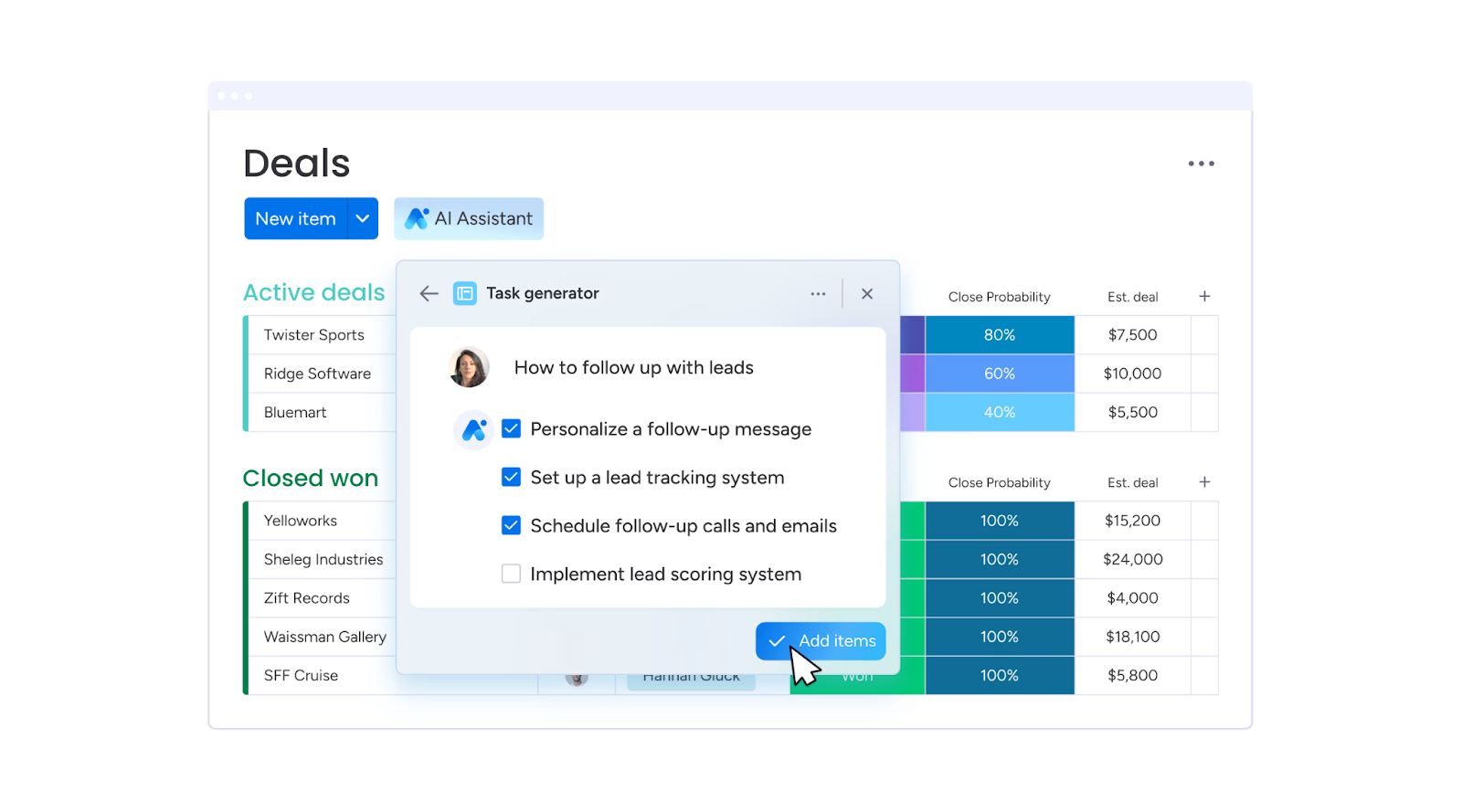
Monday.com is a cloud-based work operating system (Work OS) designed to help teams plan, track, and deliver projects efficiently. It's built for marketing teams, agencies, software developers, and operations managers. While its project management abilities are its strength, the breadth of features can feel overwhelming for beginners. Teams that prefer simple, fixed templates might find Monday.com a bit heavy to configure at first.
Key Features
Customizable project boards and workflows
Automation for repetitive tasks
Real-time collaboration and file sharing
200+ pre-built templates for different industries
Time tracking and workload management
Analytics and reporting tools
Integrations with Slack, Zoom, Google Drive, Google Calendar and more
AI-powered project updates and insights
Benefits of Monday.com
Boosts productivity by automating repetitive tasks
Improves team transparency with centralized project tracking
Reduces time spent on status meetings
Allows scaling across multiple teams and departments
Enhances decision-making with visual dashboards and analytics
Pricing
Basic: From $10/seat/month (billed annually)
Standard: From $12/seat/month (billed annually)
Pro: From $19/seat/month (billed annually)
Enterprise: Custom pricing
Pros
✅ Highly customizable for different workflows ✅ Especially strong integration ecosystem
✅ Great features for team integration and collaboration
Cons
🚫 Steeper learning curve for new users 🚫 Can get expensive with larger teams or when setting up advanced features
🚫 Better as a project management board, not a CRM
What Customers Say
“Personally, I love everything about Monday.com, the automations, flexibility of the structure, sorting options, integrations, and now the AI capabilities. There's no way I could manage the volume of projects in our internal marketing department without it.”
Carrie F., Marketing Director
- Review collected by and hosted on G2.com.
Bonsai
Category: All-in-one business management platform for freelancers, agencies, and small businesses.
Bonsai is a streamlined business management tool designed to help freelancers, small agencies, and micro-businesses manage projects, contracts, invoicing, and payments in one place. Bonsai's automation features, like recurring invoices, proposal templates, and integrated time tracking, help cut admin time so you can focus on billable work.
Its biggest draw is its simplicity: setup is quick, and the interface is intuitive, even for non-technical users. However, its CRM functions are basic compared to dedicated CRM platforms, and advanced accounting features may require integration with external tools.
Key Features
Project and client management dashboard
Time tracking with start/stop timers
Customizable contracts and proposal templates
Invoicing with partial payments, recurring billing, and payment reminders
✅ Easy to set up and use, even for non-technical users ✅ Strong all-in-one toolkit for freelancers and micro-businesses
Cons
🚫 Limited CRM compared to dedicated platforms
🚫 Advanced accounting features require external tools
What Customers Say
“Professional looking easy to use and implement timer, project/client set up and invoicing/chasing etc. Ability to log a partial payment and email client with updates, disable routine reminders if required and to tweak/suspend accrued interest again as necessary when negotiating with clients (without the overheads of a full accounting app if you're only operating on a micro level). Basic CRM if paying for basic package.”
Anita Q., Associate
- Review collected by and hosted on G2.com.
Trying to manage 20+ client accounts using Google Sheets and email threads is a recipe for missed deadlines, lost files, and frustrated clients. A proper system puts everything in one place, from the first kickoff call to the final invoice, and makes your agency look more professional while doing it.
The tools above do exactly that. They cut down on admin time, keep clients in the loop without endless calls, and help you spot when a project's going off-track before it costs you money.
If you want all of that plus a way to build your client's brand and reputation while managing projects and reporting, Synup OS is one to watch. It's being built with agencies in mind, so you'll get onboarding, renewals, campaign tracking, and client comms, all under your own branding. Once it's in place, you'll wonder how you managed without it.
Synup is your agency's control room with one login for every moving part of client management. You get tools that keep campaigns, reporting, and brand-building under one roof, all fully white-labelled so your clients only see you, not the software.
With Synup, you can:
Manage all client campaigns, leads, and updates in one dashboard
Schedule posts, monitor reviews, and respond in real time
Generate branded reports that clients can access 24/7
Track performance across search, social, and reputation in one view
Scale from 10 to 200+ clients without drowning in admin
Book a demo, give it a try, and see how it saves your team, retains your clients, and offers their customer base better value.
Frequently Asked Questions
What is the best client management software?
Synup is great if you want one place to keep projects, reports, and client updates tidy. Over 5,000 agencies use it to manage more than 600,000 business profiles. You can stick your own logo on the dashboard, so clients feel it's yours, not a third-party tool. And if you need heavy-duty marketing automation and deep integration with over a thousand apps, HubSpot is built for that.
What is the best agency management system?
Productive nails the boring-but-critical stuff like tracking every billable hour, quoting jobs properly, and checking project profitability before it's too late. Agencies use it to run everything from team schedules to budget forecasts without needing ten different logins. If you'd rather keep client management, brand building, and lead generation under one roof, Synup's toolset gives you that without extra subscriptions.
What CRM do agencies use to manage multiple clients?
Zoho CRM is a favorite among agencies with 50 to 200+ accounts due to its affordability (approximately $20 per user per month) and flexibility to accommodate various workflows. Users can create custom pipelines, automate follow-ups, and consolidate everyone's contact history in one place. Synup is also a strong option, as its white-labeled dashboards allow clients to view live results without exposing the backend complexities.
¡Asóciese con Synup hoy mismo!
Reserve una llamada con nuestro gerente de asociaciones para explorar soluciones de crecimiento personalizadas para su agencia.