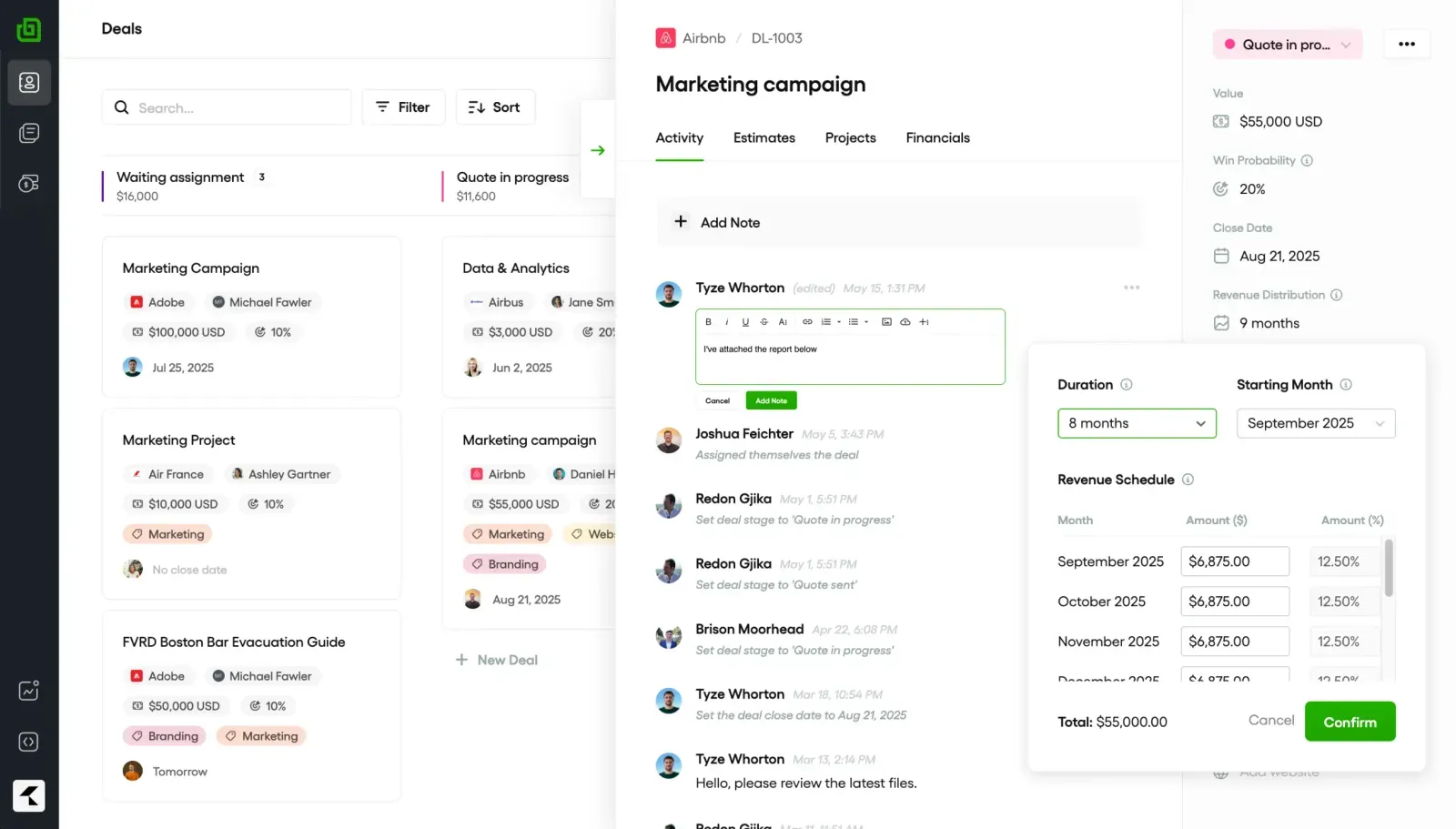
Diriger une agence de marketing ne se limite pas au lancement de grandes campagnes. Vous faites également en sorte que 10, 20, parfois 50 clients soient satisfaits, tout en suivant les résultats attendus en matière de référencement, de publicités, de réseaux sociaux et de courrier électronique. C'est beaucoup de choses à surveiller.
Les clients veulent également des mises à jour hebdomadaires, des rapports de performance clairs, des réponses rapides à leurs questions et des preuves qu'ils obtiennent un retour sur investissement, en particulier pour les contrats d'honoraires. La liste des attentes de vos clients est infinie, mais vos capacités... pas tant que ça.
Si vous avez essayé de gérer tout ça avec Google Sheets, les fils de discussion et certaines connexions logicielles quotidiennes, les choses peuvent facilement passer entre les mailles du filet. Ensuite, les clients s'agitent. Peu de temps après, vous êtes sur le point de perdre votre compte.
La solution est simple : utilisez un outil de gestion des clients conçu pour les agences. Vous découvrirez comment une plateforme peut intégrer le suivi des campagnes, les rapports, la communication et la facturation dans un espace unique, en automatisant le processus et en réduisant souvent de moitié le temps consacré à l'administration.
Nous avons travaillé avec des milliers de comptes clients au fil des ans et nous avons pu constater de première main comment les meilleurs outils de gestion des clients peuvent aider une agence. Il raccourcit les cycles de reporting, fidélise les clients plus longtemps en leur apportant une valeur mesurable et permet à votre équipe de se développer et de gérer d'autres aspects opérationnels.
TLDR : les 9 meilleurs outils de gestion des clients pour les agences de marketing
Le bon outil de gestion des clients peut permettre aux agences ayant plusieurs clients d'économiser beaucoup de travail administratif.
Grâce aux tableaux de bord en temps réel, les clients peuvent voir la progression de leur campagne instantanément, et non des jours plus tard dans un PDF.
Le choix de la bonne plateforme dépend de la taille de votre équipe, de votre budget et de vos besoins d'intégration.
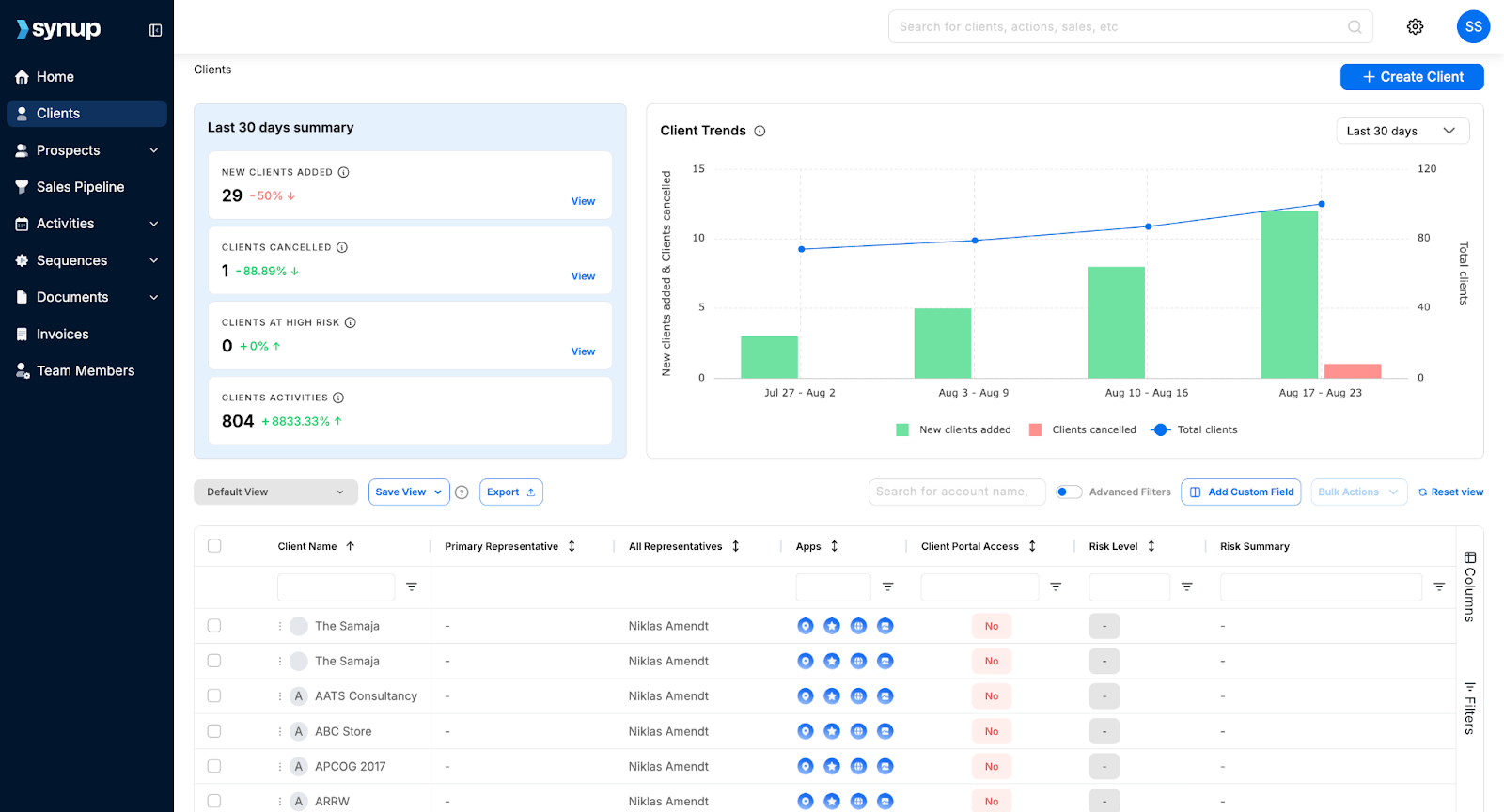
Synchronisation vous permet de gérer les avis, les listes et les rapports clients de plus de 600 000 entreprises dans un seul hub.
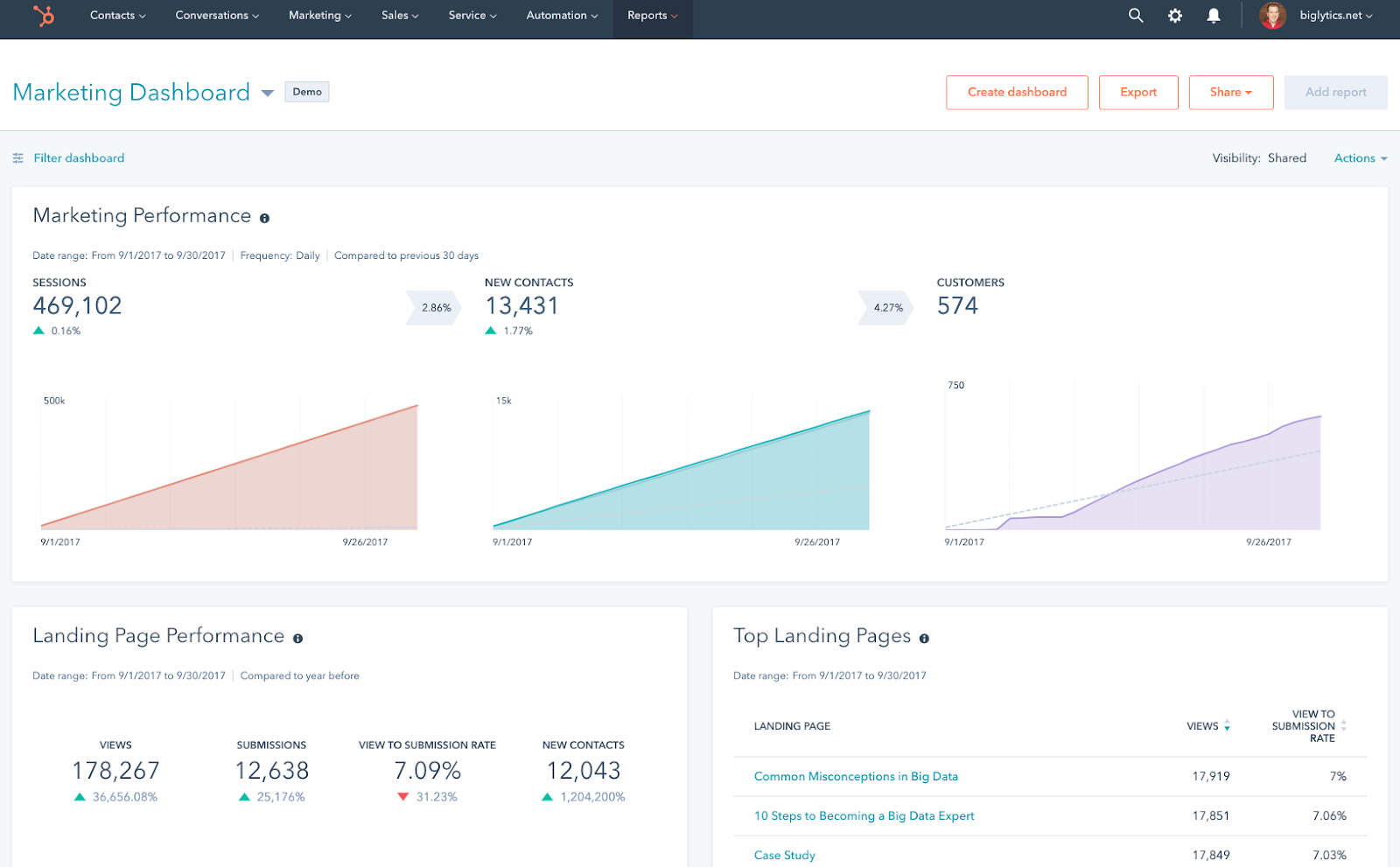
HubSpotLe CRM suit chaque e-mail, chaque appel et chaque point de contact avec les prospects tout en se synchronisant avec plus de 1 000 applications.
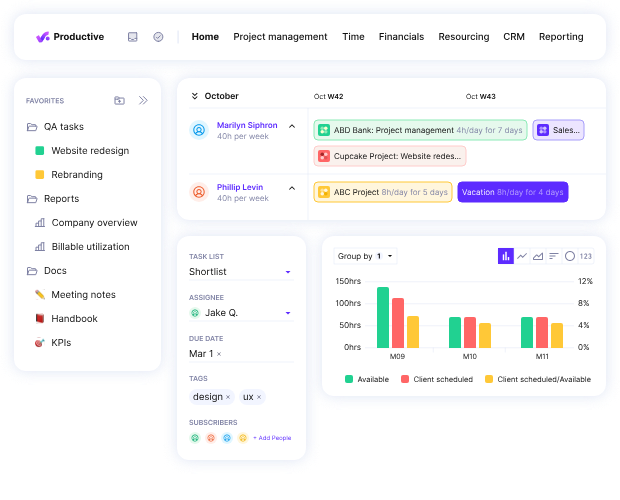
Productif aide les agences à suivre les marges bénéficiaires des projets jusqu'à la dernière heure facturable.
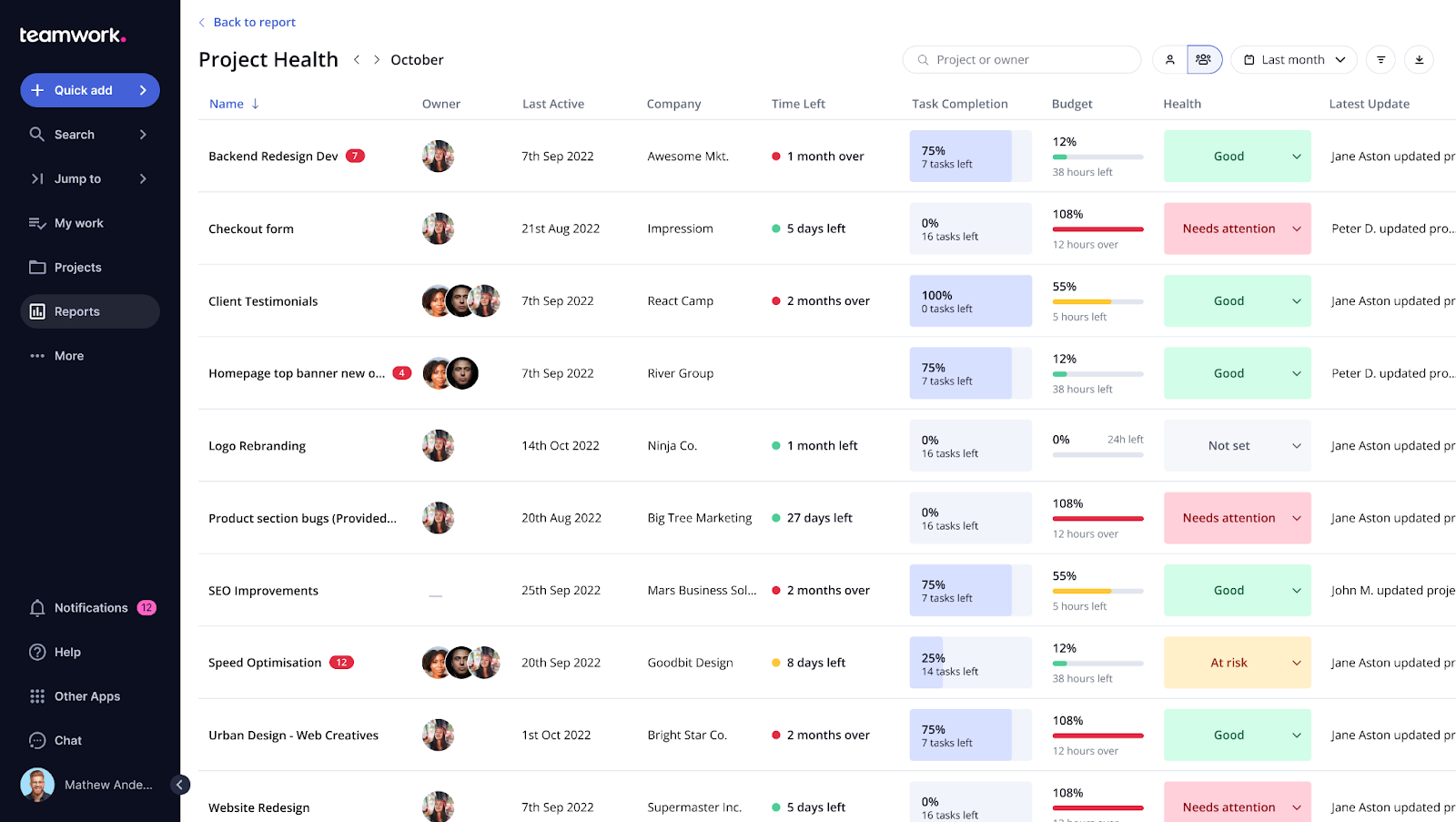
Travail d'équipe fournit des plans de projet clairs à la fois pour votre équipe et pour le client dans un espace partagé.
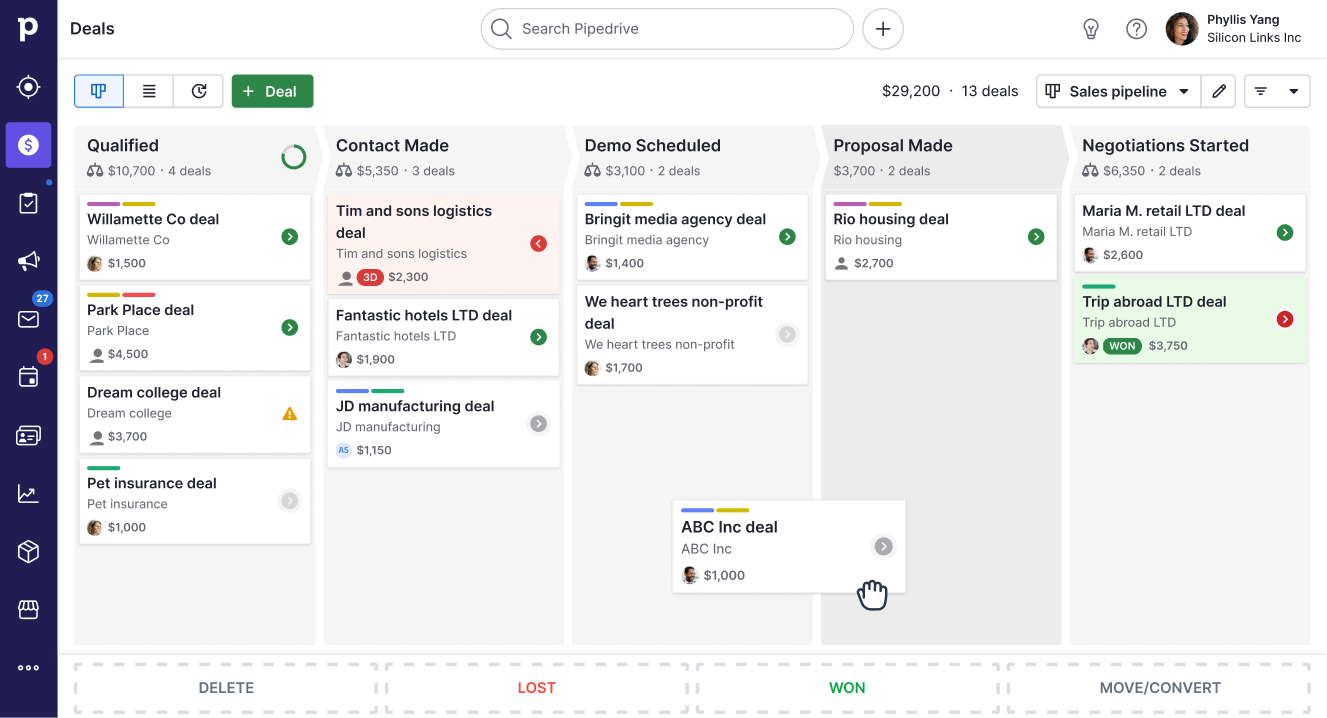
PipedriveLa vision du pipeline signifie qu'aucun prospect n'est « oublié », même si vous avez plus de 500 offres en cours.
Zoho CRM coûte à partir de 20 dollars par mois, mais il intègre l'automatisation des ventes et les prévisions basées sur l'IA.
Salesforce gère les configurations CRM complexes pour les entreprises comptant plus de 500 membres d'équipe et plusieurs régions.
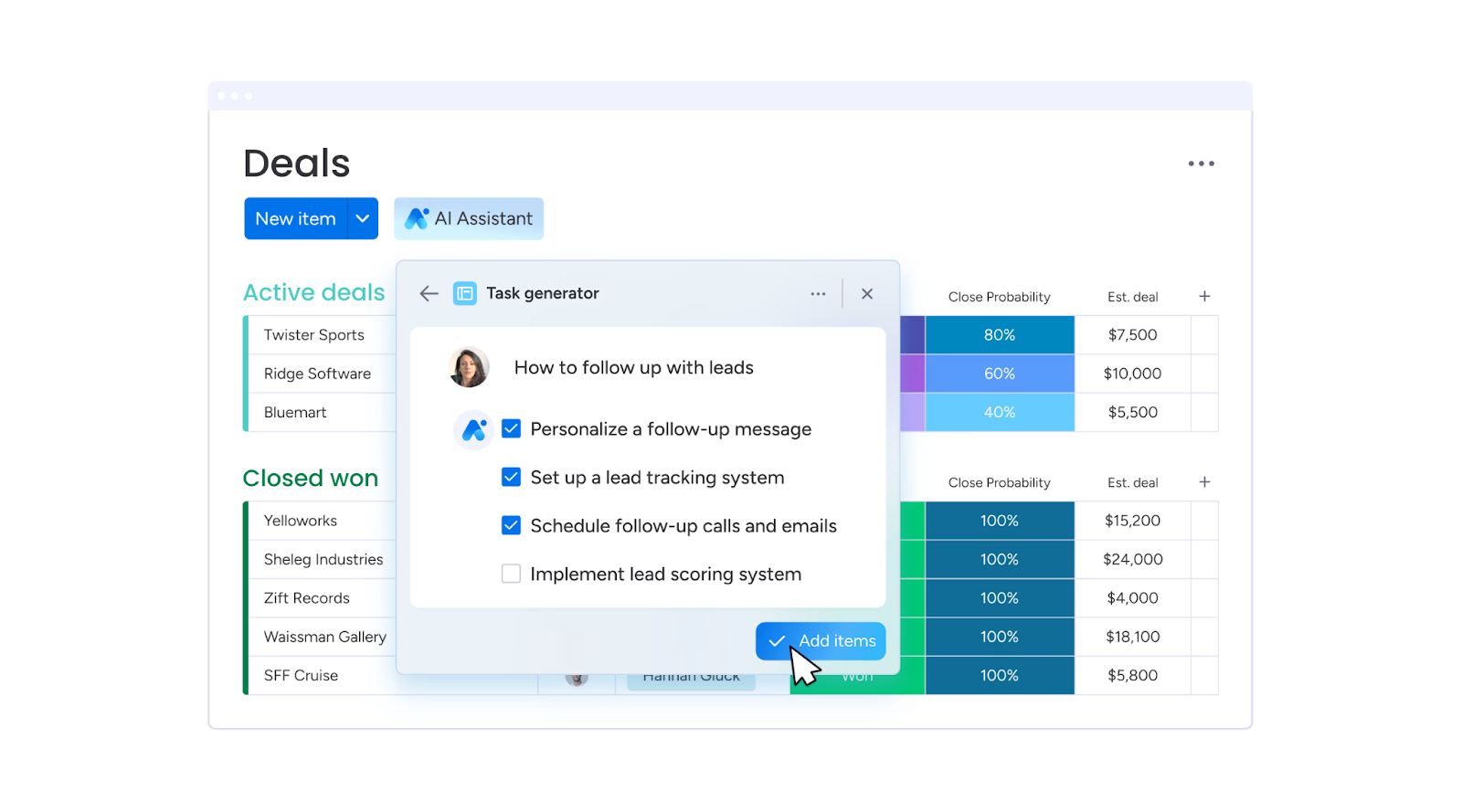
Monday.com affiche visuellement chaque tâche, chaque statut et chaque échéance, afin que rien ne se passe lorsque les plans changent.
Bonsaï couvre les propositions, les contrats, la facturation et le suivi des délais, et est parfait pour les opérateurs individuels ou les petites agences de moins de 10 personnes.
Qu'est-ce qu'un outil de gestion des clients pour les agences ?
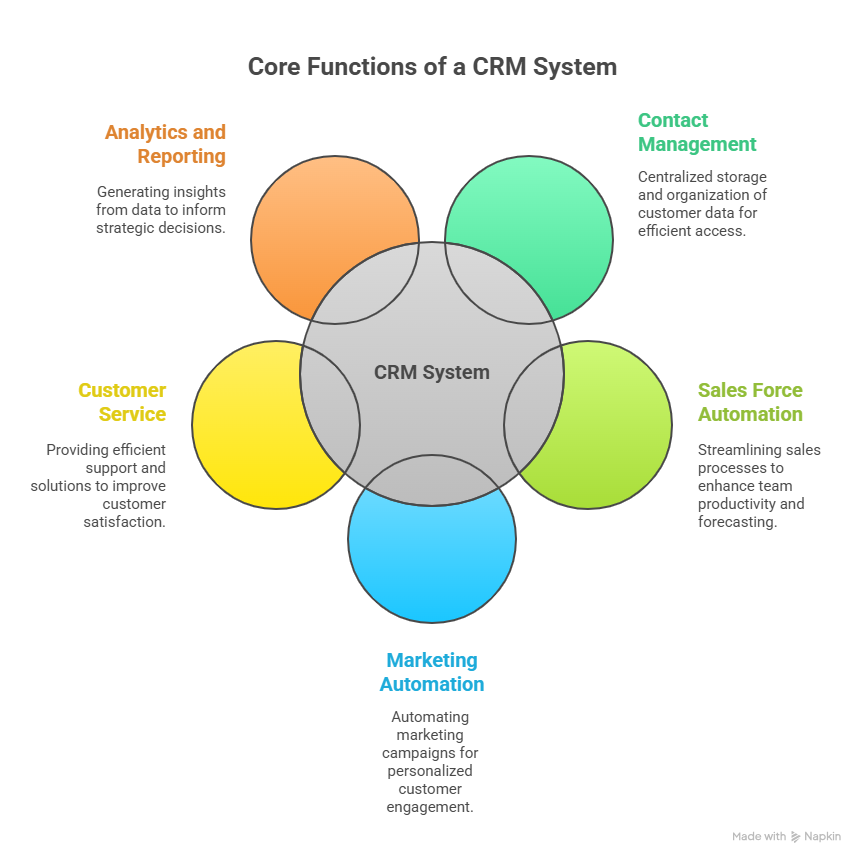
Un outil de gestion des clients est un logiciel qui centralise chaque élément mobile de votre relation client. C'est là que vous stockez vos coordonnées, suivez les tâches, partagez des rapports et conservez toutes les communications au même endroit.
Au lieu de disposer de systèmes distincts pour la gestion de projet, les rapports et la facturation, vous disposez d'un identifiant unique qui vous permet de :
Consultez les performances de vos campagnes en temps réel.
Suivez les travaux de votre équipe.
Envoyez des rapports personnalisés sans mise en forme manuelle.
Conservez toutes les conversations avec les clients au même endroit.
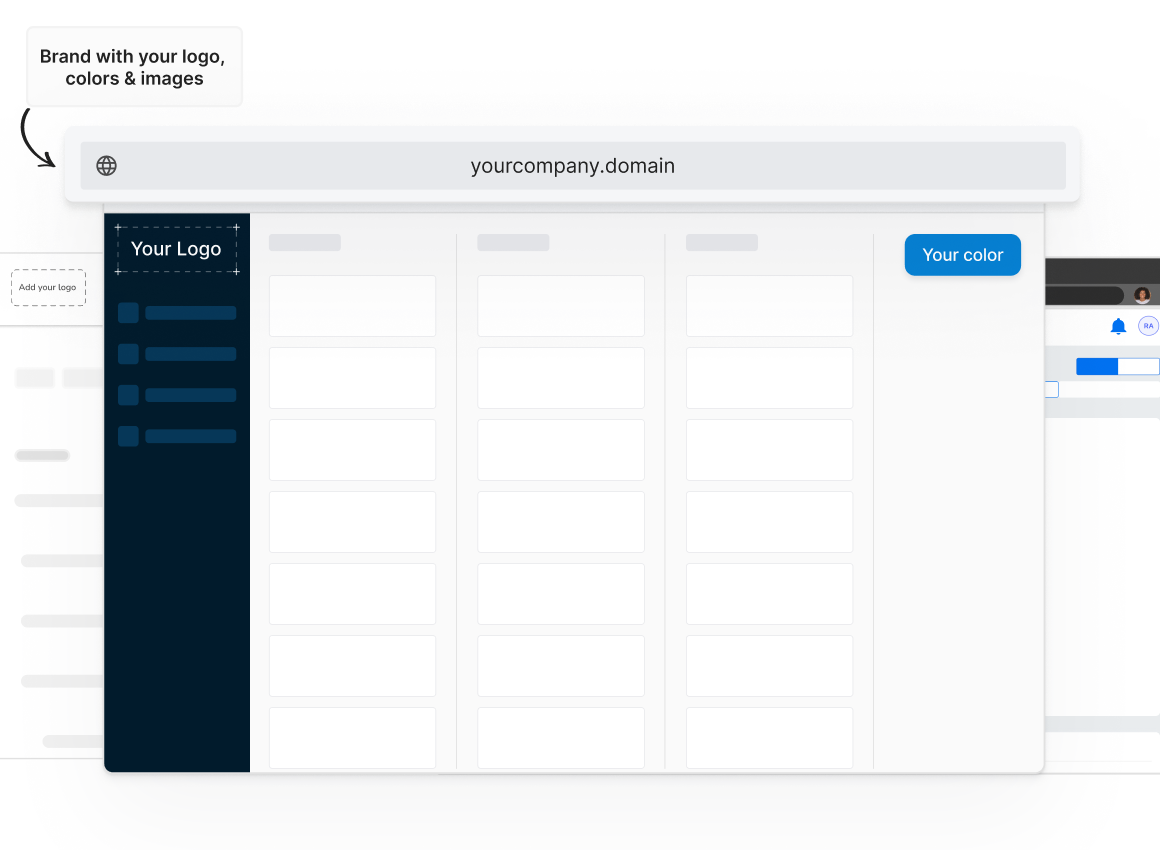
Beaucoup vont encore plus loin avec gestion des listes locales en marque blanche options. Cela signifie que les clients se connectent via votre domaine, voient votre logo et interagissent avec votre marque, même si le backend fonctionne sur la plateforme d'un fournisseur.
Les avantages d'un outil de gestion des clients pour les agences
Voici ce que vous obtenez lorsque vous intégrez un outil de gestion des clients à votre flux de travail :
Réduit les erreurs : Moins d'erreurs de copier-coller lorsque tout se trouve au même endroit.
Vous donne une apparence professionnelle : Les tableaux de bord en marque blanche ressemblent à des logiciels personnalisés que vous avez créés pour eux.
Permet de fidéliser les clients plus longtemps : Lorsque les clients peuvent voir exactement ce qui se passe, la confiance se renforce. Et la confiance empêche les contrats d'être conclus.
Redonne des heures chaque semaine : Plus besoin de créer manuellement des rapports ou de rechercher des liens vers des campagnes.
Stimule les ventes incitatives : Une seule connexion permet de montrer facilement aux clients les autres domaines dans lesquels vous pouvez les aider.
Données sur l'industrie montre que de telles configurations CRM intégrées peuvent améliorer la productivité de 34 %, les ventes de 29 % et la précision des prévisions de ventes de 42 %. Les agences ressentent cette différence à la fois en termes de fidélisation de la clientèle et de résultats financiers.
Comment choisir le meilleur outil de gestion des clients pour votre agence
Tous les outils ne sont pas conçus pour la vie d'agence. Vous devez aller au-delà de la page marketing et voir si elle correspond à votre réalité quotidienne. Voici comment faire votre choix :
Fonctionnalités de la plateforme
Commencez par examiner attentivement votre menu de services. Si vous proposez du référencement, du PPC, des réseaux sociaux et des listes, ne choisissez pas un outil conçu uniquement pour les délais des projets. De nombreux CRM peuvent faire ce que vous voulez, mais voici une meilleure façon de voir les choses :
Une bonne plateforme d'agence doit :
Gérez différents types de services dans un seul espace.
Vous pouvez ajouter ou supprimer des modules au fur et à mesure de l'évolution de votre agence.
Intégrez les données des campagnes dans des rapports automatisés et personnalisés.
S'il vous est déjà arrivé de devoir vous connecter à trois outils différents pour répondre à une question d'un client, vous comprendrez pourquoi c'est important.
Intégrations
Votre plateforme devrait fonctionner correctement avec vos autres outils.
Si les résultats de vos publicités Facebook apparaissent en direct dans un onglet, ceux de Google Analytics dans un autre et les factures dans un autre, vous perdez du temps. Recherchez un outil qui se connecte directement à vos comptes publicitaires, à vos plateformes d'analyse et à vos outils de marketing par e-mail afin que les données circulent sans exportation manuelle.
Les écarts d'intégration sont l'une des principales raisons pour lesquelles les agences abandonnent les nouveaux outils en quelques mois.
Étiquetage blanc
La marque blanche ne consiste pas simplement à « ajouter votre logo ». Une véritable marque blanche signifie que les clients ne voient jamais la marque d'origine de la plateforme, de la page de connexion aux en-têtes des rapports. Si vous souhaitez que les clients associent l'expérience à vous, assurez-vous que le fournisseur vous autorise à l'utiliser pleinement.
Mieux encore, si le support du fournisseur fonctionne en coulisse, cela signifie qu'il vous aide à résoudre les problèmes des clients sans jamais les contacter directement. Cela permet de maintenir la relation (et le mérite !) entre tes mains.
Assistance à la revente pour les agences
Une plateforme qui vous aide à vendre vaut plus qu'une plateforme qui ne fait que vous aider à livrer.
Recherchez des fournisseurs qui proposent des dossiers de vente, des modèles de propositions et même des descriptions de services pré-écrites que vous pouvez adapter. Certains organiseront même une formation sur les produits pour votre équipe afin que vous puissiez proposer de nouveaux services plus rapidement.
C'est la différence entre l'achat d'un outil et l'achat d'un partenaire de croissance commerciale.
Flexibilité des prix
Vous ne voulez pas vous contenter d'un plan qui semble exagéré lorsque vous accueillez des clients lentement ou dont les coûts augmentent à mesure que vous grandissez.
Recherchez une tarification par client ou par module afin de ne payer que ce que vous utilisez. Des niveaux rigides peuvent vous inciter à dépenser trop ou à ne pas livrer suffisamment.
Synchronisation
Idéal pour : les agences gérant plusieurs sites
Ce que fait Synup
Si vous dirigez une agence de marketing, vous avez probablement fait le « remaniement des outils ». Un onglet pour les annonces, un autre pour les avis, un autre pour les réseaux sociaux... et une feuille de calcul pour tout suivre. Synup résout ce problème en regroupant tous les flux de travail de votre agence marketing en un seul endroit. Depuis son lancement en 2014, il a aidé plus de 600 000 entreprises à maintenir une présence en ligne cohérente.
De la prospection et de la génération de prospects à la gestion des clients et aux paiements, Synup vous aide à gérer l'ensemble de votre agence à partir d'un seul identifiant.
Et leur CRM intégré vous permet de suivre les prospects sans abonnement supplémentaire.
Principales caractéristiques
🏆 Tableau de bord client centralisé : Gérez tous les comptes clients, données et actifs à partir d'un seul endroit
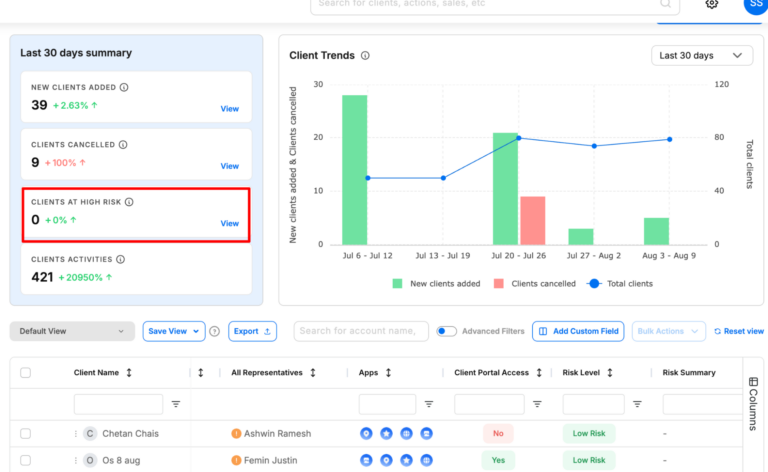
🏆 Prévision du risque de désabonnement : Configurez des critères de désabonnement personnalisés et prédisez quels clients sont sur le point de se désabonner pour passer à l'action.
🏆 Prospection auprès des PME : Trouvez de nouveaux prospects pour les PME avec plus de 100 points de données sur leurs besoins commerciaux et marketing.
🏆 Proposez des applications marketing aux clients : Activez les applications marketing essentielles pour les clients, telles que les listes, la gestion de la réputation, les outils de réseaux sociaux, etc. sans frais supplémentaires.
🏆 Rapports en marque blanche : Fournissez automatiquement des rapports de performance personnalisés aux clients.
🏆 Outils d'intégration des clients : Importez rapidement les données des clients et connectez les comptes.
🏆 CRM et suivi des prospects : Stockez les informations sur les clients, suivez les prospects et surveillez les résultats des campagnes.
🏆 Paiements et facturation : Vous pouvez facturer vos clients et gérer toutes vos factures à partir d'un seul endroit.
Qu'est-ce qui distingue Synup
La plupart des outils CRM ne sont que cela : un CRM qui vous aide à gérer les prospects et les clients. Mais Synup prend une longueur d'avance en vous offrant de nouvelles opportunités de revenus et en proposant des fonctionnalités de prévention du churn. Avec Synup, vos clients ont également accès à des applications de marketing gratuites qu'ils peuvent utiliser pour gérer leur entreprise, ce qui vous permet de générer plus de revenus et de meilleures performances pour vos clients.
Avantages
Une intégration plus rapide permet d'importer les informations d'un client une seule fois et de les diffuser partout.
Une meilleure fidélisation des clients, car les clients ont accès à des données claires et cohérentes et à des preuves de travail.
Vous pouvez créer davantage d'opportunités de vente incitative en ajoutant des avis, en utilisant les réseaux sociaux ou le CRM sans avoir besoin d'outils supplémentaires.
Pros
✅ Tout-en-un, prêt en marque blanche pour les agences
✅ Interface conviviale et facilité d'utilisation remarquable ✅ Une assistance et des automatisations basées sur l'IA qui permettent de réellement gagner des heures chaque semaine
✅ Particulièrement utile pour gérer des clients ayant plusieurs sites
Les inconvénients
🚫 Nécessite un peu de temps de configuration à l'avance 🚫 Cela peut sembler un peu difficile pour les petites agences
Synup a complètement changé la donne pour moi. Je l'utilise pour la gestion des listes d'entreprises, le suivi des avis, les pages de destination locales et maintenant pour la publication sur les réseaux sociaux alimentée par l'IA. Je suis époustouflé par tout ce que je peux accomplir en un seul endroit. Un seul tableau de bord. »
Zee D, administratrice exécutive
- Avis collecté et hébergé sur G2.com.
Hubspot
Category: All-in-one CRM and marketing automation for client-focused marketing agencies
HubSpot is a CRM platform designed to manage every stage of the client journey. It's ideal for agencies that want a single space to handle lead capture, marketing campaigns, sales pipelines, and client communications without switching from multiple tools. It's best suited for medium to large marketing agencies ready to streamline processes and deliver measurable results. Start-ups also get a 90% discount for the first year.
Key Features
Contact, lead, and pipeline management
Email marketing and automation workflows
Customizable reporting dashboards and analytics
Social media scheduling and monitoring tools
Campaign budget tracking and expense permissions
Role-based access control for teams
Multi-language and geo-targeted page content
Integration with 1,000+ apps and tools
Benefits of HubSpot
Sophisticated CRM with marketing automation
Improves client reporting with real-time performance dashboards
Supports cross-department collaboration with role-based permissions
Enhances client experience with personalised, geo-targeted content
Pricing
HubSpot Marketing Hub starts at $15/month for basic features, with Professional plans starting at $890/month and Enterprise plans starting at $3,600/month (billed annually). Prices vary based on contacts, features, and team size.
Pros
✅ Comprehensive CRM and marketing suite in one platform ✅ Powerful automation for scaling agencies
✅ Effective API for lead capturing
✅ Good reporting capabilities and easy to measure sales effectiveness
Cons
🚫 Pricing increases steeply as you scale 🚫 Can be complex for small teams to learn fully
🚫 All-in-one platform that may not be necessary for teams with a specific requirement (for example, if you only need a CRM)
What Customers Say
“I really like how easy it is to keep track on users that show interest in our product and keep their interaction and activity. HubSpot also allow for department collaboration in planning marketing budget spending, track expenses and coordinating for a expense permission.”
Shahrul K.
- Review collected by and hosted on G2.com.
Productive
Category: All-in-one agency management platform for projects, budgets, and profitability tracking.
Productive is a purpose-built agency management tool that combines project management, budgeting, resourcing, and reporting into one platform. It's designed specifically for creative, marketing, and digital agencies that want full visibility over operations and profitability.
However, its broad feature set can feel excessive for very small teams that only need basic project tracking. It's best suited for mid-sized agencies that want a single source of truth for projects, finances, and resources.
Key Features
Project and task management
Recurring budget tracking for retainers
Resource planning and utilisation tracking
Built-in time tracking and invoicing
Financial forecasting and profitability reports
Integration with tools for accounting (like Xero and QuickBooks)
Customizable reporting for projects, budgets, and performance
Client portal for project updates and approvals
Benefits of Productive
Centralizes project, budget, and resourcing data in one place
Reduces manual admin with automation and integrated invoicing
Improves profitability tracking with accurate budget vs. actual reports
Increases visibility into team utilisation and capacity
Supports agency growth with scalable features and integrations
Pricing
Productive starts at $9/month per user for the Essential plan, $24/month per user for Professional, and $32/month for Ultimate, all billed annually, with custom pricing available for Enterprise. All plans include core project management features, with advanced reporting and financial tools in higher tiers.
Pros
✅ Built for agencies with end-to-end operations in mind
✅ Great pick for agencies looking for a simple, for-purpose tool ✅ Strong budget tracking and profitability insights
Cons
🚫 Overkill for teams that only need simple project tools 🚫 Requires onboarding to unlock advanced features fully
🚫 UI can be more dynamic and intuitive; can be frustrating to work with
What Customers Say
“The ability to set recurring budgets for monthly retainers was the deciding factor for us - something we rely on strongly as an agency. The tool is easy to use, with integrations with a large amount of other tools - including Xero.”
Jess T., Head of Delivery
- Review collected by and hosted on G2.com.
Teamwork
Category: Flexible project management platform built for client service teams and agencies
Teamwork is a project management platform crafted to help service-based teams manage client work from start to finish in one space.
It combines task tracking, time logging, billing, and resource management in a single interface, reducing the need for multiple tools. While it's rich in features, newer users may face a learning curve, and some advanced automation options are less robust compared to specialised tools.
Key Features
Task and project management with multiple view options
Time tracking and integrated billing
Resource scheduling and workload management
Client portal for project updates and collaboration
Customizable templates and workflows
Milestone tracking and dependency management
Detailed reporting and analytics
Integrations with tools like Slack, HubSpot, and Google Drive
Benefits of Teamwork
Centralizes all client work in one platform
Improves collaboration with real-time updates and file sharing
Saves time by linking time tracking directly to billing
Enhances client trust with transparent project progress
Flexible enough to adapt to different project styles and industries
Tools for budgeting, time and resource management and portfolio management
Pricing
Teamwork offers a Free Forever plan with basic features, a Deliver plan at $13/month per user, and a Grow plan at $25/month per user. Custom pricing is available for enterprise needs.
Pros
✅ Combines project management, billing, and resource tracking in one tool ✅ Highly customizable to fit different workflows and client needs
✅ Particularly helpful for client-facing work
Cons
🚫 Learning curve that can be hard for new users 🚫 Limited automation compared to some competitors
🚫 Users have reported some difficulties in adding and assigning tasks
What Customers Say
“Teamwork easily allows us to share the workload amongst colleagues with total visibility of progress so far. Jobs are assigned, tracked, and archived with complete simplicity, meaning our whole team has continuous awareness of 'the big picture'.”
Ian R., Managing Director
- Review collected by and hosted on G2.com.
Pipedrive
Category: Visual sales pipeline CRM for small‑to‑mid‑sized marketing and sales teams
Pipedrive is a sales‑focused CRM designed to help agencies and small businesses manage deals from first contact to closing. It revolves around a drag‑and‑drop pipeline view that lets you see exactly where each opportunity sits and what needs to happen next.
However, Pipedrive is firmly rooted in sales; there's no built‑in marketing automation, and advanced features such as email marketing are add‑ons. It's best suited for agencies that need a clear, visual way to manage sales pipelines rather than full‑blown marketing automation.
Key Features
Visual pipeline management with customizable stages
Email integration and activity reminders
Easy-to-set-up dashboards for easy reporting
Mobile app for iOS and Android
Lead and contact management with custom fields
Task automation and workflow automation
Calendar integration and meeting scheduler
Product catalog, goal setting, and data import/export
Benefits of Pipedrive
Keeps sales teams organized with a clear, visual pipeline that highlights deal progress and bottlenecks
Enhances productivity by automating repetitive tasks such as lead assignment and follow‑ups
Helps agencies make data‑driven decisions with customizable reporting and dashboards
Streamlines communication through built‑in email tracking, reminders, and mobile access
Integrates smoothly with email marketing, help desk, and accounting tools for a unified workflow
Offers great value-for-money; offers mostly all standard CRM features at a reasonable price
Pricing
Pipedrive offers tiered plans that can be paid month‑to‑month. Plans start at $24 per user/month for the Lite tier, $49 per user/month for Growth, $79 per user/month for Premium, and $99 per user/month for Ultimate. Add‑ons like LeadBooster or Campaigns cost extra.
Pros
✅ Intuitive visual pipeline with drag‑and‑drop stages and clear visibility on project stages ✅ Automations and integrations reduce manual work and sync data across tools
✅ Great tool to manage sales and track progress
Cons
🚫 Automation may not be as robust as its contemporaries, such as Hubspot 🚫 Pricing can increase quickly as you move up tiers or add extra functionality; flat fees for add-ons.
🚫 Simplifies things, but sometimes to a fault, especially when compared against competitors.
What Customers Say
“I like how user-friendly Pipedrive is, even for people who aren't tech experts. The visual sales pipeline helps me see exactly where each deal stands at a glance, and the customizable stages mean I can adapt it to fit different workflows.”
Vicente L., Consultant
- Review collected by and hosted on G2.com.
Zoho CRM
Category: Customizable CRM solution for small and mid‑sized marketing and sales teams.
Zoho CRM is a flexible, cloud‑based customer relationship management platform built to help agencies, marketing teams, and small businesses manage leads, automate sales processes, and deliver personalised customer experiences.
The built‑in Zia AI assistant provides intelligent sales insights and predictive deal‑closing recommendations. However, Zoho CRM focuses primarily on sales, not marketing automation, and its extensive customization options can feel complex if you just need a basic contact manager.
Key Features
Sales force automation automates contact maintenance, follow‑ups, and lead scoring.
Process management (Blueprints) visualizes and standardizes each step of your sales process.
Omnichannel communication captures email, social, phone, and live chat interactions in one customer record.
Dashboards and analytics for deep insights
Extensive integrations and customization options
AI and predictive sales (Zia) for anomaly detection and deal‑closing predictions.
Benefits of Zoho CRM
Simplifies sales operations by automating routine tasks and enforcing consistent processes.
Improves team collaboration with a unified view of customer interactions across multiple channels.
Enables data‑driven decisions through robust reporting and analytics.
Supports growth. You can start simple and expand functionality as your agency scales, thanks to deep customization and integration options.
AI assistant Zia provides predictive insights and suggestions, enhancing productivity and forecast accuracy.
Pricing
Zoho CRM offers several tiers with monthly per‑user pricing (billed annually):
Free Edition (up to 3 users).
Standard: $20 per user/month.
Professional: $35 per user/month.
Enterprise: $50 per user/month.
Ultimate: $65 per user/month.
Pros
✅ One of the most flexible and customizable CRM options that scales with your agency ✅ Affordable entry pricing with powerful automation and AI features
✅ Offers a comprehensive suite of services, especially beneficial for small agencies
Cons
🚫 Heavy emphasis on sales, marketing automation features require separate tools or extensions 🚫 The breadth of configuration options can be overwhelming for very small teams needing a simple contact manager
🚫 Users have reported UI/UX and navigation issues that can be harder to navigate with the learning curve
What Customers Say
“What I really like about Zoho CRM is how easy it is to use and how it helps keep everything in one place. It makes managing leads, follow‑ups and customer conversations feel more organised without being overwhelming. I especially appreciate how it helps build better relationships, everything's at your fingertips.”
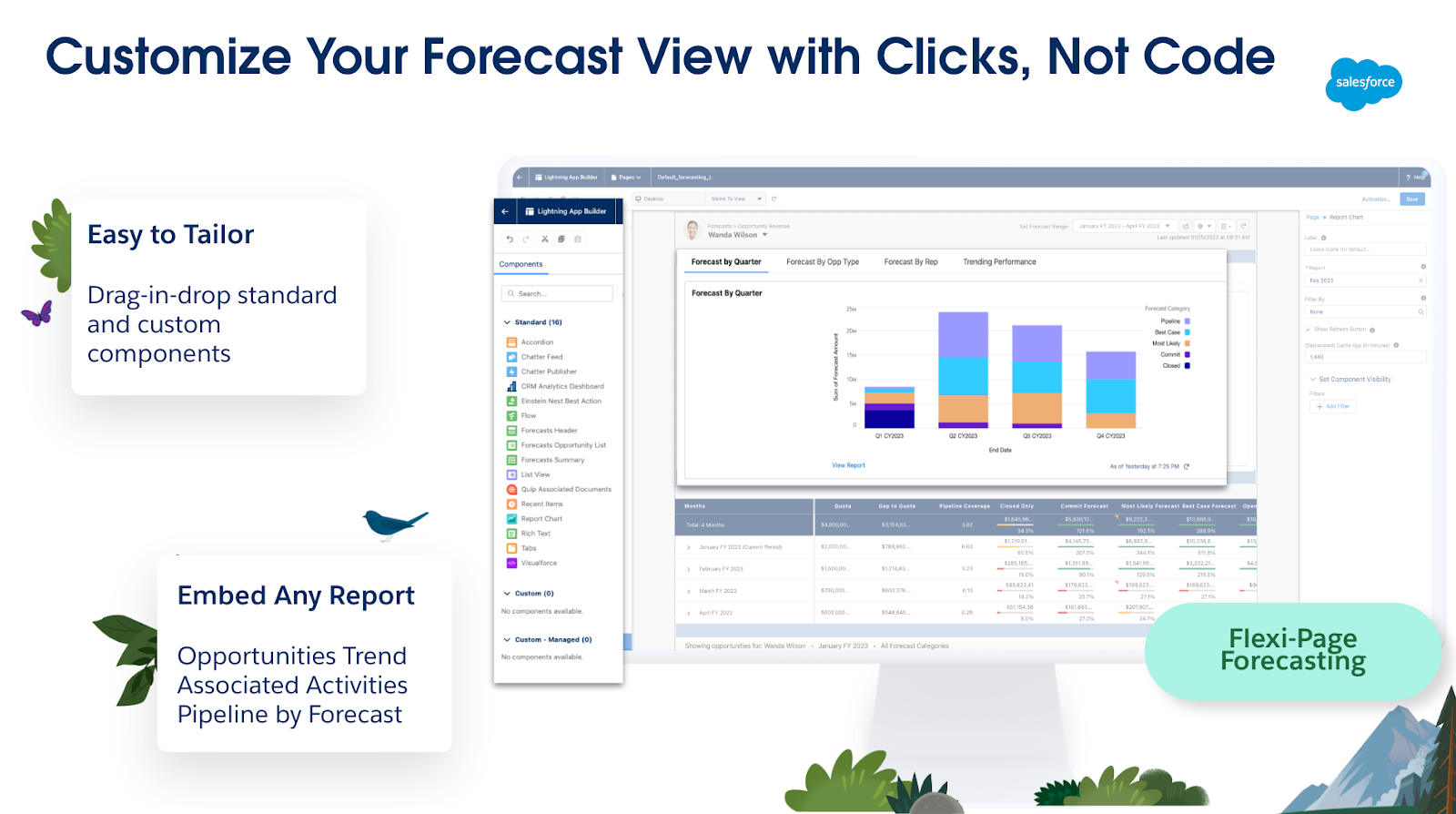
Salesforce is the market-leading cloud-based CRM platform that goes beyond contact tracking. It brings together sales, service, marketing, analytics, and commerce in one unified system. Salesforce is an exhaustive platform: you can customize UI elements, build workflows, design integrations, and even develop entire apps using its low-code tools.
AI capabilities, like Einstein and the newer Agentforce, automate predictions, generate smart recommendations, and drive proactive engagement. That said, there's a bit of a learning curve and implementation cost, so it's ideal for mid-sized to enterprise agencies ready for serious scaling, and not the best fit for solo freelancers or very small teams.
Key Features
Powerhouse tool with a unified Sales, Service, Marketing & Commerce suite
Visual dashboards with real-time pipeline insights
Advanced automation with workflows and AI agents (Einstein/Agentforce)
Highly customizable via low-code tools and AppExchange ecosystem
Contact, account, opportunity, and quote management with reporting
Built-in collaboration via Chatter and mobile access
Augmented analytics and AI-driven insights across departments
Benefits of Salesforce
Creates a single, real-time view of your customers across every department
Boosts sales velocity and precision with AI-powered forecasting and recommendations
Grows with your business: scale workflows, data, and users with enterprise-grade infrastructure
Enhances team collaboration and response via built-in communication tools like Chatter
Cross-platform access enables usage anywhere, anytime, mobile included
Pricing
Starter Suite: $25/user/month, for small teams with core CRM needs
Pro Suite: $100/user/month adds automation and customization features
Sales Enterprise: $165/user/month, deeper control and advanced AI tools
Agentforce 1 Sales: $550/user/month, includes full AI agent integration
Pros
✅ Enterprise-grade CRM with unmatched scalability, AI, and extensibility
✅ An incredibly powerful and versatile fit for a range of business needs and customer relationship management ✅ Comprehensive cross-department automation and real-time insights
Cons
🚫 High price point, especially at advanced tiers with AI and customization 🚫 Onboarding and implementation complexity can lead to lengthy deployments
🚫 Might be too much to handle, and the admin console may be a hard to get the hang of
What Customers Say
“What I like most is how centralized and customizable everything is. I can easily track customer cases, view interaction history, and log updates across multiple channels in one place.”
Lemuel P., Consumer Support Associate
- Review collected by and hosted on G2.com.
Monday.com
Category: Work management & project collaboration tool
Monday.com is a cloud-based work operating system (Work OS) designed to help teams plan, track, and deliver projects efficiently. It's built for marketing teams, agencies, software developers, and operations managers. While its project management abilities are its strength, the breadth of features can feel overwhelming for beginners. Teams that prefer simple, fixed templates might find Monday.com a bit heavy to configure at first.
Key Features
Customizable project boards and workflows
Automation for repetitive tasks
Real-time collaboration and file sharing
200+ pre-built templates for different industries
Time tracking and workload management
Analytics and reporting tools
Integrations with Slack, Zoom, Google Drive, Google Calendar and more
AI-powered project updates and insights
Benefits of Monday.com
Boosts productivity by automating repetitive tasks
Improves team transparency with centralized project tracking
Reduces time spent on status meetings
Allows scaling across multiple teams and departments
Enhances decision-making with visual dashboards and analytics
Pricing
Basic: From $10/seat/month (billed annually)
Standard: From $12/seat/month (billed annually)
Pro: From $19/seat/month (billed annually)
Enterprise: Custom pricing
Pros
✅ Highly customizable for different workflows ✅ Especially strong integration ecosystem
✅ Great features for team integration and collaboration
Cons
🚫 Steeper learning curve for new users 🚫 Can get expensive with larger teams or when setting up advanced features
🚫 Better as a project management board, not a CRM
What Customers Say
“Personally, I love everything about Monday.com, the automations, flexibility of the structure, sorting options, integrations, and now the AI capabilities. There's no way I could manage the volume of projects in our internal marketing department without it.”
Carrie F., Marketing Director
- Review collected by and hosted on G2.com.
Bonsai
Category: All-in-one business management platform for freelancers, agencies, and small businesses.
Bonsai is a streamlined business management tool designed to help freelancers, small agencies, and micro-businesses manage projects, contracts, invoicing, and payments in one place. Bonsai's automation features, like recurring invoices, proposal templates, and integrated time tracking, help cut admin time so you can focus on billable work.
Its biggest draw is its simplicity: setup is quick, and the interface is intuitive, even for non-technical users. However, its CRM functions are basic compared to dedicated CRM platforms, and advanced accounting features may require integration with external tools.
Key Features
Project and client management dashboard
Time tracking with start/stop timers
Customizable contracts and proposal templates
Invoicing with partial payments, recurring billing, and payment reminders
✅ Easy to set up and use, even for non-technical users ✅ Strong all-in-one toolkit for freelancers and micro-businesses
Cons
🚫 Limited CRM compared to dedicated platforms
🚫 Advanced accounting features require external tools
What Customers Say
“Professional looking easy to use and implement timer, project/client set up and invoicing/chasing etc. Ability to log a partial payment and email client with updates, disable routine reminders if required and to tweak/suspend accrued interest again as necessary when negotiating with clients (without the overheads of a full accounting app if you're only operating on a micro level). Basic CRM if paying for basic package.”
Anita Q., Associate
- Review collected by and hosted on G2.com.
Trying to manage 20+ client accounts using Google Sheets and email threads is a recipe for missed deadlines, lost files, and frustrated clients. A proper system puts everything in one place, from the first kickoff call to the final invoice, and makes your agency look more professional while doing it.
The tools above do exactly that. They cut down on admin time, keep clients in the loop without endless calls, and help you spot when a project's going off-track before it costs you money.
If you want all of that plus a way to build your client's brand and reputation while managing projects and reporting, Synup OS is one to watch. It's being built with agencies in mind, so you'll get onboarding, renewals, campaign tracking, and client comms, all under your own branding. Once it's in place, you'll wonder how you managed without it.
Synup is your agency's control room with one login for every moving part of client management. You get tools that keep campaigns, reporting, and brand-building under one roof, all fully white-labelled so your clients only see you, not the software.
With Synup, you can:
Manage all client campaigns, leads, and updates in one dashboard
Schedule posts, monitor reviews, and respond in real time
Generate branded reports that clients can access 24/7
Track performance across search, social, and reputation in one view
Scale from 10 to 200+ clients without drowning in admin
Book a demo, give it a try, and see how it saves your team, retains your clients, and offers their customer base better value.
Frequently Asked Questions
What is the best client management software?
Synup is great if you want one place to keep projects, reports, and client updates tidy. Over 5,000 agencies use it to manage more than 600,000 business profiles. You can stick your own logo on the dashboard, so clients feel it's yours, not a third-party tool. And if you need heavy-duty marketing automation and deep integration with over a thousand apps, HubSpot is built for that.
What is the best agency management system?
Productive nails the boring-but-critical stuff like tracking every billable hour, quoting jobs properly, and checking project profitability before it's too late. Agencies use it to run everything from team schedules to budget forecasts without needing ten different logins. If you'd rather keep client management, brand building, and lead generation under one roof, Synup's toolset gives you that without extra subscriptions.
What CRM do agencies use to manage multiple clients?
Zoho CRM is a favorite among agencies with 50 to 200+ accounts due to its affordability (approximately $20 per user per month) and flexibility to accommodate various workflows. Users can create custom pipelines, automate follow-ups, and consolidate everyone's contact history in one place. Synup is also a strong option, as its white-labeled dashboards allow clients to view live results without exposing the backend complexities.
Devenez partenaire de Synup dès aujourd'hui !
Prenez rendez-vous avec notre responsable des partenariats pour explorer des solutions de croissance personnalisées pour votre agence.