
Connect and Manage Your Mailbox with Synup OS
Connect and manage your agency mailbox with Synup OS. Keep all emails in one place, stay organized, and never miss a client conversation.
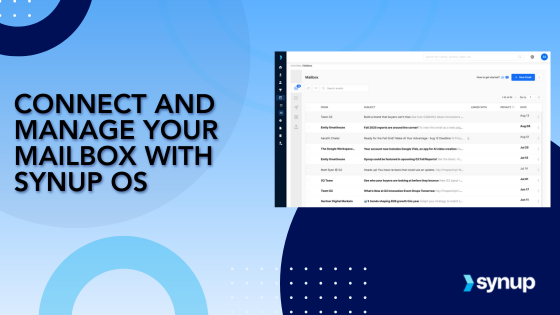
Synup OS helps agencies centralize communication by bringing all client messages into one place. From lead inquiries to review alerts, everything is visible inside your dashboard so nothing gets missed.
Stop Letting Client Communication Slip Through the Cracks
As your agency scales, keeping up with emails across clients and platforms gets messy. Important messages get buried. Follow-ups are delayed. Opportunities go cold. Synup OS solves this by letting you connect your mailbox and manage every message from one interface. No more switching tabs or chasing threads. Just clear communication, all in one view.
Why It Matters: Benefits of a Unified Inbox
- Bring Everything Into One Place
Connect your mailbox to Synup OS to pull in client emails, form submissions, lead replies, and platform alerts into a single inbox. - Respond Without Switching Platforms
Reply to messages directly from Synup OS. You don't need to log in to other tools or platforms to take action. - Assign Ownership Across the Team
Make sure every message has a clear owner. Assign emails to team members, add notes, and keep track of response status. - Keep Full Context on Every Conversation
All messages live within each client's profile, so your team always knows the backstory before replying.
Turn Inbound Emails Into Action
Whether it's a lead or a client concern, Synup OS makes sure it lands in the right hands instantly so your team can take action.
How to Connect and Manage Your Mailbox with Synup OS
Step 1:
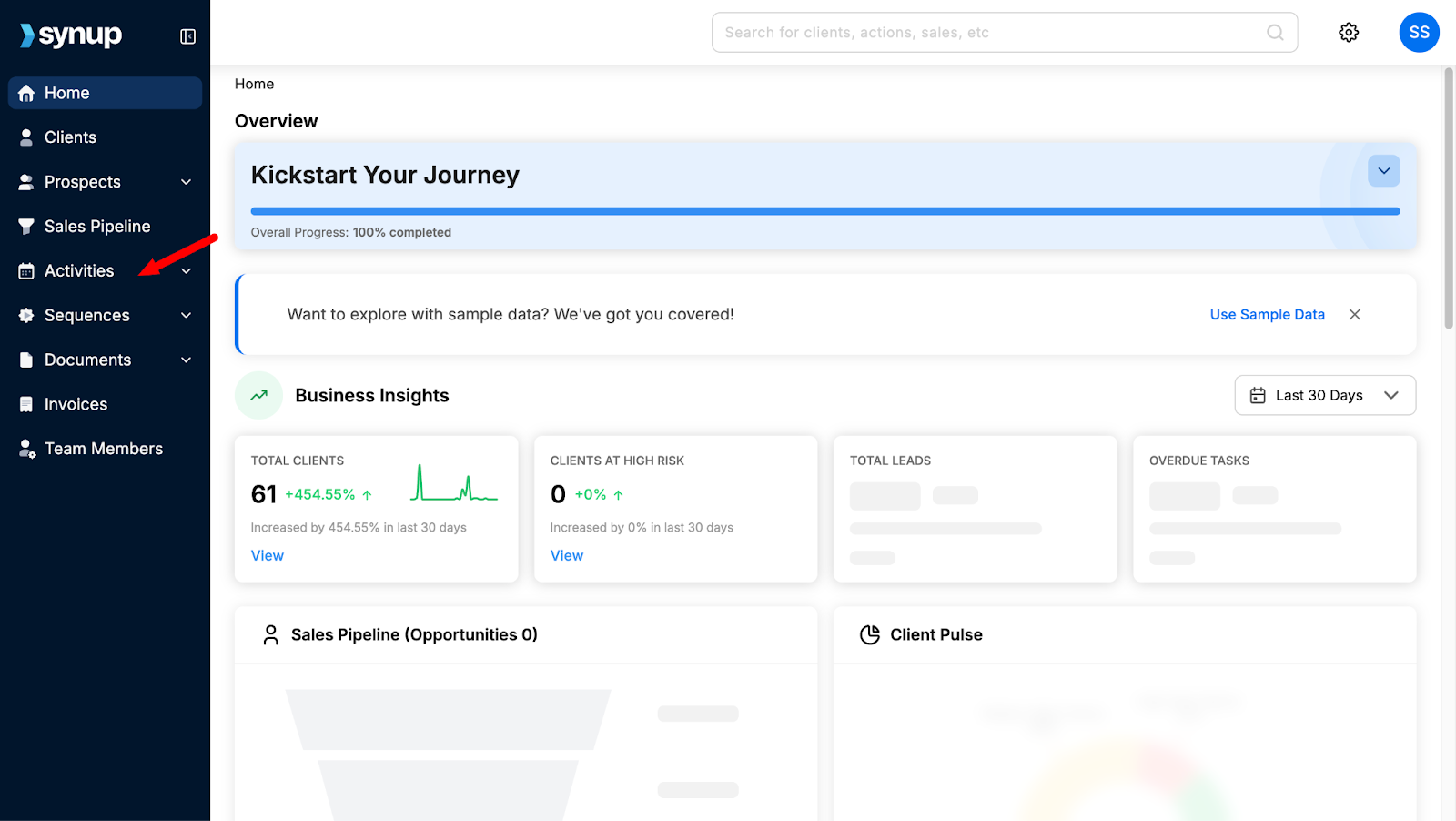
Start by logging into your Synup OS account. Once you're in, look at the left-hand side of your homescreen. You’ll see a dropdown menu with various options. From here, click on the ‘Activities’ tab.
Step 2:
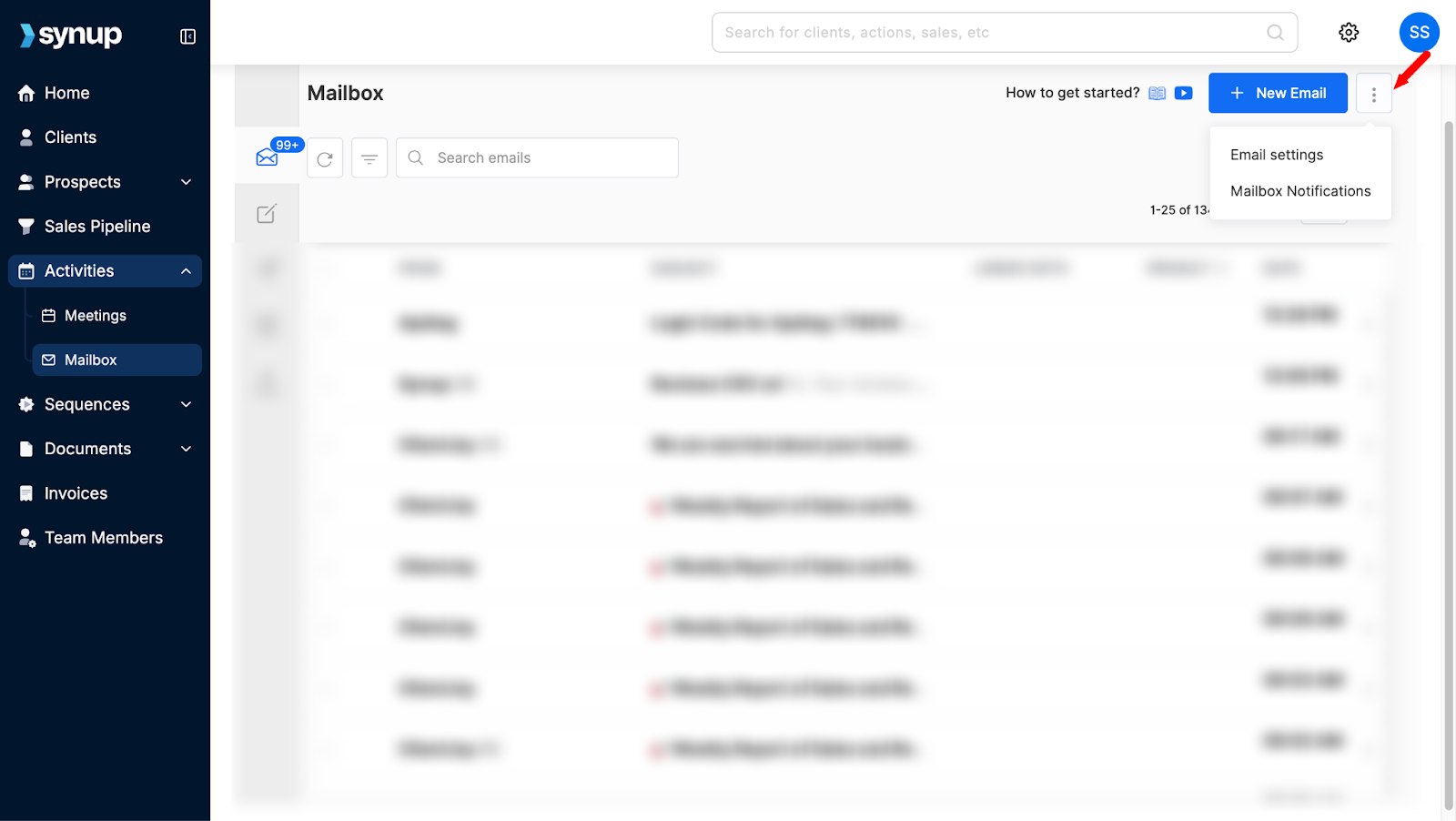
Under Activities, you’ll see two options: Mailbox and Meetings. Select ‘Mailbox’ to continue.

Step 3:
Inside your mailbox, go to the top-right corner of the screen. Click on the three dots icon to access your mailbox settings.
Step 4:
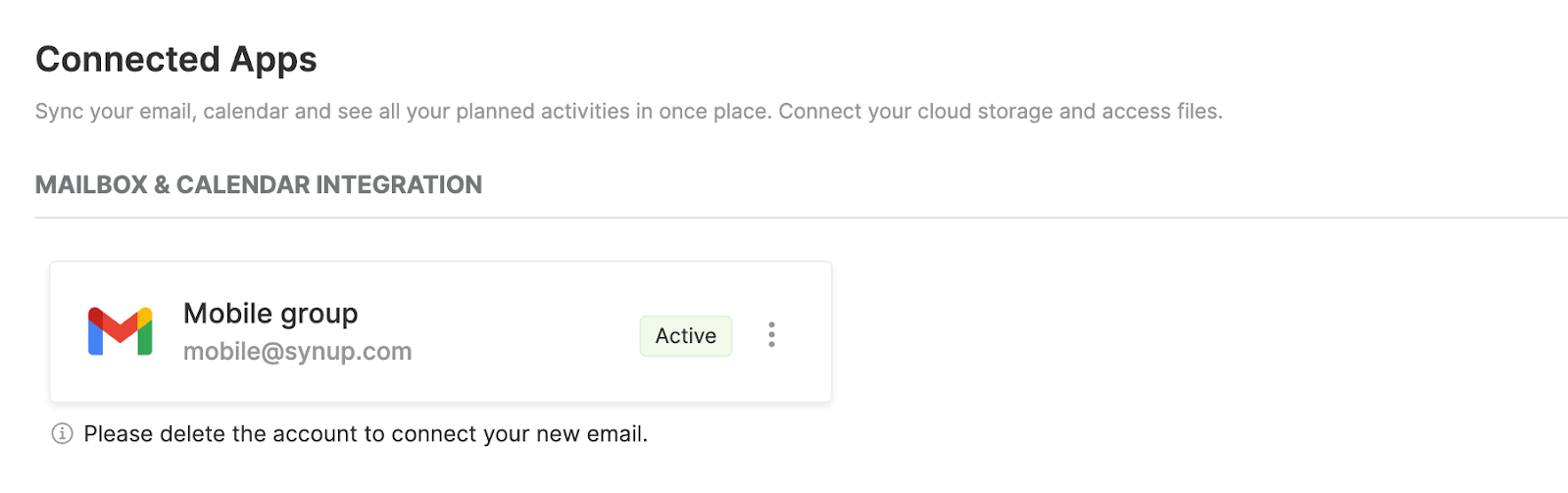
To connect your email account, simply log in using your email credentials. Once you do that, your inbox will sync, and you’ll be able to view emails from the past 30 days.
Step 5:
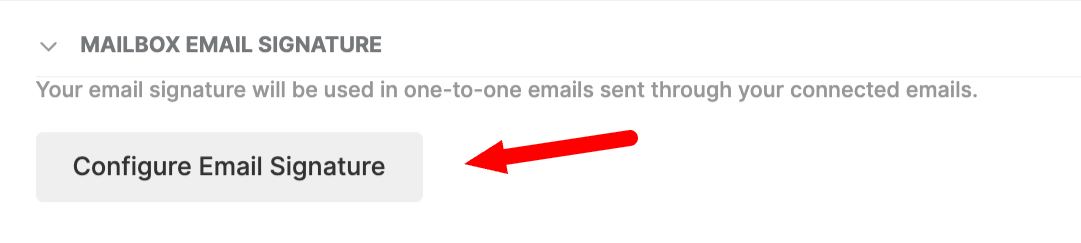
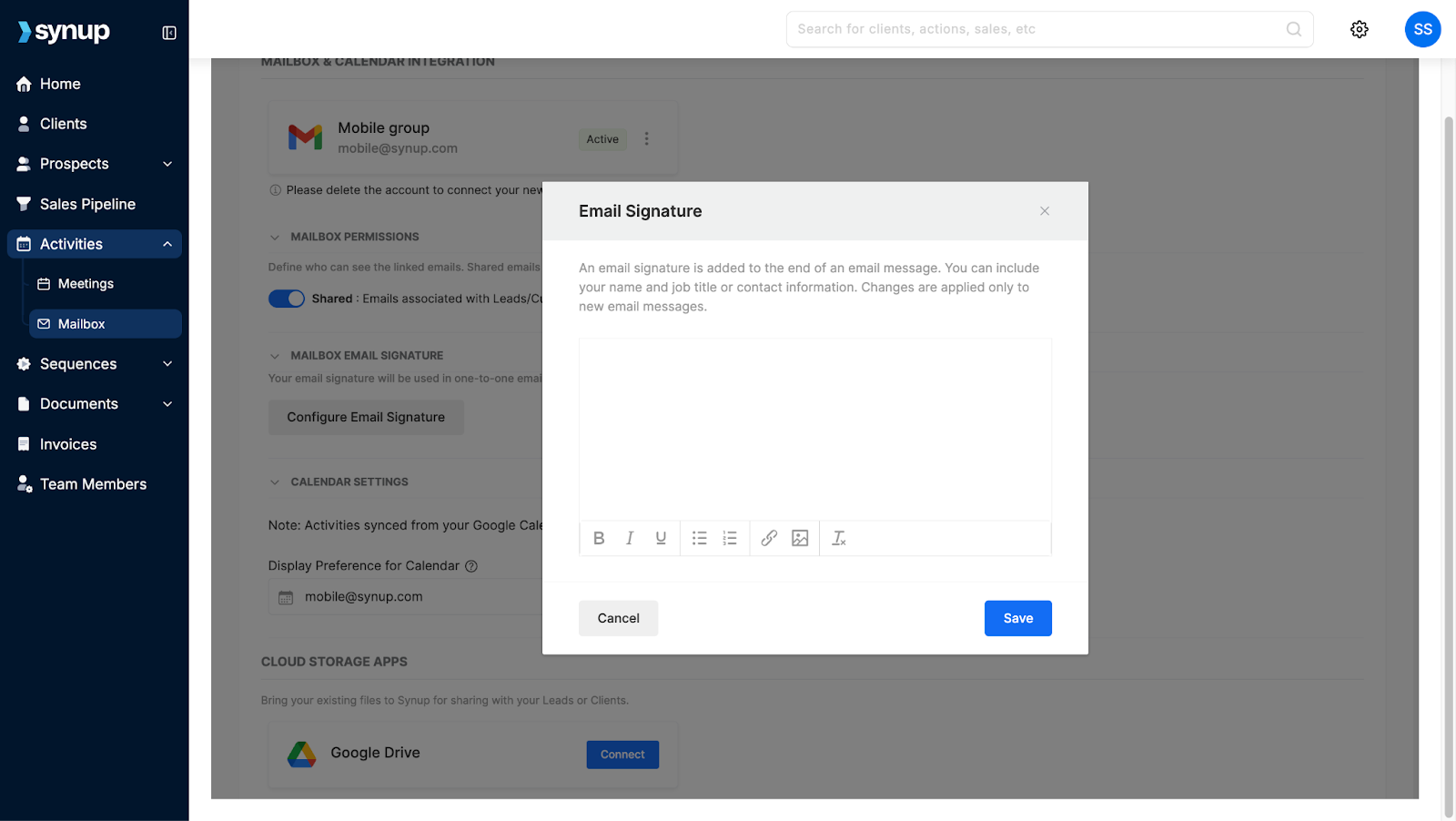
If you’d like to set up an email signature, click on the ‘Configure Email Signature’ button. A dialogue box will appear where you can create your default signature and save it for later use.
Step 6:
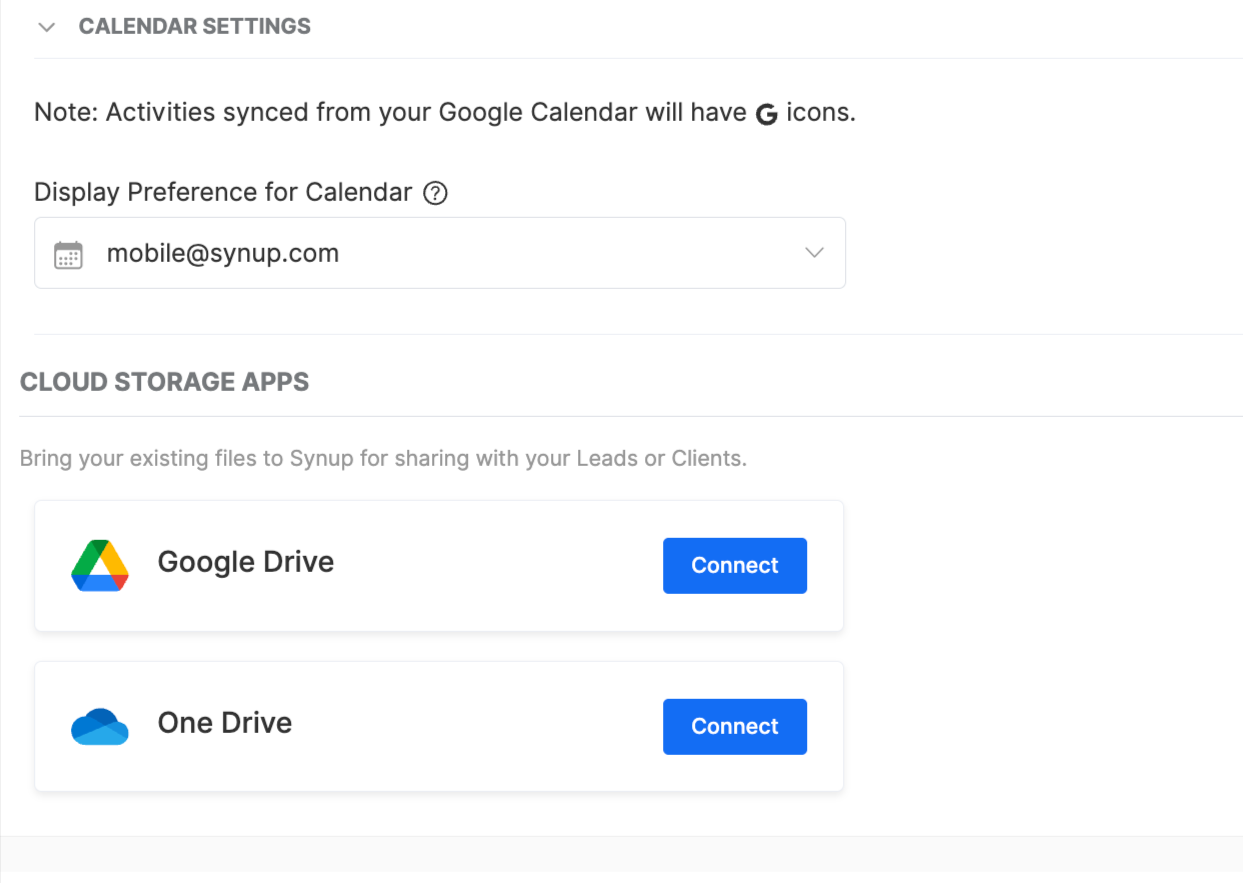
You also have the option to connect your cloud storage accounts. If you’d like, you can link your Google Drive or OneDrive account for easy file access.
Step 7:
To customize your notifications, click on the three dots again and select ‘Mailbox Notifications’.
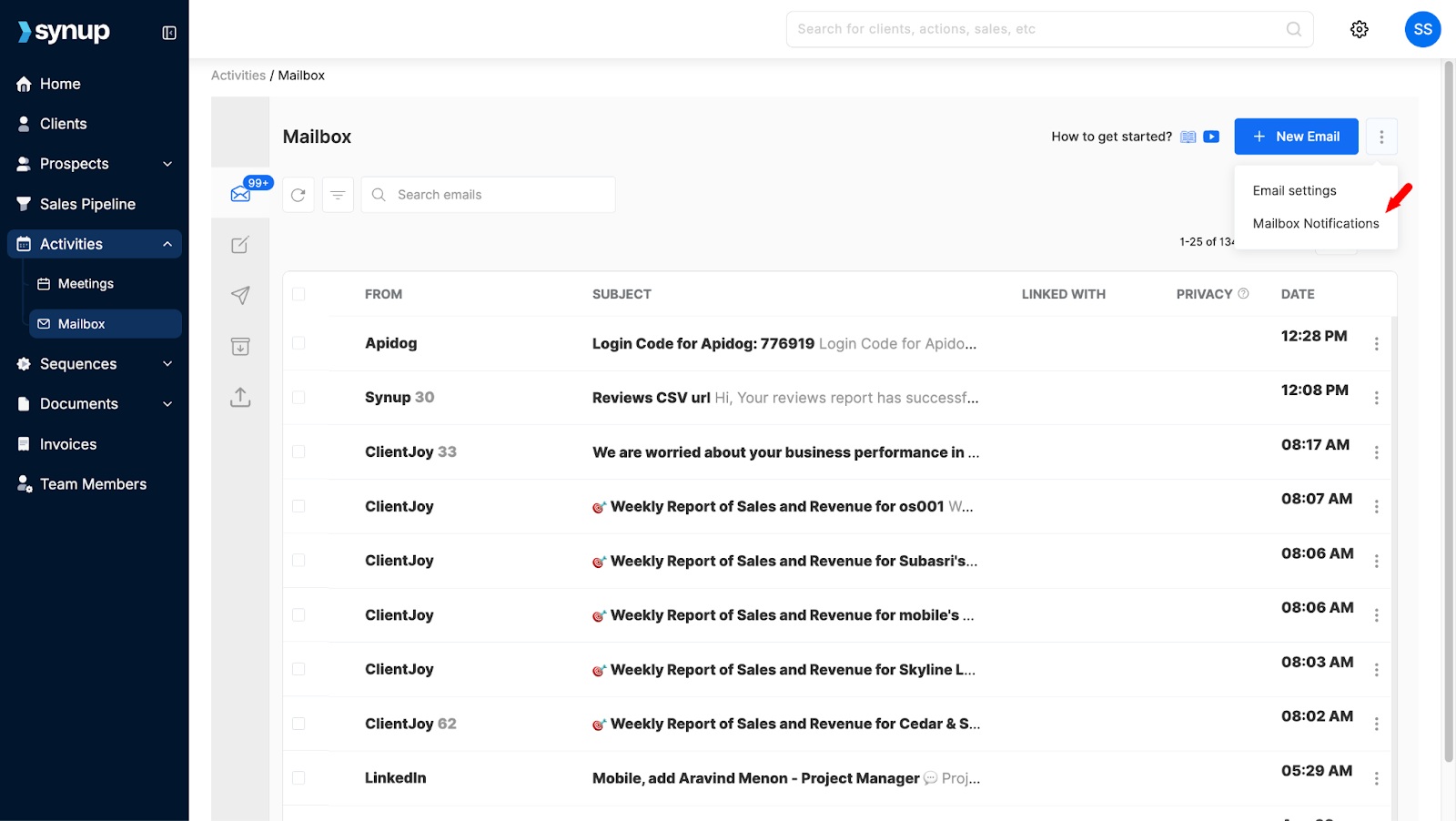
You’ll find a variety of options here to help you control which notifications you receive. Choose the ones that are most important to you so your inbox works the way you need it to.

And that’s how you can make the most out of your mailbox on Synup OS.
Manage Mailboxes at Scale with Synup OS
Designed for agencies, built for real workflows
When you're handling conversations for multiple clients, a basic inbox isn’t enough. Synup OS is built with agencies in mind, and every part of the mailbox experience reflects that. From setup to day-to-day management, it's structured to support teams, not just individuals.
Set Up Consistent Signatures Without the Back and Forth
If your team is emailing clients regularly, having a consistent signature matters. Instead of setting this up manually every time, Synup OS lets you create and save a default signature. This helps your agency maintain a clean, branded look across every message. You can also update or tweak it as needed, no extra coordination required.
Cloud Storage That Works With Your Flow
Client assets, reports, and feedback documents, agencies deal with a lot of files. Synup OS lets you connect your Google Drive or OneDrive accounts so your team can access and share files directly from the mailbox. Everything is in one place, and nothing gets lost in email threads or chat history.
Custom Notifications That Fit Your Team
This is where Synup OS helps agencies work smarter. Not everyone on your team needs to be notified about every single update. With customizable mailbox notifications, you can choose what matters. Account managers can get alerts only for their clients. Admins can stay on top of system-wide changes. You control what gets through and who sees what, without overwhelming your team.
A Setup That Scales With You
Whether you're managing five clients or fifty, Synup OS gives you the flexibility to grow without changing how your team works. Everything from email syncing to cloud access to notifications can be tailored to match your agency’s structure and pace.
Conclusion:
Setting up your mailbox on Synup OS is not just about connecting an email account. It's about building a system that helps your team move faster, stay organized, and communicate clearly, no matter how many clients you're working with. It’s the kind of setup every agency needs to run smoothly.
