
Manage All Your Agency Documents in one place with Synup OS
Store, organize, and access all your agency documents in one place with Synup OS so your team stays aligned and nothing gets lost.
Manage All Your Agency Documents in One Place
Running an agency means handling a constant stream of contracts, proposals, brand guidelines, performance reports, and internal SOPs. When these documents live across different tools, folders, and email threads, it slows your team down and creates unnecessary friction.
Centralizing your documents in one place is not just about being organized. It is about working faster, reducing chaos, and making sure your team and your clients are always on the same page.
Stop Wasting Time Searching for Files
Every minute your team spends looking for the right document is time that could be spent on actual client work. A single document hub makes it easy to find exactly what you need without Slack messages or email follow-ups.
Create, Share, and Update with Ease
Need to update an onboarding checklist, tweak a proposal, or roll out a new internal process? When everything is in one place, your team is always working with the latest version. No duplicates. No confusion.
Control Access and Build Trust
Keep internal and client-facing documents separate. Share only what is needed with the right people, and set clear permissions to avoid mix-ups. This keeps your agency’s IP secure and shows your clients you are professional and reliable.
Set It Up Once and Use It Across Clients
Organize your documents by client, service, or workflow. Once your system is in place, your team can use it over and over again. This helps you onboard clients faster and scale without the usual mess.
Built for Agencies: Link Docs Directly to Workflows
Do more than just store your documents. Attach checklists to onboarding workflows or reporting templates to recurring tasks. When your documents are part of your workflow, your team never misses a step.
How To Manage All Documents In One Place With Synup OS
Step 1:
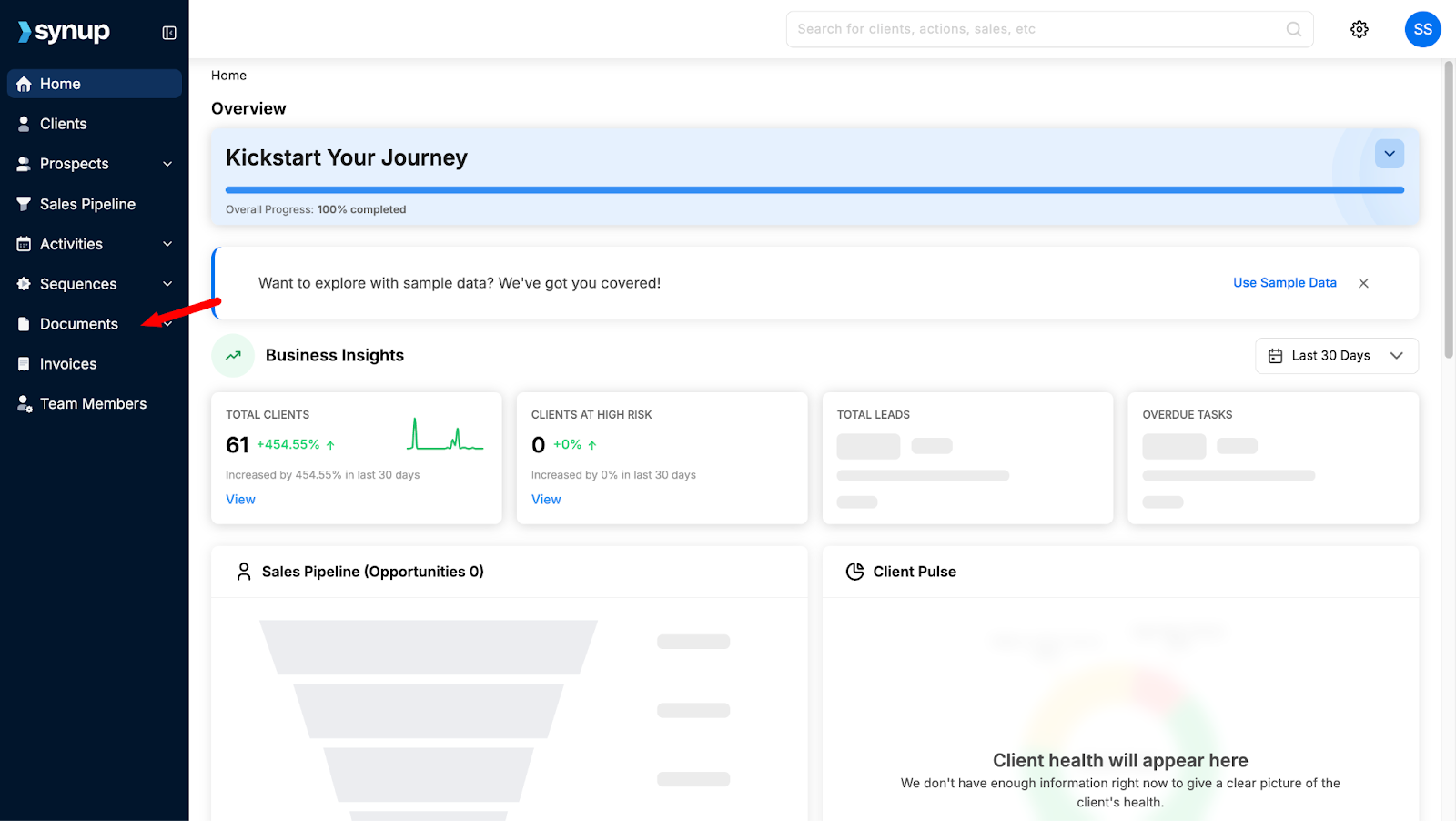
Login to your Synup OS Dashboard and toggle to the left hand side of screen. In the menu options, you’ll see the tab for ‘Documents’ click on that.
Step 2:
Click on ‘All Documents’ under the ‘Documents’ tab to view every agreement, contract, and proposal you’ve created using Synup OS. This brings all your important files together in one place, making it easier to manage, track, and access everything without jumping between tools.

Step 3:
To quickly find what you're looking for, just click on the ‘Document Type’ button and select the type of document you need. Whether it's a contract, proposal, or agreement, this saves you from scrolling through everything manually.

Step 4:
You can also filter documents by owner, so you don’t have to sift through a long list to find what you need. It’s a quicker way to track down exactly who created what, without the extra hassle.
Step 5:
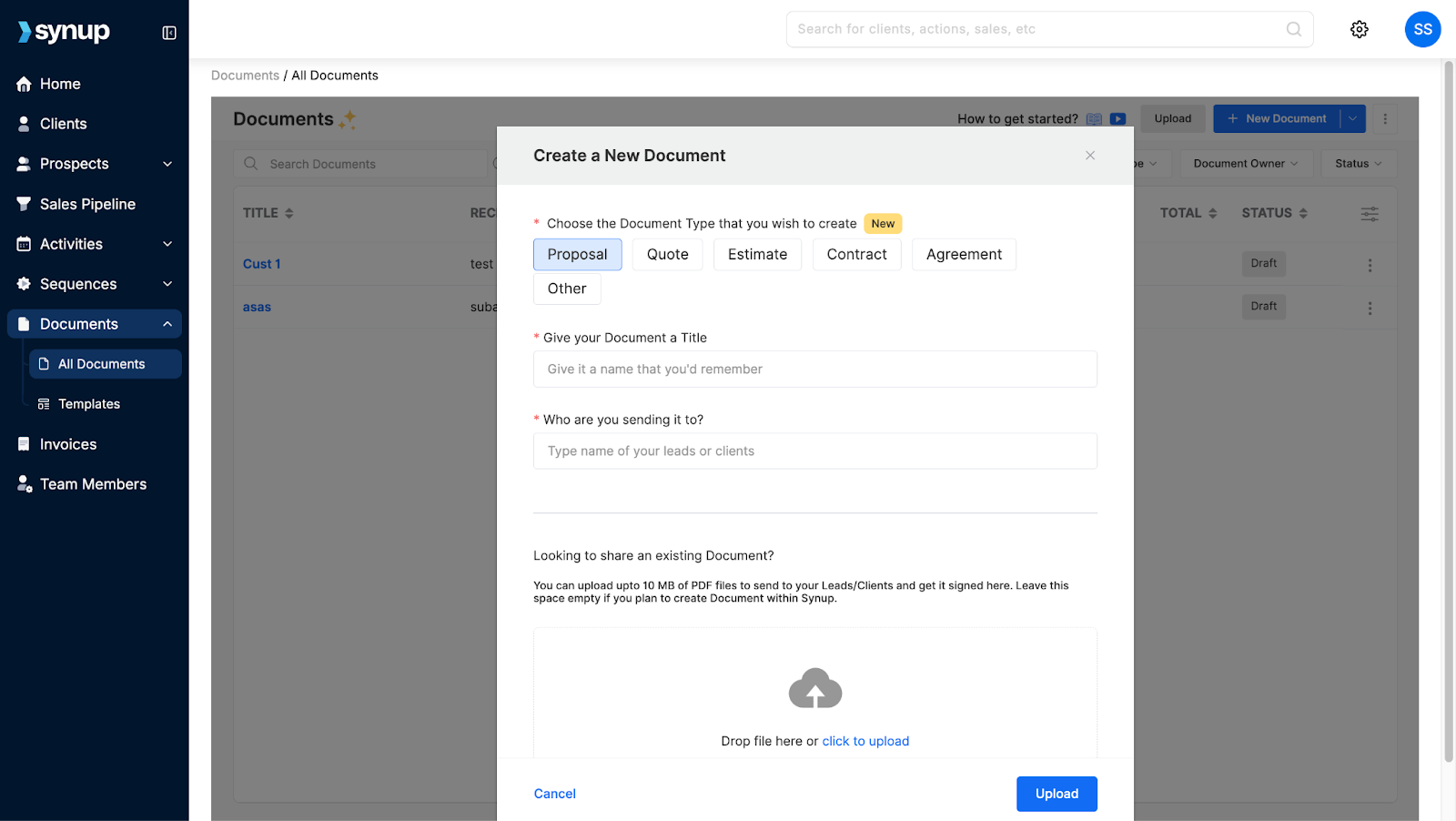
If there’s a contract or document that hasn’t been added yet, you can manually upload it. This way, everything stays in one place and nothing slips through the cracks.
Step 6:
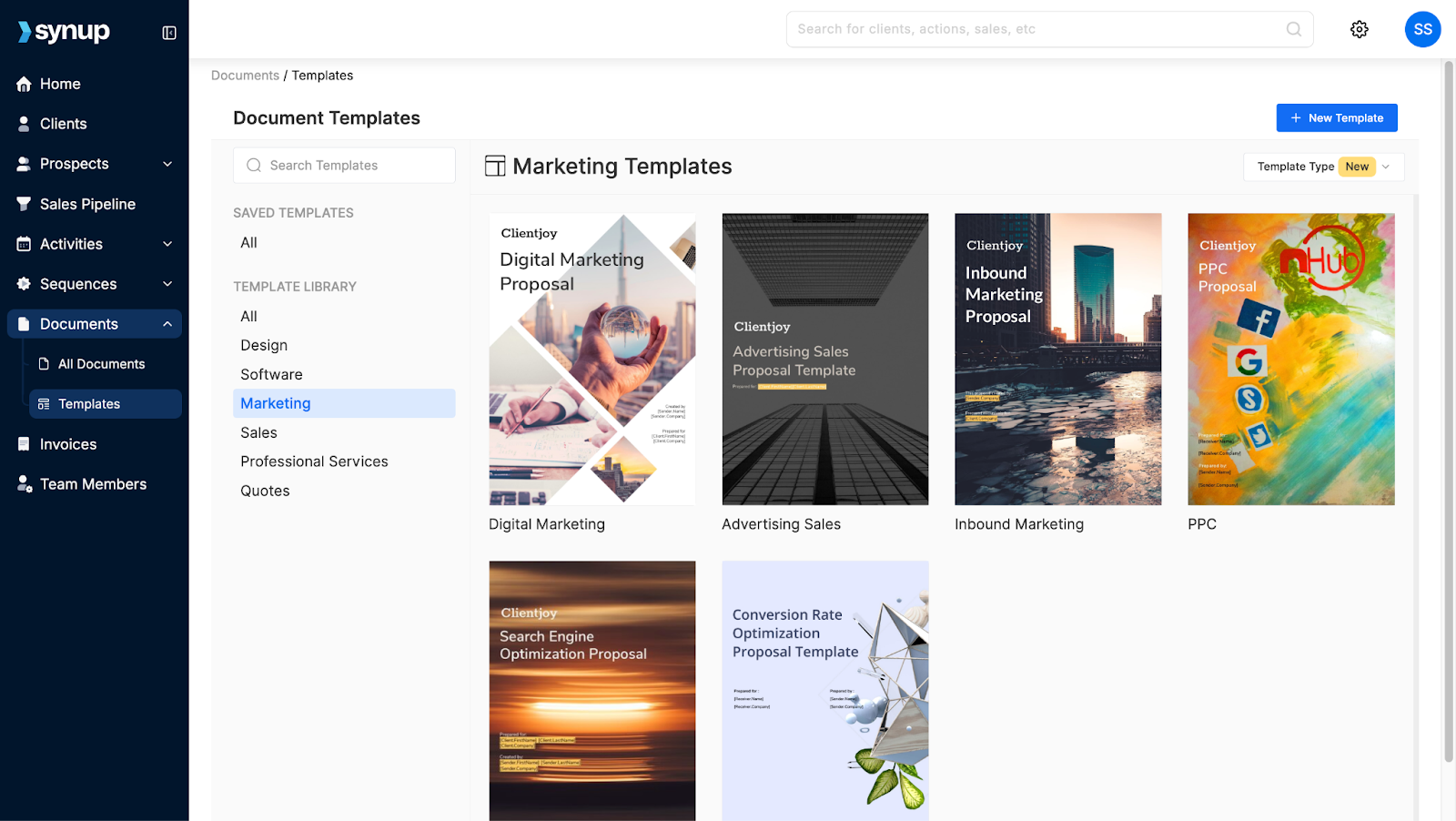
Need to create a proposal but not sure where to start? Head to the Templates section. You’ll find a wide range of ready-made templates for almost anything be it proposals, agreements, reports, and more.
Whether you’re sending out a client contract or prepping for a monthly review call, you can pick a template and get it done in minutes. No blank page. No guesswork.
In Conclusion
Managing documents doesn’t have to be messy or time-consuming. With everything stored, organized, and accessible in one place, your team saves time, avoids confusion, and works more efficiently. From proposals to contracts to reports, Synup OS makes it easy to create, find, and manage it all without the back and forth.
It is one less thing to worry about and one more way to run your agency smarter.
