Top 7 CRMs for Marketing Agencies

Click to Compare

Top CRMs

Running a marketing agency the traditional way is a chaotic business. 

You’re chasing new leads, trying to keep clients happy, and somewhere in between, you’re switching between spreadsheets that never seem up to date. 

Deals get stuck, follow-ups slip by, and your team wastes hours digging for client info that should have been one click away. 

However, a good CRM pulls everything into one place: contacts, deals, tasks, and even payments. No more guessing where a lead is in the pipeline or whether someone followed up. Instead of three different tools tracking sales emails, invoices, and client notes, a CRM can show you that entire journey on a single dashboard. 

Having worked with agencies of all sizes for years, here at Synup, we’ve seen firsthand what makes a CRM valuable and where most fall short. In this guide, we’ve rounded up seven of the best CRMs for digital marketing agencies. Each tool comes with its own benefits, whether you’re a small agency looking for something affordable or a mid-sized business looking to grow fast.

TL;DR: Top 7 CRMs for Marketing Agencies

  • The right CRM streamlines client data, automates tasks, and boosts productivity
  • Agency CRMs combine sales, marketing, service, and billing in one hub
  • Benefits include accurate forecasting, automation, and better team alignment
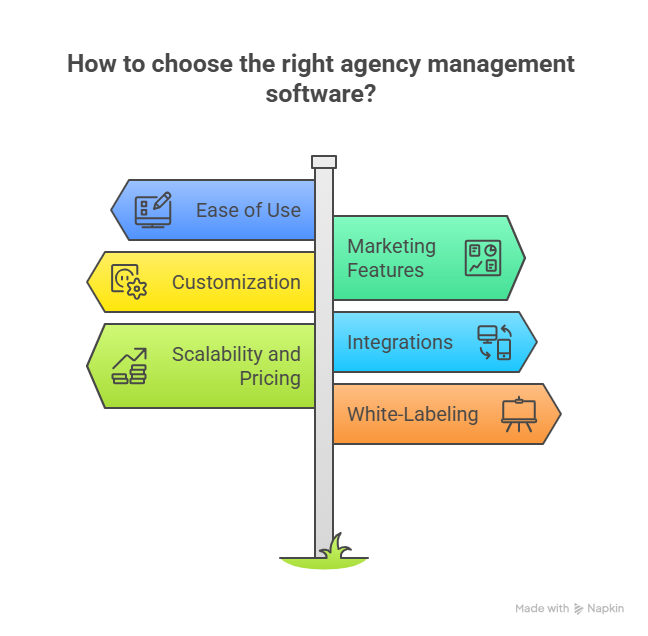
  • Choosing a CRM depends on usability, integrations, scalability, and branding options
  • Best CRM options for your agency:
    • Synup OS offers pipelines, tasks, payments, and white-label client portals
    • Zoho CRM provides omnichannel communication and affordable pricing tiers
    • Pipedrive is strong in visual pipeline tracking and simple forecasting
    • HubSpot CRM unifies marketing, sales, and service with proven growth impact
    • Nimble connects social and email data for relationship-driven selling
    • Salesmate blends sales, marketing, and support with automation features
    • Salesforce leads enterprises with customizable clouds, analytics, and AI
  • Agencies should pick CRMs based on size, goals, and feature fit

What Is an Agency CRM?

A customer relationship management (CRM) system is a digital hub where you store client data, track deals, and coordinate every interaction. Agency CRMs are built specifically for service-based companies that have to juggle multiple campaigns and client relationships. 

Unlike generic CRMs, these platforms help agencies manage their operations & service fulfillment end-to-end. This includes project management, marketing automation, and billing features to match their complex sales cycles.

Benefits of Using a CRM for Your Agency

A well‑implemented CRM transforms how you work. Everything runs smoother and scales faster.  

Here are key benefits:

  • Centralized data: All customer contacts, communications, and agreements live in one place. No more searching through emails or spreadsheets.
  • Pipeline clarity: Visual boards show each deal stage so you can forecast revenue and identify bottlenecks quickly.
  • Workflow automation: It also helps you automate many repetitive tasks such as follow-ups with prospects, meeting reminders, and sending invoices end of the month.
  • Scalability: A CRM lets you standardize your processes. Once you have set up one software properly, you can speed up your workflows and scale without added complexity.
  • Improved collaboration: Your team can see the context and history of every client, including notes and activity. This ensures consistent communication.

How to Choose the Right CRM for Your Agency

When evaluating CRMs, consider these factors:

  • Ease of use: If your team needs two weeks of training to adopt this, the CRM won’t stick. For instance, tools like Synup use drag-and-drop boards where you can move deals across stages in seconds. It has a clean dashboard where you can see leads, deals, tasks, and payments in one place. Adding a new lead after a client call takes seconds, no training course required.
  • Marketing features: The journey at most agencies doesn’t just start with selling. They run campaigns. A CRM with built-in email campaigns or social integrations saves time. For instance, Zoho CRM lets you push client updates straight to social channels and track opens on marketing emails inside the same dashboard. Synup OS includes marketing apps like listings, reviews, and social posting that plug right into the CRM. That means you can track a client’s ad pipeline and reputation management without switching tabs.
  • Customization: Client projects vary. Some run ads, others want SEO. CRMs like Salesmate let you create custom fields (e.g., ad budget, SEO goals) and filter deals by service type. That way, you’re not squeezing every client into the same pipeline.
  • Integrations: Most agencies already use Gmail, Slack, or QuickBooks. A good CRM connects directly..
  • Scalability and pricing: Small businesses might start at $15–$20 per user monthly. But as you grow, you’ll need automation, reporting, and extra seats.
  • White-labeling: If you’re offering client portals, branding matters. Synup OS includes a white-label client dashboard, so clients log in to a portal with your agency’s logo instead of a third party’s. It looks professional and reinforces your brand every time they check progress.

Now let’s look at the top seven CRMs and what makes each stand out.

Synup OS

Best suited for: Small and mid-sized marketing & advertising agencies
Source: Synup

What Synup Does

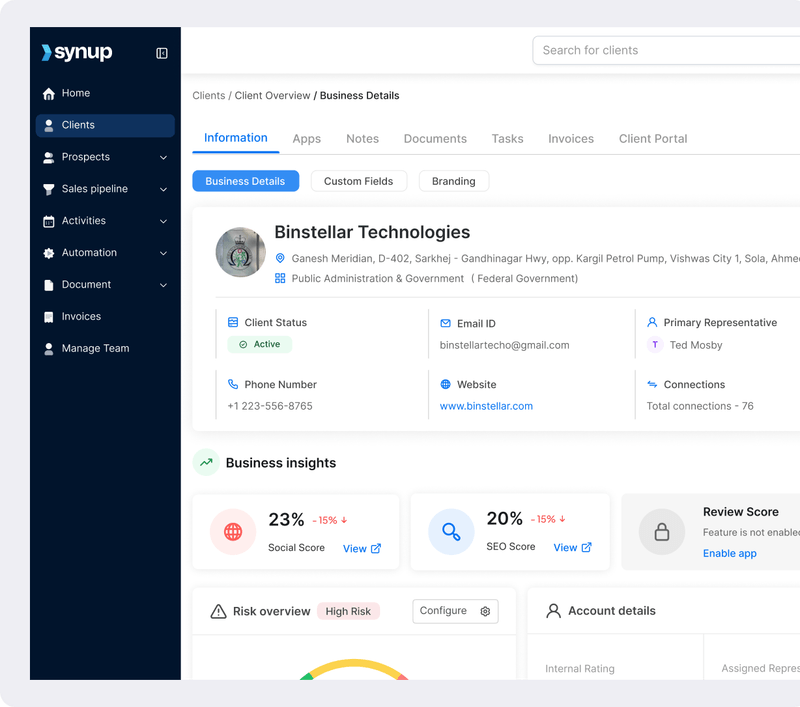
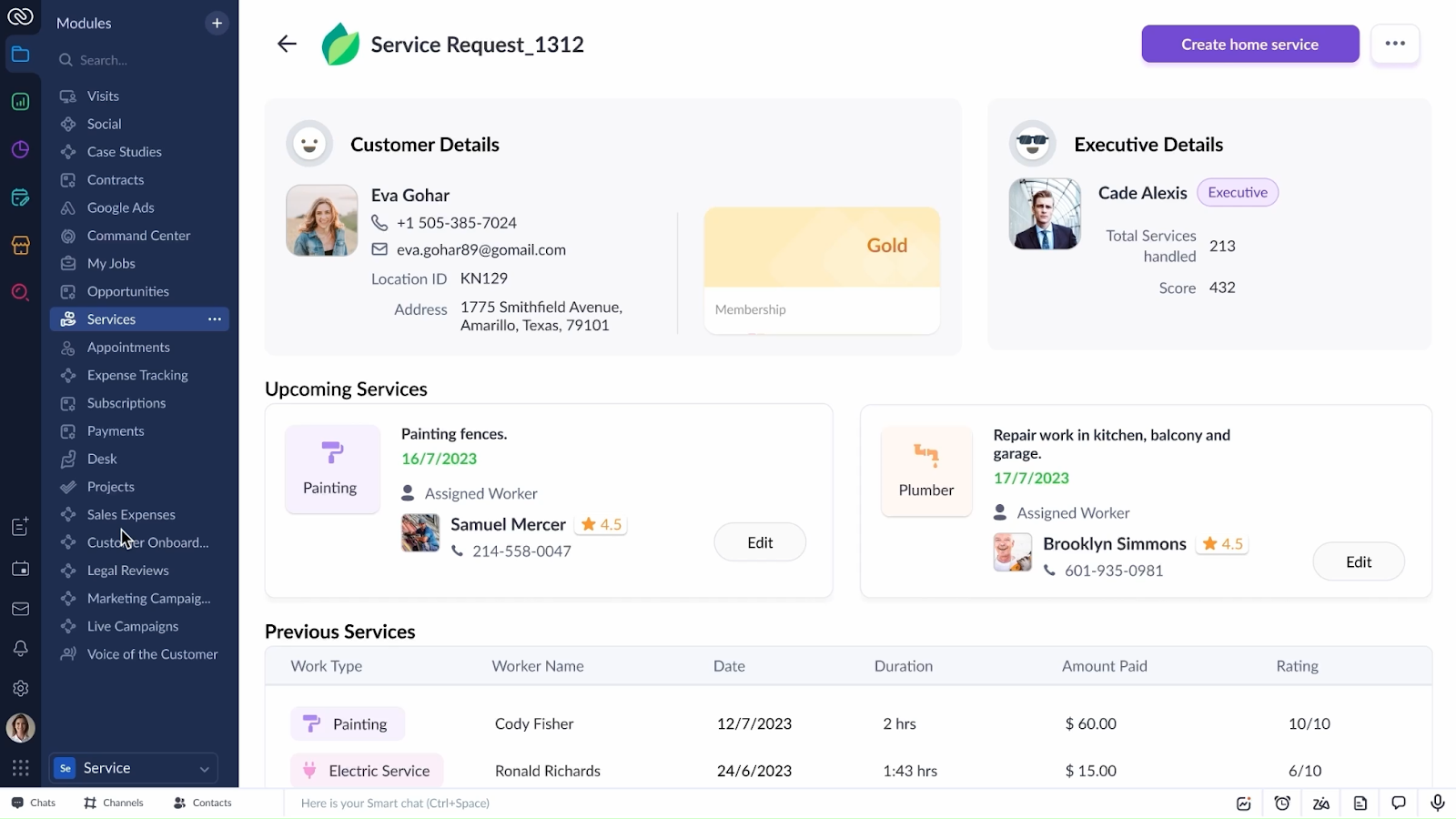
Synup OS is more than a CRM; it’s an agency operating system. Built for marketing agencies, it combines lead generation, sales pipeline management, tasks and activities, document e‑signing, and payments in one platform. Agencies can manage proposals, schedule meetings, track client communications, and even issue invoices from a single dashboard. Synup OS empowers you to build a single source of truth for every client, and meticulously so.

Key Features

  • Lead capture & prospecting: Built‑in tools help find high‑intent SMB leads using data on 40 million+ businesses and AI‑driven insights.
  • Sales pipeline management: Visual boards track deals from inquiry to payment with custom stages, automations, and forecasting.
  • Task and activity management: Assign tasks, set reminders, log meetings, and track communications so nothing slips through.
  • Document & payment management: Create proposals, send invoices, collect payments, and get documents signed electronically.
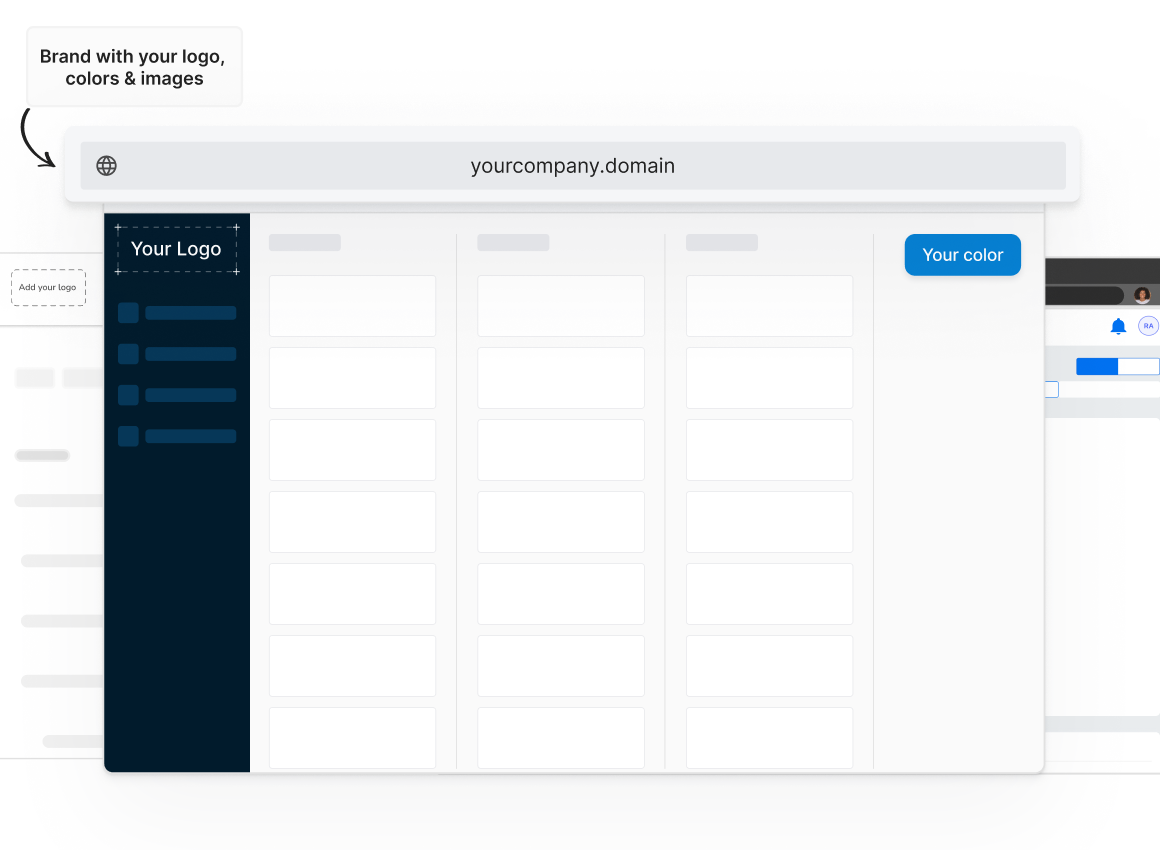
  • White‑label client portal: Offer clients their own portal with your agency’s branding, complete with dashboards and campaign reports.
  • Self‑serve marketing apps: Provide clients with modules for listings, reviews, social media, and more, creating upsell opportunities.

What Sets Synup Apart

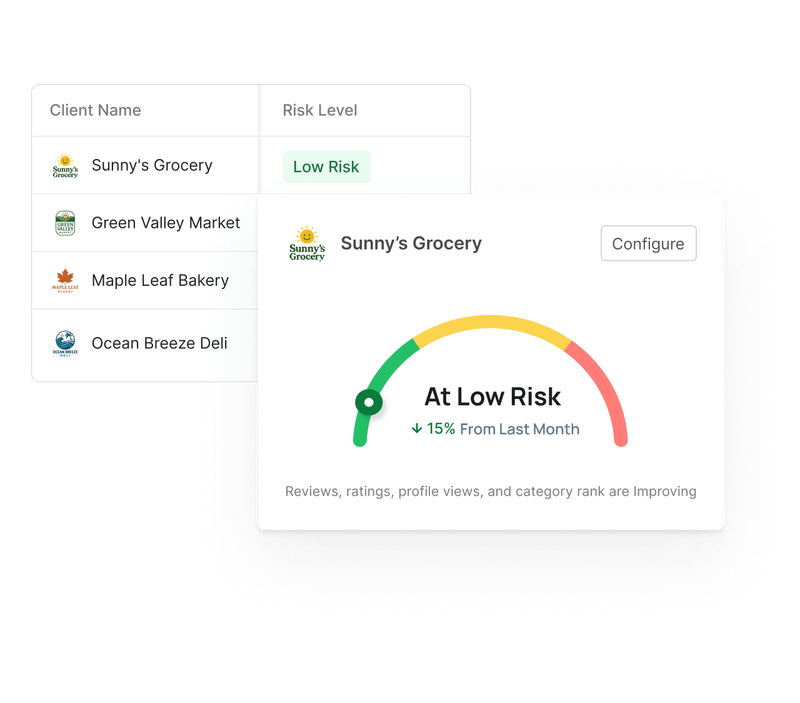
Synup OS unifies marketing and sales workflows. Unlike most other CRMs for small marketing agencies in this roundup, it offers a white‑label dashboard, SMB prospecting tools, and self-serve marketing apps so agencies can manage and deliver services from one place. Its churn forecasting and client summary dashboards help you retain clients by spotting at‑risk accounts early.
Source: Synup

Benefits of Using Synup

  • Efficiency and scale: Centralizes lead capture, deals, tasks, and payments, eliminating app hopping and allowing scaling without extra staff.
  • Revenue growth: Prospecting and upsell tools open new revenue streams; built‑in marketing modules (listings, reviews, social) boost agency offerings.
  • Client experience: White‑label portals make your agency look professional.

Pros

✅ Comprehensive platform covering sales, marketing, and billing
✅ White‑label client portal with branding
✅ Built‑in SMB prospecting and upsell modules

Cons

🚫 Less suitable for enterprises that need advanced customization
🚫 Pricing requires contacting sales for tailored packages

What Customers Say

“It’s an all‑in‑one platform for listing updates, rank tracking and review generation. Being able to white‑label it to my branding and allowing for my clients to log in from my portal is great.” 

Review collected by and hosted on G2.com.
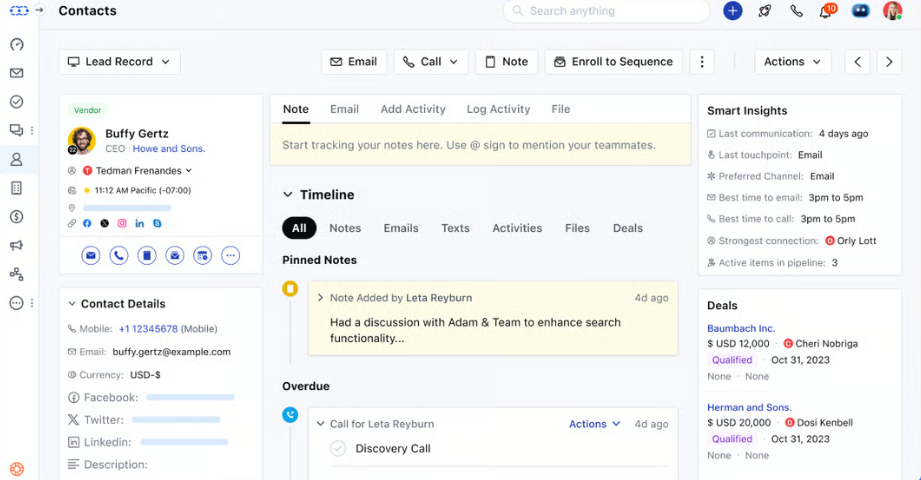
Zoho CRM

Best suited for: Small businesses that need CRM & marketing automation
Source: Zoho CRM

What Zoho CRM Does

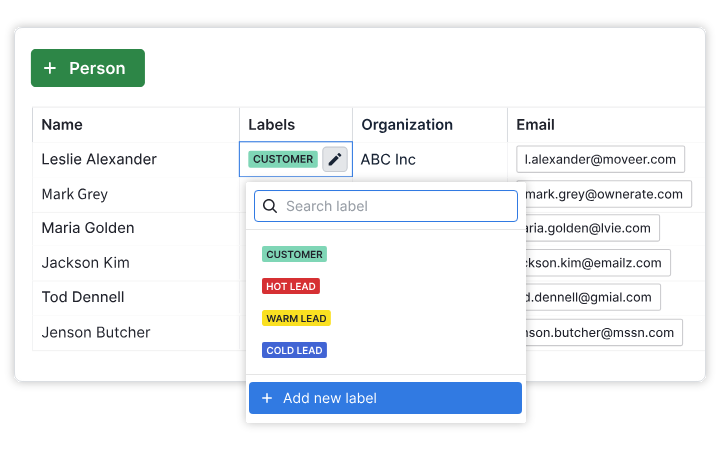
Zoho CRM provides a unified platform to manage sales, marketing, and support. It enables email, phone, and social media communication; stores every interaction for a 360° client view; automates quotes and invoices; and runs marketing campaigns. Regarded as one of the top CRMs for small agencies, you can attach deals to contacts, manage tasks, and collaborate in this one system.

Key Features

  • Omni‑channel communication: Handle calls, emails, social messages, and web chats in one place.
  • 360° client management: Store all interactions, notes, and documents linked to each contact. 
  • Automation and workflows: Automate follow‑ups, quotes, invoices, and marketing campaigns.
  • Custom dashboards: Build custom reports and dashboards to track leads, deals, and campaign performance.
  • Client portal: Share documents and collaborate with clients securely.
  • Mobile CRM: Manage sales on the go.

Pricing

Zoho CRM offers a free edition for three users. 

  • Standard ($20/user/month)
  • Professional ($35/user/month)
  • Enterprise ($50/user/month)
  • Ultimate ($65/user/month)

There are discounts on pricing when billed annually.

Pros

✅ Affordable entry‑level plans with robust features
✅ Highly customizable dashboards and workflows
✅ Strong mobile and social media integrations

✅ Automation capabilities + customizable

Cons

🚫 Some advanced features require higher plans
🚫 Interface can feel complex for non‑technical users

What Customers Say

“Zoho CRM has changed the way I control my clients. I liked that I could easily customize the dashboards to my requirements.” 

Review collected by and hosted on G2.com.
Pipedrive

Best suited for: Sales pipeline management
Source: Pipedrive

What Pipedrive Does

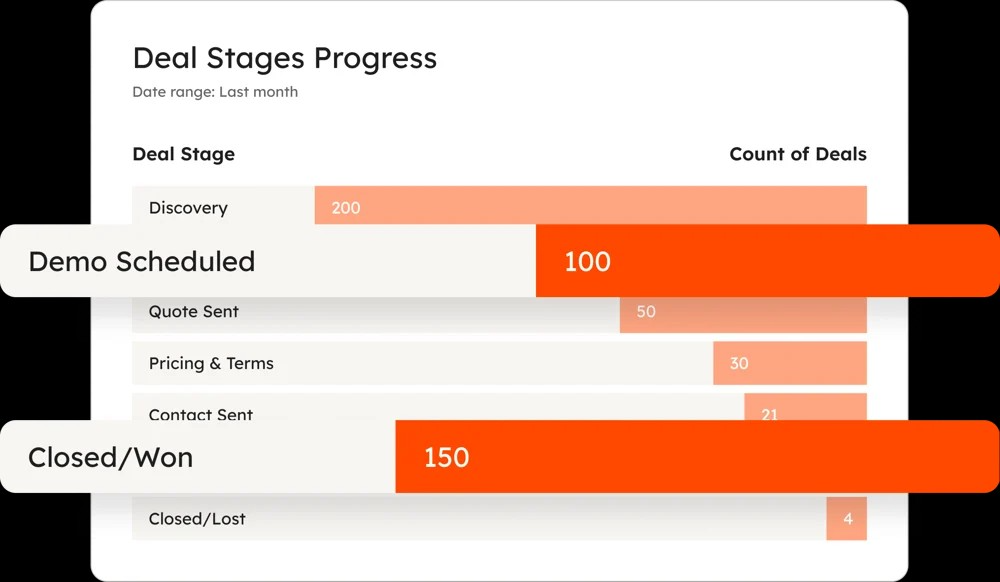
Pipedrive is a CRM for agencies that focuses on pipeline management. It offers visual deal boards, email, and activity tracking, AI‑powered insights, and customizable stages. Agencies can automate lead nurturing, create reports, and forecast revenue easily.

Key Features

  • Visual pipelines: Drag‑and‑drop boards show deal stages and next actions.
  • Email sync & tracking: Sync emails from Gmail or Outlook and track opens and clicks.
  • AI sales assistant: Suggests actions to move deals forward and highlights stalled deals.
  • Custom reports & forecasting: Build dashboards and forecasts to plan revenue.
  • Meeting scheduler: Clients can book meetings directly based on your availability.

Pricing

Pipedrive’s plans start at:

  • $19 per seat/month (Lite), 
  • $34 (Growth), 
  • $65 (Premium) 
  • and $89 (Ultimate) 

Plans include unlimited pipelines, email sync, automation, and more. There are discounts when choosing to bill annually.

Pros

✅ Intuitive interface with minimal learning curve
✅ AI assistant for smarter sales actions
✅ Flexible pricing and custom reports
✅ Great lead management tool; real-time insights that help focus on deals and allocate resources

Cons

🚫 Limited marketing automation compared with all‑in‑one platforms
🚫 Add‑on costs for some features
🚫Some users noted the lack of integration options with regard to features like billing 

What Customers Say

“The best part is that this is all easy to pick up within a few hours of working with the product.…there are definitely more powerful CRMs that can support broader functionality, but they have a crazy high learning curve. 

Review collected by and hosted on G2.com.
HubSpot

Best suited for: Marketing, sales, and service suites
Source: Hubspot

What HubSpot Does

HubSpot offers an all‑in‑one CRM with marketing, sales, and customer service hubs. Agencies can manage contacts, build email campaigns, automate workflows, and track deals. HubSpot reports that on average, customers see a 129% increase in leads after one year, and 36% more closed deals. 

Key Features

  • Marketing Hub: Email marketing, social media scheduling, landing pages, and marketing automation.
  • Sales Hub: Pipeline management, email templates, predictive lead scoring, and meeting scheduling.
  • Service Hub: Help desk, knowledge base, and customer feedback tools.
  • CRM Suite: Combines all hubs with a unified database and analytics.
  • AI-powered CRM: AI can automatically enrich records with data from emails, calls, and more. It also provides overviews for your clients and shares insights about important CRM data. The AI-powered data agent can also answer queries about your customer, using the CRM, documentation, and the web to answer.

Pricing

HubSpot offers free CRM tools with basic marketing and sales functionality. Paid plans for each hub start at $20 per month ($15 with annual billing) for the Starter tier and scale up to professional and enterprise levels.

Pros

✅ Comprehensive suite for marketing, sales and service + great integration options
✅ Excellent training resources and support; excellent reputation and wide usage
✅ Scalable pricing with free entry point

Cons

🚫 Professional and enterprise tiers get expensive🚫 Advanced customization may require developer help

What Customers Say

“The most helpful feature of the HubSpot Marketing Hub is that all of the activities you conduct as a business are tracked and can easily be transformed into KPIs.”

Review collected by and hosted on G2.com

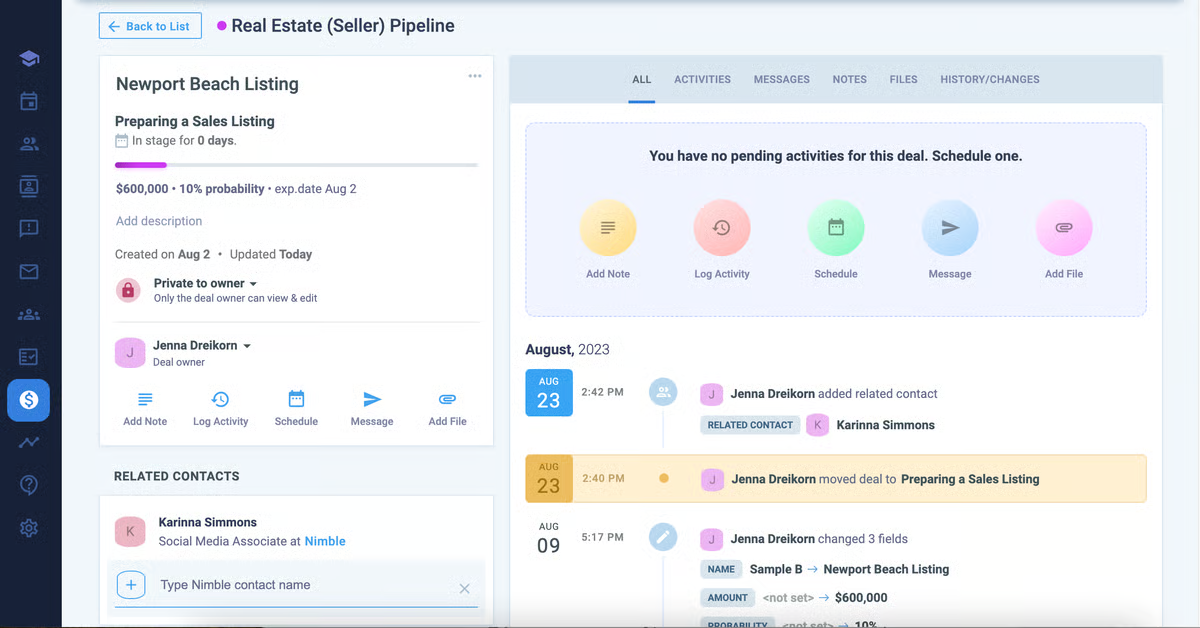
Nimble

Best suited for: Small teams that need social CRM
Source: G2

What Nimble Does

Nimble is a hub that blends contact management with social CRM. It imports contacts from email, calendars, and social networks to build a unified address book. Agencies can nurture leads via group emails, manage pipelines, and track social conversations.

Key Features

  • Unified contacts: Consolidates contacts from Google Workspace, Microsoft 365, LinkedIn, and more.
  • Social media integration: See social profiles and conversations directly in the CRM.
  • Pipeline management: Track deals through stages and assign tasks.
  • Group email & templates: Send targeted emails with tracking.
  • Web forms & workflows: Capture leads and automate nurturing.

Pricing

Nimble offers a single plan at $29.90 per user per month (or $24.90 annually). A 14‑day free trial is also available.

Pros

✅ Strong social integrations and contact enrichment
✅ Affordable single pricing plan
✅ Easy to use for small teams

Cons

🚫 Limited automation and reporting compared with larger CRMs
🚫 Group email quota is capped

What Customers Say

“Nimble is very flexible and allows me to do direct sales as well as channel. The system supports my selling cycle and enhances the success rate by bundling features that are normally extra cost in other systems.” 

Review collected by and hosted on G2.com

Salesmate

Best suited for: Sales and marketing that grow businesses
Source: G2

What Salesmate Does

Salesmate is an agency CRM designed to unify sales, marketing, and support workflows. It features contact and deal management, email templates, a meeting scheduler, ticketing, dashboards, and automation. High‑tier Salesmate plans add product and quote management, surveys, advanced goal tracking, and AI features.

Key Features

  • Contact & deal management: Centralized contacts, pipelines, and activities.
  • Email & meeting tools: Templates, email sync, and meeting scheduling.
  • Marketing automation: Sequences, web forms, and drip campaigns.
  • Ticketing & support: Help desk, team inbox, and satisfaction surveys.
  • Custom modules & dashboards: Flexible fields, formulas, and SSO for enterprises.

Pricing

  • Basic ($23/user/month) 
  • Pro ($39)
  • Business ($63)
  • Enterprise (custom)

Pros

✅ Comprehensive features at competitive price points
✅ Strong workflow automation and AI capabilities
✅ Scalable plans for growing teams
✅ 360° visibility dashboards provide a comprehensive view of contacts, accounts, and deals

Cons

🚫 No free plan; may be too feature‑rich for very small agencies
🚫 Advanced features require higher tiers

What Customers Say

“Salesmate.io is a user‑friendly tool to work on daily activities. Navigation of the tool is easy, giving a comprehensive 360‑degree view of each module—contact, account or deal.” 

Review collected by and hosted on G2.com

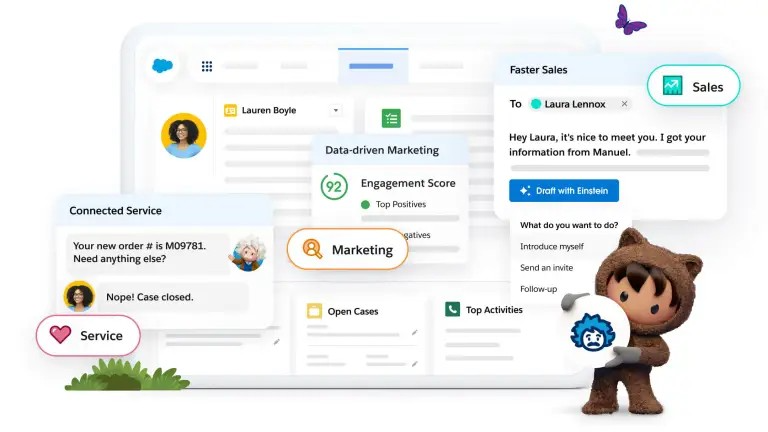
Salesforce

Best suited for: Enterprise-level CRM and platform ecosystem
Source: Salesforce

What Salesforce Does

Salesforce is a pioneering CRM platform that powers sales, service, marketing, and commerce for businesses of all sizes. The AI-based CRM offers customizable objects, automation, AI insights (Einstein), and an ecosystem of applications. Agencies can use Salesforce to manage leads, accounts, opportunities, forecasting, and collaboration.

Key Features

  • Sales Cloud: Lead and opportunity management, quoting, forecasting, and pipeline analytics.
  • Service Cloud: Case management, knowledge base, and omni‑channel support.
  • Marketing Cloud: Email, social, and journey automation.
  • AppExchange: Thousands of third‑party integrations and extensions.

Pricing

Salesforce Starter Suite starts at $25 per user per month. Larger bundles with Marketing Cloud and Service Cloud incur higher costs and must be paid annually. 

Pros

✅ Industry‑leading customization and scalability
✅ Rich training ecosystem (Trailhead) and community resources to accelerate onboarding
✅ Connects marketing, sales, and service with advanced analytics and AI.

Cons

🚫 Higher price point for small agencies + annual commitment required
🚫 Setup and customization can be expensive and complex without technical help
🚫 Some users report intricate customization and an interface that requires some getting used to

What Customers Say

“Salesforce has such a robust library of documentation and an incredibly active community. The Trailhead platform is unparalleled. Getting up to speed on the platform is a breeze.” 

Review collected by and hosted on G2.com

Summing Up

Choosing the right CRM depends on your agency’s size, focus, and growth goals. Synup OS is one of the best CRMs for marketing agencies seeking an all‑in‑one platform with prospecting, marketing modules, and white‑label portals. Zoho CRM is also great for small to mid‑sized teams needing customizable workflows and omnichannel communication. On the other hand, Pipedrive is ideal for sales‑driven agencies wanting intuitive pipeline management.

When evaluating, look at ease of use, marketing capabilities, integration options, and scalability. Whichever digital marketing agency CRM you choose, invest time in setup and training. The payoff is a streamlined pipeline and happier clients.  

Get started with Synup 

Synup OS brings everything under one roof: 

  • Prospecting
  • Pipelines
  • Payments 
  • Reputation and social management 
  • White-label client portal your clients will love. 

With one platform to run operations and scale client services, Synup helps agencies do more with less. 

You can start by signing up for a free trial and exploring features. Visit the Synup Agency OS page or book a demo to see how Synup OS works in real time.

FAQs

  1. Do marketing agencies really need a CRM? 

Yes, they do. Think about how many client calls, campaign notes, and project deadlines you’re balancing in a single week. A CRM pulls all that chaos into one place. Instead of the sticky notes and endless email chains, you’ve got a clear view of deals, contacts, and timelines. That means fewer mistakes, happier clients, and more time to focus on growth.

  1. Which CRM is best for a small marketing agency? 

If you’re running a small shop with limited staff, look at Synup OS or Zoho CRM. These CRMs give you the core stuff (pipelines, contacts, marketing features) without having to add more tech to the stack and draining your budget. Pipedrive is another safe bet if you’re mainly focused on keeping track of deals and don’t need heavy marketing automation.

  1. How much should a marketing agency CRM cost?

Most entry-level CRMs kick off at about $20–$30 per user each month. That’s enough to cover contact management and basic pipeline tracking. If you want deeper tools like full marketing automation, advanced analytics, or enterprise-grade customization, with easier scalability, platforms like Synup, HubSpot, or Salesforce will cost more but often add value to your marketing journey. 

Devenez partenaire de Synup dès aujourd'hui !

Prenez rendez-vous avec notre responsable des partenariats pour explorer des solutions de croissance personnalisées pour votre agence.