
How to Handle Temporarily Closed Locations Without Losing Rankings
Learn how to handle temporary closures correctly across Google, Bing, and Apple to protect rankings, visibility, and local authority.
A couple of weeks ago, we got a call from a local business owner who was planning a short renovation and had a simple question: “We’re closing for about two weeks. Should we just mark the location permanently closed on Google?” (If you manage multiple locations or work in local SEO, you’ve probably heard this exact question before.)
Anyways, in the process of walking them through the right way to handle a temporary closure, we learned (again) how easily businesses can wipe out years of local SEO authority with a single incorrect setting.
The issue isn’t the closure itself. It’s how those closures are communicated to search engines. One wrong status, especially marking “Permanently Closed,” can reset rankings and create unnecessary recovery work that can take weeks or months.
In this article, we’ll walk through the exact protocol for handling temporary closures without losing search engine visibility.
TL;DR
- Under 7 days: Use Special Hours in Google Business Profile (not “Temporarily Closed”) to avoid visibility drops.
- Over 7 days: Use “Temporarily Closed,” keep your website live, and update all platforms (Google, Bing, Apple Maps, Yelp), ideally through tools like Synup.
- When reopening: Post updates, upload fresh photos, and trigger new activity signals.
- Never: Mark “Permanently Closed” or unpublish your location page.
The Golden Rule: The 7-Day Threshold
Here’s what’s going on today: even “Temporarily Closed” isn’t neutral anymore. Many industry analyses, like that from Whitespark, have observed that businesses marked “Temporarily Closed” typically drop a few positions in the local pack during closure. They recover, but visibility dips while that label is live.
So, how do you pause operations without pausing authority? You use the 7-day rule.
Scenario A: Closing for Less Than 7 Days
Do not hit “Temporarily Closed.” Use “Special Hours” instead.
Inside your GBP dashboard > Edit Profile > Add Special Hours > Mark specific dates as closed.
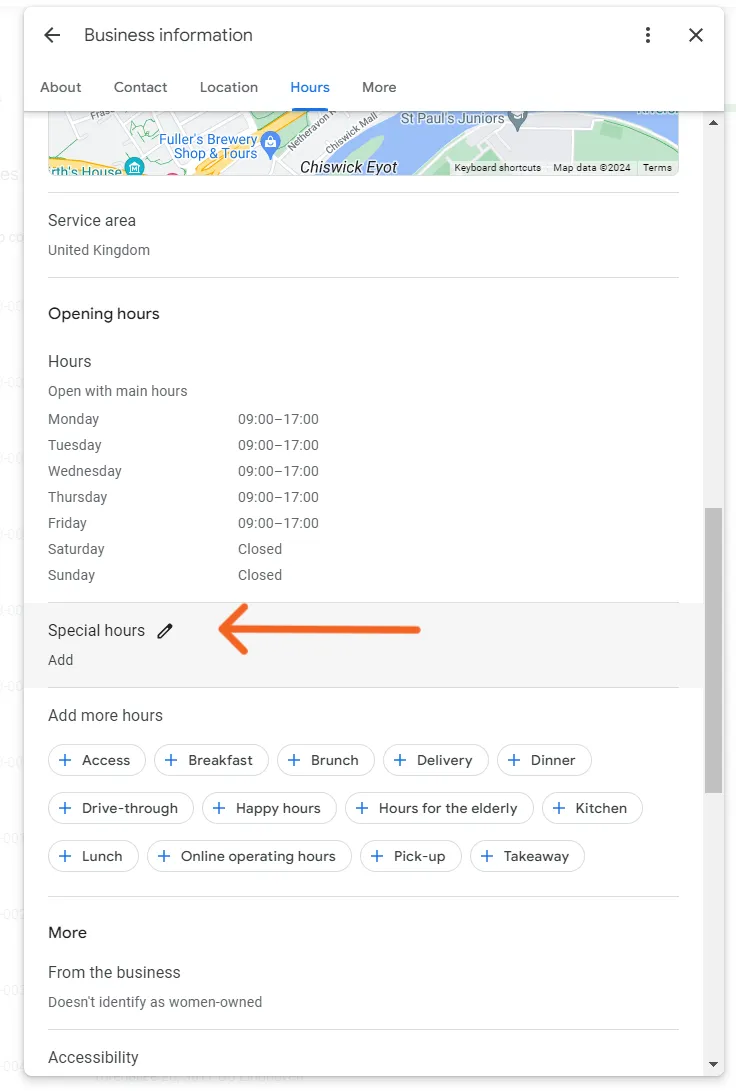
Courtesy: GMBapi.com
Why this works:
“Temporarily Closed” slaps a visible “Closed” label on your listing. That triggers three problems:
- Click-through rate drops (people skip closed businesses).
- You disappear from “open now” searches.
- The algorithm reduces exposure while you’re unavailable.
Special Hours keeps your listing generally “Open” while accurately showing closure on specific dates. You stay visible in broader searches. No long-term stigma.
Scenario B: Closing for More Than 7 Days
Now you use “Temporarily Closed.”
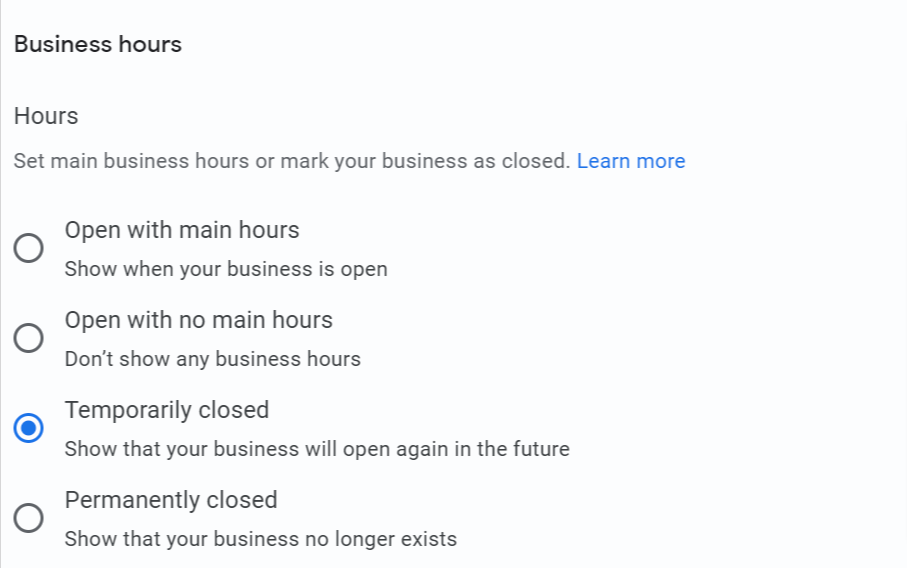
Courtesy: Google
Yes, rankings may dip slightly. Whitespark tracked drops of several positions during closure, but recovery happened within 24–72 hours after reopening.
That temporary dip is far better than:
- Leaving incorrect hours (hello, angry reviews).
- Not informing customers.
- Marking “Permanently Closed.”
“Temporarily Closed” is a hibernation mode. Authority, reviews, and history stay. Visibility softens but rebounds when you flip back.
Platform-Specific Protocols
Different platforms manage their own data. GBP changes don’t automatically sync everywhere. You must update each platform directly.
Google Business Profile (GBP)
Steps to apply “Temporarily Closed”:
- Sign in to your profile.
- Select the location.
- Click Edit Profile.
- Go to Business information and click on Hours.
- Select the Temporarily Closed option.
Do not mark a business “Permanently Closed” unless it is genuinely shutting down. Also, do not delete and recreate listings, as this resets authority.
Apple Maps, Bing Places & Yelp
Each platform requires direct edits:
- Apple Maps: Submit changes at Apple Business Connect. It’s often the slowest to update and typically requires 3–5 days for changes to appear.
- Bing: Sign in to Bing Places for Business and update directly. Updates are usually published within 24–48 hours.
- Yelp: Mark as Temporarily Closed via Yelp’s Business Dashboard > Business Information > Hours > Mark Business as Closed. You can also set a reopen date. Remember, reviews remain active during closure (cannot be disabled).
Using Centralized Tools (The Practical Shortcut)
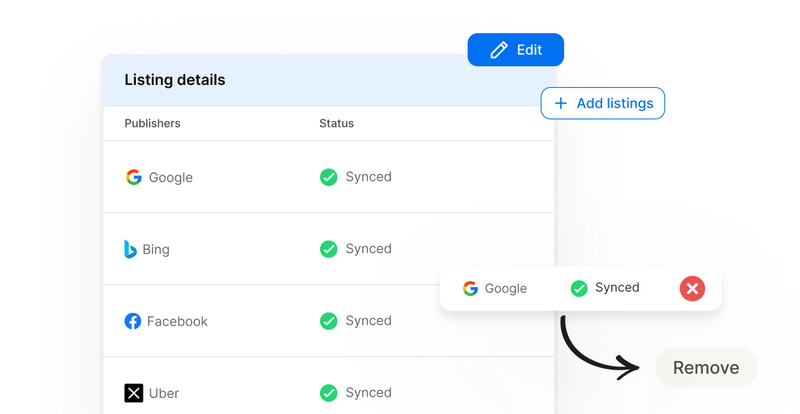
If you’re managing multiple locations, logging into each platform quickly becomes inefficient. Tools like Synup allow you to update closure status and special hours once, then push those changes across platforms simultaneously.
This reduces both time and the risk of mismatched data.
Also Read: Top 8 White Label Local Listing Management Software
The Website Strategy: Don’t Kill the Page
Another common error is unpublishing the location page during closure. When a page returns a 404 or is removed entirely, Google may de-index it. Reopening then becomes a rebuild because the page has effectively lost its accumulated authority.
Instead, maintain a 200 status page and add a prominent banner indicating temporary closure and reopening date. Structured data should remain in place. If necessary, adjust opening hours within schema markup to reflect the temporary status rather than removing the entity entirely.
Disable booking functionality if required, but preserve lead capture elements such as newsletter signups or reopening notifications. This maintains engagement and protects accumulated SEO equity.
Pro tip: Add a countdown timer to the reopening date. This creates anticipation and gives customers a clear expectation.
The “Waking Up” Protocol (Reopening Strategy)
Reopening should be treated as a coordinated signal event because search engines rely heavily on recent activity signals.
That’s why, several days before reopening, publish a “We’re Back” update within your GBP. Upload fresh photos. Confirm that all platforms reflect correct hours. Review and respond to any pending messages.
On reopening day, remove the “Temporarily Closed” designation early and verify operational details across systems. Encourage early customer engagement and reviews.
Local search visibility responds to freshness signals (posts, images, reviews, and active management). Coordinated updates help rankings normalize more quickly.
If using centralized listing tools such as Synup, ensure updates are pushed simultaneously across connected platforms to avoid data lag or inconsistencies.
Also Read: Top 15 White Label Local SEO Tools
Conclusion
Temporary closures do not inherently destroy rankings. Improper signals do.
If you apply the correct status based on duration, maintain consistent data across platforms, and keep your website live, authority will remain intact. Visibility may soften temporarily, but recovery is predictable when reopening is managed strategically.
FAQs
- How long does it take for location rankings to recover after reopening?
Usually 24–72 hours if you run a strong reopening update (posts, photos, Q&A).
- Can I still receive and respond to reviews while marked “Temporarily Closed”?
Yes. Reviews remain active. Keep responding to maintain engagement and authority.
